As a daily user of Safari, I can't let you say that. The devtools suck. The network tools suck (why is it so hard to find the request payload??), the elements tools suck, there are basically no extensions (React, Redux, etc.). They are just horrible. As much as I try to use only Safari, I still fallback on Firefox Dev when I need some real devtools.
I use it for the reasons you mention but it's a really bad browser. It's the only browser that still has consistent rendering issues in 2020: sometimes parts of the pages stay blank, CSS grid support has inconsistencies with other browsers, and some basic layouts fail only on Safari.
Another one of my pet peeves with Safari is text selection. It's the worst I have ever seen: https://imgur.com/qC7amU1
It has the potential to be good, but it's just not.
I too would like to use Safari but it’s so far behind evergreen browsers like FF and Chrome I just can’t rely on it.
I still regularly use it because of battery life/power (Firefox seems determined to turn my laptop into a space heater) and that has its merits but it's objectively bad in a number of other ways.
(Oh, and I'm still thinking about the MBP 16" release a year ago -- Apple had a fancy web page for it with certain actions that triggered on scroll. That page crashed every time I tried to read it in Safari; I literally had to use another browser besides Apple's in order to take in an Apple product page. And I reported to Apple, they had mildly helpful front line support suggestions for troubleshooting... as if it was my problem, not theirs.)
Also, safari on my iPad sucks as well, but got better with the 14.2 update.
EDIT: Screenshot here of Apple's Big Sur page NOT rendering! https://imgur.com/a/tF4TDPH

In the latest versions of Catalina and on Big Sur, Safari has been rock solid; none of these issues.
Again, no issues with CSS Grid either.
Igalia (https://www.igalia.com) implemented CSS Grid for both Webkit and Blink; they had more commits to Webkit and Blink than anyone else except Apple and Google.
It's not clear why there would be major differences between the two…
WOW, talk about revisionism! Chrome/Chromium was based on WebKit!
Unless you mean something else?
Maybe I'm just old enough to remember the bad old days, but browser bugs seem very few and far between. One I've found is Chrome's implementation of backdrop-filter is extremely buggy, while Safari works 100% of the time. Specifically it seems that two sibling elements cannot both specify a backdrop-filter in Chrome. I work on a rather large SPA and it has only one browser hack: a dummy div that works around Chrome (and thus Edge's) implementation.
This is because lazy/incompetent web developers make their sites in Chrome and don’t bother testing other browsers.
You could have said the same about any browser that wasn’t IE a decade ago.
This has not been my experience at all.. I use Firefox on a day to day basis and generally build applications which work in Chrome and Firefox. They used to work well with EdgeHTML too.
I've run into cases in the past where basic SVG rendering with an feColorMatrix filter doesn't work properly in Safari and looks like garbage .. but works fine in Firefox and Chrome. I've run into lack of support for HTML elements that every other modern browser vendor supports. I still can't believe there's no proper input[type=date] support on desktop.
Away from desktop, I've also run into Mobile Safari failing to properly calculate the height of <iframe> elements, not supporting background-attachment: fixed and localStorage failing unintuitively in incognito mode.
Safari is absolutely the browser that gives me the most issues; I'd call it the new IE.
How are Windows Dev suppose to test with Safari when they dont have access to it?
How the hell is it "extremely inaccessible" for "most" people?
It's Chrome that has an weirdass non-standard UI (the practice of showing app preferences/dialogs in a webpage needs to burn in the flames of Hades) and other niggles, not to mention being a privacy black hole.
If they weren't told to use Chrome (i.e. Google didn't nag people to use Chrome when they're trying to use Search etc.) "most" Mac users wouldn't give a fuck about Chrome.
Because most people don't own Macs. The last Windows compatible version of Safari was back in 2012 or so, and as far as I know, it was never available on Linux.
Therefore, for me to test on Safari, I either have to spend thousands to buy a laptop, or pay out of my pocket for some sort of cross-browser testing tool (even if it's free, I am spending extra time) while Chrome/Firefox are used by most of the world and ensuring that I deal with Safari's idiosyncrasies does nothing much for me.
> It's Chrome that has an weirdass non-standard UI (the practice of showing app preferences/dialogs in a webpage needs to burn in the flames of Hades) and other niggles, not to mention being a privacy black hole.
I would argue its more standard since it is the same UI in every OS I wanted to use. I honestly don't think people are that angry about preferences as a webpage.
In terms of privacy, Firefox kicks Safari out of the water, and in terms of performance, it is faster, and actually renders everything (something Safari fails way too often at).
> "most" Mac users wouldn't give a fuck about Chrome.
Eh. Safari not rendering elements of the page, constantly crashing, and other myriad of issues do well enough to push people to Chrome/Firefox. Also, most people quickly start using Firefox when they realize that UBlock Origin doesn't work on Safari and is easily better than anything that comes on Safari.
Honestly, for me as developer, Safari is the new IE6, except possibly worse because bugs for IE6 are very well-documented with good workarounds.
That's precisely the 'lazy web developer' that they're talking about. Oh god no, you have to test on a browser you don't use.
Sure Chrome is dominant, but Safari has about 15% of the market so by taking the stance you do, you're dismissing 1 of 6 people. Because you're lazy.
The large majority of the companies across the globe have already enough to do with their local markets with zero (0%) presence of Apple devices.
If Apple wants them to care about Safari, they can easily make Safari available in other platforms, has they have done when they were struggling for survival.
It sure doesn’t feel faster.
As for Chrome I read this just now:
https://www.zdnet.com/article/google-patches-two-more-chrome...
Which is actually the biggest reason I don't use Safari, it has no support for profiles or user-chosen cookie separation (multiple different accounts for GSuite, etc).
As for Chrome just getting patched with zero-days - fine, but remember that Safari doesn't have the concept or ability to do Site Isolation the way Chrome or FF do, Chrome uses the macOS sandbox the same way Safari does, and there have been plenty of Safari CVEs as well. Chrome is usually the last to fall at Pwn2Own; pointing out "oh they just patched a zero-day CVE" doesn't mean much, especially since Apple pushes Safari updates far less often than Chrome does, and will often leave desktop Safari unpatched for weeks after iOS has been fixed.
I don't have a Windows machine. I still test against Edge. No Android phone. Still test against a range of them. How? See above.
I don‘t have much need for the Network tab, so maybe that’s why. They handle the basics very well for me, with a much better interface (IMHO) than chrome tools.
I really wish they didn‘t skip the devtools part of WebExtensions so we could get the tools for React/Vue/Redux et al.
I just considered what the network tab actually is and I have of course used it before, to work on the loading speed of sites, but haven‘t done that for a while. The only performance work I‘ve done recently is with react profiler.
I have never used it to inspect API requests, which I assume it can do? I‘m comfortable with Charles proxy, which is likely overkill.
My usage is maybe 45% elements, 45% console, 5 % source/debugger, 3% storage, 2% network. Somehow I dislike elements UI in chrome.
Now I‘m thinking that I may be missing out and should look at what it does and what chrome could give me.
Edit: after playing around with it for a few minutes: I have in fact been missing out and using Charles and Paw way too much when I could have done it way quicker in the browser. I hope I don't have to switch to chrome now.
If you use Safari I hate you
I only use it to open non work related sites to split distractions because I agree it's not the best browser.
• The UI is 100% Mac'cy and doesn't try to be different in retarded ways. Fuck preferences-as-a-webpage.
• The automatic syncing between my iPhone, iPad and Mac is also amazingly convenient. I can Handoff this page over to my phone and it will retain the comment I am currently typing! Can't beat that shit.
• I don't do webdev so I don't care about the in-browser devtools, but they suffice for me when I dabble in it.
• I want to limit what Google sees about me to as little as possible.
But I now use Safari for browsing and Chrome for developing, ever since they destroyed it.
Speaking as a non-web-dev who looks at web inspector once in a blue moon, this took me about 5 seconds. I looked at the Network tab, selected a resource, noticed the information in the detail pane had headers but not payload, and then right-clicked the resource and selected "Reveal in Sources Tab" which revealed the payload there.
1. Just lost a few hundred Tabs from last session. Not the first time this has happened to me on Safari. ( Firefox used to have this problem as well, they implemented multiple LastSession.json to combat the problem and it is basically a thing of the past. )
2. Fav Icons meant they are no longer showing the Tab Description once you have a dozen tabs as they will shrink to Icons Size. So you either have normal Tabs or Tabs with Fav Icons, not both. ( This is new in Safari 14 )
3. Show Tab Overview will reload all the tabs, including those that were in idle / unload state. If you are a heavy tab user you should not do this. Having a hundred tabs reload will cause hundreds of GB of Data written to your SSD. Basically shortening its lifespan.
4. AFAIK ( I could be wrong ), Extensions still requires you to have an $99/ year developer account. Some of my favourite extensions are now either paid or can no longer be used.
Apart from that, yes it is very good.
Everyone has a story like this - from all of the browsers.
It seems like FF behaves better in this way now, but I still do silly things like rsync my home directory to a backup before every reboot/update. If I ever need these tab backups, I will have to do silly things like dissect them with JSON tools or monkey around with plists, etc.
Why, Why WHY can't we just have tabs:// ?
Plain text list of all URLs. Dead simple. Just pull up tabs:// and cut and paste. Or select all. Or whatever.
Lose-all-tabs bugs will always be with us - and a fix would be so simple ...
Chrome on the other hand will deliberately reject and wipe your profile if you copy it to another computer.
Also "bookmark all tabs" serves roughly the same purpose as a dumb URL list for backup purposes, even if it's awkward to edit.
https://chrome.google.com/webstore/detail/tabcopy/micdllihgo...
I just tried it out -- you click a button to copy the list of tabs. If you just want the URLs and not the page titles, choose the "Compact" option.
That's actually a nifty feature idea, but it seems like it could be easily abused with a little client-side JS for the sake of fingerprinting or analytics, unless it's treated similarly to chrome:// urls. You could probably whip up your own small browser extension to provide a simple formatted list of tabs, though.
> Why, Why WHY can't we just have tabs:// ?
I expect that the vast majority of users would be entirely uninterested in the workflow you describe.
This is horrifying! How do you get to have one hundred tabs, or worse, a few hundred?
I think the problem is that people generally don’t know when they’ll return to a tab, so they leave it open, and that creating a bookmark is asking too much commitment for something potentially ephemeral.
A good system might be one that doesn’t automatically close tabs, as some extensions do, but collapses ones that have remained unused for a certain period into a set of temporary bookmarks. Recently accessed tabs stay in the bar, while stale ones are swept into an “old tabs” list that can be perused at the user’s convenience.
This is a legitimate question, but not the only one in that situation. Another view, more in line with the unix philosophy, is that "using something in the intended way" is a meaningless concept. A tool must work always, no matter how it is used and abused.
Thus, instead of asking "how is this UI failing them?", you could be more pragmatic and ask "how can I optimize the UI so that this usage works correctly?"
(I use the heck out of this, both for the extra vertical space that comes from hiding the top tab bar, and for the conceptual organization that it provides).
Safari's reading list is my solution to this. CMD+SHIFT+D adds the current tab to the reading list which is visible on a new tab page or in a side panel. Syncs across devices too. You just right click > delete to remove the item from the list when done.
What Add-on do you use for this.
https://addons.mozilla.org/en-US/firefox/addon/auto-tab-disc...
On my personal machine, I'd be surprised if I ever get above 5 non-pinned tabs open. I open a tab, look at it, close it, rinse and repeat.
I have the same habits in my IDE and Finder windows and iTerm and Sublime (which I mostly use as a scratchpad). If I have more than a few open, I inherently think I am doing something wrong and go to clean it up.
Frankly, I've always viewed the "hundreds of tabs open" as a sorta hoarder mentality. You might need that tab in the future, so you don't ever close it. Even when it is obvious you will never need it, you still don't close it. Even when it makes finding other tabs unusually difficult, you still do not close it. It clearly has no benefit, but you're afraid or unwilling to close it (I use "you" in the general sense; not indicating you, tobr, specifically)
Ever since SSDs I also shut down my computer when I'm not using it so maybe I'm weird.
- Open tabs are the opposite - if you close them, they're gone forever. So once you no longer need a certain tree of tabs (e.g., like above, you've finished researching something), you just dispose of the whole tree; if there's anything particularly valuable in there, you can add it to bookmarks.
So, e.g. if I'm doing house renovation I may have trees of tabs with hundreds of open tabs in them while researching something. Same when coding, if I'm investigating a particular topic I may have tons of open tabs that will eventually get closed all together.
In some rare cases, I keep a tab or a tree of tabs open just so I don't forget to navigate back to it in the foreseeable future (at which point it will likely get closed).
For example, I have a bunch of tabs for online grocery shops in recent months. These are for reference. Whenever I'm in the mood to check for delivery slots (which have become scarce), I click through each of them, login and check if there's a viable delivery slot available. The set of tabs is a reference to remind me of the list of 10 or so shops to check periodically. I might forget some of them otherwise, because they are not all ones I use regularly; they are only in the list to improve my chances when slots become hard to obtain.
Then I'll use the same tabs for convenience rather than reference. Muscle memory and visual location. If I found a slot, I might place an order in stages over a few days (one to book the slot, then adding items over the coming days if I realise I need something, finally to amend the order to fit my needs shortly before the delivery date). Then it's useful to have the tabs in use in a convenient location. Their visibility as a pinned tab also serves as a reminder until the shopping is finished (typically ~3-12 days) in case I forget to amend the order.
I have a similar thing going on with financial institutions. I have about 20 of these in use, counting both personal and business use (I run accounts of two businesses), banks, credit cards, and tax pages. From time to time I'll want to peruse them and check in on balances and pending tasks, occasionally download a statement. Then it's useful to have a list in one place, similar to with shops. without a list I'd probably miss one.
Both of the above could in theory be replaced by bookmarks, but there's a bunch of UX reasons why bookmarks don't work so well. One of them is that we really need a "live bookmarks folder" for each group. If I open another shop/institution tab, I need that to remain in the "persistent" set by default. Using a normal bookmark group, I'd open the group as tabs, then half an hour after I open something else, I'd have to remember to add that extra item to the bookmark group, and just that item. But after an hour of browsing and having visited maybe 250 pages, I'm likely to forget which open tabs are already in a bookmark group and which one's aren't. It's too much work to step through and compare item by item by hand when I'm done and need to move to another task, so I end up taking new "snapshot" bookmark groups rather than managing the existing bookmark set. This gets messy fast. In practice it's easier to just keep a set of tabs open, and delete the ones which are no longer required.
Also in my tabs are the articles (many from HN) that I collect into a knowledge base. Tabs aren't a great way to save these, but neither are bookmarks. Ideally I'd want something that saves them with tags and brief notes. For now, I send tabs from my active window over to a dedicate HN window, where they form a long queue of things to go through in a systematic batch at some point and group, sort, categorise, filter, and take notes on the salient points I want proper notes on. They are a kind of research multi-queue. You could think of them as a set of about 50 long-term tasks that are likely to take years to produce the results I want (which are for actual tech developments, not reminiscence). From time to time I'm tempted to batch convert these to bookmarks, but doing so makes them unusable because it loses scroll position and text highlight, so it's labour intensive having to take notes instead. I guess people use "web clipper" software for this kind of task. I haven't found something I'm happy with yet, but I haven't tried much either. I wouldn't be happy locking so much long term research into proprietary software though. On my phone, I use "Share to Orgzly" to capture such things, rather than tabs.
Windows for "idle browsing" get closed the next day when I open up my computer and look at the tabs and think "well this sounds boring, let's see what new has happened overnight".
On my phone OTOH, the tabs just stack up until twice a year I just mass-close them all.
My browser is configured to not restore tabs. And I shutdown every night.
If the browser were to lose all tabs by accident, it wouldn't be a big deal (same as losing bookmarks isn't actually a big deal for some people)
- The active tab is short term memory - The tab list is medium term memory - Bookmarks are long term memory
(or if you prefer replace short/medium/long with cache/ram/disk)
I really like the idea someone on HN purpose sometimes ago. Where all your visited webpage ( excluding images ) are saved on your SSD, and you can basically search it back like your memory.
My wife does this on her phone. I find it maddening, and tell her to just bookmark her sites. But that's just not how her brain works.
Fortunately, even between iOS updates, Safari remembers all of her old tabs.
At which point the proper response becomes, "go work through your issues in some way that does not involve me."
My wife even does it more extremely: when she opens a web site, she opens it in another tab, even if she already has that web site in an existing tab. So she ends up with hundreds of Facebook tabs, hundreds of shopping tabs at the same store, thousands overall. I don’t think she has ever deliberately closed a tab, and might not even know how. Safari’s UI makes it totally non-obvious how to do it, like how Apple makes it non-obvious how to kill apps.
Yes, it works.
It’s also maddening, like they’ve never even grasped the basic file operations.
I pretty much never ever see my desktop. I see my screensaver all the time, desktop never. I use spaces to separate tasks I'm working on and arrange windows to fill the screen, and they pretty much always do. I use the desktop mostly as a drop-off area for whatever it is I momentarily need; I drag and drop stuff there all the time, like images from Firefox. There are some directories, but at most two layers deep I think. I do archive stuff from time to time, but there are pretty much always multiple desktop grids worth of stuff on there.
That works really well because I only ever interact with the desktop via Finder (where I can just type the beginning of a name or use the datetime column or Spotlight set to search current directory per default), CLI (which has fd, ag etc.) or file pickers, though I tend to drag-and-drop more than I use "open file" dialogs. Relying on those is much faster and more intuitive for me than thinking up some kind of organisation scheme for dozens of unrelated activities that don't seem to fit into a single scheme very well, and organising everything accordingly, when I'm in the "zone" and would rather not have to think about where to place this particular file. I find it hard to remember such schemes, but I pretty much always know when and how I created something, so a chronological view of everything at once is very helpful. Software work is somewhat more organised (~/workspace and a lot of git repos in there), and data sets are very neatly organised (it doesn't work any other way), but most other things live somewhere on the desktop (or in some kind of searchable cloud).
As I see it, as long as I find whatever I need quickly, which I do, why would I "tidy up" those imaginary "folder" things? It's not like they have much in common with physical ordering aids (like folders), where you have to structure things rigidly or else never find a thing, and even there, you often don't structure things very deeply – who puts physical folders inside folders inside folders? My hand tools are organized pretty neatly, but if I could just say "8mm wrench" in the direction of my toolbox and magically hold it in my hand, or magically have all my tools neatly arranged by name, date-of-purchase, type, or just say "wrench for that nut" and find it ... I daresay my toolbox would be a lot messier. Can't do that, so I must put in the work. Where I don't have to, and can keep the chaos out of sight, I won't.
Maybe even skip that manual step entirely. People use browser histories like emails now -- by searching, not by active organizing.
If I visit HN, browse a bunch of comment threads, and find something I want to come back to later, that's 1 tab but 20 history entries.
Same if I searched for something on Google and eventually found something I want to come back to later. Except that's 1 tab and 50 history entries.
To recover that state via history is practically impossible. It's a needle in a haystack. I've occasionally needed to do it, and it takes a long time.
(Compared with a tab, a bookmark doesn't work well either for something to come back to. Anything where there is a context, such as scroll position. Perhaps if bookmarks were better, keeping track of scroll position and allowing text to be highlighted or a note to be attached, and showing a thumbnail (scrolled to the right place), and retaining some temporal relationships between different pages. But I find bookmarks consisting of just a title and URL to be completely useless.)
It can't figure it out from content search, because the junk is often the stuff that resulted from useful searches and was assessed by the user as not worth keeping. Keeping tabs is a signal from the user about which entries were useful. A form of curation. Without that signal, what is there?
However, I think bookmarks would be profoundly transformed from nearly useless to better than tabs by improvements to bookmark navigation, UX and a little extra context.
So I have to give credit to you for the idea - history navigation improvements might be transformative in a similar way.
> since you need to bookmark each tab individually + name it + sort them
If you're already using Tree Style Tab on Firefox, there's a `Bookmark this tree` option that collapses the above workflow to just bookmarking the tree and naming a bookmark folder.
Not enough of an improvement, of course.
Not really. Desktop icons and email are persisted to non volatile storage.
Expecting windows and tabs to persist in the exact state you left them as if they were real world objects is just not how computers work.
However it's definitely not true that it's easy to find things again after closing them. Search engines are terrible solution for trying to find a specific thing with broad categorical terms. All you will get are referral and affiliate websites that most definitely don't contain the most accurate, trustworthy, or up-to-date information.
I think at the moment, best information is discovered through recommendations of other people via twitter, slack, whatsapp groups, etc. But resurfacing that info later on is hard, so you need to act immediately.
My point is, when people find obscure things that will/might come handy soon or later, they tend to keep them open in the browser as a way of temporary storing them. First, because native bookmarks are a terrible solution where you quickly run out of space and keeping them organised is too much work. Second, because keeping them open serves as a visual reminder to get back to it (once bookmarked they are out of sight, out of mind).
This is precisely the reason why we developed Tablerone. It's an Chrome extension that serves as a bookmarking system (saving and organising entire sessions) and as a tab manager (easier navigation). https://tabler.one/
By having an easily accessible and private space to store information you are still processing or intend to return later liberates you of the need to keep them open. As a result you get a concise timeline overview of your browsing history, that makes it much easier to later search through with broad categorical terms.
I'm very eager to hear what you think about this.
I believe Chrome does the same?
This just isn't useful for the kinds of information retrieval I find myself doing, and I truly don't understand why people think that ought to be enough for everyone. Perhaps other people don't collect and combine large amounts of information into new artefacts as part of their regular online activity?
When I'm retaining state such as tabs, it's not so I can find the same information by searching for it.
It's so that I can go through information I have already found through searching and following links, which has passed my filter as the useful things I'll need for the next phase in processing, to do something useful with.
The important part isn't that the information is findable again by searching. The important part is that I've already half-catalogued what's useful once, and it's that cataloguing which is what I need to build on a second or third time.
All the "next phases" in processing typically take from a few days to a few months to complete.
To give a concrete example:
Recently I had to do some research on QUIC protocol and HTTP/3 for a job. In my searches I found various pages of particular interest that I should at some point extract information from, and add them as references to a report I'm writing. But there was no point adding them at the time to my report, because until I had found more documents and pages to read, I wouldn't know which ones were the best ones to include as references for someone else to use, and which ones to drop.
Also, that list of 100 represented things I would need to systematically check through again in my code implementation and report before dismissing them. By systematically, I don't mean in linear order, but I do mean complete.
So I ended up with about 100 tabs, expecting to go through them systematically later, and turn them into about 30 references for my report eventually. As the task would be completed in about 5 weeks (in parallel with a number of other jobs), those 100 tabs were context for that task for about 5 weeks.
If I deleted them "to reduce clutter", the fact I could find the information again by searching for it was pretty much useless. That would be starting my task all over again.
And if I bookmarked them, that would loses track of the scroll position, which meant I'd lose which page sections, headings, etc were the relevant item I was keeping to use, or decide not to use, in the final code and report.
Really I had only two options: Keep a lot of tabs open for this one task for a few weeks. Or write down a lot of notes as I went, intending to delete some of the notes eventually. I've tried both, and find keeping the tabs to take much less time and overhead compared with taking notes in the first round.
Now imagine I'm doing several research-like tasks like that overlapping in time, each of them taking a few weeks or a few months each. The overlap means that number is multiplied by the amount of concurrency, so it reaches several hundred or a thousand easily.
I'd love to use something better, but tabs are the thing I've found most effective so far. In the past I've taken more notes, and I found that led to a lot of time taking notes. It's like the difference between a more efficient or less efficient batch sorting algorithm for information discovery, indexing, merging and eventually selecting out the most relevant things.
People love to suggest alternatives. I'd love one because tabs do have many problems. But I've yet to find a good alternative which is actually helpful. Bookmarks are not because of lost context and poor UX for going through them (large thumbnails with retained scroll position and/or highlighted current section heading and/or tags/notes would be great). Deleting and searching again is useless. Taking notes at every stage is ok but labour intensive by comparison. I tried Org mode but it has the same problem as taking lots of notes. What else is there for organising work-in-progress information like this?
I have OneTab for Firefox, which allows me to convert active tabs into a bookmark list. This helps the problem a lot because I can now park my active tabs.
Unfortunately I found bookmarks rather useless and switched back to using tabs. It's really unfortunate.
No one used bookmarks anymore, they just leave a tab open.
We only need to throw away physical objects due to space constraints and rearrangement/search cost. Mental and virtual objects can decay away and there is no rearrangement cost when they are already organized by relevance.
It actually does...which is how we are able to specialize our knowledge
This is the same for throwing away tabs. If I'm not using a tab anymore, I want it out of the way so I can more easily find the tabs I do use.
You can restore the old plist with this to get them back, if you had it backed up in Time Machine or something. It's annoying but it's saved me a couple times.
Although the frequency of that zip creation was something like daily so you still lose some part of tabs. There were additional guarantee they put in place so last session will never be overwritten again or blank out. But that was a very long time ago when I was still a heavy Firefox users and follows its development very closely. If I remember correctly those features development and debugging happened on Mozillazine.
FYI, there is a way to get around this annoying new setting.
1. Enable Preferences -> Tabs -> Show website icons.
2. Quit Safari.
3. Enable Safari Debug menu as described in https://yuriy.eu/design/2020/09/21/safari-tab-preview.html
4. Open Safari and disable Debug -> Tab Features -> Narrow Tabs.
1. Just lost a few hundred Tabs from last session. Not the first time this has happened to me on Safari. ( Firefox used to have this problem as well, they implemented multiple LastSession.json to combat the problem and it is basically a thing of the past. )
>>
With Safari's switch to WebExtensions, I hope that the developer of OneTab (1) makes their extension available on Safari as well. I started using this extension on Firefox to get an additional layer of protection from an unexpected crash that corrupted tabs data. This was before the multiple backups approach that Firefox has adopted, which has all but eliminated tab data corruption. I continue using it because I like to see tabs in a list.
1. https://addons.mozilla.org/en-US/firefox/addon/onetab/?utm_s...
I have a small, open-source Chrome/Firefox extension that has about 260 active users.
I was considering porting it to Safari, but I can't justify the $99/year fee for it.
Is that too much to ask?
Honestly, if you like to live on the edge, you have to except some accidents.
- On my 15" Macbook Pro (mid 2014), when you speed up videos in Safari the sound is distorted and weird, while in Chrome it sounds properly sped up. I use this a lot when watching educational videos.
- Youtube videos max out at 1080p.
- While there are decent ad blocking extensions, they're not as good as uBlock Origin.
- Web pages are fast and smooth, but the browser UI doesn't consistently feel as quick and snappy as Chrome.
- I once saw some rendering bugs when loading old reddit -- parts of the page were black.
This was Safari 14.
Safari 14 has resolved an inconsistent, tedious bug I kept experiencing (most often on reddit): changing the URL query parameters in the address bar and hitting return immediately resulted in the page merely being reloaded. Had to wait a solid second or so before hitting return to have a decent chance of getting the correct page.
But I've grown much, much too fond of this "No Javascript unless I say so, etc etc" experience to give it up without a substantial other benefit.
I've experienced something similar before Safari 14: when opening Safari for the first time and quickly pasting the URL to the address bar and hitting Enter, the URL would just disappear and I'd hear a bell sound. Had to wait a second to paste the URL and have it actually go to that page. These little things contribute to a general feeling that the browser is not polished enough for everyday use.
Agreed about the user experience. Really unpleasant to work around some indiscernible and apparently unfixable problems. I feel like in a "death by a thousand papercuts" scenario with Apple software, but I suppose that is a topic unto itself.
With Firefox I sometimes notice oddities with how fonts are rendered, and it generally feels "less native", but at least I don't run into miscellaneous issues like that anymore.
I use a simple hack to make opening mpv easy: https://news.ycombinator.com/item?id=24509028, but IIUC there are browser extensions that make it completely automatic.
This was actually one of the (many) things that motivated me to migrate away from OSX.
The Electron app needs to run to set options or to force filters update, not the rest of the time. It's still an annoyance but it's better than nothing.
I would love for uBlock to find a workaround.
as a windows user i was puzzled by this when installing adguard
My guess is that it's engineered like this to simplify their code base(s) between their various free plugins and their paid "Adguard for Mac" and "Adguard for Windows" apps.
How does it not work properly? Been using it and am pretty satisfied so far.
This doesn't mean what you think it means. What you wrote means that web sites put text on their pages stating, "We're proxying our ads so you can't block them, nanny nanny boo boo!"
You probably mean "specific" purpose.
More to the point, this isn't new. We were doing this on web sites at least as far back as the early 2000's.
Perhaps you are thinking of the term "express written consent", but there it's the word "written" that means it was, well, written.
That said, it prefers its existing adblock implementation over extensions that block network requests manually, as that functionality is disabled, I think? https://developer.apple.com/documentation/safariservices/saf...
Note also that the existing Safari adblock implementation is not subject to the hard limit of 30,000 rules that Chrome had announced in their V3 manifest format, as you can enable more rule sets to get around length limits. And now, on macOS Safari, you can add companion extensions that could monitor and modify the page after the fact if you need additional scripts to run, but at the cost of privacy and battery life...
I personally use AdGuard, 1Blocker and (my favourite) Small Technology Foundation’s Better Blocker (formerly Ind.ie). I use all three of them (but without any companion extensions, for privacy) on both iOS and macOS and rarely see any ads except the occasional static image that sometimes slips through. edit: I reported the ads I did see and they’re gone now from the sites that had them. So yes, I see no current limitations with Apple’s adblocking system except that it doesn’t apply to other apps, just Safari or other apps using Safari.
Do others find that ad blockers actually still work well?
Meanwhile, reader mode in Safari will generally hide every ad on the page. It doesn't help with the privacy or battery life or security benefits that ad blockers provide, but in terms of just the user experience, at this point at least for me it's far superior to using an ad blocker. So I've been using safari more and more just for this.
Edit: Why am I getting downvoted? I don't think I'm violating any guidelines or saying anything inflammatory here, just curious about other people's experiences using ad blockers.
For me it was kind of an annoying place to make that point.
Many people use of ad block really more to protect from the surveillance aspects of ads than their aesthetics. Ads on big sites don’t really look terrible.
Guess my views are too radical for this crowd though.
If that really describes what you do online, then you need some self-awareness over how little you have in common with everyone else and then temper your epiphanies accordingly.
Good ad blockers have a solution for this. For example, with uBlock Origin you enable an "annoyance" list.
I haven't noticed any more battery drain compared to Chrome, but both are worse than Safari (or so I've heard).
The critical functionality required for uBlock Origin and other request-based ad-blockers is blocking using the WebRequest API, which isn't supported in WebExtensions in Safari [0].
[0]: https://developer.mozilla.org/en-US/docs/Mozilla/Add-ons/Web... [0]: https://github.com/mdn/browser-compat-data/blob/master/webex...
It’s just one of those “no-shit” killer features that a browser touting its privacy-centricity cannot afford to not have
Unfortunately I can't really commit to using Safari on desktop because they don't have good ad blocking extensions (please correct me if I'm wrong). Really like FF for this.
But I really appreciate how Apple is committed to improving and highlighting Safari. After totalitarian regimes, browser engine monoculture is the greatest threat to Internet freedom I can think of.
- Pinned tabs are actually pinned tabs, not a small tab at the side of a single window that can still be easily closed
I'm looking down on the touch bar, and it's an indecipherable blur of basically identical tiny renders of web pages. I've never once found it useful, and the tab view has favicons (finally), if the touch bar had them I would likely use touch bar switching fairly frequently.
To be fair, no other browser does this obvious thing, either. I don't understand it.
Been using Safari for almost a year now, and this is one of my favourite features.
The last time, the thing that kept me from switching was inconsistent or confusing behavior around the URL bar auto-filling suggestions. When I focus on it and start typing it would fill in URLs with a lag, and so I'd try to navigate to a page, but just as I was about to hit Enter, it would auto-suggest some different path or set of parameters and then my Enter would navigate there instead.
It also (I guess to appear speedy?) would always speculatively load the root page when I'm typing something. So if I'm trying to type in "localhost:4000/somepage", it would issue a request while I'm still typing that for "localhost:4000/", which would inevitably cause me confusion when developing by triggering breakpoints and stuff I wasn't intending.
Chrome solved this a decade ago... just keep shrinking the tabs down to Favicon size or smaller. Safari just added Favicon images last year, and I don't even think they're visible by default.
---
EDIT: Favicon-only compact tabs to have actually been changed/added in Safari 14 for Big Sur!? Which would actually probably push me to switch (and upgrade to Big Sur, even).
> https://9to5mac.com/wp-content/uploads/sites/6/2020/07/macOS...
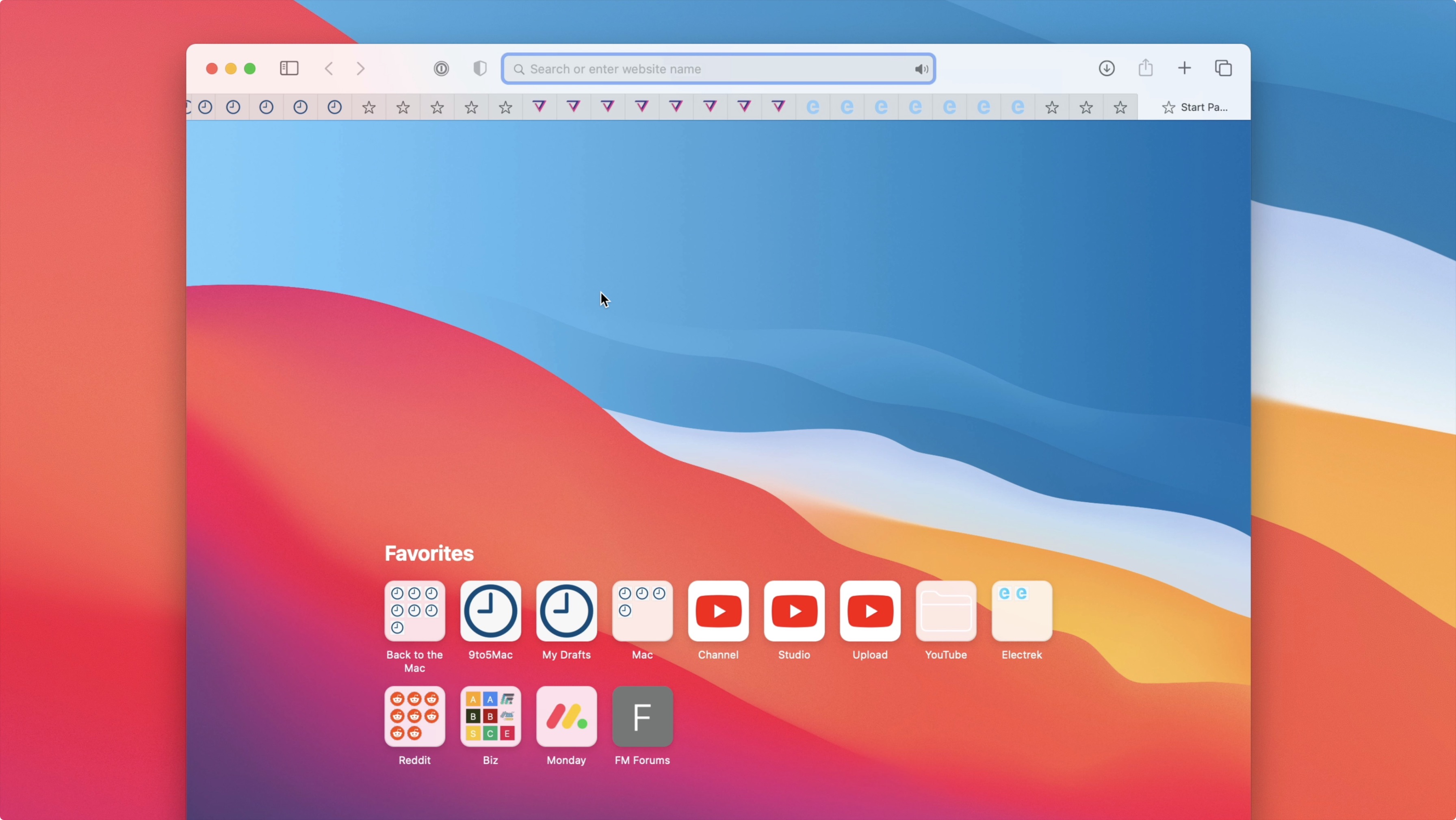
One of the best trade-offs is to stop shrinking tabs at some point and let you scroll them.
Don't give them too much credit. For a very long time, the minimum size for chrome tabs resulted in them hiding the favicon, becoming a completely useless row of triangles. And to add insult to injury, the tabs were still big enough to show favicons if they wanted to.
When it stop showing the favicons, that's when you really know you have too many tabs open.
It's a bit of a feature, really. The tabs are still completely usable, but not seeing the favicons was just annoying enough that it changed my behavior and would cause me to finally close a bunch of my open tabs.

I only use FFX and Chrome for testing, although I tend to use FFX a lot for the developer tools and Vue integration. That being said, Safari has extremely polished dev tools that are highly capable.
I was using Safari 14 since the day it was released for macOS Catalina. The animations, for example when you open the link menu (cmd+L), make it sluggish. And that's on last year's 16" macbook pro without any heavy load, so it should not be slow.
Dev tools have improved, but so has Chrome. They still have a long way to go. I'm a frontend developer so I use these tools daily and I still use Chrome only because of the superior developer experience.
The touchid support is a neat feature, but 1password gets very close to it and I can use it in any browser. The only place where I was truly surprised with Safari was when you log to icloud.com, Apple pulls some 1st party magic there.
I'm now using Firefox in place of Safari, it feels faster and snappier. Checks all the boxes listed in the parent and then some, except native fingerprint support. I wonder if Safari is somehow performing better on big sur. I will test it during the weekend when I upgrade.
Basically I’ve been using Safari (desktop and mobile) for eighteen years in a row. I usually have Chrome on my machine too, for one reason or another, but I don’t think I fire it up more than a handful of times a year.
And remember: your browser doesn't have to be open-source to chip away at the Chrome monopoly. Every website that sees an uptick in non-Chrome visits will have to adjust their product priorities accordingly.
Not sure if they fixed this in Big Sur, but since Mavericks all the way through Catalina there's been a critical bug with Safari's use of the macOS keychain, such that if you don't use iCloud Keychain, then you cannot migrate your Local Items keychain (the one used by Safari) to another machine, even during a restore from a backup. Hence a loss, damage, or theft of your machine means the loss of all passwords saved by Safari.
I posted about it here recently: https://news.ycombinator.com/item?id=24626562
I switched to Firefox for this reason. I can't afford to lose all my passwords.
If so, that's a deal breaker for me right there.
Safari on the other hand wants to make sure your whole computer is responsive, and has good battery life. If native apps work better than web apps that is fine. This is in line with Apple's revenue model.
But it's only a click away:
Develop > Experimental Features > WebGL 2.0Also, it’s more than one touch away on iPhone. And I’m not sure you can force it in a web view.
Is this just me or anyone else?
I’ve had the same problem, and I have youtube premium. Though it’s not consistent, sometimes it works, which makes me think that it might be related to some choice of the content creator.
Also I need tab syncing with my Android phone and adblocking wasn't great on Safari
It's baffling at best that you imply you believe this.
It's proprietary software (so you can't prove it already at this point) from one of the most user-hostile companies in history, and one that at the bare minimum "was" involved in mass data gathering programs (example: PRISM), but everything points to "still is" and "will be" - not only for arbitrary governments but for its own pockets too.
A few more good things
- Credit/Debit Card store
- I browse on iPhone as well as Mac. They tabs are visible on both devices, including book marks etc
- The killer reader mode
- Reading List: it’s replaced Pocket app for me.
I think some of these aren’t new in the browser world but it’s just nice when I could use them without being hounded by a few thousand trackers.
My main browser is Safari, and I'm very happy with it, but I do also run Firefox for some things. I enjoy some of its plugins more (eg, ForgetMeNot), but overall it's pretty clunky compared to Safari.
That said, I do have to close the tab / restart after a few dozen reloads. I blame the 35 MB of JS that's being loaded, :/. (production version is 1/10th of that)
There is a ticket open for adding support into Safari, but it probably won't happen anytime soon. https://bugs.webkit.org/show_bug.cgi?id=182566
As someone who has to support Safari, I can still say that both Chrome and Firefox are better by about an order of magnitude. They are bad enough that I've given up trying to debug safari specific issues in safari, and just proxy the behavior in firefox.
Anyway, I had to return the MBP 16 as I wasn’t happy with it’s performance when the browser has to deal with multiple GPU contexts. I’m waiting for an M1 laptop and it won’t arrive till next month.
My old MBP 15 does not have Catalina so it doesn’t have the latest Safari.
Hope that helps.
the showstopper for me is lack of profiles. you can effectively have 2 profiles, one for 'safari' and one for the dev or preview edition. there's a very expensive (>$10) cookie switcher extension that would have the ability to effectively create profiles, but the need for that has escaped them. i actively inquired maybe 18 months ago and they had no inkling to work on that.
the other thing i like about recent chrome is the ability to have an extension only activate on click. this gives you a much higher assurance about it's safety.
This is a joke when your telemetry is sent unencrypted over the wire with no way to disable the same. Right now, Windows beats MacOS for privacy. At-least you can disable stuff on Windows with some effort.
We'll see after I upgrade
The first is a must for privacy reasons and I would be very shocked if FF without javascript running didn't beat the pants of Safari with it for almost all sites.
How can you assess the privacy of the browser? Did you do tests to verify this?
What are you referring to? I have upgraded but haven’t noticed a difference.
* no uBlock Origin
* further deepening an abusive relationship
Also, it doesn't support clearing data upon closing the browser if you're interested in that feature.
-A future of monolithic internet instead of a flourishing forrest.
-Technological advances driven by singular forces - i.e ultra thin laptops.
-The decimation of small but potentially impactful hardware innovation that my flourish one day.
Don’t get me wrong - i write this post on a Mac, for the same reason you all use it. Much of the technology is now mature enough but Apple’s muscle and patent have now become an inhibiting force. Thus this is my last Mac, last iphone. hopefully this resonates with someone, and instead of picking holes in a 5 bullet point post you focus on the bigger message here. Because there is one.
I've been off Apple laptops for a few years, but I might go back soon. The new M1 is basically in the direction that I think computing should have gone a decade ago (RISC, increased integration into processor package, heterogeneous processing). Intel didn't succeed in taking us to such a great place, so I'm hoping Apple pushes things along.
And, of course, AMD silicon is flourishing too, which is nice.
Apple's been a far better steward of the internet and of computing than Intel had been-- perhaps mostly because of Apple's limited market share here.
- Battery life is fantastic compared to Chrome/FF
- Privacy seems to be top-notch
- The tab ordering situation is now chrome-like (my biggest gripe in older versions of safari)
- Experimental features are 1 click away, easily enable/disable WebGL2
- Support for the WebExtensions standard means addons are trickling back into the ecosystem - I'm happy with my AdBlocker and Nightmode extensions
- Actually decent dev tools (used to be terrible)
- Native support for keychain + fingerprint
I've been using it for the past year after being on Chrome, and it's really impressive how much work they've put into not only catching up, but in many regards, jumping ahead.