News for hackers. Stuff that matters.
Re:MacBook Pro 14-inch and MacBook Pro 16-inch by ksec on Monday October 18, 2021 @02:01PM (#28908678)
HDMI, SD Card, and MagSafe. Things people on the internet inclusive but not limited to HN said they will never come back because the future is USB-C.

Now I just want to know if the new keyboard has more key travel distance back to the like of MacBook Pro 2015.

In case anyone wants to know the thickness difference.

MacBook Pro 13" 2015 - 1.8 cm

MacBook Pro 13" 2016 - 1.49 / 1.55 cm

MacBook Pro 14" / 16" 2021 - 1.55 / 1.66cm

So basically even the new 16" is still thinner than the MacBook 2015 era. Which I think vast majority of people were happy with.

Edit: Both 14" and 16" have 254 PPI, up from ~220. Apple tends to stick with same PPI for a very long time. So this is interesting. 3456-by-2234 or 3024-by-1964 is 14:9 Ratio. So somewhere in between the old 16:10 and 3:2 which is current trend of Lenovo and Surface Laptop.

Re:MacBook Pro 14-inch and MacBook Pro 16-inch by deergomoo on Monday October 18, 2021 @03:20PM (#28910240)
> Both 14" and 16" have 254 PPI, up from ~220

Which also means they finally support more screen real estate at native 2x! Since 2016 the 13" MacBooks retained their 2560x1600 panels but shipped by default in a "looks like 1440x900" mode, which renders a 2880x1800 frame and does a non-integer scale down to the panel's native resolution, trading sharpness for extra space.

I hate the slight fuzzy look so I run mine at native 2x (e.g. "looks like 1280x800"), but it makes things pretty cramped.

These new screens can run native 2x at the "looks like 1440x900" res (other rather, "looks like 1512x982"). Very welcome improvement.

Re:MacBook Pro 14-inch and MacBook Pro 16-inch by chrismorgan on Monday October 18, 2021 @11:08PM (#28914446)
I have always been utterly baffled by Apple’s approach to high DPI. They ship some of the best panels around, and then they kneecap them by using the most idiotic scaling scheme imaginable that guarantees that it’s worse than a low resolution panel for some tasks that want precision and uglier on things like single pixel lines which crop up a lot in e.g. web content, because pixel precision is impossible. Microsoft managed to do it right (though mixed-DPI took a couple of attempts), despite having no real power over developers. Meanwhile, Apple, who are in a position to sternly tell their developers to do it right or their software will break (and do so far more frequently than Microsoft), … caved and did it terribly? And do they even support real mixed DPI, or do they just fake it by rendering at the higher scale and downsampling to the other?
Re:MacBook Pro 14-inch and MacBook Pro 16-inch by stephen_g on Monday October 18, 2021 @11:46PM (#28914641)
This doesn't gel with my experience at all. Yes, past MacBooks weren't necessarily integer scaling (with this new display the default setting and what most people use will be though as far as I understand), and non-integer scaling is not ideal. But on my last two MacBooks at least the screen is visually plenty sharp, and looks way, way, better than the regular-DPI external monitors I still have (whether the external monitor is connected to the Mac or a Windows PC). And above all, my experience with Mac is that high-DPI has actually worked from the beginning, whereas on Windows I still have some apps that break if the scaling is not set to 100%!

Even right at the start, old apps would look a bit blurry but would still at least be in the correct proportions on macOS, whereas with the Windows scaling a lot of stuff just wouldn't work!

Re:MacBook Pro 14-inch and MacBook Pro 16-inch by chrismorgan on Tuesday October 19, 2021 @12:29AM (#28914886)
I have no direct personal experience on high-DPI macOS. For Windows, I’ve only come across a couple of apps that claimed to support high DPI but severely mangled it, and they both got fixed before long; and a few others that had minor problems, e.g. opening windows at unscaled sizes so that you had to resize them, or rendering small icons. And to be sure there are various DPI-unaware apps, probably far more than on macOS (linked to why Apple was in the perfect position to implement and impose proper fractional scaling), but that’s not a serious problem either.
Re:MacBook Pro 14-inch and MacBook Pro 16-inch by je42 on Tuesday October 19, 2021 @02:40AM (#28915436)
thats the issue with windows (and linux). highdpi displays are still rare (i did say: <10%), hence a lot of developers dont support it well in their applications. on mac however highdpi is the default.all apps i have used that is native macosx works fine.
Re:MacBook Pro 14-inch and MacBook Pro 16-inch by modeless on Tuesday October 19, 2021 @12:53AM (#28914983)
Microsoft's DPI scaling is terrible. So much stuff is ugly and/or broken. (My favorite example is DPI scaling bugs that used to exist in the DPI control panel itself: https://i.imgur.com/zi80IhG.png) Mixed DPI is a huge pain because windows change size when you drag them around. WPF was supposed to fix all this, way back when that was the future. Apple's approach is much simpler and generally works better though it certainly has its downsides too.
Re:MacBook Pro 14-inch and MacBook Pro 16-inch by manderley on Wednesday October 20, 2021 @07:06AM (#28929266)
Your example is from Windows 8, released in 2012?
Re:MacBook Pro 14-inch and MacBook Pro 16-inch by modeless on Wednesday October 20, 2021 @03:51PM (#28935406)
Yeah it's my favorite due to the irony. But DPI scaling bugs assuredly continue to exist both in Windows and in applications. On macOS such issues are much more rare.
Re:MacBook Pro 14-inch and MacBook Pro 16-inch by mehrdada on Tuesday October 19, 2021 @01:52AM (#28915245)
On most of my machines I switch to the integer scale mode, but realistically, the effect on sharpness is not too far from antialiasing in practice. I am not sure how they do compositing of media on macOS though. Theoretically they can render them on a distinct layer that corresponds to the output display pixels and directly composite that layer to avoid an additional resampling.

Windows on the other hand, does the theoretically correct thing but messes up the ecosystem (unsupported apps, multiple monitors)

Re:MacBook Pro 14-inch and MacBook Pro 16-inch by vetinari on Tuesday October 19, 2021 @04:34AM (#28916034)
They composite everything at nearest higher integer scale, with correspondingly large framebuffer (just make a screenshot of entire screen and check the dimensions). Then, during scan out, it is scaled down by output encoder.

This method does not need GPU at all and also saves memory bandwidth; no need to save scaled down framebuffer and read it out again.

Re:MacBook Pro 14-inch and MacBook Pro 16-inch by wlesieutre on Monday October 18, 2021 @11:51PM (#28914669)
Mixed DPI still doesn't work reliably for me on Windows. Lately mine has been confused with dragging windows between monitors, they'll get stuck on the border when dragging even though I can move my cursor across fine when not dragging anything.

It could be unrelated to the mixed DPI scaling, but that's what nearly all my display issues on Windows have been related to so that's my assumption.

Re:MacBook Pro 14-inch and MacBook Pro 16-inch by delecti on Tuesday October 19, 2021 @11:01AM (#28918818)
Windows occasionally "stick" a bit when dragging between windows monitors even with the same scaling on both screens. There are a bunch of keyboard shortcuts that are very reliable though. Windows Key + Shift + Direction: left/right instantly moves windows between displays, up maximizes, down un-maximizes and then minimizes. Windows Key + left/right (so without shift) also docks windows to the left or right of the same screen, and this feature is what makes windows also "stick" when dragging them from one screen to another.

I also recommend you check your display settings. If your windows aren't the same vertical size, then your overall desktop isn't a rectangle, it'll be some other polygon, and that means there are corners between the screens that your mouse can get stuck in.

Re:MacBook Pro 14-inch and MacBook Pro 16-inch by dnissley on Tuesday October 19, 2021 @01:37PM (#28920984)
Personally, I could care less if the UI elements themselves are fuzzy when using non-integer scaling. I love high-dpi screens mainly for reading text, and as far as I can tell non-integer scaling doesn't seem to make it fuzzy? Either way, it's way less "fuzzy" than standard-dpi displays where you can actually make out pixels very easily.
Re:MacBook Pro 14-inch and MacBook Pro 16-inch by hollerith on Friday October 22, 2021 @06:39AM (#28955563)
IME non-integer scaling on a Mac does make text fuzzy.

Doubling the DPI of the display makes the fuzziness less noticeable of course, but someone commented on this site that the fuzziness bothers him even on a retina display, so he distinctly prefers Windows's text rendering over Mac text rendering on the same hiDPI monitor.

As noted in other comments on this page, many Windows apps are blurry when the OS is set to a scaling factor other than 1.0, but Chrome, Firefox, the new Edge browser, Emacs, VSCode and most of the apps (e.g. Settings) that ship with Windows do not have that problem.

None of the apps except VSCode that I have opened on my Linux install over the previous 3 months are fuzzy when the OS is set to a non-integer scaling factor either, though in that case I have had to learn to adapt to certain minor bugs in Chrome and Emacs.

Re:MacBook Pro 14-inch and MacBook Pro 16-inch by seanmcdirmid on Monday October 18, 2021 @03:35PM (#28910461)
> which renders a 2880x1800 frame and does a non-integer scale down to the panel's native resolution, trading sharpness for extra space.

This isn't how it really works. It doesn't render 2880x1800 frame and scale down, it will just render at the resolution given for the size of the widgets desired. Any modern GPU can do that, the only time down scaling is needed is if you have a higher resolution bitmap that you want rendered at a lower resolution (or you can scale up, anyways, modern applications should not be rendering fixed sized bitmaps to ever need to do that).

Edit: never mind, that is how it actually works. I never realized MacOS never got true resolution independence like WPF.

Re:MacBook Pro 14-inch and MacBook Pro 16-inch by AzN1337c0d3r on Monday October 18, 2021 @03:40PM (#28910549)
No he's right, it renders to a 2x resolution off screen with hidpi assets (2x resolution icons, double-size text, etc) and then does downsampling back to your screen resolution 2560x1600 for 13 inches, 2880x1800 for 15 inch, 3072x1092 for 16-inch MBPs.
Re:MacBook Pro 14-inch and MacBook Pro 16-inch by csande17 on Monday October 18, 2021 @03:43PM (#28910589)
macOS does in fact do this kind of non-integer bitmap scaling. It's got nothing to do with what the GPU is capable of; Apple's UI framework can't do layout or text rendering at anything but "1x", "2x", or "3x" densities.

This is also why the first Catalyst apps looked really blurry and bad on non-Retina displays; Apple applied a non-integer scale to the final rendered frames to work around UIKit not being able to draw the right size widgets.

Re:MacBook Pro 14-inch and MacBook Pro 16-inch by kuschku on Monday October 18, 2021 @03:40PM (#28910544)
Gnome actually always render a full framebuffer at integer scales and then downscale in GPU with bilinear scaling.

4K output, 1.5× scale means 6K framebuffer scaled to 4K.

That's sadly how it works at least on Gnome, and Gnome says they've copied it 1:1 from MacOS.

Re:MacBook Pro 14-inch and MacBook Pro 16-inch by Joeri on Monday October 18, 2021 @03:56PM (#28910751)
To my knowledge windows is the only OS which renders the widgets at fractional scales and doesn't scale the output, but it only does it for apps which implement DPI awareness correctly. Some apps advertise to the OS they support DPI awareness, but then render controls at the wrong size. Others are GDI-based and don't support DPI awareness at all, and those are rendered 1x and scaled fractionally, which looks like a blurry mess.
Re:MacBook Pro 14-inch and MacBook Pro 16-inch by ziml77 on Monday October 18, 2021 @04:41PM (#28911422)
Just made a comment about this recently, but a few year ago Microsoft added an enhanced GDI scaling mode. It applies the scaling during the GDI calls so it can render elements sharply. Obviously this won't magically make low-res images look better and it can't do anything about UI elements not rendered through GDI, but it's much better than just scaling the whole window up after it's rendered.
Re:MacBook Pro 14-inch and MacBook Pro 16-inch by kmeisthax on Monday October 18, 2021 @07:41PM (#28913259)
AKA the "Apple/Android/CSS was right" mode.

Personally I think they should abandon/maintenance-mode the "manually scale the pixels to fit the screen" mode and make the "virtual pixels" mode capable of supporting DPI-aware apps.

Re:MacBook Pro 14-inch and MacBook Pro 16-inch by chrismorgan on Monday October 18, 2021 @11:15PM (#28914481)
DPI awareness is generally supposed to be the domain of the lower levels of your GUI library, so that just about everything else above that level just works, and only a very few pieces in a very few apps need to concern themselves with scaling matters. The “System (enhanced)” scaling mode in question here is really just about doing that: patching GDI (the most common lowest level) to be as DPI-aware as possible if the app doesn’t have something else taking care of it.

Nothing about Windows’ approach to DPI awareness needs to be abandoned. Your app code isn’t supposed to be DPI-aware, you’re just supposed to use a GUI library that is.

Re:MacBook Pro 14-inch and MacBook Pro 16-inch by kuschku on Monday October 18, 2021 @07:34PM (#28913210)
Android and KDE use this method as well, which is very awesome as it provides the best performance and the best quality.
Re:MacBook Pro 14-inch and MacBook Pro 16-inch by rsynnott on Monday October 18, 2021 @04:10PM (#28910968)
Interestingly, early versions of MacOS 10 supported this as a hidden feature. It never really worked properly.
Re:MacBook Pro 14-inch and MacBook Pro 16-inch by Joeri on Monday October 18, 2021 @04:19PM (#28911113)
It has never worked properly on windows either, but that hasn't prevented microsoft from shipping it. In fact, for a long time they didn't support per-monitor DPI awareness in the OS, so people with mixed DPI multi monitor setups had applications render at the wrong size or blurry when they moved them across. This was fixed in one of the windows 10 feature updates, and after that it was a patient wait for software to implement support for it. I believe MS Office 2019 was the version where it finally got correct support for it.
Re:MacBook Pro 14-inch and MacBook Pro 16-inch by danudey on Monday October 18, 2021 @08:06PM (#28913438)
When the MMO Star Wars: The Old Republic launched, I tried the beta and kept having issues where it would launch to a black screen, wait, and then crash.

Someone, somewhere, figured out that the game only runs properly if you have the text scaling at 100%; I had it at 150% because I was playing on a TV and the screen was unreadable at 100%.

I have to wonder what Microsoft did with text scaling that it broke a DirectX game.

Re:MacBook Pro 14-inch and MacBook Pro 16-inch by pmarreck on Tuesday October 19, 2021 @01:28PM (#28920834)
wow, I suddenly now understand why some of my Windows apps' UI's look so blurry
Re:MacBook Pro 14-inch and MacBook Pro 16-inch by kmeisthax on Monday October 18, 2021 @07:53PM (#28913326)
Apple and GNOME do this to avoid rounding errors when working in scalable layouts defined as screen-width percentages. Web browsers have accumulated all sorts of tricks and hacks to ensure that, say, floating four 25% width columns always adds up to the same width as a 100% column. This isn't a particular failing of CSS or the web - though CSS floats absolutely make this so much of a problem that browsers have to actually correct for this when users scale pages.

Exposing a 1x design to non-integer scale factors fundamentally runs the risk of breaking it - you will get odd pixel gaps or misalignments which would not occur at integer scales, because the virtual pixel coordinates no longer line up with actual screen pixels.

Re:MacBook Pro 14-inch and MacBook Pro 16-inch by kuschku on Tuesday October 19, 2021 @03:14AM (#28915614)
Qt has done that for many years, so has Android, so has Windows.

Only macOS and Gnome don't, because they value single-pixel alignment errors more than the massive performance issues and reduced sharpness their solutions cause.

Re:MacBook Pro 14-inch and MacBook Pro 16-inch by vetinari on Tuesday October 19, 2021 @04:38AM (#28916058)
And Qt after all those years does not work correctly in HiDPI. Not even on Windows.

Unlike macOS and Gnome, which do.

Re:MacBook Pro 14-inch and MacBook Pro 16-inch by vetinari on Tuesday October 19, 2021 @04:48AM (#28916097)
For downvoters - exhibit A: https://imgur.com/a/Ad0ZkmX

Problems like this are common, it is not app specific. If you call this a superior solution, then you haven't seen a really working one.

Re:MacBook Pro 14-inch and MacBook Pro 16-inch by Vogtinator on Tuesday October 19, 2021 @05:00AM (#28916170)
Looks like that application explicitly uses (device) pixel sizes. That issue is common, but still application specific.
Re:MacBook Pro 14-inch and MacBook Pro 16-inch by vetinari on Tuesday October 19, 2021 @01:05PM (#28920510)
In that case, it is still the problem of the approach that Qt has chosen.

With macOS or Gnome, even apps from 90's that were newer updated, will have proper scale. They might be blurry (macOS upscales using nearest neighbor so it is pixelated, Gnome uses bilinear, so it is blurry instead), but they will be correct size.

The Qt approach works only for apps, that do the special Qt dance.

Re:MacBook Pro 14-inch and MacBook Pro 16-inch by kuschku on Tuesday October 19, 2021 @08:35AM (#28917396)
Gnome does NOT work correctly in HiDPI.

I’ve got 3 systems with 1.5x scale, and Qt handles them perfectly fine (even with per-monitor separate scaling).

While Gnome absolutely does not. Either I get absolutely unreadable tiny 1x, or I get absolutely unusable 2x with no space for anything.

(That said, Qt on Windows handles per-screen scale factors very weirdly, especially with applications using pixel values)

Re:MacBook Pro 14-inch and MacBook Pro 16-inch by vetinari on Tuesday October 19, 2021 @12:49PM (#28920287)
The principial difference between how Mutter/Gnome and Plasma/ handles hidpi is, that for Mutter/Gnome it works for old apps without any modifications, while the Plasma/Qt approach works only for apps that were modified to use the new APIs.

Yes, the old app on Mutter will be upscaled, but it will be right scale on each monitor in mixed-dpi environment. Yes, even that old wordperfect from 1998. While on Plasma, non-Qt apps will have hard time.

Also, you won't be able to do perfecly fine anything on 150%. How are you going to do 1-pixel wide line? Exact cursor positions? You are not going to. With hw downscaling, yes, you pay the price for larger framebuffer and you get good approximations, but you also avoid a great deal of corner cases, that most software users are running is never going to solve.

Re:MacBook Pro 14-inch and MacBook Pro 16-inch by kuschku on Tuesday October 19, 2021 @01:25PM (#28920786)
> Also, you won't be able to do perfecly fine anything on 150%. How are you going to do 1-pixel wide line? Exact cursor positions? You are not going to. With hw downscaling, yes, you pay the price for larger framebuffer and you get good approximations, but you also avoid a great deal of corner cases, that most software users are running is never going to solve.

I care more about the performance loss of rendering at excessive resolution than about the 1-pixel imperfections.

> that for Mutter/Gnome it works for old apps without any modifications, while the Plasma/Qt approach works only for apps that were modified to use the new APIs.

You could do a hybrid approach and render old apps at 1x/2x and down/upscale them and let updated apps render at the native resolution.

At least render fonts at native resolution and only up/downscale the rest of the widgets. Scaling fonts can NOT be done by post-processing or it WILL be wrong. (MacOS only scales widgets, images and fonts will always be rendered at native resolution)

Re:MacBook Pro 14-inch and MacBook Pro 16-inch by vetinari on Tuesday October 19, 2021 @02:26PM (#28921574)
> MacOS only scales widgets, images and fonts will always be rendered at native resolution

MacOS scales entire framebuffer. You can verify it by doing a screenshot and examining it.

Re:MacBook Pro 14-inch and MacBook Pro 16-inch by nextaccountic on Tuesday October 19, 2021 @09:41AM (#28917974)
In my screen, 1x and 2x are both inadequate, but I'm using Gnome on Wayland on 1.25 scaling right now. Gnome can do fractional scaling. You just need to configure it with a gsettings command:

https://www.linuxuprising.com/2019/04/how-to-enable-hidpi-fr...

https://wiki.archlinux.org/title/HiDPI#Fractional_scaling

Or using gnome-tweaks. Then, on display settings, it should show up the new scaling configs.

And, in Gnome it's very sharp, with zero blurring! It was somehow sharper than whatever KDE was doing when I tested it some months ago.

Re:MacBook Pro 14-inch and MacBook Pro 16-inch by kuschku on Tuesday October 19, 2021 @09:59AM (#28918140)
Eh, no. Gnome doesn’t actually do fractional scaling – as said earlier in the thread, it’ll render at the next integer resolution and scale down in GPU.

Which I don’t really have the performance for (I’m already using Budgie’s option to do exactly that under X11 right now already, it’s not exactly the most performant solution).

And even under Wayland, Gnome still renders at the next integer scale.

While KDE under X11 actually renders at the correct resolution, with proper scaling and perfect sharpness, which I really miss.

Re:MacBook Pro 14-inch and MacBook Pro 16-inch by md8z on Tuesday October 19, 2021 @11:05AM (#28918873)
That is working as intended, and either you don't have a graphics card that is good enough to drive your monitor, or you're using CPU-rendered apps that will always be slow at higher resolutions. This is a problem with a lot of cheap hardware and older software. It worked for Apple because IIRC they've been porting all the low level drawing over to Metal. GNOME is a lot slower to do that unfortunately, you won't see everything being GPU accelerated until GTK4 becomes widely adopted.
Re:MacBook Pro 14-inch and MacBook Pro 16-inch by vetinari on Tuesday October 19, 2021 @12:54PM (#28920354)
The Metal (Apple) or OpenGL/Vulkan (Gtk) renderers are not that important for apps that were fine with software rendering for years. The final composition of framebuffer is being done with hw anyway (for most cases, unless you have a really old hardware with non-working opengl 3 or so).

The downscaling, when done properly, is being done with output encoder, not with GPU. It should be transparent for anything graphic card, that came with DP or HDMI port. Maybe except original rpi.

Re:MacBook Pro 14-inch and MacBook Pro 16-inch by md8z on Tuesday October 19, 2021 @04:23PM (#28923280)
In my experience it becomes an issue if you do something like maximize the window on a 4K screen, GTK3 has noticeable slowdown there whereas GTK4 is faster.
Re:MacBook Pro 14-inch and MacBook Pro 16-inch by kuschku on Tuesday October 19, 2021 @11:11AM (#28918942)
That’s not what I, as mostly android/web/qt dev, want though. Why should I get 50% less performance just to fix some tiny single-pixel issues on a screen where I can’t even see individual pixels?
Re:MacBook Pro 14-inch and MacBook Pro 16-inch by md8z on Tuesday October 19, 2021 @11:35AM (#28919292)
I'm not sure how to answer that question, you don't have to do anything you don't want to do. GTK and its apps currently use integer coordinates, so in order to change that it needs to be changed to use floating point, and all the apps need to be changed to use it too. This is an API break and another thing that will take a long time to plumb through the whole stack and I doubt it will happen until at least GTK5. Maybe use KDE or Windows until then? Or get different hardware?

Edit: comment from a GTK developer here that goes more into detail: https://gitlab.gnome.org/GNOME/mutter/-/issues/478#note_7939...

I guess if you want to know why should things be this way, you could say it's because of technical limitations? Though that may not be a satisfying answer to you.

Re:MacBook Pro 14-inch and MacBook Pro 16-inch by kuschku on Tuesday October 19, 2021 @01:30PM (#28920865)
GTK2 used float coordinates and supported fractional rendering.

GTK3 breaking that is a bug, not a feature.

Especially text should NEVER be scaled after rendering.

And re: performance, that’s great that you’ve got hardware that can run 3D in-browser shader sites or games at 6K resolution at 60fps just fine, mine can’t. If it were running at 4K, as it’s supposed to, I’d get significantly more fps. Especially at a time where GPUs are rare and Gnome still decides I should get 50% more performance just so they save some work.

Re:MacBook Pro 14-inch and MacBook Pro 16-inch by md8z on Tuesday October 19, 2021 @02:53PM (#28921954)
I think you might be thinking of Cairo when used with one of the print backends, not GTK. GTK2 did not use float coordinates or support fractional rendering. See for example here:

https://developer-old.gnome.org/gtk2/2.24/GtkWidget.html#gtk...

https://developer-old.gnome.org/gtk2/2.24/GtkWidget.html#gtk...

Those would need to be floats if you wanted to have a non-integer scale. Changing everything to use float coordinates is a large undertaking that touches the whole stack and will require a lot of work. It still hasn't been done yet as of GTK4. If you'd like to spend your time helping out then please do so. Please refer to the gitlab comment above for a description of some of the technical issues that you would have to solve. But it may be more cost effective for you to just get some new hardware with a better GPU, or use something else.

Re:MacBook Pro 14-inch and MacBook Pro 16-inch by vetinari on Tuesday October 19, 2021 @12:59PM (#28920424)
It is not 50% less performance; on hardware from the last 10+ years, it should not be noticeable. Neither in performance, nor in energy. If anything, it should be more performant and less buggy, becuase instead of complicating the software, you solve the problem with dedicated circuitry, that is already part of the output encoder anyway.
Re:MacBook Pro 14-inch and MacBook Pro 16-inch by kuschku on Tuesday October 19, 2021 @01:32PM (#28920917)
Not noticeable is interesting.

What hardware from the past 10 years are you using that rendering 3D games in browser or shader websites at 6K vs 4K resolution makes no difference?

I’m already struggling to get enough fps at 4K, with Gnome rendering it at 6K and downscaling to 4K my performance is even worse. That’s using an RX 5700XT, a GPU that in the current absurd market retails over $1000.

And as Gnome ensured that neither GTK nor Wayland expose any non-integer scale factors, or support it, browsers on linux have no way to render at native resolutions and handle scaling themselves, which would improve my performance situation significantly.

Re:MacBook Pro 14-inch and MacBook Pro 16-inch by vetinari on Tuesday October 19, 2021 @02:34PM (#28921670)
If you have games, run them fullscreen. Fullscreen surfaces will get removed from composited desktop, scaled independently and can run at arbitrary resolutions.
Re:MacBook Pro 14-inch and MacBook Pro 16-inch by kuschku on Tuesday October 19, 2021 @02:43PM (#28921792)
How do I run https://www.shadertoy.com/ in native fullscreen?

How do I actually multitask while doing that?

At 1.5x even my Ryzen 9 3900X and RX 5700XT are stuttering to show many shadertoy examples at 4K, where the performance at 1x is more than acceptable.

Simply: Gnome (and Wayland) is broken, and this API must be changed.

EDIT:

For https://www.shadertoy.com/view/ss3SD8 the difference on my laptop for example is 1280x720 at 1.4fps (1.25x scale) or 850x450 at 17fps (1.0x scale).

That’s a massive difference, and enough to be the difference between usable and unusable.

Re:MacBook Pro 14-inch and MacBook Pro 16-inch by md8z on Tuesday October 19, 2021 @03:11PM (#28922272)
"Gnome (and Wayland) is broken, and this API must be changed."

Again I would say no, that's wrong, it's just not currently meant to run on your hardware. If you know how to change this API then please help. AFAIK there is no one working on this currently. To solve the problem, it really needs someone who is committed to getting it working on the type of hardware that you have and who can champion that use case. If that's not you then you'll have to wait (indefinitely) until that person shows up, if they do at all.

Also, shadertoy is a really bad test case as those are more like demos, they aren't optimized and are just made to show how much you can do by computing things on the fly in a shader. A real program you'd see in production would make better use of GPU memory and wouldn't hammer the GPU cores so hard.

Re:MacBook Pro 14-inch and MacBook Pro 16-inch by kuschku on Tuesday October 19, 2021 @03:13PM (#28922304)
What’s so complicated about just copying Windows, Android or Qt 1:1?

I’ve got all my time already full with jobs, projects, and other stuff I’m working on, if I’d find time, I’d love to help extending wayland, deprecating GTK3 and GTK4, and modifying the software accordingly.

I’ve made custom patches for the same purpose in the past already, but I just don’t have the time.

Especially since with X11 it was at least somewhat possible to do it, but now with wayland it’s sadly enforced in the protocol to only use 8-bit sRGB and integer scale factors.

If I ever find the person responsible for that decision...

Re:MacBook Pro 14-inch and MacBook Pro 16-inch by md8z on Tuesday October 19, 2021 @03:18PM (#28922379)
It's not hard to copy an API specification, but actually implementing the API and changing drawing in every app, toolkit and compositor to support floating point is what is going to be complicated and will take time.

Edit: The decision to use integer coordinates I believe was made long ago in GTK1 because that's what X11 used, and it just hasn't been changed since.

"Especially since with X11 it was at least somewhat possible to do it"

X11 never actually supported this and also only uses integers for screen and input coordinates so I'm not sure what you're referring to. I think you are thinking of the app itself doing its own DPI scaling which will also work in wayland, but it will have the same problems where the DPI could mismatch with other apps and with the rest of the desktop.

"I’d love to help extending wayland, deprecating GTK3 and GTK4"

Well GTK3 is already in maintenance mode, and apps are currently in the process of being ported to GTK4, so first they'll probably want to finish that and get some feedback before starting on GTK5... it will probably be at least a few years before anything related to this could ship.

Re:MacBook Pro 14-inch and MacBook Pro 16-inch by kuschku on Tuesday October 19, 2021 @03:23PM (#28922445)
GTK2 had an integer DPI variable. GTK3 now just has an integer scale variable.

GTK2 could actually render at 144dpi, or 108dpi, just fine. Everything was slightly misaligned, not everything scaled perfectly, but it worked.

X11 had an integer Xft.dpi variable. Wayland now just has an integer scale variable.

WHY was this downgrade made? If a protocol break could be made to remove this functionality, a protocol break to add it back should be just as justified.

Break everything, apparently removing functionality was a good enough reason to do it, re-adding it should be just as well.

Yes, I am extremely angry after having spent years yelling at the wayland-wg and gnome devs not to make these decisions, not to put these things into the protocol, and complaining that if an API break is necessary, it should be extensible for these use cases. I’ve been complaining for a decade now and all of the complaints got ignored and instead the mistakes I warned about were made.

Re:MacBook Pro 14-inch and MacBook Pro 16-inch by md8z on Tuesday October 19, 2021 @03:36PM (#28922610)
That DPI value AFAIK only changed the text scale, not the scale of widgets. You are thinking of two different things, the GTK3 integer scale actually affects widgets. The Xft.dpi setting also originally only meant text scale but has apparently been overloaded to apply to widgets in Qt? I'm not sure, I haven't tried this recently and I don't use X11. But it's right there in the name: Xft is the X freetype font rendering.

I understand your frustration but from what I have seen, nothing has actually been removed. This is just a feature that was never implemented because nobody signed up to implement it. Wayland could be extended to support it eventually but somebody actually has to put in the work. I think the best bet for somebody working on this would be to get it fully working and stable in KDE first, since Qt apparently has the toolkit support for it, and then maybe it can be adapted to work for GTK.

Re:MacBook Pro 14-inch and MacBook Pro 16-inch by kuschku on Tuesday October 19, 2021 @03:44PM (#28922741)
> I understand your frustration but from what I have seen, nothing has actually been removed. This is just a feature that was never implemented because nobody signed up to implement it. Wayland could be extended to support it eventually but somebody actually has to put in the work. I think the best bet for somebody working on this would be to get it fully working and stable in KDE first, since Qt apparently has the toolkit support for it, and then maybe it can be adapted to work for GTK.

The issue with that is that first of all, the wayland protocol needs to be modified to add support for this, and the entire freedesktop/gnome community refuses to even consider adding support for anything like this because gnome doesn’t need it/can’t support it.

I’ve talked with vendors of devices using Linux with Wayland, who’ve been trying to get the committee to add support for years.

I’ve talked with KDE devs who’ve been frustrated without limits.

There’s a lot of people who are absolutely burnt out and angered by the constant stonewalling from Gnome, pretending for a decade that no one needs this and so it shouldn’t even exist.

Re:MacBook Pro 14-inch and MacBook Pro 16-inch by md8z on Tuesday October 19, 2021 @03:48PM (#28922800)
I really have no idea what you're talking about or what committee you're referring to. KDE can develop its own Wayland extensions and already has a lot of them. They don't need GNOME's approval. I believe they are housed in this git repository. https://invent.kde.org/libraries/plasma-wayland-protocols

Once they become stabilized and if other desktops took an interest, then they could be proposed as standard. But KDE does not need to wait for GNOME to implement a feature in Wayland, or vice versa. If you could mention which KDE developer you were talking to then maybe we could help them get this implemented in KDE first? Then afterwards if they can offer some tips to offer GTK (or other toolkits) on how to implement this, that would be valuable to everyone.

Re:MacBook Pro 14-inch and MacBook Pro 16-inch by kuschku on Tuesday October 19, 2021 @03:59PM (#28922952)
Honestly, you're right. I should just stop trying to discuss with the wayland wg and gnome devs and just create my own protocol extension without asking anyone, submit patches to Qt, Kwin, and certain webbrowsers, and then just use those myself.

Sure, Gnome still won't adopt them ever because they're stubborn and think they know everything better, but at least I'd have a somewhat working solution.

Maybe elementary OS would actually use it too, they've already got support for just scaling everything based on the font size.

Thing is, I need this functionality yesterday. And it's been an absolute pain hearing that even if you spend an excessive amount of work today, in a community where all of gnome is against you, maybe someday in a decade it'll get better.

Re:MacBook Pro 14-inch and MacBook Pro 16-inch by md8z on Tuesday October 19, 2021 @04:07PM (#28923049)
I think that sounds like a great idea. But I just don't understand why you were so invested in GNOME adopting them when it seems clear that they weren't really that interested, and now it seems like it actually doesn't even matter to you? I'm sure you know not to "put all your eggs in one basket" as it were.
Re:MacBook Pro 14-inch and MacBook Pro 16-inch by kuschku on Tuesday October 19, 2021 @04:10PM (#28923092)
Honestly, the big issue is that Gtk is used as basis to obtain the scaling factors for all browsers, Java, and several other tools including everything based on electron.

As long as Gtk refuses to support this, I can fix KDE, but I can't fix Java or browsers.

Java, Firefox and Chrome reject patches, saying Gnome is responsible. Gnome says they don't care.

And I don't want to run custom builds of Firefox and Java anymore. It was such a hassle constantly building them from source with my old patchset.

Re:MacBook Pro 14-inch and MacBook Pro 16-inch by md8z on Tuesday October 19, 2021 @04:17PM (#28923196)
I think if KDE actually had a working implementation of this then that would go a really long way towards convincing those other things to support it. IIRC Chrome at least doesn't get the scale from GTK. But KDE's Wayland implementation is still unstable (in part because it seems to have a lot more features than GNOME's wayland implementation) so I think it will be a while before that happens too.

If you are really committed to using Linux and don't want to wait then I said it before but I think a better use of your time would be to spend a few hundred dollars on some different monitors that can work at just 2x scale, and then let someone else deal with this.

Re:MacBook Pro 14-inch and MacBook Pro 16-inch by kuschku on Tuesday October 19, 2021 @04:26PM (#28923322)
I've got a 27" 4K HDR10 DCI-P3 1000nits monitor with builtin KVM.

Usual price point around $1600-$2200.

Comparable 2× monitors start at around $4500, and the cheapest option only supports macOS and has a $1000 monitor stand.

A "few hundred dollars" won't be enough.

At the moment, I just work all day at ~10-15fps using Budgie with fractional dpi on X11, but it's definitely not a great experience.

I used to be 100% in on KDE, but as you mentioned, Wayland support is limited.

Budgie is atm sadly the only option for multi-monitor hidpi that's not using gnome's broken top bar concept.

Re:MacBook Pro 14-inch and MacBook Pro 16-inch by md8z on Tuesday October 19, 2021 @05:19PM (#28923898)
Ah okay. I think the work required to get this implemented across the stack will still cost a lot more than $11,000, just saying. Also in my opinion 4K monitors at that size are an unfortunate purchase because the PPI is not high enough to look crisp at that viewing distance. Apple upgraded theirs because you need to get above 200 PPI range in order to have it look comparable to print. For me personally, I couldn't justify spending my spare time working on that when other monitors exist that don't have that problem.
Re:MacBook Pro 14-inch and MacBook Pro 16-inch by vetinari on Wednesday October 20, 2021 @04:48AM (#28928319)
4K at 27" is an unfortunate resolution / density. I know, I also have such monitor :(.

That said, 10-15 fps on X11 is a pathological case, something is wrong there. When I ran X11 and played with xrandr, the slightly larger framebuffer had zero impact (outside games) on AMD Vega64.

Re:MacBook Pro 14-inch and MacBook Pro 16-inch by vetinari on Tuesday October 19, 2021 @03:30PM (#28922531)
> GTK2 could actually render at 144dpi, or 108dpi, just fine.

Your definition for just fine must differ from everyone's else. Most GTK2 shipped assets for 96 dpi and that's it. Just try running GIMP on 192 dpi display, with "properly set dpi", for example. You will see yourself that is was not just fine.

> WHY was this downgrade made?

Because it didn't work. That's why.

> If a protocol break could be made to remove this functionality

It wasn't protocol break. It was apps either ignoring the facilities (in better case) or being outright broken -> desktop locking on constant values, where everyone was able to test their wares.

> protocol break to add it back should be just as justified.

Not going to happen.

> Break everything, apparently removing functionality was a good enough reason to do it, re-adding it should be just as well.

You can start. Show 'em.

Re:MacBook Pro 14-inch and MacBook Pro 16-inch by kuschku on Tuesday October 19, 2021 @03:33PM (#28922579)
> You can start. Show 'em.

I have.

I’ve made a custom build from source of my entire desktop environment, changing the scale factor back to a dpi value, and modifying Qt and Gtk2 apps to use that.

And it works.

You just need to break the wayland protocol and rebuild everything from source, but for over 2 years, I ran that as daily driver setup because I was so pissed off by this decision.

Re:MacBook Pro 14-inch and MacBook Pro 16-inch by vetinari on Tuesday October 19, 2021 @03:39PM (#28922659)
> modifying Qt and Gtk2 apps

You don't get to modify apps -- that's exactly part of the problem being solved; your solution has to work with whatever user throws at it; from Chrome to xeyes, sorry.

Oh, and with staged updates too -- it might take some 2 years to adopt your solution, if everyone cooperates (which is a big if); not all distros update at the same time and some do not bother updating for another cycle (see Ubuntu and Wayland).

Re:MacBook Pro 14-inch and MacBook Pro 16-inch by nextaccountic on Wednesday October 20, 2021 @08:33AM (#28929892)
> You don't get to modify apps -- that's exactly part of the problem being solved; your solution has to work with whatever user throws at it; from Chrome to xeyes, sorry.

That's not how open source works. We get to modify apps. That's the whole point.

Re:MacBook Pro 14-inch and MacBook Pro 16-inch by vetinari on Wednesday October 20, 2021 @11:20AM (#28931754)
> That's not how open source works. We get to modify apps. That's the whole point.

1) people are running all kinds of applications on Linux, not just open source ones. The solution has to work with Siemens NX or Autodesk Maya just like it works with Gtk Demo.

2) Even if you can modify apps, are you going to modify them all? No, most of them would be never fixed.

3) so you are mistaking "we get to modify apps" with "we get to rebuild the world, and everyone's system is part of the rebuild".

Re:MacBook Pro 14-inch and MacBook Pro 16-inch by kuschku on Thursday October 21, 2021 @04:06AM (#28941694)
> 1) people are running all kinds of applications on Linux, not just open source ones. The solution has to work with Siemens NX or Autodesk Maya just like it works with Gtk Demo.

Applications which are extremely performance critical and accuracy-critical, where the compositor shouldn’t touch rendered pixels at all? Yeah, that works great, right?

We can just enforce the functionality in all new toolkits and deprecate old ones. Existing, old software will just render badly, like it does today, and everything new or updated will get all the advantages.

We can even enforce a new Wayland2 protocol, everything old can just render through XWayland as a blurry mess, Gtk3/4 included (they do support X still after all), and everything new can use the improved protocol immediately.

Re:MacBook Pro 14-inch and MacBook Pro 16-inch by kuschku on Tuesday October 19, 2021 @03:42PM (#28922698)
Just make it a required feature in Gtk4 and distros and apps will be forced to support it.
Re:MacBook Pro 14-inch and MacBook Pro 16-inch by md8z on Tuesday October 19, 2021 @03:44PM (#28922739)
It's not going to happen in GTK4 because it would be an API break and GTK4 has already shipped. So that's why it will have to wait for GTK5 or greater.

Edit: For further explanation see here for a longer description of GTK's release strategy. https://blog.gtk.org/2016/09/01/versioning-and-long-term-sta...

Re:MacBook Pro 14-inch and MacBook Pro 16-inch by kuschku on Tuesday October 19, 2021 @03:46PM (#28922770)
See? I’ve complained to the Gtk devs since before the release of Gtk3 that this would be an issue, I’ve even made suggestions how to avoid it, and yet despite all that all I’ve got were "it’s unnecessary" for years. And now the issue is baked in, I’m supposed to wait for even more years and spend lots of time to fix the issues other idiots made because they couldn’t listen.
Re:MacBook Pro 14-inch and MacBook Pro 16-inch by md8z on Tuesday October 19, 2021 @03:54PM (#28922870)
In my experience you can't really tell open source developers what to do, you can give suggestions, but if they don't agree with you then the most effective way to get your point across would be to write the code yourself. Also, if you want someone to listen to what you have to say, I would recommend against calling them idiots and other insults.
Re:MacBook Pro 14-inch and MacBook Pro 16-inch by kuschku on Tuesday October 19, 2021 @04:01PM (#28922970)
If every day every single interaction with your computer becomes a pain purely because of some stubborn people who refuse to listen, it becomes very hard to stay calm. Especially after almost a decade.
Re:MacBook Pro 14-inch and MacBook Pro 16-inch by md8z on Tuesday October 19, 2021 @04:04PM (#28923009)
I'm really not sure I understand, you don't have to use GNOME or Linux. Don't put yourself through any unnecessary pain. Also please remember that nobody is obligated to listen to you in open source, participation is entirely voluntary.
Re:MacBook Pro 14-inch and MacBook Pro 16-inch by kuschku on Wednesday October 20, 2021 @04:25AM (#28928160)
I can’t reasonably do dev on windows, I’ve tried.

So, I have to use linux.

And I have to use something which supports my 27" 4K monitor at 1.5x scale today, not at some point in the future.

I can’t just not work until this is fixed, I have to deal with what broken tech exists today. Sadly.

Re:MacBook Pro 14-inch and MacBook Pro 16-inch by vetinari on Tuesday October 19, 2021 @03:47PM (#28922780)
Again, it is not a matter of new API! New API solves exactly nothing. It won't solve the libXaw/Motif/GTK2/GTK3/whatever apps. They still have to run correctly.

Your new API won't be adopted by everyone overnight, that's why it is a dead end.

Re:MacBook Pro 14-inch and MacBook Pro 16-inch by nextaccountic on Thursday October 21, 2021 @01:12AM (#28940553)
Those old toolkits can just be be deprecated (most already are). Most of them don't even run on Wayland: by rendering through XWayland, they will be blurry anyway. You can just continue to have a fallback path that just makes a blurry mess.

GTK3 is the exception but you can just let it be blurry; everything else can be sharp.

Re:MacBook Pro 14-inch and MacBook Pro 16-inch by vetinari on Thursday October 21, 2021 @06:08PM (#28951427)
Sure, they are deprecated, but Xwayland has to display them at correct scale, still.

One of the issues in X11 is, that the display server can tell the clients what the screen dpi is, but it never knows, whether they honor it -- and they never tell. Many of them don't, some do, so you cannot have uniform handling for them, and if you find a mechanism where they can tell, how do you retrofit it back? You won't.

So yes, putting the mechanism into current toolkit is easy, but that means that the linux desktop is going to be broken for decades to come, because the old client won't disappear overnight. If they did, we would be in pure Wayland for years already...

Re:MacBook Pro 14-inch and MacBook Pro 16-inch by vetinari on Tuesday October 19, 2021 @03:25PM (#28922463)
> and changing drawing in every app

Exactly. Nobody is going to update everything what's already out there. For many things, there's not even the source, even if there was a will. There's unbelievable dragging of the feet in the Linux community, so even that will is a big question.

These compositors have to play with cards they were dealt, not with cards they wish they had.

Re:MacBook Pro 14-inch and MacBook Pro 16-inch by kuschku on Tuesday October 19, 2021 @03:28PM (#28922507)
Why was it possible to break the world to remove these things when switching from Gtk2 to Gtk3, but now it’s not possible to re-add them? Why was it possible to remove it when switching from X11 to wayland, but now it’s not possible to re-add it?

I’ve complained about this since before Gtk3 and Wayland were stable, constantly warning against making these decisions, and now that the bad decisions have been made, doing another protocol break to fix them is apparently out of the question?

Re:MacBook Pro 14-inch and MacBook Pro 16-inch by vetinari on Tuesday October 19, 2021 @03:33PM (#28922575)
You don't understand.

When GTK3 came, it didn't break GTK2 and GTK2 apps. They could work side-by-side, as they were before.

What you suggest is either kicking out the world from beneath them, or having all of them updated, at the same time.

That's not going to happen.

Re:MacBook Pro 14-inch and MacBook Pro 16-inch by md8z on Tuesday October 19, 2021 @03:28PM (#28922505)
Sadly I think you will have to accept some of those apps will just never have Windows-style DPI scaling, sorry. It's the same thing with various older apps on Windows that will just not get updated because they use Win32 API functions that are hardcoded to use integers. Maybe you could come up with some clever solution that tricks them into rendering at a different size? I'm really not sure, if you are an expert in this then please help.
Re:MacBook Pro 14-inch and MacBook Pro 16-inch by kuschku on Tuesday October 19, 2021 @03:30PM (#28922523)
Windows actually modified the old-school Win32 APIs to support DPI scaling recently, so even most WinForms apps get proper DPI scaling.

It’s absolutely possible. And as mentioned, switching from dpi as int to scale-factor as int was reason enough to break all software, going back should be just as justified.

Re:MacBook Pro 14-inch and MacBook Pro 16-inch by md8z on Tuesday October 19, 2021 @03:31PM (#28922544)
If you know the technical details of how that was done in Windows then please help get that implemented. AFAIK those win32 APIs were not changed to take floating point, so there is some other kind of heuristic or something going on there, and I expect it won't work in all cases e.g. if the application itself renders its own backing surfaces and never takes scale into account.
Re:MacBook Pro 14-inch and MacBook Pro 16-inch by kuschku on Tuesday October 19, 2021 @03:39PM (#28922652)
AFAIK it’s not much different from e.g. Qt. As the protocol between compositor and app includes a full dpi value the toolkit can just render everything at a larger scale, with the same rounding pattern used to ensure everything still fits. Sure, some parts will be slightly offset, and any widget that first renders, requests the rendered data, and post-processes that will be slightly blurry, but it works fine.

The same can be done in any environment where the protocol between toolkit and compositor contains enough metadata and applications can tell the compositor that they’re rendering at native scale.

So, X11 works, Wayland won’t work until the protocol gets significantly changed.

I had a similar patch for my compositor, the protocol libs, and Qt where I just let windows specify that they’re rendering at native scale, and I let Qt handle the scale factor as if QT_SCREEN_SCALE_FACTORS had been set accordingly.

Re:MacBook Pro 14-inch and MacBook Pro 16-inch by md8z on Tuesday October 19, 2021 @03:41PM (#28922683)
If you have a working patch then I would suggest working with other developers to get a similar thing implemented elsewhere. Also I don't think this needs significant changes in the Wayland protocol at all so I'm really confused what you mean, it seems like all you need is one additional message to specify the DPI to the application. The hard part is getting this implemented everywhere.
Re:MacBook Pro 14-inch and MacBook Pro 16-inch by kuschku on Tuesday October 19, 2021 @03:50PM (#28922828)
So at first you need a way to have the compositor notify the application which dpis it should render at (because it’d be multiple).

And then you’d need a way for applications to tag each buffer it renders with the DPI it’s rendered at, so the compositor can show the right buffer natively on the right screen.

For performance improvements, it even makes sense to provide a clip mask telling which part of the window each DPI should be rendered for.

Now, that’s complicated, but doable. I did it.

What’s more complicated is handling situations where compositors don’t support this, or only support parts of it.

That whole backwards compatibility part is more work than getting the whole feature built and shipped, and it’s entirely unnecessary.

Re:MacBook Pro 14-inch and MacBook Pro 16-inch by md8z on Tuesday October 19, 2021 @04:00PM (#28922954)
Can you please publish this work somewhere so somebody else can use it? Or consider writing a blog about it? I think that would be a great way to help out. Also which compositor did you use? If it wasn't Weston then that could be a problem, if you want to have a chance for this to be stable in Wayland then usually you'd start with a working patch to Weston. If you don't want to do that work then maybe you can send your patches to someone who is able to modify them and get them working in Weston or KDE, or anything else really.

Edit: Also I'd like to give some feedback.

"a way to have the compositor notify the application which dpis it should render at (because it’d be multiple)."

Right, so that's one additional message. I assume by multiple you mean the case when you have multiple monitors at different scales.

"a way for applications to tag each buffer it renders with the DPI it’s rendered at, so the compositor can show the right buffer natively on the right screen."

I think this would be one or two additional messages. But I'm actually confused by why you would do this because it seems like it would still cause performance issues, if you're now rendering every program two or more times every frame. I think you may want to save this for an "accuracy mode" or something, and normally have it so only the max DPI applies.

"it even makes sense to provide a clip mask telling which part of the window each DPI should be rendered for"

This won't work in Wayland because the client never clips windows, it just redraws the whole window each time.

"What’s more complicated is handling situations where compositors don’t support this, or only support parts of it. That whole backwards compatibility part is more work than getting the whole feature built and shipped, and it’s entirely unnecessary. "

I don't see how that's complicated or why it's more work, programs would just work as they do now, i.e. you just assume those programs always have a DPI of 96 * buffer_scale.

Also depending on how you design this, you may have to consider how this would interact with OpenGL and Vulkan, and maybe consider the possibility of creating additional extensions there in order to handle this. But that may or may not be necessary, I'm not sure.

Re:MacBook Pro 14-inch and MacBook Pro 16-inch by kuschku on Wednesday October 20, 2021 @04:30AM (#28928199)
> I think this would be one or two additional messages. But I'm actually confused by why you would do this because it seems like it would still cause performance issues, if you're now rendering every program two or more times every frame. I think you may want to save this for an "accuracy mode" or something, and normally have it so only the max DPI applies.

Some compositor/toolkit combinations today render at both 1x and 2x, or similar scales, if multi-monitor setups are used.

Now, to improve that situation, you’d need to render at each of the scales of the monitors the window is on right now instead.

To improve performance of that, sending a clip mask from compositor to toolkit to say "hey, only render the left half at 2x, right half at 1x" makes sense, if the toolkit decides to support it, that’d improve performance at no cost.

> or only support parts of it

What if the compositor sends the info about each monitor’s DPI, but doesn’t support the dpi-tagged buffers, instead only supporting viewport-tagged or integer-scale-tagged buffers?

Re:MacBook Pro 14-inch and MacBook Pro 16-inch by nextaccountic on Thursday October 21, 2021 @01:14AM (#28940568)
Hey, I just wanted to say that I'm also very bothered by this issue! I want to echo the sentiment that if you have a repo on Github or elsewhere with your patches, I would be glad if you shared it.
Re:MacBook Pro 14-inch and MacBook Pro 16-inch by vetinari on Tuesday October 19, 2021 @03:44PM (#28922733)
Windows has one advantage: the display server api is private, so there's no app talking directly to window server, but everything goes through gdi32/user32. As a result, they could make some changes that Linux toolkits cannot make; and linking to gtk (or even libx11/libxcb/libwayland-client) is not mandatory in the Linux world, so they cannot fix things behind app backs.

And the windows solution is not reliable either; the only reliable solution was macOS one.

Re:MacBook Pro 14-inch and MacBook Pro 16-inch by vetinari on Tuesday October 19, 2021 @03:16PM (#28922358)
Android started with it from the start and developers were aware of it.

Windows and Qt were retrofitted and it shows. Both are buggy and unreliable.

Re:MacBook Pro 14-inch and MacBook Pro 16-inch by nextaccountic on Wednesday October 20, 2021 @11:56PM (#28940045)
> "Gnome (and Wayland) is broken, and this API must be changed."

> Again I would say no, that's wrong, it's just not currently meant to run on your hardware.

It' absurd that not running on common hardware is, somehow, not broken.

Re:MacBook Pro 14-inch and MacBook Pro 16-inch by vetinari on Tuesday October 19, 2021 @03:15PM (#28922336)
We can point out corner cases for both approaches till cows come home.

Yes, both of them have advantages and disadvantages, engineering is about picking the right compromise. So yes, there will be cases where you would be better of with the other approach... for a while.

But the approach is not being picked just for today and for the current state of tech. For the same reason, you won't lock yourself into unnecessarily complicated software that is going to be permanently buggy, and to be obsolete soon -- just like you would not appreciate being locked into Psion/Symbian-like memory management today, despite making sense, solving a problem and being more effective years ago.

This is exactly the same case. That software is going to stay here for decades... you RX 5700XT is not.

Re:MacBook Pro 14-inch and MacBook Pro 16-inch by nextaccountic on Tuesday October 19, 2021 @11:02PM (#28926291)
I mean, it works, and the end result is a fractional scale. But, yeah, it has some overhead.

When I tried here some months ago, KDE with fractional scaling wasn't as sharp as Gnome's upscale-then-downscale (I'm not really sure why. Downscaling should involve some blurring). I really wanted to use KDE, but text rendering on KDE's fractional scaling appears to be blurry.

Re:MacBook Pro 14-inch and MacBook Pro 16-inch by vetinari on Tuesday October 19, 2021 @12:56PM (#28920387)
> Gnome doesn’t actually do fractional scaling

Gnome actually does fractional scaling. It doesn't do fractional rendering. Two different things; you can do one without another.

As I wrote elsewhere, you cannot do perfect sharpness at fractional resolutions. How are you going to render 1px wide line exactly?

Re:MacBook Pro 14-inch and MacBook Pro 16-inch by kuschku on Tuesday October 19, 2021 @01:26PM (#28920808)
> As I wrote elsewhere, you cannot do perfect sharpness at fractional resolutions. How are you going to render 1px wide line exactly?

With downscaling, I get a blurry mess. With fractional rendering, I get a line that may be a tiny bit too wide or too thin, and may be one pixel off, but it’s going to be perfectly sharp and clear.

At least render fonts at native resolution and only up/downscale the rest of the widgets. Scaling fonts can NOT be done by post-processing or it WILL be wrong.

Re:MacBook Pro 14-inch and MacBook Pro 16-inch by vetinari on Tuesday October 19, 2021 @02:28PM (#28921596)
> At least render fonts at native resolution and only up/downscale the rest of the widgets. Scaling fonts can NOT be done by post-processing or it WILL be wrong.

They are fine, but just cannot downscale to arbitrary sizes. Note that macOS doesn't do 125%, for example, because that's one of the worst cases - you have 5 pixels to do job of 8.

Re:MacBook Pro 14-inch and MacBook Pro 16-inch by kuschku on Tuesday October 19, 2021 @02:37PM (#28921708)
If you do that, you throw out all the hinting and scaling code the font authors may have added.

Many fonts intentionally change weight slightly at small sizes, by scaling it afterwards you break this functionality.

Also, by scaling afterwards in compositor in sRGB space you create issues with brightness as the compositor (at least under Gnome) does not take gamma into account.

The amount of tradeoffs is extreme, compared to a few UI widgets getting slightly shifted around.

And I’ve already mentioned the performance issue in multiple other places in this thread.

Re:MacBook Pro 14-inch and MacBook Pro 16-inch by vetinari on Tuesday October 19, 2021 @03:21PM (#28922425)
Hinting is not really used nowadays; it made sense on low res displays, but not in HiDPI. You are better off with autohinter now.

Wrt weights, fonts are not defined in pixels; so adjusting for this is the easy part.

Yes, ignoring gamma is a problem, and I'm not sure whether anyone in Gnome/Freetype/Harbuzz is working on this; probably not. But this is a problem for low dpi and integer scaled hidpi too, not just for fractional scales.

Widgets slightly shifted also mean your mouse is going to be shifted, and quite possibly in different direction. Now, that's going to be a problem, that the users can clearly reproduce.

Re:MacBook Pro 14-inch and MacBook Pro 16-inch by hollerith on Friday October 22, 2021 @08:04PM (#28964347)
>Gnome actually always

No, not always: when XFree86 and XWayland are out of the picture (i.e., when the app is talking directly to the Wayland protocol) there is no downscaling or upscaling at all.

So, for example on Fedora 34 (my daily driver) if you say

gsettings set org.gnome.mutter experimental-features "['scale-monitor-framebuffer']"

, then a new line (named "Scale") appears in the "Displays" pane of the Gnome "Settings" app. If you use that new line to set the scaling factor to 125% or 150% or 175%, then start google-chrome-stable or google-chrome-unstable with the flags -enable-features=UseOzonePlatform and -ozone-platform=wayland, then navigate to the page containing this comment, the "Y" in the upper left corner is a little blurry -- enough so that most people with non-hiDPI displays should be able to tell -- but everything else on the page, including the white box around the white "Y" and emphatically all the text is rendered directly at the correct resolution.

This is because on a modern OS, the fonts are stored as resolution-independent mathematical descriptions of curves (splines, to be exact) that can be rendered cleanly at any resolution. And rounded corners specified by browser CSS or in GTK 3 or GTK 4 (the versions of GTK capable of communicating directly in the Wayland protocol) are specified in a resolution-independent way. And if the aforementioned white "Y" were a SVG file instead of a PNG file, it wouldn't be blurry either (but don't bother changing it, dang, it is fine the way it is).

And all the Gnome apps, e.g., the aforementioned Settings app, e.g., Gnome Terminal, on my install are non-blurry at fractional scaling factors.

Re:MacBook Pro 14-inch and MacBook Pro 16-inch by diebeforei485 on Monday October 18, 2021 @04:28PM (#28911240)
Agree- I have been largely disappointed by USB-C. It's been okay as a smaller USB-A replacement for flash drives and mice, but in general the lesson of USB-C is: just because it fits, doesn't mean it works.

My personal favorite annoyance is how chargers and cables are advertised with the wattage they support, but it's really the voltage and current that matters.

If you have a device that wants 20W as 9V/2.22A , your 30W charger may not support that specific combination and will charge much slower than a 20W charger that does.

Edit: Yes, I went to middle school and know that power is voltage times current. My point is: having an equal or higher wattage USB-C charger is not sufficient.

Re:MacBook Pro 14-inch and MacBook Pro 16-inch by ksec on Tuesday October 19, 2021 @04:15AM (#28915949)
Its time to tell the somewhat unpopular story again. ( Because USB-C Supporters hate it )

Trying to help a lawyer out and trying to explain why the $5.00 USB-C cable he'd bought from Amazon wasn't delivering 4K video to his expensive monitor AND powering his laptop too.

Me: OK: so its a USB-C cable, but its not a high data rate USB-C cable.

Him: But, its a USB-C Cable.

Me: but, no, not all USB-C cables are high speed cables. And some of them can't do high speed and power delivery

Him: but... its a USB-C cable: it plugs into the port.

Me: Um... just because it plugs in, doesn't mean its going to work. You can have USB-C cables that are actually slower than the old USB ports.

Him: but.... shouldn't it just work?

And so on. For... 15? more minutes? maybe 30? I finally got him to buy a "proper" belkin USB-C cable . Which was bought from a company that should be anonymous, but lets just say that a "refurbished" cable was shipped, which, surprise, surprise ,didn't work, for ANYTHING. This basically sums up everything that is wrong with Tech thinking vs User Thinking.

Re:MacBook Pro 14-inch and MacBook Pro 16-inch by farisjarrah on Tuesday October 19, 2021 @10:54AM (#28918734)
Don't we have this problem with regular electrical cables, but instead of not working you blow a circuit breaker or just start an electrical fire? There is very little stopping me from going to a wall socket and hooking up a 20 amp welder in a 15 amp plug and cranking it so the breaker trips or worse.

edit: I wrote this but then realized other countries other then the US exist and handle electricity differently, my example only applies to the US

Re:MacBook Pro 14-inch and MacBook Pro 16-inch by bastardoperator on Tuesday October 19, 2021 @11:00AM (#28918796)
I have a USB-C monitor, so I just plug my macbook in with a single cable and I get power and video. How people aren't loving this I don't know. I use a display port dongle for two additional screens to make a triple display and I still have 2 USB-C ports available. I plug my keyboard/mouse into the monitor.

If you're not loving USB-C, you're just not doing it right.

Re:MacBook Pro 14-inch and MacBook Pro 16-inch by richjdsmith on Wednesday October 20, 2021 @11:08AM (#28931560)
It took me buying three different usbc to hdmi cables to get my surface hub to play nicely with my two monitors. Nothing in this stack was less than 6 months old.

That’s why I don’t love it. Love the promise, hate the result.

Re:MacBook Pro 14-inch and MacBook Pro 16-inch by tehnub on Wednesday October 20, 2021 @03:01PM (#28934688)
Have you noticed any increase in battery degradation from keeping it plugged in all the time? I like the idea of that setup, but that's one worry I've had.
Re:MacBook Pro 14-inch and MacBook Pro 16-inch by AtlasBarfed on Wednesday October 20, 2021 @11:50AM (#28932181)
What was the price premium you paid to get that single cable experience? 1000$? 2000$? between the hub and monitor?
Re:MacBook Pro 14-inch and MacBook Pro 16-inch by bastardoperator on Wednesday October 20, 2021 @03:54PM (#28935464)
My employer paid for everything. Zero dollars and I get to keep everything outside of the macbook when or if I decide to leave.
Re:MacBook Pro 14-inch and MacBook Pro 16-inch by guidoism on Tuesday October 19, 2021 @10:28PM (#28926105)
I love the idea of it but I don’t yet have a monitor that will do this for me.
Re:MacBook Pro 14-inch and MacBook Pro 16-inch by robertlagrant on Tuesday October 19, 2021 @09:34AM (#28917905)
> This basically sums up everything that is wrong with Tech thinking vs User Thinking.

This is a pretend dichotomy. It's not "people who think about tech vs people who think about people." It's "some parts are cheaper than others because they don't do as much."

Re:MacBook Pro 14-inch and MacBook Pro 16-inch by hbn on Tuesday October 19, 2021 @09:39AM (#28917955)
Maybe a road analogy would have helped him

If you need to send 100 cars down a strip of road every 10 seconds, you can't use any road. You'd need one with lots of lanes

But that said, I'm not defending USB-C. It's true, I've had to do more research on cables than ever before in my life since it started becoming the new """standard"""

Re:MacBook Pro 14-inch and MacBook Pro 16-inch by antifa on Tuesday October 19, 2021 @09:27AM (#28917838)
> This basically sums up everything that is wrong with Tech thinking vs User Thinking.

Are the cables actually accurately describing themselves? I'm more concerned that products are obsfucating what corners they cut rather than that a lawyer should "know" the nuances of the USB-C industrial complex.

Re:MacBook Pro 14-inch and MacBook Pro 16-inch by taneq on Tuesday October 19, 2021 @09:20PM (#28925740)
My laptop has two USB C ports. You can charge it through one of them but not the other one. My other laptop has one USB C port. You can't charge it through that one. I have a USB cable for my old phone. You can only charge it slowly through that cable.

USB C is about as useful as an IDC10.

Re:MacBook Pro 14-inch and MacBook Pro 16-inch by dekhn on Monday October 18, 2021 @05:26PM (#28911978)
I've been pretty impressed with USB-C. I've managed to add a GPU to a NUC and train/infer with tensorflow, no problems. Plug a computer into a monitor and power and keyboard/mouse at the same time, while also using same cable to pass through charge two lightning devices...

I find it much harder to break a USB-C port then a micro USB port on all phones I've owned.

Re:MacBook Pro 14-inch and MacBook Pro 16-inch by bb88 on Monday October 18, 2021 @05:53PM (#28912287)
I've had headphones die because the connector came loose after around 500 insertion cycles.

Several companies in China make a "mag safe"-style connector for micro usb that is really nice. Some of them only provide power/ground. Others provide the full 4-wire spec.

I have a pair of Sony Headphones that annoyingly shut off the wireless when you charge them. So I didn't really care if it had the full four wire spec.

There's some out there for USB-C, but I wouldn't trust them for high-speed data transfer.

Re:MacBook Pro 14-inch and MacBook Pro 16-inch by dekhn on Monday October 18, 2021 @07:51PM (#28913315)
I grew up using Walkman; I have decades of experience with 3.5mm headphones jacks breaking. Interestingly, it seems like nearly all devices with 3.5mm jacks are engineered a lot tougher because I haven't been able to break a jack in years.
Re:MacBook Pro 14-inch and MacBook Pro 16-inch by crancher on Monday October 18, 2021 @10:53PM (#28914363)
Wisdom accumulates!
Re:MacBook Pro 14-inch and MacBook Pro 16-inch by TheOtherHobbes on Tuesday October 19, 2021 @09:18AM (#28917746)
There's a dead comment under here which points out that 3.5mm is three connections around a large-ish cylinder, while USB-C is 24 connections in a tiny space.

It's easy to make tough, lasting connections when you have space for decent-sized leaves of sprung metal.

It's incredibly hard to make tough, lasting connections when each connection is on a 0.2mm pitch that is almost too small to see.

Bottom line - USB-C is an optimistically designed standard. It's almost impossible to make a super-affordable USB-C connector which will stay reliable for thousands of insertions. Especially when it's also used for up to 100W of power.

Plastics like Stanyl are supposed to be good for 10k cycles, but it's always tempting to cut corners and use something cheaper. And the physical design tends to collect dust and compact it inside the plug and the socket - which doesn't help.

Re:MacBook Pro 14-inch and MacBook Pro 16-inch by bb88 on Wednesday October 20, 2021 @03:54AM (#28927968)
> There's a dead comment under here which points out that 3.5mm is three connections around a large-ish cylinder, while USB-C is 24 connections in a tiny space.

That's not it really. It's the connector and solder strength.

The problem is that when you buy a piece of electronics with a micro-usb port, you don't know which connector type the product designer used, or if the solder joints are good, etc. Sometimes you won't know for maybe 100 or 200 insertion cycles, which usually places the device outside a manufacturer's warranty.

The solder joints on a right angled jack experience a torque on insertion. That torque puts strain on the solder joints. Do it enough times those solder joints will crack from the cycling. Or worse the connector just rips the copper up off the fiberglass layer, since the strength of copper bond to fiberglass is much much less of the strength between solder and copper.

Here's an example of an SMD mount only micro female usb connector: https://tinkersphere.com/electronic-components/1817-female-m...

The only thing holding it to the circuit board itself are tabs which need to be soldered to copper pads on the board. (My failed headphones were of this type.)

Though it seems like most USB C devices appear to be using through hole legs for mounting (I haven't seen a device use surface mount only yet). The solder flows through copper plated hole, bonds with the copper in the hole as well as the copper on the opposite side as well as the leg in the hole, increasing the strength of the part.

https://www.mouser.com/Connectors/USB-Connectors/_/N-88hmf?P...

Re:MacBook Pro 14-inch and MacBook Pro 16-inch by Psychlist on Monday October 18, 2021 @08:02PM (#28913397)
I have magnetic connectors for USB-C in both varieties. The circular one I normally use just has two pins and is great because I put my phone down near the cable and it usually leaps across and connects. The multipin flat connector supports PD and data, I'm not sure exactly what its limits are but it does what I want.

Both were cheap ebay purchases made because I'm willing to plug a $10 cable into a $600 phone despite the early USB-C cables occasionally frying devices.

Re:MacBook Pro 14-inch and MacBook Pro 16-inch by bradknowles on Monday October 18, 2021 @07:40PM (#28913249)
All headphones and earphones I’ve tried will cut off everything else while they are being charged. Including Bose and Apple.

Yes, this is a PITA. If you know of a maker of headphones and earphones that doesn’t do this, please let me know.

Re:MacBook Pro 14-inch and MacBook Pro 16-inch by brassattax on Monday October 18, 2021 @08:07PM (#28913445)
I had (and lost, unforunately) a pair of Sennheiser MM400 headphones... The charging jack was on the removable battery pack and you could charge it while using it (no effect at all on headphone operation)
Re:MacBook Pro 14-inch and MacBook Pro 16-inch by diebeforei485 on Monday October 18, 2021 @10:19PM (#28914171)
> All headphones and earphones I’ve tried will cut off everything else while they are being charged. Including Bose and Apple.

This has not been my experience with my AirPods Max. They work over Bluetooth just fine while being charged, unless they are completely depleted (0% battery).

For reference, this is on firmware version 4A400 but this has been the case since I received them (months ago).

Re:MacBook Pro 14-inch and MacBook Pro 16-inch by majormajor on Monday October 18, 2021 @08:05PM (#28913428)
I’ve used my B&W PX over Bluetooth while charging over USB-C.

They also support playback input over USB-C or 3.5mm. It’s nice. Expensive, though. But not Apple Airpods Max expensive, at least!

Re:MacBook Pro 14-inch and MacBook Pro 16-inch by nl on Monday October 18, 2021 @08:58PM (#28913760)
I also have the B&W PX and can confirm this.

I don't love these headphones though. They clamp on my head way too hard for extended use.

Re:MacBook Pro 14-inch and MacBook Pro 16-inch by ricardobeat on Monday October 18, 2021 @08:58PM (#28913759)
Turtle Beach can charge while using. And play two inputs at once. The biggest downsides are how ugly they look and lack of NC.
Re:MacBook Pro 14-inch and MacBook Pro 16-inch by DevoidSimo on Tuesday October 19, 2021 @04:58AM (#28916158)
Adding another one, my Sennheiser PXC 550 (both original and II) will charge and do bluetooth or wired audio.
Re:MacBook Pro 14-inch and MacBook Pro 16-inch by eitland on Tuesday October 19, 2021 @01:56AM (#28915262)
I bought a used set of Bose QC (Quiet Comfort) and they came with two removable batteries and a charger, all packed nicely in a really small case.

I replaced the foam for $7 at some point but they still worked nicely last time I checked despite being 7 or so years old now.

Re:MacBook Pro 14-inch and MacBook Pro 16-inch by rejectfinite on Tuesday October 19, 2021 @10:15AM (#28918306)
Weird, I can charge and listen to my Sennheiser Momentus Wireless 3 at the same time.
Re:MacBook Pro 14-inch and MacBook Pro 16-inch by crummy on Tuesday October 19, 2021 @12:11AM (#28914785)
Jabra 85h can charge over USB C and play over Bluetooth at the same time.
Re:MacBook Pro 14-inch and MacBook Pro 16-inch by nuker on Monday October 18, 2021 @11:29PM (#28914559)
> Plug a computer into a monitor

… and get only 30Hz on 4k ;)

Re:MacBook Pro 14-inch and MacBook Pro 16-inch by rhysmorgan on Tuesday October 19, 2021 @04:09AM (#28915913)
You can totally get 4K 60Hz, so long as the USB-C port supports DisplayPort 1.4a Alt-Mode.

(which raises one of the problems with USB-C - it's impossible to tell how what features it supports)

Re:MacBook Pro 14-inch and MacBook Pro 16-inch by mrspuratic on Tuesday October 19, 2021 @08:50AM (#28917512)
USB is meronymic morass.

alt-mode was the "killer feature" for me, alt-mode MST with a bus-powered splitter to drive dual DP (or HDMI) QHD external screens from a single USB-C port. This makes a regular laptop a viable desktop replacement for me.

Support for multiple external displays makes the billing, though these have 1x HDMI + 3x TB4 ports to play with.

Re:MacBook Pro 14-inch and MacBook Pro 16-inch by fsckboy on Monday October 18, 2021 @08:38PM (#28913631)
> much harder to break a USB-C port then a micro USB port on all phones I've owned.

phone context, yes. But in laptop/notebook context, USB-C is not durable, stuff gets very loose.

Re:MacBook Pro 14-inch and MacBook Pro 16-inch by sbuk on Tuesday October 19, 2021 @04:47AM (#28916094)
Depends on the manufacturer. Lenovo x280 vs 2018 MBP. The Lenovo USB-C port is awful after 3 years of use, the port is loose and devices, including the woefully cheap charger, fall out. MBP, similar age (slightly older), and the ports still have a satisfying 'click' when plugged in. x280 cost more...
Re:MacBook Pro 14-inch and MacBook Pro 16-inch by KptMarchewa on Tuesday October 19, 2021 @09:38AM (#28917952)
I find that port on the left here is decent, but the weird combined one is very bad:

https://www.onmsft.com/wp-content/uploads/2020/09/ThinkPad-T...
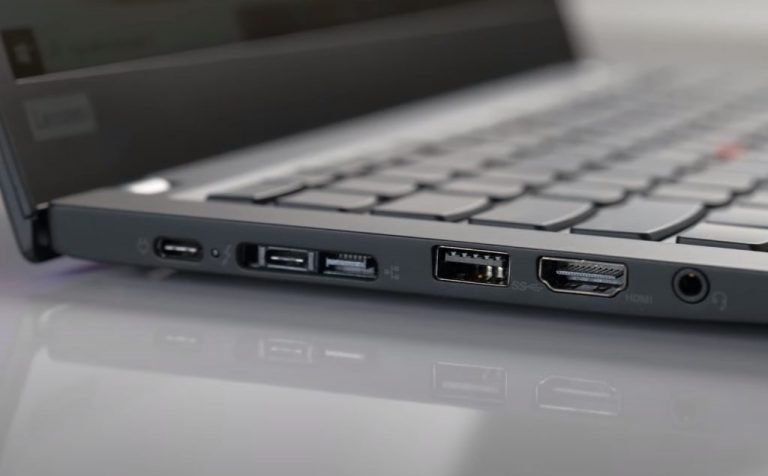
Re:MacBook Pro 14-inch and MacBook Pro 16-inch by sbuk on Tuesday October 19, 2021 @10:58AM (#28918772)
I don't know whether I over-use it, but the charger won't stay in of its own accord - same Lenovo brand charger works fine in the Mac. Pre lockdown, I commuted with both machines everyday. I've been disappointed with the build quality of the Lenovo laptop as a whole - the trackpad has the surface peeling off and the backlight is covered in bright spots which I can only assume happens because the back-panel doesn't have adequate protection.
Re:MacBook Pro 14-inch and MacBook Pro 16-inch by FractalParadigm on Monday October 18, 2021 @07:13PM (#28913017)
What I personally hate is how cable type/speeds aren't usually advertised. I've got a dozen or so USB-C 2.0 cables that feel useless for anything but power, and only a couple 3.0 cables that continually get lost and need replacing. The connector itself is fantastic, USB-A and USB-B have needed replacing for a long time (especially since 3.0), but the implementation has been a disaster by any measurable margin.
Re:MacBook Pro 14-inch and MacBook Pro 16-inch by r00fus on Monday October 18, 2021 @07:00PM (#28912899)
> Agree- I have been largely disappointed by USB-C. It's been okay as a smaller USB-A replacement for flash drives and mice, but in general the lesson of USB-C is: just because it fits, doesn't mean it works.

I think USB-C works fine (h/t Benson Leung) but the implementation is problematic. Partly because of the complexity of everything they've tried to shove in, also partly because USB-A still exists and is the biggest competitor USB-C needs to overcome.

Give it 5 more years and we'll look at USB-A like serial ports. Till then, USB-A is legion.

Re:MacBook Pro 14-inch and MacBook Pro 16-inch by vanilla_nut on Monday October 18, 2021 @07:33PM (#28913198)
Given that we're already 5+ years into Apple's USB-C revolution, I'm not so confident that this is going to happen. I'm going to keep using my USB-A peripherals for a long time, and more importantly, mice, yubikeys, keyboards, and a whole lot of other things are still largely sold with USB-A. Some of those have replaceable cables... but it's still a lot of effort to move away from that.

Furthermore, ditching all of those USB-A accessories and cables that still work fine just feels wasteful. If the only thing you're throwing them away for is compatibility, and not some feature that's actually improving them, even more of a waste. It's just churn to push more tech company profits.

Re:MacBook Pro 14-inch and MacBook Pro 16-inch by diebeforei485 on Monday October 18, 2021 @11:15PM (#28914482)
This is a gradual transition. Most electronics last somewhere around 5-8 years, so we're looking at another 5 years before we can truly ditch USB-A.

The fundamental mistake Apple made was continuing to ship USB-A cables in the box with products, and expecting USB-C adopters to pay up for USB-C cables. This was good for Apple's short-term margins, but terrible for the transition.

So, I blame Apple for keeping USB-A alive. They introduced the all USB-C Macbook Pros in late 2016. You'd have expected that over the next year they'd have phased out USB-A, so by 2017 or 2018 they'd have not shipped any USB-A cables or adapters in the box.

But nope. Airpods 2 (released in 2019) still ship with a USB-A cable in the box. It's the same with the iPhone 11 (2019), and the Magic accessories for MacBooks until 2021.

> If the only thing you're throwing them away for is compatibility, and not some feature that's actually improving them, even more of a waste.

Interestingly, this is also a good argument for why the EU shouldn't force iPhones to use USB-C. People have tons of lightning cables that would become e-waste overnight, and all the demand for USB-C to USB-C charging cables would be profits of (some) company - Apple, Anker, or random Amazon companies.

Re:MacBook Pro 14-inch and MacBook Pro 16-inch by hbn on Tuesday October 19, 2021 @09:48AM (#28918028)
> The fundamental mistake Apple made was continuing to ship USB-A cables in the box with products, and expecting USB-C adopters to pay up for USB-C cables

I remember hearing someone point out during that period that if you bought an iPhone and a MacBook, brand new, you couldn't plug the phone into the computer out of the box. Which seems like one of those things that would have been unacceptable to Jobs if he were still around.

Re:MacBook Pro 14-inch and MacBook Pro 16-inch by bobthepanda on Monday October 18, 2021 @10:42PM (#28914310)
USB-A also became so widespread that they became wall plugs in their own right, so at least those will stick around a lot longer unless people start hiring electricians to change their plugs.
Re:MacBook Pro 14-inch and MacBook Pro 16-inch by diebeforei485 on Monday October 18, 2021 @11:03PM (#28914418)
USB-A is alright for charging small electronics. It's 5V and somewhere between 0.5A and 2.1A (1A is very common).

I have charging cables (with USB-A on the power side) in multiple places around the house, using the 5V/1A adapters that shipped with iPhones over the years. This works fine, though it is slower than the "fast charging" we've grown to expect these days.

The device end of these cables are miniUSB (bicycle lights), microUSB (external battery pack), USB-C (my partner's noise cancelling headphones), and many of them are Lightning (Airpods, Airpods Max, iPhones, iPads, Apple TV Remote).

Re:MacBook Pro 14-inch and MacBook Pro 16-inch by lugged on Tuesday October 19, 2021 @01:01AM (#28915021)
I suspect USBA isn't going away, it's far more robust than USBC, what I suspect will happen is devices that need smaller sockets will use USBC and everything else will stick with USBA. There is a reason I have one USBC port on my motherboard and 5 USBA ports.
Re:MacBook Pro 14-inch and MacBook Pro 16-inch by lamnk on Tuesday October 19, 2021 @04:45AM (#28916086)
Guess I'm the opposite. I hate USB-A the connector with passion. I always have to try 2-3 times to be able to plug the USB-A connector in. Now I keep only 2 USB-A chargers in my home for legacy devices and advice my wife explitcitly not to buy new gadgets with USB-A connector, be it mini or micro.
Re:MacBook Pro 14-inch and MacBook Pro 16-inch by aceazzameen on Tuesday October 19, 2021 @09:28AM (#28917845)
Here's a slightly helpful tip. USB-A connectors have a USB logo on them. Look at or feel for that logo on the connector and always have it face up when you plug it in. It should always work.

There's a few exceptions. If the USB-A jack is rotated sideways on the device, then "up" could be left or right. And if it's a cheap off-brand sweat shop connector, then the logo may be on the opposite side. A sign that it could break quickly too.

Re:MacBook Pro 14-inch and MacBook Pro 16-inch by chromaton on Tuesday October 19, 2021 @04:18PM (#28923211)
I've marked the top of all of my USB cables with contrasting paint.
Re:MacBook Pro 14-inch and MacBook Pro 16-inch by r00fus on Monday October 18, 2021 @08:36PM (#28913625)
At some point in the future, USB-A will be phased out. If only because new devices will need the better profiles USB-C provides or because enough devices will no longer support USB-A.

I'd say 3 more years will be the turning point. You must remember, before USB there was no universal port. So USB-A didn't have to replace it's predecessor.

Re:MacBook Pro 14-inch and MacBook Pro 16-inch by philliphaydon on Monday October 18, 2021 @11:01PM (#28914407)
I'm dissappointed in USB in general, we have standards but it seems few follow standards. For example, I recently bought my wife an Asus ROG Falchion keyboard. Really tiny one with Zhuyin input.

So the connection is USB-C, but if you connect ANY USB-C cable to the keyboard, it wont charge. Even the USB-C <> USB-C cable that comes with iPad Pro doesn't charge it. So far of the ~20 cables I own that I've tried, the only cable that will charge it is the Asus provided cable...

Re:MacBook Pro 14-inch and MacBook Pro 16-inch by can16358p on Tuesday October 19, 2021 @04:11AM (#28915926)
Same with my Momentum 3 headset. It charges over any USB-C cable "that can also carry data". If the cable is power-only (and surprizingly, many are power-only, including Apple's cables that come with iPad/MacBook) it won't charge even though I just need to charge my headset and (obviously) no data transfer.

It's stupid, but it is unfortunatelly the way it is.

Re:MacBook Pro 14-inch and MacBook Pro 16-inch by philliphaydon on Tuesday October 19, 2021 @05:00AM (#28916173)
Oh! I wonder if it will work with my Wii cable then! I haven’t tried that! It never occured to me that most of my cables are power only.

Thanks!

Re:MacBook Pro 14-inch and MacBook Pro 16-inch by can16358p on Tuesday October 19, 2021 @06:44AM (#28916714)
Yup, check if it can also carry data. If it can, it's probably that. Cheers!
Re:MacBook Pro 14-inch and MacBook Pro 16-inch by throw0101a on Monday October 18, 2021 @07:33PM (#28913197)
> Agree- I have been largely disappointed by USB-C.

Also: the cockamamy version/naming convention(s) of the latest USB revisions.

Re:MacBook Pro 14-inch and MacBook Pro 16-inch by nicbou on Tuesday October 19, 2021 @03:12PM (#28922283)
I'm honestly really happy with USB-C. My phone, laptop and tablet charge the same way. I bring one charger and two cables, so I can pack much lighter than before. Each device can serve as a power bank for the others. My monitor serves as a powered hub, so there's only one cable connecting everything to my laptop. I use the same charger for everything from my camping lantern to my computer. I don't have a big box of cables anymore, nor do I pack 5 different cables when I'm on the move. It's very convenient.

It only becomes a problem when I leave my bubble. I usually travel without my adapters, so I can't borrow someone's mouse, or plug something into their TV.

Then there's the issue with cables and chargers. I have thick cables and 100W chargers, so it's never a bother, but it's not a trivial thing for the average user to make sense of.

Re:MacBook Pro 14-inch and MacBook Pro 16-inch by AtlasBarfed on Wednesday October 20, 2021 @11:48AM (#28932158)
When USB was first being sold it was supposed to connect everything. Monitors, modems, network cards, peripherals.

USB has been letting everyone down since 1998.

I am floored at the ports. Floored. Apple LISTENED? Like, seriously, LISTENED to its customers? I thought HDMI would never come back.

Re:MacBook Pro 14-inch and MacBook Pro 16-inch by chx on Tuesday October 19, 2021 @12:09AM (#28914779)
> If you have a device that wants 20W as 9V/2.22A , your 30W charger may not support that specific combination and will charge much slower than a 20W charger that does.

Such a charger would be not specifications compliant. Don't blame the specs for what the manufacturers did with it.

Oh and don't get me wrong: there are a lot of problems with USB C mostly with the complete impossibility of knowing what the heck a USB C port is actually capable of. Is it Thunderbolt capable? if not, DisplayPort alternate mode capable? Can you charge the device over it? If yes, what's the maximum wattage.

This will ease finally because Microsoft will require PCIe tunneling on all C ports for the device to be Windows 11 certified so there won't really be different USB 4 ports -- except for charging wattage... https://docs.microsoft.com/en-us/windows-hardware/test/hlk/t...

Re:MacBook Pro 14-inch and MacBook Pro 16-inch by Kliment on Tuesday October 19, 2021 @03:48AM (#28915797)
A charger does not have to support any particular voltage/current combination. If a device requests a specific config (9V/2A) but the charger only provides 12V/1.5A with 5V/1.5A fallback, then the best the two can negotiate is 5V at 1.5A. Even if the charger provides 9V/1.5A the device might be programmed to only accept 9V/2A with 5V fallback. This would be USB-compliant, but still frustrating to the user.
Re:MacBook Pro 14-inch and MacBook Pro 16-inch by chx on Tuesday October 19, 2021 @11:57PM (#28926583)
First of all, I have answered to "If you have a device that wants 20W as 9V/2.22A , your 30W charger may not support that specific combination" saying that's not specs compliant. https://i.imgur.com/rkIJuMr.png I highlighted the relevant part. These are the rules: https://i.imgur.com/b8q96tH.png So, to summarize: since a 30W charger must provide everything a lower wattage charger like a 20W charger does and 20W falls between 15 and 27 then yes it must support 9V 2.22A as well. If it doesn't then it's not compliant. Note the caption in the second image "an example of an adapter with a rating at 50W. The adapter is required to support 20V at 2.5A, 15V at 3A, 9V at 3A and 5V at 3A."

> If a device requests a specific config (9V/2A) but the charger only provides 12V/1.5A with 5V/1.5A fallback

Then it's not compliant. 15-27W is to be delivered via 9V. 12V is optional.

Re:MacBook Pro 14-inch and MacBook Pro 16-inch by Kliment on Thursday October 21, 2021 @06:06AM (#28942420)
You're almost correct here - if a device advertises a particular power rating, they need to provide the configurations you linked. But they are allowed to provide any arbitrary configuration beyond their marketable power rating. So consider a charger that has a smallish inductor in its DC/DC supply, and a DC/DC chip with an integrated MOSFET limited to say 2.5A switching current. For thermal reasons, that charger can't safely provide more than say 1.7A regardless of voltage. Because it can't supply more than 1.7A at 9V it can't be listed as having a PDP of more than 15W. However, that charger is allowed to provide that same 1.7A at 20V if it wants to, and advertise that configuration to the device - as long as it doesn't list that as its rated power. This sort of charger would be functionally providing >30W, but would only be allowed to put 15W on its packaging/advertising materials. From a user perspective, they see a charger happily providing 30W to one device, plug in another device, and get a lower output power. The lower power is exactly what it says on the packaging (which the user threw out ages ago and never looked at) but the user is still frustrated.
Re:MacBook Pro 14-inch and MacBook Pro 16-inch by chx on Thursday October 21, 2021 @06:48PM (#28951763)
> However, that charger is allowed to provide that same 1.7A at 20V if it wants to,

Is it? Allowed by the standard where?

Re:MacBook Pro 14-inch and MacBook Pro 16-inch by Kliment on Tuesday October 26, 2021 @05:05PM (#29006248)
Looks like I was wrong on this - at least in the latest version of the PD2 standard it's not allowed to advertise any combination that exceeds the PDP. It's only in PD3 that devices are allowed to limit power in particular configurations due to thermal constraints even if they can technically deliver the same power in another configuration, but even that is limited only to >100W configs. So you're right about this - my example is definitely incorrect.
Re:MacBook Pro 14-inch and MacBook Pro 16-inch by nerfhammer on Monday October 18, 2021 @04:29PM (#28911259)
> chargers and cables are advertised with the wattage they support, but it's really the voltage and current that matters.

watts = volts * current

Re:MacBook Pro 14-inch and MacBook Pro 16-inch by kccqzy on Monday October 18, 2021 @04:58PM (#28911630)
GP's point is that although chargers are labeled with wattage, they can't output any combination of volts and currents as long as they multiply to the stated wattage. Can you take a normal 100W charger and ask it to output 100V and 1A? It can't.

The Apple 29W charger supports two configurations only: 14.5V × 2A, or 5.2V × 2.4A

The Apple 30W charger supports these four instead: 20V × 1.5A, 15V × 2A, 9V × 3A, 5V × 3A

Do you see a problem here?

Re:MacBook Pro 14-inch and MacBook Pro 16-inch by junon on Monday October 18, 2021 @04:33PM (#28911313)
> chargers and cables are advertised with the wattage they support, but it's really the voltage and current that matters.

Wattage is what you get when you multiply amps and volts. You just said the equivalent of "It's not about the ice cream, but about the ice and the cream".

Also, it arguably does have everything to do with volts - if you put the too much voltage into a device, most likely you're going to damage the device, its surroundings, or yourself (i.e. in a house fire).

Re:MacBook Pro 14-inch and MacBook Pro 16-inch by mlyle on Monday October 18, 2021 @04:38PM (#28911372)
What he's saying is this:

USB-PD on USB-C negotiates the highest voltage your device and charger will support.

You can buy a 30W USB-PD charger that supports a smaller subset of voltages than a 20W USB-PD one, and in practice will deliver less power to your device because the voltages both like don't line up well.

What actually is supported by each tends not to be specified/disclosed-- or if it is, it takes a lot of digging to figure it out.

Re:MacBook Pro 14-inch and MacBook Pro 16-inch by junon on Monday October 18, 2021 @04:59PM (#28911645)
Yes and power negotiation does not protect against improper voltage whatsoever. This wasn't my point, despite me addressing negotiation in another comment.
Re:MacBook Pro 14-inch and MacBook Pro 16-inch by mlyle on Monday October 18, 2021 @05:29PM (#28912013)
> Yes and power negotiation does not protect against improper voltage whatsoever.

Oh? Everyone else seems to think the mechanisms are sufficient for safety.

> This wasn't my point, despite me addressing negotiation in another comment.

I still don't understand your point, unless it's a failed effort at pedantry.

Re:MacBook Pro 14-inch and MacBook Pro 16-inch by junon on Monday October 18, 2021 @09:49PM (#28913998)
If I put 120 volts through to my MacBook directly over the cable it will invariably damage it. Voltage negotiation doesn't matter here.

Also the original comment was unclear; they've edited to clarify. But of course, I'm the bad guy on HN for not being able to read minds.

E: I realize my GP comment was also unclear. I should have said "excessive" voltage, not improper I suppose. "Improper" in my head meant outside the rated voltage for either end/the cable. I'm not the one being a pedant here.

Re:MacBook Pro 14-inch and MacBook Pro 16-inch by anamexis on Monday October 18, 2021 @10:13PM (#28914130)
Voltage negotiation matters, because that what keeps a charger from putting 120 volts into your MacBook.

Which is exactly what GP was saying in the very part that you quoted:

> chargers and cables are advertised with the wattage they support, but it's really the voltage and current that matters.

and what you agreed with in that very same comment:

> Also, it arguably does have everything to do with volts

Re:MacBook Pro 14-inch and MacBook Pro 16-inch by danachow on Monday October 18, 2021 @06:00PM (#28912346)
What do you think USB power negotiation is for if not negotiating a mutually supported voltage? That’s pretty much why it exists.
Re:MacBook Pro 14-inch and MacBook Pro 16-inch by anamexis on Monday October 18, 2021 @05:29PM (#28912016)
USB-C power negotiation absolutely protects against improper voltage, assuming it is implemented correctly.
Re:MacBook Pro 14-inch and MacBook Pro 16-inch by can16358p on Tuesday October 19, 2021 @04:15AM (#28915946)
Out of curuosity: is there any instance where it isn't implemented correctly that actually damaged/fried some electronics? What I've seen is that in the worst case it doesn't charge or negotiates at a very low voltage and charges slowly.
Re:MacBook Pro 14-inch and MacBook Pro 16-inch by jsjohnst on Tuesday October 19, 2021 @06:57AM (#28916782)
Yes, I don’t have a search term handy, but there’s someone who maintains a website cataloging these.
Re:MacBook Pro 14-inch and MacBook Pro 16-inch by u2c4m6 on Monday October 18, 2021 @04:40PM (#28911404)
Your own analogy can be used to explain how you do not fully understand the situation. 10 cups of cream and 1 cup of ice does not make ice cream, even though that technically is ice and cream. Just like a 10V 5a charger is not the same as a 50V 1a charger.
Re:MacBook Pro 14-inch and MacBook Pro 16-inch by junon on Monday October 18, 2021 @04:57PM (#28911623)
I think you've deliberately missed my point just to argue with me.
Re:MacBook Pro 14-inch and MacBook Pro 16-inch by parineum on Monday October 18, 2021 @05:05PM (#28911739)
I'd say the same about your initial comment.
Re:MacBook Pro 14-inch and MacBook Pro 16-inch by stouset on Monday October 18, 2021 @05:40PM (#28912133)
I don't think they did.

The important part with regards to power delivery isn't simply wattage. If a hypothetical charger can put out 96W at 1V@96A, it's never going to deliver even close to that amount of power to a device that expects 96W at [email protected].

Re:MacBook Pro 14-inch and MacBook Pro 16-inch by u2c4m6 on Monday October 18, 2021 @07:02PM (#28912923)
Exactly. I was not just trying to be a jerk. Their analogy was actually a good one, they just used it incorrectly. Ice cream is only ice cream in a certain range of ice to cream ratios, just like a charge needs a "close enough" mix of voltage and amps for it to reach useful wattage (depending on the device).
Re:MacBook Pro 14-inch and MacBook Pro 16-inch by awill on Monday October 18, 2021 @04:37PM (#28911359)
I think what OP is saying is a cable might support 30W at 5V * 6A, but not 10V * 3A.
Re:MacBook Pro 14-inch and MacBook Pro 16-inch by junon on Monday October 18, 2021 @04:39PM (#28911400)
They're not interchangeable. USB-C has power negotiation, but that doesn't mean the devices support those voltages. You still need to understand the voltage ratings on both ends of a cable.
Re:MacBook Pro 14-inch and MacBook Pro 16-inch by javawizard on Monday October 18, 2021 @05:23PM (#28911947)
That's exactly what OP is saying - chargers are commonly advertised as being able to supply a particular wattage, but that particular wattage is only attainable if the device being charged supports the maximum voltage the charger is capable of delivering.

OP is complaining that that leaves the true wattage of a given device/charger pair unknowable from the charger's packaging alone without further information as to what voltages and at what currents it can supply on request from the device. It's certainly a valid frustration.

Re:MacBook Pro 14-inch and MacBook Pro 16-inch by junon on Monday October 18, 2021 @09:51PM (#28914009)
This makes more sense and isn't how I parsed the original comment.
Re:MacBook Pro 14-inch and MacBook Pro 16-inch by anamexis on Monday October 18, 2021 @05:08PM (#28911770)
That is precisely the point of the original comment that you responded to.
Re:MacBook Pro 14-inch and MacBook Pro 16-inch by parineum on Monday October 18, 2021 @05:06PM (#28911755)
I found this comment that explains it well:

https://news.ycombinator.com/item?id=28911240

Re:MacBook Pro 14-inch and MacBook Pro 16-inch by jsjohnst on Tuesday October 19, 2021 @07:04AM (#28916829)
The reverse situation would be the case (cable supports 3A, but not 6A). For the range of voltages supported by USB-PD, the cable only cares about amperage. Copper wire doesn’t care much if it’s 5V, 50V, or 250V, it’ll carry it the same. However, if the size of the wire isn’t correct for the amperage, it’ll over heat and potentially catch fire.

It’s the end device that cares about voltage and amperage both as the voltage steppers inside have to be ready to handle providing the right voltage to the chips and the amperage has to be right to handle the load.

Re:MacBook Pro 14-inch and MacBook Pro 16-inch by gnicholas on Monday October 18, 2021 @02:09PM (#28908900)
Glad there’re back, but these are not Pro features and should not be limited to the Pro line (starting at $2,000). These are basic features that should be on consumer machines. I shouldn’t have to pay 80% more just to get HDMI, SD, and other features that were on Apple laptops 6 years ago.
Re:MacBook Pro 14-inch and MacBook Pro 16-inch by mdasen on Monday October 18, 2021 @02:44PM (#28909651)
It looks like Apple is trending back to ports and I think that will continue in the future.

It looks like the 13" MacBook Pro will be phased out in the near future (over the next 6-12 months) and I'd guess that the next MacBook Air will become the replacement. There wasn't a lot of difference between the M1 MacBook Air and MacBook Pro before. I think Apple can nicely introduce a replacement MacBook Air with an M1 processor (or M1 Air) with an HDMI port and SD Card slot and it will be quite differentiated from the MacBook Pro with its M1 Pro/Max processors, miniLED displays, additional memory bandwidth, additional CPU cores, additional graphics capabilities, etc.

While this announcement doesn't introduce the product you're looking for, it does signal that Apple is going in the direction you're interested in and it shows that Apple can offer so much for pro users that it doesn't have to worry about a consumer machine cannibalizing their pro line. Apple can literally offer twice the number of performance cores to give pro users a huge incentive to pay $2,000+ instead of $1,000. Apple has miniLED displays with 1,000 nits of brightness (compared to 500 nits on the old MBP and 400 nits on the Air). With their own silicon, they're able to really differentiate the Air/Pro lineup (which didn't really happy last year) and offer compelling reasons to pay more without withholding basic features.

Yes, a MacBook Air with HDMI and SD Card slot doesn't exist yet. However, given how many bells and whistles Apple has given the MacBook Pro lineup, they can give a redesigned MacBook Air those ports and not have to worry that pro users won't buy their pro versions. I'm hopeful that a new MacBook Air will arrive in the Spring with the ports you're seeking.

Re:MacBook Pro 14-inch and MacBook Pro 16-inch by raydev on Monday October 18, 2021 @03:11PM (#28910119)
> It looks like the 13" MacBook Pro will be phased out in the near future (over the next 6-12 months)

Knowing Apple, they will keep it around for a couple years just to have the price point with the Pro name. They love keeping around older models for price anchoring/upsell.

Re:MacBook Pro 14-inch and MacBook Pro 16-inch by billyhoffman on Monday October 18, 2021 @03:35PM (#28910452)
Apple does like to keep models at certain price points. Just look at the 2nd generation MacBook Air, which stayed with us, un-retina screen and all, from years after the MBP and MacBook, to hit to $999 price point.

A 13" M1 MBP allows them to hit a $1299 price point and say "starting at $1299" when speaking about their pro laptop line.

Re:MacBook Pro 14-inch and MacBook Pro 16-inch by justincormack on Monday October 18, 2021 @03:08PM (#28910067)
I don't think the Air is thick enough for HDMI. The Air now is more like the old MacBook, the cheap fanless ultra portable, and wouldn't be surprised if it stays like that, previously it was much less differntiated from the MacBook Pro lines.
Re:MacBook Pro 14-inch and MacBook Pro 16-inch by bduerst on Monday October 18, 2021 @04:45PM (#28911473)
You can still do mini- and micro-hdmi, but by that point you may as well do more usb-c.
Re:MacBook Pro 14-inch and MacBook Pro 16-inch by Gigachad on Tuesday October 19, 2021 @12:23AM (#28914846)
Mini and micro hdmi are almost non existent in the wild. USB-C is the correct choice for the airs.
Re:MacBook Pro 14-inch and MacBook Pro 16-inch by fomine3 on Monday October 18, 2021 @09:44PM (#28913971)
The thin MacBook(2015-2019) is latest "MacBook" so it's not old but latest.
Re:MacBook Pro 14-inch and MacBook Pro 16-inch by nextos on Monday October 18, 2021 @02:57PM (#28909905)
What can we expect from the new Air? Will this model replace the current Air or will it be an additional more expensive offering?
Re:MacBook Pro 14-inch and MacBook Pro 16-inch by zitterbewegung on Monday October 18, 2021 @04:46PM (#28911489)
Probably MagSafe 3 , a notch at 1080p with a screen with thinner bezels, SD card reader, faster SSD, LPDDR5 but still up to 16gb , maybe a hdmi port and Thunderbolt 4.
Re:MacBook Pro 14-inch and MacBook Pro 16-inch by chomp on Monday October 18, 2021 @02:18PM (#28909117)
> I shouldn’t have to pay 80% more just to get HDMI, SD, and other features

Pedantic nitpick, but a USB-C hub costs ~$40, or about 4% more than the base price of a Macbook Air.

Re:MacBook Pro 14-inch and MacBook Pro 16-inch by yarcob on Monday October 18, 2021 @02:30PM (#28909388)
My girlfriend bought 100€ worth of adaptors for her Macbook Air and can never find them when she needs them.

For a desktop it doesn't matter, but for a portable device that you need to carry around every extra thing that you need to carry around is just something you are going to misplace.

Re:MacBook Pro 14-inch and MacBook Pro 16-inch by danlugo92 on Monday October 18, 2021 @03:44PM (#28910598)
I'm a hardcore apple fan (from before the iphone) and this hub situation is just pathetic, they should have put in an USB-A in there and call it a day.

You can run into some VGA projectors but most have HDMI now though.

Re:MacBook Pro 14-inch and MacBook Pro 16-inch by Terretta on Monday October 18, 2021 @03:28PM (#28910367)
Re:MacBook Pro 14-inch and MacBook Pro 16-inch by thehappypm on Monday October 18, 2021 @03:46PM (#28910634)
Woof. That thing is ugly
Re:MacBook Pro 14-inch and MacBook Pro 16-inch by xNeil on Monday October 18, 2021 @03:53PM (#28910721)
Really? Looks very cool to me. Matter of opinion, I guess :)
Re:MacBook Pro 14-inch and MacBook Pro 16-inch by foobarian on Monday October 18, 2021 @04:50PM (#28911536)
Yikes. My 2017 MBP is bent and it's always on a flat surface. I shudder to think about keeping it on something like those blocks :-)
Re:MacBook Pro 14-inch and MacBook Pro 16-inch by Terretta on Monday October 18, 2021 @06:54PM (#28912845)
I like that it also raises the keyboard at an angle. Remember typewriters? (Dangerous question these days, sorry. ;-)
Re:MacBook Pro 14-inch and MacBook Pro 16-inch by TYPE_FASTER on Monday October 18, 2021 @04:51PM (#28911560)
This is a single device that I can plug MBP power adapter, mouse, and keyboard USB dongles into: https://www.amazon.com/gp/product/B07QXMNF1X/ref=ppx_yo_dt_b...
Re:MacBook Pro 14-inch and MacBook Pro 16-inch by greggman3 on Monday October 18, 2021 @04:51PM (#28911559)
I'm not going to deny that having them built in is better but I had a tiny case that fit my MBA power adapter, USB-C cable pocket wifi, and hub. Since I always needed the power adaptor and it's cable it wasn't hard to keep the hub with me.
[dead]
Re:MacBook Pro 14-inch and MacBook Pro 16-inch by ngcazz on Monday October 18, 2021 @02:47PM (#28909692)
Nasty much? We like jumping on to blame `lusers` here on HN, but this is a design problem. It's a fact of life people lose things, and Apple conveniently forgot about this to push the dongle ecosystem.
Re:MacBook Pro 14-inch and MacBook Pro 16-inch by handrous on Monday October 18, 2021 @03:10PM (#28910101)
The magic that originally brought me into the Mac ecosystem, after a decade and a half of Windows and Linux, was that the work MacBook I received was the first time I had an actual portable computer. The battery life ("you mean it still has a useful amount of charge after 3 hours? WTF is this sorcery!?"), good-enough trackpad (which makes it like 5x better than the best trackpad I'd used before, all of which had me considering an external mouse a must-have for more than 5 minutes of work), and port selection meant I could pick up my laptop—just my laptop—and go, and be fine for most or all of the day, doing almost anything.

The dongle bullshit (and the USB-C "well yes it can do that but only if you have exactly the right cable, so you'd better bring a couple with you" thing) broke that simplicity, and put me back to having to make sure I had other crap with me, which was a shame.

Dragging their feet on moving iPad and iPhone over to USB-C, so they could at least share dongles & charging cables with Mac laptops, was/is salt the wound.

Re:MacBook Pro 14-inch and MacBook Pro 16-inch by Terretta on Monday October 18, 2021 @03:39PM (#28910534)
Try Baseus USB C Hub Adapter for MacBook Pro 2020/2019/2018/2017, a 9-in-1 USB Type C Hub dongle with 2 Thunderbolt 3 ports (40Gbps), 4K HDMI (60hz on USB-C, 30hz on HDMI), RJ45 Ethernet, USB-C data port, 3x USB 3.0, and audio:

https://smile.amazon.com/gp/product/B0872V4LFP/

Unlike single pigtail all-in-one dongles, this two piece no pigtail thingy supports 2x TB3 or 2x USB-C/DisplayPort displays since it is tapping both sides of laptop. (Incidentally this also lets you charge on the right to prevent potential issues with charging from left.)

Re:MacBook Pro 14-inch and MacBook Pro 16-inch by jes on Monday October 18, 2021 @04:11PM (#28910984)
+1 for a helpful recommendation. Much appreciated.
Re:MacBook Pro 14-inch and MacBook Pro 16-inch by cronix on Monday October 18, 2021 @03:07PM (#28910056)
Hah, go back and watch Steve Jobs making fun of computing devices that use a stylus. He agreed with you on the losing things angle.

> Who wants a stylus? You have to get them and put them away and lose them. Yuck! Nobody wants a stylus.

https://www.youtube.com/watch?v=ELZK-Pow6fs

> Handwriting is probably the slowest input method ever invented. ... We reimagined it and what we're doing is completely different than what they (Microsoft) did. ... And what we said at the very beginning is if you need a stylus, you've failed.

https://www.youtube.com/watch?v=w2xPt8txgGs

Apple now uses styluses on their iPad Pro's.

Re:MacBook Pro 14-inch and MacBook Pro 16-inch by diebeforei485 on Monday October 18, 2021 @04:30PM (#28911275)
This was for devices that only worked with a stylus, so if you lost the stylus you couldn't use most features of the device anymore.

Modern styluses like the Surface Tablet Pen or Apple Pencil are for drawing and note-taking, in addition to still being able to use fingers on the touchscreen.

Re:MacBook Pro 14-inch and MacBook Pro 16-inch by FireBeyond on Monday October 18, 2021 @05:39PM (#28912128)
This is revisionist history.

In the keynote, he never mentions "devices that require a stylus".

He says "who wants a stylus? Yuck!" and "if you see a stylus, someone did something wrong".

This spin into "well _obviously_ Steve meant X" is purely personality worship, not borne of his words.

Re:MacBook Pro 14-inch and MacBook Pro 16-inch by diebeforei485 on Monday October 18, 2021 @05:55PM (#28912301)
> In the keynote, he never mentions "devices that require a stylus".

Back in 2007, if something came with a stylus, it was overwhelmingly the case that the stylus was required.

Re:MacBook Pro 14-inch and MacBook Pro 16-inch by mcculley on Monday October 18, 2021 @04:25PM (#28911203)
I think Jobs had a point about designs that require a stylus. There were many portable computers before the iPhone that required a stylus. iOS was designed with fingers in mind and then added a stylus for some kinds of work. This is similar to how the original Macintosh had no arrow keys and forced developers to design for the mouse. Later designs then added arrow keys.
Re:MacBook Pro 14-inch and MacBook Pro 16-inch by pdmccormick on Monday October 18, 2021 @05:12PM (#28911825)
Steve Jobs passed away 3666 days ago.
Re:MacBook Pro 14-inch and MacBook Pro 16-inch by enjoy-your-stay on Monday October 18, 2021 @03:57PM (#28910768)
>people lose things, and Apple conveniently forgot about this to push the dongle ecosystem.

I think it's a bit unfair to say that Apple deliberately change interfaces in order to push their adapters.

They've got 2 different problems to address, firstly they want to update and be in control of the interfaces to their hardware, Firewire,Thunderbolt,USB-C but, at the same time their machines seem to last quite a long time, so at any time there's a pretty significant number of users stuck on older interfaces and with hardware that uses older interfaces too (e.g. I have an older Firewire external hd that I now dongle to Thunderbolt, have noooo idea how I'm going to get that to work when I get this new machine).

So in order to allow all that to work they need to support a multitude of interfaces because getting a new laptop shouldn't mean throwing everything else out.

Re:MacBook Pro 14-inch and MacBook Pro 16-inch by spectre3d on Saturday October 23, 2021 @08:30PM (#28973742)
>Firewire external hd that I now dongle to Thunderbolt, have noooo idea how I'm going to get that to work).

Simply add another dongle, the Apple “Thunderbolt 3 (USB-C) to Thunderbolt 2 Adapter” and you’re good to go.

I just tested mine before posting this, from a FW800 drive with the Apple FireWire-Thunderbolt adapter plugged in to the Apple Thunderbolt 2-3 adapter. Works on M1 Macs too.

Re:MacBook Pro 14-inch and MacBook Pro 16-inch by chipotle_coyote on Monday October 18, 2021 @05:50PM (#28912262)
> push the dongle ecosystem

Out of all the complaints about moving to USB-C, the idea that it is a conspiracy on Apple's part to sell dongles is the one that makes me roll my eyes the hardest. Say what you will about the USB-C-only MacBooks we've had in the last six years or so, but I'm fairly sure they were the first portable computers Apple ever shipped that had no proprietary connectors. No ADB, no MagSafe, no FireWire (not technically proprietary but largely DOA anywhere but Apple in the early 2000s).

I suspect if Apple had a magic wand (and/or even more of their money), they wouldn't have you buy dongles at all, they would have you buy new cables. Which is what I did years ago -- USB-C to Lightning, USB-C to mini-USB, USB-C to USB-A, even one USB-C to USB-B kicking around somewhere. And, because USB-C is not a proprietary standard, I don't think any of those cables are from Apple.

(Yes, I do have an Apple brand USB-C to USB-A dongle that I bought when I got my first USB-C laptop, because everyone was screaming how important they were. I almost never use it: if I find myself using it more than a few times for "dongle + cable", then I buy the correct cable.)

Re:MacBook Pro 14-inch and MacBook Pro 16-inch by pdpi on Monday October 18, 2021 @03:40PM (#28910546)
Apple isn't trying to push a dongle ecosystem. they're trying to push a "thunderbolt/usb-c for everything" ecosystem. In typical Apple fashion, they're willing to be pretty radical about it on the computers themselves, and let donglepocalypse be a side effect.
Re:MacBook Pro 14-inch and MacBook Pro 16-inch by gnicholas on Monday October 18, 2021 @04:07PM (#28910923)
And at the same time, their non-pro machines come with only one spare (not for power) USB-C port. If they loaded up their machines with them across the board, this would be less of an issue.
Re:MacBook Pro 14-inch and MacBook Pro 16-inch by dec0dedab0de on Monday October 18, 2021 @04:13PM (#28911012)
You can use the power port to connect a dongle too. I have two dongles that have multiple interfaces, as well as a power passthrough so I could connect my power to either one of them. Though I don't use either because my usb-c monitor powers the MacBook.
Re:MacBook Pro 14-inch and MacBook Pro 16-inch by wainage on Monday October 18, 2021 @02:49PM (#28909744)
Which one? Looking for a solid recommendation.
Re:MacBook Pro 14-inch and MacBook Pro 16-inch by vultour on Monday October 18, 2021 @05:19PM (#28911901)
Not one by Verbatim, mine broke after a month. Granted, I was going for the cheapest one I could find just so I could get a HDMI port.
Re:MacBook Pro 14-inch and MacBook Pro 16-inch by oblio on Monday October 18, 2021 @02:22PM (#28909189)
But you'd have to carry that around separately and not forget it, lose it, etc. OP is asking for those ports to be on the laptop itself.
Re:MacBook Pro 14-inch and MacBook Pro 16-inch by nwsm on Monday October 18, 2021 @02:32PM (#28909411)
You're being obtuse, not pedantic
Re:MacBook Pro 14-inch and MacBook Pro 16-inch by ngcazz on Monday October 18, 2021 @02:47PM (#28909715)
Now you're being pedantic!
Re:MacBook Pro 14-inch and MacBook Pro 16-inch by gnicholas on Monday October 18, 2021 @04:00PM (#28910809)
I have one of these, and it works fine except when it gets jostled and all my peripherals are disconnected.

Also it’s not powered (those are closer to $200), which means it can’t charge my iPhone or anything else.

Re:MacBook Pro 14-inch and MacBook Pro 16-inch by philwelch on Monday October 18, 2021 @02:36PM (#28909505)
FWIW I've had nothing but trouble with USB-C hubs. I use my most recent one exclusively as an Ethernet adapter.
Re:MacBook Pro 14-inch and MacBook Pro 16-inch by ethbr0 on Monday October 18, 2021 @04:37PM (#28911365)
For a MBP hub, the most reliable solution I found was "buy a hub with two USB-C ports."

I think between the higher price point & dual ports, they had enough to put a proper microcontroller in there, which seemed to make everything happier.

Re:MacBook Pro 14-inch and MacBook Pro 16-inch by philwelch on Tuesday October 19, 2021 @01:56PM (#28921219)
If I'm ever in the market for a USB-C hub again, I'll keep that in mind!
Re:MacBook Pro 14-inch and MacBook Pro 16-inch by Macha on Monday October 18, 2021 @05:26PM (#28911980)
However, it does take away from Apple's "just works" marketing if you need to research compatible adapters and half of them just don't work properly for anything beyond 1080p60.
Re:MacBook Pro 14-inch and MacBook Pro 16-inch by snicky on Monday October 18, 2021 @02:32PM (#28909421)
Yeah and it interferes with wifi (on MBP 13" from 2019).
Re:MacBook Pro 14-inch and MacBook Pro 16-inch by moonchrome on Monday October 18, 2021 @02:52PM (#28909788)
Does it support 4k@60hz ?
Re:MacBook Pro 14-inch and MacBook Pro 16-inch by ofou on Monday October 18, 2021 @04:01PM (#28910836)
HDMI, yes. USB-C ones are another story though.
Re:MacBook Pro 14-inch and MacBook Pro 16-inch by blowfish721 on Monday October 18, 2021 @02:32PM (#28909430)
Wouldn’t be all surprised if at least some of those ports will make it back whenever they release the redesigned 13 inch MacBook Pro and MacBook Air. Probably time constraints that made them release them with the old design. Just my guess.
Re:MacBook Pro 14-inch and MacBook Pro 16-inch by jeffdn on Monday October 18, 2021 @02:37PM (#28909524)
Do you think there will actually be a redesigned 13" MacBook Pro? My assumption was that it was being replaced with the 14", but maybe I'm mistaken!
Re:MacBook Pro 14-inch and MacBook Pro 16-inch by natch on Monday October 18, 2021 @04:01PM (#28910826)
Can’t see an advantage for them in updating to a new 13” design. 14” is pretty much the same size physically, no? 1/3 inch difference. I guess they’re only keeping it now so they have a starter offering at a low price point.

To get the low price point in a year or two they can just have the low end 14” be the starting Pro machine. Only advantage to the 13 now is the touch bar, if you like that.

Re:MacBook Pro 14-inch and MacBook Pro 16-inch by blowfish721 on Monday October 18, 2021 @02:47PM (#28909710)
Personally I think they will keep the 13” MacBook Pro as the entry level one with a lower tier cpu compared to 14” and 16”. Their old line up had an entry level 13” while the 15” was more capable so that’s what I’m basing it on but my guess is as good as any.
Re:MacBook Pro 14-inch and MacBook Pro 16-inch by 8ytecoder on Monday October 18, 2021 @03:04PM (#28910024)
Air will replace the 13” in all likelihood. The difference between the two were minimal to begin with. If the Touch Bar is going away, there’ll be virtually no difference at all.
Re:MacBook Pro 14-inch and MacBook Pro 16-inch by babypuncher on Monday October 18, 2021 @02:44PM (#28909643)
I would guess we might see new 13" and Air devices next year
Re:MacBook Pro 14-inch and MacBook Pro 16-inch by barelysapient on Monday October 18, 2021 @02:49PM (#28909752)
Hopefully they bring back a 12" model.
Re:MacBook Pro 14-inch and MacBook Pro 16-inch by aaroninsf on Monday October 18, 2021 @03:02PM (#28909985)
I would be surprised if there are lower-end MBP (smaller than the 14") but a 12" might be better differentiation than 13" vs 14".

I just want a pastel orange MBA though.

Re:MacBook Pro 14-inch and MacBook Pro 16-inch by gnicholas on Monday October 18, 2021 @03:22PM (#28910270)
That would be amazing. Still miss my 12” PowerBook…
Re:MacBook Pro 14-inch and MacBook Pro 16-inch by babypuncher on Monday October 18, 2021 @04:20PM (#28911129)
Don't their current 13" models have about the same footprint as the old 12" laptops from way back when?
Re:MacBook Pro 14-inch and MacBook Pro 16-inch by musicale on Monday October 18, 2021 @05:41PM (#28912152)
12" models were about an inch narrower.

According to everymac.com, the 12" PowerBook G4 (2004) had an amazing 10.9"x8.6" footprint (and the 12" MacBook (2017) was 11.04"x7.74" - and 2.03 pounds.)

Re:MacBook Pro 14-inch and MacBook Pro 16-inch by Joeri on Monday October 18, 2021 @02:26PM (#28909295)
Built-in SD would allow for cheap permanent storage upgrades to the cheaper macbooks. Apple may be listening to what people want in laptops, but I don’t see them cutting into their own upsells by that much.
Re:MacBook Pro 14-inch and MacBook Pro 16-inch by mdasen on Monday October 18, 2021 @03:04PM (#28910027)
In a certain way, yes. A quick search on Amazon shows I can get a 1TB SD Card for $150-300. However, the rated speeds are in the 100-200 MB/s range rather than the over 2GB/s for Apple's 2020 MacBook Air (never mind the faster speeds of their new MacBook Pros which is 7.4GB/s).

Yes, the $400 that Apple charges to upgrade from 256GB to 1TB is high compared to the $200 for an SD Card. At the same time, the storage is 10-20x faster. I think the storage is different enough that Apple doesn't have to worry too much. Sure, some people might try that strategy and walk around with a laptop with a card sticking out a bit and some third party will make a microSD adapter that doesn't stick out, but I think most users will probably opt to pay for the storage and Apple can ignore the small number that buy niche products.

I think between saving money on their Apple Silicon processors and being in a great place to have serious differentiation between the Air and Pro line, Apple doesn't have to worry.

Re:MacBook Pro 14-inch and MacBook Pro 16-inch by devmunchies on Monday October 18, 2021 @04:14PM (#28911032)
found a (new) 1 TB usb-c flash drive that does up to 1000 MB/s read and 900 MB/s write.

https://www.bhphotovideo.com/c/product/1655140-REG/kingston_...

Re:MacBook Pro 14-inch and MacBook Pro 16-inch by acomjean on Monday October 18, 2021 @03:30PM (#28910397)
Oddly I have an "half sd card" that I can use for extra storage in my old 15 inch work MacBook. Its like an SD card with a food that fits perfectly (almost flush) when iserted into the sd slot. It has a lip so you can remove it easily.

I though I'd have a mountable extra storage.. But ultimately it would sometimes unmount on sleep (you could unplug and replug..) and it was a little slow. If I wanted to use the SD card from my camera, I had to remove it. I replaced it with an external ssd. which is bulkier and corded...

this wasn't the exact thing, but it gives an idea what its like: https://www.amazon.com/Transcend-JetDrive-Storage-Expansion-...

Re:MacBook Pro 14-inch and MacBook Pro 16-inch by bartvk on Tuesday October 19, 2021 @02:50AM (#28915484)
Could be nice for a permanently mounted disk for Time Machine backups.
Re:MacBook Pro 14-inch and MacBook Pro 16-inch by walteweiss on Monday October 18, 2021 @03:39PM (#28910528)
Why not consider a used one previous model with ports if you need them so much, but unwilling to pay extra for overpowered machine?
Re:MacBook Pro 14-inch and MacBook Pro 16-inch by nanook on Monday October 18, 2021 @03:16PM (#28910180)
I think these still stick to 16:10.

If you take 74px off the height for the notch/menubar area, you get 3024 x 1890 and 3456 x 2160 which are both 16:10.

Re:MacBook Pro 14-inch and MacBook Pro 16-inch by divbzero on Monday October 18, 2021 @05:59PM (#28912343)
This sounds right to me. In full screen mode, the menu bar area will be replaced by an artificial black bezel that hides the notch. [1]

[1]: https://www.macrumors.com/2021/10/18/macos-hides-notch-on-ne...

Re:MacBook Pro 14-inch and MacBook Pro 16-inch by g42gregory on Monday October 18, 2021 @09:53PM (#28914025)
What will happen if you mirror screen with a 16:10 monitor? Will it display black bars on the sides?
Re:MacBook Pro 14-inch and MacBook Pro 16-inch by torstenvl on Monday October 18, 2021 @02:05PM (#28908781)
Keyboard travel was fixed in 2020. I have the last Intel MBP, spec'd to last, with a physical escape key and Touch ID, and I love it.
Re:MacBook Pro 14-inch and MacBook Pro 16-inch by ksec on Monday October 18, 2021 @02:10PM (#28908922)
Keyboard reliability was fixed and switch back to scissors or what they called magic keyboard. But the Key travel distance is still not the 1.5mm used in the pre Butterfly era.
Re:MacBook Pro 14-inch and MacBook Pro 16-inch by endymi0n on Monday October 18, 2021 @02:46PM (#28909681)
Having used all three of them, I'd say the fixed version is finally good enough. 2015 was one of the best laptop keyboards I've ever used, but the new one is 80% there. It's nowhere near close the disaster inbetween.
Re:MacBook Pro 14-inch and MacBook Pro 16-inch by rbates on Monday October 18, 2021 @04:57PM (#28911620)
Reliability isn't as good for me as the 2015 MacBook Pro. My 2019 16" doesn't register presses that are near the edge of the keys like the 2015 model did. Perhaps it's related to the travel distance. It is my biggest issue with the 16".
Re:MacBook Pro 14-inch and MacBook Pro 16-inch by modulusshift on Tuesday October 19, 2021 @05:02PM (#28923735)
This was the selling point for the butterfly keyboard when it was introduced, actually, that no matter where you hit on the key it would be equally responsive.
Re:MacBook Pro 14-inch and MacBook Pro 16-inch by eyelidlessness on Monday October 18, 2021 @05:53PM (#28912292)
Anecdata FWIW: I upgraded directly from a 2014 (same keyboard as 2015 that everyone praises) to the first 16". I did notice a difference at first but adjusted within less than a week, never had any complaints after that.
Re:MacBook Pro 14-inch and MacBook Pro 16-inch by cassianoleal on Monday October 18, 2021 @06:10PM (#28912453)
My own anectada: I owned a 2015. It now belongs to my son. I also own a 16" with a Magic Keyboard. I had a butterfly along the way that was a total nightmare.

Going from the butterfly to the Magic felt absolutely incredible. I now own an M1 MacBook Air (mainly for the better and quieter performace, and the lack of TouchBar), and its keyboard feels about the same as the 16", so pretty good.

After a long time, I was helping my son with stuff on the computer, and as soon as I typed a couple words I was blown away by his keyboard. It's better in every aspect to the newer ones.

Magic Keyboard ranges from good to very good. The 2015's is superb.

Re:MacBook Pro 14-inch and MacBook Pro 16-inch by eyelidlessness on Monday October 18, 2021 @08:29PM (#28913589)
I’ll supplement my anecdata to say…

I gifted my other old 2013 which had the same pre-butterfly keyboard, erased my data after I had already gotten used to the 2019. I did notice the difference in key travel then. But it didn’t bother me when I went back to the 2019 after. I honestly couldn’t say I’d prefer one over the other, besides current familiarity/muscle memory.

Re:MacBook Pro 14-inch and MacBook Pro 16-inch by Joeri on Monday October 18, 2021 @04:02PM (#28910853)
Key travel isn't back to what it used to be, but it's moving down everywhere so apple at least isn't far behind. I went from a T series thinkpad to an M1 air and the keyboard was a clear downgrade, but in practice I find it to be "good enough".

Apple:

.7 mm - butterfly keyboard

1 mm - current mac scissor keyboard

1.3 mm - old mac scissor keyboard

Thinkpads:

1.8mm - T series thinkpads (aka the ones with the good keyboard)

1.5mm - last year's X1 carbon (the thin and light)

1.3mm - this year's X1 carbon

Re:MacBook Pro 14-inch and MacBook Pro 16-inch by jagger27 on Monday October 18, 2021 @08:03PM (#28913411)
For added reference, the beloved 7-row ThinkPad keyboards found in laptops like the T410 and T420 have 2.5mm key travel.

Kailh Choc (low profile) mechanical switches have a total travel of 3mm.

Cherry MX switches (and most clones) have 4mm travel. Some clones are a little more or less.

Re:MacBook Pro 14-inch and MacBook Pro 16-inch by mpalczewski on Monday October 18, 2021 @06:14PM (#28912499)
I miss the 0.7mm travel. Less work for the fingers. Faster typing. Too bad they couldn't make it reliable.
Re:MacBook Pro 14-inch and MacBook Pro 16-inch by NovaS1X on Monday October 18, 2021 @06:54PM (#28912846)
I know it's completely subjective, but I'm currently on a work provided 2018 mac with the 0.7mm travel and I despise it. I have far, far more typing errors on this keyboard than I do on pretty much anything else.

I'm excited to try the new 1mm keyboard.

Re:MacBook Pro 14-inch and MacBook Pro 16-inch by nraf on Monday October 18, 2021 @08:46PM (#28913696)
Same, I use a mechanical keyboard at my desk, and being forced to use the laptop keyboard would drive me insane. I spilt coffee on it and ended up upgrading to a 2020 Pro which (to me) is just barely bearable.
Re:MacBook Pro 14-inch and MacBook Pro 16-inch by bacro on Tuesday October 19, 2021 @05:49AM (#28916439)
You spilt coffee on purpose for an upgrade? :)
Re:MacBook Pro 14-inch and MacBook Pro 16-inch by jagger27 on Monday October 18, 2021 @08:06PM (#28913439)
I certainly don't miss the feeling of typing on concrete. I suppose a very light fingered typist might appreciate the reduced travel though.
Re:MacBook Pro 14-inch and MacBook Pro 16-inch by QuercusMax on Tuesday October 19, 2021 @01:15PM (#28920633)
Typing on concrete - that's exactly right. I got awful RSI from the butterfly keyboard on my 2018 15-inch MBP. I had used previous MacBooks for nearly a decade with no problems.
Re:MacBook Pro 14-inch and MacBook Pro 16-inch by joeberon on Tuesday October 19, 2021 @03:21AM (#28915654)
I actually thought the old butterfly keys were fine back when I was using them, but after getting an M1 2020 mbp, going back is HORRIBLE
Re:MacBook Pro 14-inch and MacBook Pro 16-inch by can16358p on Tuesday October 19, 2021 @04:17AM (#28915958)
Yes! Thought I was the only one. It was slick, good-looking, and typing was a breeze on those.

But it was super-problematic and had mine broken multiple times over the years. If they could make 0.7mm butterfly reliable, that would have been awesome.

Re:MacBook Pro 14-inch and MacBook Pro 16-inch by jsjohnst on Tuesday October 19, 2021 @07:11AM (#28916869)
I feel like we are either odd ducks or else in a silent majority. I love minimal key travel and find it a far superior typing experience.
Re:MacBook Pro 14-inch and MacBook Pro 16-inch by pivo on Tuesday October 19, 2021 @07:56AM (#28917120)
I love my 2019’s keyboard. That’s the year they added the extra membrane to prevent dust getting in. It’s been flawless for me for the last two years.
Re:MacBook Pro 14-inch and MacBook Pro 16-inch by asenna on Monday October 18, 2021 @02:54PM (#28909823)
I have the 16" MBP (late-2019), really annoyed with the heating issues. Any time I do anything intensive, like edit raw images in Lightroom, at some point temperature rises which makes some "kernel process" pretty much hog up all the CPU and the machine starts lagging severely. Looked up online and this is quite common.
Re:MacBook Pro 14-inch and MacBook Pro 16-inch by eyelidlessness on Monday October 18, 2021 @05:56PM (#28912311)
It’s come up before but still not everyone knows: you may want to try plugging the power cable on the right side. It can drastically reduce this throttling.
Re:MacBook Pro 14-inch and MacBook Pro 16-inch by downWidOutaFite on Monday October 18, 2021 @03:05PM (#28910036)
Yea it's especially common when running external monitors. The conspiracy-minded would say Apple wanted to leave a reason for MBP buyers to upgrade to M1 laptops.
Re:MacBook Pro 14-inch and MacBook Pro 16-inch by awill on Monday October 18, 2021 @03:11PM (#28910125)
Using any external monitor requires turning on the discrete GPU. I'm sure that's a large part of the problem.
Re:MacBook Pro 14-inch and MacBook Pro 16-inch by muro on Monday October 18, 2021 @06:08PM (#28912438)
Why would that be required? The embedded GPU should be good enough for many things.
Re:MacBook Pro 14-inch and MacBook Pro 16-inch by cassianoleal on Monday October 18, 2021 @06:15PM (#28912509)
Poor drivers. The same reason why the discrete GPU pulls around 20W just for being on with an external screen, even if the screen is black. Apparently not an issue:

    * in clamshell mode;
    * on Windows via BootCamp.
According to some reports in the MacRumours forum [0] this is fixed in Monterey.

[0] https://forums.macrumors.com/threads/16-is-hot-noisy-with-an...

Edit: Not quite a fix. Apparently they introduced a Low Power Mode that helps bring wattage and temps down by essentially preemptively throttling CPU and GPU or something like that.

Re:MacBook Pro 14-inch and MacBook Pro 16-inch by Aeolun on Monday October 18, 2021 @08:07PM (#28913442)
> by essentially preemptively throttling CPU and GPU

Not really a fix then. That may prevent hurting your machine but it’s still not running at optimal performance.

Re:MacBook Pro 14-inch and MacBook Pro 16-inch by cassianoleal on Tuesday October 19, 2021 @09:56AM (#28918108)
Indeed. I disable turbo boost on my 16". It hurts peak performance but runs (slightly) cooler and quieter, and sustains for longer. This reads all kinds of wrong.
Re:MacBook Pro 14-inch and MacBook Pro 16-inch by allenu on Monday October 18, 2021 @02:10PM (#28908923)
I have the 2020 Intel one as well. I think the key travel still isn't what it was in 2015 or earlier, though. They are still too shallow for me. It's minor, but I do feel I bottom out too quickly on them. It feels like tapping on glass after a while.
Re:MacBook Pro 14-inch and MacBook Pro 16-inch by nazgulnarsil on Monday October 18, 2021 @02:25PM (#28909258)
It's insane to me that manufacturers still haven't figured this out. Reducing the travel by .1mm is extremely worth it if you can give a slightly squishy/springy bottoming out with a rubber gasket. It dramatically reduces typing fatigue.
Re:MacBook Pro 14-inch and MacBook Pro 16-inch by porknubbins on Monday October 18, 2021 @11:05PM (#28914432)
Its kind of funny that while everything else has gotten better laptop keyboards have gotten so bad that the one thing we try to avoid on desktop keyboards (I can never go back to that squishy plastic dome feel after the crisp action of mechanical switches) would actually be an improvement.
Re:MacBook Pro 14-inch and MacBook Pro 16-inch by jacobolus on Monday October 18, 2021 @05:51PM (#28912267)
If you need a rubber gasket at the bottom to avoid “fatigue”, that means you are smashing your fingers down too hard and can plausibly injure yourself with or without the gasket. This feature of typing style can be improved with practice. Try to use a light springy touch with only slightly more force than minimally necessary to actuate the keys. Try to keep the palms floating in the air (rather than resting on any surface) while actively typing.

More helpful in keyboard hardware would be greater key travel distance and a sharper tactile snap.

(Trying to solve keyboard injuries with rubber at the bottom of the keyswitch is similar to wearing heavily padded running shoes then smashing heels into the ground on every step, relying on the shoe padding to absorb some of the shock. The better way to avoid ankle/knee/hip injury is to get a less padded shoe and fix the gait to have gentler steps and use the tendons/muscles to absorb the shock instead of cartilage etc.)

Re:MacBook Pro 14-inch and MacBook Pro 16-inch by nazgulnarsil on Monday October 18, 2021 @06:09PM (#28912448)
Why should I spend time training myself when we could just design equipment to be more easily usable. Minimalist shoes fell out of fashion, and serious competitors mostly never used them.
Re:MacBook Pro 14-inch and MacBook Pro 16-inch by GekkePrutser on Tuesday October 19, 2021 @04:06AM (#28915892)
Indeed, that argument feels very much like "you're holding it wrong". Technology should adapt to us, not the other way around. Especially human interface devices like keyboards.

Part of the issue with Apple's keyboards is that the activation point is so close to the bottom due to the short travel. Lenovo does this a lot better and it's really a joy to type on. Bottoming the keys out hard is instinctively reduced due to the earlier and clearer feedback.

Re:MacBook Pro 14-inch and MacBook Pro 16-inch by jacobolus on Tuesday October 19, 2021 @02:15PM (#28921443)
I agree that technology should adapt to people’s anatomy rather than vice versa. The improvements in that direction in switch design are a longer travel distance, sharper tactile snap at the actuation point, where possible audio feedback, and possibly lower force required for actuation.

More importantly than keyswitch design, the keyboard is a pretty bad overall shape for human hands. Laptop keyboards could be improved dramatically with a different physical arrangement of keys. In particular the right half of the letter keys should be scooted an inch or more to the right, and arranged so the wrists can stay straight while typing, the right pinky should be given fewer keys to press, the thumbs and index fingers should have more keys, and in general finger reaching should be minimized.

Training to safely and efficiently use tools is also important, however. Untrained typists have injuries at much higher rate than trained typists, because they develop habits poorly aligned with human anatomy. Same story for musicians, etc. Many people would benefit from more effective handwriting training.

Telling people to sit with their backs straight instead of hunched over or slouching, keep their necks straight, keep their wrists straight while doing fine work with the fingers, (more generally avoid postures with high static strain on muscles/tendons,) change positions every once in a while to reduce/shift remaining static loads, get enough sleep and exercise, etc. is just generally good advice irrespective of equipment. RSI is no joke, and people who make heavy use of computers should make some effort not to cause themselves permanent injury.

Re:MacBook Pro 14-inch and MacBook Pro 16-inch by GekkePrutser on Wednesday October 20, 2021 @03:58AM (#28927990)
Yes indeed, I've had RSI in varying degrees for decades ago I'm very careful with it. Though it's easy for bad habits to slip in.

But part of this is that I will feel very quickly when something is ergonomically wrong. The butterfly keyboard in particular but also Apple's super flat magic mouse.

On the other hand, it doesn't have to be something super fancy either. Even the basic Microsoft wired ambidextrous (so not officially "ergonomic") mouse serves me well.

The older Apple keyboard (Island style) also suits me. It's not all bad :)

Re:MacBook Pro 14-inch and MacBook Pro 16-inch by tw04 on Monday October 18, 2021 @07:05PM (#28912952)
Because the lack of feedback on the shallow depth is extremely off-putting to most people. Me included.

I can’t say I’ve ever gotten typing fatigue from any keyboard I’ve used even when being stuck typing for 10+ hours with very little downtime.

Re:MacBook Pro 14-inch and MacBook Pro 16-inch by jacobolus on Tuesday October 19, 2021 @02:05PM (#28921343)
You should spend time training yourself because the design that “feels” softer is still actually putting a ton of strain on your joints, which often leads to debilitating injury.
Re:MacBook Pro 14-inch and MacBook Pro 16-inch by Hamuko on Monday October 18, 2021 @02:24PM (#28909250)
It was fixed but not brought back to its former glory.
Re:MacBook Pro 14-inch and MacBook Pro 16-inch by handrous on Monday October 18, 2021 @03:00PM (#28909952)
Having briefly had to use an old Pro from when they still had DVD drives in them (which I used way-back-when but hadn't touched in a long time), I can authoritatively say that the "former glory" is a solid two generations behind the very-flat newer keyboards. Even the one it replaced (2012?-2015?) wasn't as good as those were. Felt great to type on. I don't think nice-feeling keyboards are compatible with extreme thinness.
Re:MacBook Pro 14-inch and MacBook Pro 16-inch by duffyjp on Monday October 18, 2021 @03:21PM (#28910251)
I own a 2011 Macbook Pro I still use daily. I have Apple laptops going all the way back to the PowerPC days and use current ones through work but that DVD equipped unibody generation has the very best keyboard. By far.
Re:MacBook Pro 14-inch and MacBook Pro 16-inch by Hamuko on Monday October 18, 2021 @05:22PM (#28911940)
I have a 2011 MacBook Pro and a 2019 MacBook Pro, and the keyboard in the 2011 MacBook Pro still feels so good even after 10 years.
Re:MacBook Pro 14-inch and MacBook Pro 16-inch by Redsquare on Monday October 18, 2021 @07:33PM (#28913195)
wow.....
Re:MacBook Pro 14-inch and MacBook Pro 16-inch by pivo on Tuesday October 19, 2021 @08:01AM (#28917159)
I agree that they felt great to type on but at least for me typing speed was much slower. Going back to my 2010 (I think) MBP now, typing still feels great but it also feels like typing in molasses.
Re:MacBook Pro 14-inch and MacBook Pro 16-inch by Aeolun on Monday October 18, 2021 @08:04PM (#28913415)
I have it too, but to say I love it would be a stretch. It really doesn’t feel like max spec machine most of the time.
Re:MacBook Pro 14-inch and MacBook Pro 16-inch by rz2k on Monday October 18, 2021 @02:58PM (#28909916)
I thought the 2016 MacBook Pro was an enormous improvement over the 2015 models, because 3 lbs is the sweet spot for me where I no longer had a hard time deciding between an Air or Pro model. The 14" model is 3.5 lbs like the 2015 13".

Users' testimonials will probably make me happy that I waited for the second iteration of Apple silicon, but I do wish there was an option that had a combination of trade-offs like smaller battery, terrible speakers, or no magsafe to get it half a pound lighter.

Re:MacBook Pro 14-inch and MacBook Pro 16-inch by aidos on Monday October 18, 2021 @03:18PM (#28910210)
We’ve had the M1s for quite a while now and they were already head and shoulders above the previous Intel MacBooks.
Re:MacBook Pro 14-inch and MacBook Pro 16-inch by Aperocky on Monday October 18, 2021 @06:38PM (#28912710)
> Users' testimonials will probably make me happy that I waited for the second iteration of Apple silicon

Is there a reference? I had the first gen (air) as my personal driver and couldn't have been more happy. I thought most user were pretty happy too.

Re:MacBook Pro 14-inch and MacBook Pro 16-inch by adamking on Tuesday October 19, 2021 @10:00AM (#28918147)
Add my vote as a satisfied user. The M1 Air is the best personal laptop I've ever used. The battery life is just impeccable, it has plenty of power for what I need, and I imagine the longevity of this thing will be great because of the lack of fan and entry points for dust.
Re:MacBook Pro 14-inch and MacBook Pro 16-inch by bmitc on Monday October 18, 2021 @03:38PM (#28910500)
The thickness argument (i.e., excuse) came from Apple, not users. They did the same with the 3.5mm audio jack on phones, claiming they needed the space to make things thinner. Meanwhile, phones like the LG V35 were thinner with the same IP rating but still had an audio jack.
Re:MacBook Pro 14-inch and MacBook Pro 16-inch by diebeforei485 on Monday October 18, 2021 @04:17PM (#28911089)
They didn't exactly say they needed the space "to make things thinner". They needed the space for other things like the new generation Taptic engine on iPhone 7 (which was the first phone without a headphone jack, and was also the same thickness as the 6 and 6s).
Re:MacBook Pro 14-inch and MacBook Pro 16-inch by SECProto on Monday October 18, 2021 @05:53PM (#28912283)
> They needed the space for other things like the new generation Taptic engine on iPhone 7

I mean, they didn't technically need the space - there was space for one guy to cram one into the bottom without removing the taptic thingy (although it did get shifted slightly) [1]

[1] super long video and not practical for an individual to do it, but shows that there was space and it could've been included. https://www.youtube.com/watch?v=utfbE3_uAMA

Re:MacBook Pro 14-inch and MacBook Pro 16-inch by bmitc on Monday October 18, 2021 @06:49PM (#28912809)
Exactly. There's no engineering reason, and if there was, it would be embarrassing. Apple is a marketing and advertising company at this point which makes hardware and software to support that mission. So they marketed that they wanted or needed to remove the jack because <reasons>, when the real reason was that they wanted to sell you overpriced bluetooth headphones and leave no option otherwise.
Re:MacBook Pro 14-inch and MacBook Pro 16-inch by modulusshift on Tuesday October 19, 2021 @05:11PM (#28923831)
They added a more sensitive camera that year as well as a brighter display with more colors, found interference, moved the display circuitry and cabling to the other side of the phone to compensate, and then that interfered with the headphone jack instead. So they took the headphone jack out instead of compromising the quality of the audio output.

If the guy who put the jack back in did any actual signal quality testing while playing video to stress the display, I'd be appreciative to have this theory put to rest, but I don't think he did.

Re:MacBook Pro 14-inch and MacBook Pro 16-inch by diebeforei485 on Monday October 18, 2021 @11:27PM (#28914547)
I'm not claiming they couldn't have made it work, but having the port so close to the edge (on the curved corner) would create issues for mass production.
Re:MacBook Pro 14-inch and MacBook Pro 16-inch by zuminator on Monday October 18, 2021 @04:16PM (#28911065)
I have never owned a Mac anything but the addition of an SD card slot is making this seem very attractive to me. Conversely the latest Surface Pro eliminated its little hidden microSD card reader, seems inexcusable for a device marketed as "Pro" and has really put a damper on my desire to upgrade.
Re:MacBook Pro 14-inch and MacBook Pro 16-inch by crazysim on Monday October 18, 2021 @10:43PM (#28914316)
Who wants to take bets on the next Surface Pro restoring the reader?
Re:MacBook Pro 14-inch and MacBook Pro 16-inch by Sharlin on Monday October 18, 2021 @08:08PM (#28913451)
*restoration of the SD card slot.
Re:MacBook Pro 14-inch and MacBook Pro 16-inch by justinator on Monday October 18, 2021 @08:32PM (#28913599)
A USB micro SD card reader is essentially pennies.
Re:MacBook Pro 14-inch and MacBook Pro 16-inch by apostacy on Monday October 18, 2021 @10:21PM (#28914187)
What cost does an sdcard slot impose? What is the benefit of removing it?

It is the size of a thumbnail, and most people won't even notice it if they aren't looking for it.

I want to know who was cheering for it to be removed.

And the few times I have needed it, it was so nice to have. Even if I only use it once in the lifetime of the product, it will be worth it.

I haven't had to change a tire in years, but I think it is prudent to carry around a spare tire.

Simply having access to a feature is itself a feature.

Re:MacBook Pro 14-inch and MacBook Pro 16-inch by can16358p on Tuesday October 19, 2021 @04:22AM (#28915982)
SD card isn't the problem, having a dedicated port for everything is. I really loved the USB-C-only approach:

Get whatever you need and plug. My camera has CF card, my drone has microSD card. So let's add them to the mix too. Also I never need the MagSafe port or never used HDMI port in my life. On the contrary, someone might need HDMI or SD slot everyday. My point is that they can't make everyone happy, and paying (not just by price but also the looks/simplicity) for ports that will never be used isn't the best thing to do.

USB-C solved this exact problem and what they did on this version is a major step back IMO, including removing the Touch Bar which had great potential for improvement.

Re:MacBook Pro 14-inch and MacBook Pro 16-inch by apostacy on Tuesday October 19, 2021 @01:27PM (#28920818)
I used a Thinkpad for over a year without noticing the microsd slot on it. I think they are so inconspicuous that most people don't even notice them.

And what is the alternative? USBA <-> USBC <-> SDCard adapter <-> MicroSD to SD adapter

Is that convenience?

Even if they gave away usb sdcard adapters for free, it would still be trouble to go out and get one. Or carry one around with me everywhere. Just another thing to lose. Another thing dangling out of my computer putting stress on the ports.

If I'm completely honest, I think it is more emotional than practical. This craving for hyper-optimization.

And even Apple now seems to be admitting that it was not a great idea.

I can understand dongles for tablets, but this is supposed to be a laptop, a somewhat general purpose computer.

> Also I never need the MagSafe port or never used HDMI port in my life

I assure you you are in the minority on this. MagSafe by the way is amazing. It has saved my old Macbooks more times than I can count. I've already had to get my USBC power slot replaced from tripping on it.

Having access to the ports is itself a feature. Having the peace of mind of knowing that you can go to the office or classroom and be able to use the projector or a jumpdrive, without having to worry about bringing the right adapters is a huge plus for me and I think most people.

Re:MacBook Pro 14-inch and MacBook Pro 16-inch by can16358p on Wednesday October 20, 2021 @06:19AM (#28928950)
(Cross posting from my reply to sibling comment)

I'd completely agree with you if MagSafe was the only solution, but my USB-C cord has been kicked accidentally multiple times in the last few years. Every time, it just snapped out perfectly either from the brick or my MacBook. Nothing got harmed, so USB-C already solves the only problem MagSafe is solving, so why have it?

Re:MacBook Pro 14-inch and MacBook Pro 16-inch by can16358p on Wednesday October 20, 2021 @06:21AM (#28928963)
And about the HDMI, I understand many people finding it a great convenience. What really should be that USB-C should replace HDMI, or at least it should be compatible in a way that they have the same form factor and can be used exchangeably. One port to rule them all would be great and the best of both worlds.
Re:MacBook Pro 14-inch and MacBook Pro 16-inch by strogonoff on Tuesday October 19, 2021 @04:46AM (#28916089)
I suspect MBP battery life didn’t look so great considering the thinness, new hungrier M1 processors, dramatically increased number of pixels on the main display, and possibly the extra ports to small degree. Perhaps dropping the second display is what helped them soften the hit a little. Rarely use touch bar myself other than for adjusting volume and brightness, but in those regards it’s been incredibly convenient.
Re:MacBook Pro 14-inch and MacBook Pro 16-inch by can16358p on Tuesday October 19, 2021 @04:58AM (#28916157)
Yeah, Mr. Ive went too much into "form over function" territory. While I love the thinness of my current 16" I also admit that I'd love to have more juice with a slightly ticker/heavier body.

The Touch Bar had a great promise, but they couldn't improve it enough to make it better (uhm, haptic feedback and faster response). Don't know how much it really contributed to battery drain though.

Re:MacBook Pro 14-inch and MacBook Pro 16-inch by strogonoff on Tuesday October 19, 2021 @05:02AM (#28916186)
From my understanding, any display is important contributor to battery drain, and touch bar is a pretty much always-on (while you work) high-DPI display.

I dread returning to the old way of controlling screen brightness and volume, though.

Re:MacBook Pro 14-inch and MacBook Pro 16-inch by schwartzworld on Tuesday October 19, 2021 @07:03PM (#28924822)
> Also I never need the MagSafe port...in my life.

You only need to need it once. I know more than one person who broke their laptop by kicking the cord pre-magsafe.

Re:MacBook Pro 14-inch and MacBook Pro 16-inch by can16358p on Wednesday October 20, 2021 @06:17AM (#28928930)
I'd completely agree with you if MagSafe was the only solution, but my USB-C cord has been kicked accidentally multiple times in the last few years. Every time, it just snapped out perfectly either from the brick or my MacBook. Nothing got harmed, so USB-C already solves the only problem MagSafe is solving, so why have it?
Re:MacBook Pro 14-inch and MacBook Pro 16-inch by schwartzworld on Wednesday October 20, 2021 @06:32AM (#28929034)
You got lucky. It's not solving the problem. You just tripped at the right angle.

It's a little like saying that you didn't get hurt when you had a car accident without a seat belt, therefore you have no need for seatbelts.

Re:MacBook Pro 14-inch and MacBook Pro 16-inch by can16358p on Thursday October 21, 2021 @05:38AM (#28942258)
What if they improved it then? They could easily solve this at the cable level where part of the cable near both ends is magnetically snapping, while still providing USB and PD functionality. Having a dedicated port when they replaced it with a convenient port like USB-C which could also bring the safety of MagSafe, but instead bringing back a different port while the device can perfectly charge over USB-C ports too is a bit weird IMO.
Re:MacBook Pro 14-inch and MacBook Pro 16-inch by justinator on Tuesday October 19, 2021 @12:14AM (#28914803)
An SD card reader is great, until you need a micro SD card reader and then, oh well. And advances will march on; ports on whatever I use will become outdated. Using an OG M1 Macbook Pro, it's not been a big problem. The dongle I have works great and has more useful ports than the Macbook it replaces.
Re:MacBook Pro 14-inch and MacBook Pro 16-inch by strogonoff on Tuesday October 19, 2021 @03:03AM (#28915552)
I have a portable reader (SD/microSD) which I almost never need on the go, and a reader built into my dock (SD/microSD/CF). Another dust-and-small-object-collecting nook is actually a downside for me. Built-in SD reader in my old MBP stopped recognizing cards (unless you push it in pressing at just the right angle, there’re a few posts on Apple discussions about this issue) after a couple of years anyway.

I’m wondering how much bigger the battery could be without all those extra ports—a top-spec M1 Max laptop would probably rival the current king, the 13" M1 MBP.

Re:MacBook Pro 14-inch and MacBook Pro 16-inch by kokekolo on Monday October 18, 2021 @09:53PM (#28914026)
I thought the same when I upgraded from my 2013 13 inch (with SD slot) to 2020 M1. Turns out it's a lot less convenient. As a camera user, it's so simple to just pull the SD card out of the camera and plug it into the MacBook. But now I just plug the camera in with the cable, even though I have the usb SD reader.
Re:MacBook Pro 14-inch and MacBook Pro 16-inch by lostlogin on Monday October 18, 2021 @11:41PM (#28914609)
The dongle life is just so very shit. Is there anyone who prefers a dongle to a built in solution?
Re:MacBook Pro 14-inch and MacBook Pro 16-inch by matwood on Tuesday October 19, 2021 @07:21AM (#28916914)
Not sure about prefer, but indifferent at this point. The few places I might have needed to connect to HDMI (like a conference room) have all permanently attached a usb-c connector at this point. Adding the sdcard back is ok, but is superfluous at my desk because I have a dock (single cable connect at my desk is very nice). I also already carry a small usb-c -> sdcard reader so I can bring photos directly into LR on my iPad Pro.

MagSafe looks like a great return at first, but having used the M1 MBA for a year I've learned that I almost never plug into power in random places anymore. It's a bit like the plug on the bottom of mouse doesn't matter when you do it so infrequently. My MBA ends up almost exclusively charged from the dock on my desk, so the big advantage of MagSafe isn't there anymore.

And for these other ports, we lost a usb-c port. Probably not that big of deal since I've been living with 2 for a year, but it is a tradeoff to consider.

Re:MacBook Pro 14-inch and MacBook Pro 16-inch by justinator on Tuesday October 19, 2021 @12:10AM (#28914783)
It's pretty similar though - instead of SD card into computer, it's SD card into reader into computer. Have to do this for micro SD cards in some way/shape/form anyways.

This may be a, "everything is amazing and no one is happy" sort of situation. I think all my cameras connect wirelessly to my Mac and my iPhone anyways. I can copy/paste text/images/whatever across the two as well and that's just magic when it comes to casual content creation.

Re:MacBook Pro 14-inch and MacBook Pro 16-inch by endless1234 on Tuesday October 19, 2021 @03:01AM (#28915540)
If using the laptop mostly in a stationary place, but occasionally taking it to meetings (or just around the house), the dongle life is okay - means just one cable to plug in when I come back. Of course it would still be better to have a few extra ports on the device itself, there's no getting around that.
Re:MacBook Pro 14-inch and MacBook Pro 16-inch by porknubbins on Tuesday October 19, 2021 @02:10AM (#28915307)
And a lot of them break or I lose them. Built in hw seems more robust.
Re:MacBook Pro 14-inch and MacBook Pro 16-inch by jrochkind1 on Monday October 18, 2021 @05:30PM (#28912031)
I am glad to see the return of magsafe (and having two USB ports in addition to the power cord)... but if that's the only reason I really prefer the new 14" macbook pro to the much cheaper 13" (that extra "inch" is $800!)

The lower cost machines used to get power and HDMI as separate ports to two USBs.... I wonder if future lower-priced machines will again, if this is a trend...

The extra ports are literally the only thing I want here that's not in the much cheaper 13" pro...

Re:MacBook Pro 14-inch and MacBook Pro 16-inch by jacurtis on Monday October 18, 2021 @05:55PM (#28912304)
> that extra "inch" is $800!

This is hardly an accurate conclusion. To start with, the screen on the 13" has 4M pixels (2560x1600). The screen on the 14" has 6M pixels (3024x1964). Technically speaking you are buying 50% more screen. The new screen is more dense, but the screen itself is pixels and you are getting 2M more (50% more) pixels. In addition to the actual better quality LED design which is the "Liquid Retina XDR". The new screen is also able to deliver 1000 nits of sustained brightness, with 1600 nits of peak brightness. That is compared to the 500 nits offered on the cheaper model. So again this is double the brightness (even more than that considering peaks). If that weren't enough, the 14" comes with adaptive refresh up to 120Hz. Again, this is double the 60Hz of the 13".

So that's a hell of a lot more than just 1" of screen.

Furthermore, you are comparing the base model of the MacBook Pro 14" to the base model 13", which aren't comparable. The 14" base model comes with 16Gb of RAM and a 512Gb SSD. If you compare the equivalently spec'd 13" model with the 16Gb RAM and 512Gb SSD then you are looking at $1,699.

So for equally spec'd machines, it is $1,699 for the 13" and $1,999 for the 14". This means the price difference is a mere $300.

But even that isn't comparable. Because the $14" comes with the M1 Pro chip compared to the M1. I won't rehash that, but its a significant upgrade in CPU.

So you aren't paying $800 for 1" of extra screen. You are only paying $300 for the difference which offers a major screen upgrade, in addition to port upgrades, keyboard upgrades, and a major CPU upgrade.

Re:MacBook Pro 14-inch and MacBook Pro 16-inch by lukevp on Monday October 18, 2021 @06:53PM (#28912838)
One minor note in case others aren't aware - the M1 to M1 Pro is surely a big improvement, but the base 14" does not have the same M1 Pro as the base 16" - it has a lower-binned version of the M1 Pro that only has 8 cores instead of 10, and has a 14 core GPU instead of 16. The arrangement of the cores and the GPU core count is still an upgrade over the 13" MBP with M1, but it's not the full M1 Pro with 10 cores and 16 GPU cores.
Re:MacBook Pro 14-inch and MacBook Pro 16-inch by Twisol on Monday October 18, 2021 @06:04PM (#28912391)
Apple should hire you to upsell folks who are considering the 13" -- you just converted me, too.
Re:MacBook Pro 14-inch and MacBook Pro 16-inch by sobani on Tuesday October 19, 2021 @04:49AM (#28916099)
If you are considering the 13", also take a good look at the air. The difference is $300 and you basically only lose an hour of battery life and the touch bar.

https://www.apple.com/mac/compare/?modelList=MacBook-Pro-14,...

Re:MacBook Pro 14-inch and MacBook Pro 16-inch by gomox on Tuesday October 19, 2021 @07:27AM (#28916944)
*win a lack of touchbar :)
Re:MacBook Pro 14-inch and MacBook Pro 16-inch by jonny_eh on Monday October 18, 2021 @07:28PM (#28913159)
You could've just said that the 14" doesn't have the touch bar :D
Re:MacBook Pro 14-inch and MacBook Pro 16-inch by dumpsterdiver on Tuesday October 19, 2021 @09:09PM (#28925671)
Yep. I've been waiting for this announcement, and the touchbar was 100% the deciding factor for me being a continued customer. No matter what else they did, if they had insisted upon plaguing me with another touchbar, my next computer would not have been a mac. Now I can finally get an M1 system with a reasonable amount of RAM, yay.
Re:MacBook Pro 14-inch and MacBook Pro 16-inch by ksec on Tuesday October 19, 2021 @04:42AM (#28916073)
Probably need a few more days to let all the information sink in. But generally speaking Apple tends to simplify their product lineup over time. So I would not be surprised if there will be a 14" M1 Pro with 8GB Memory and 256GB Storage starting at $1499 in the future once they amortised some of the cost with higher price model. As mentioned in the post below, if you know BOM cost and list out things on the new 14/16" MBP the price is actually quite competitive.

The more interesting question is what happen to the sub $1299 price category. MacBook Air or MacBook? And how would it be designed?

Re:MacBook Pro 14-inch and MacBook Pro 16-inch by simondotau on Tuesday October 19, 2021 @09:26AM (#28917830)
Jobs' Apple tended to simplify the product lineup. Cook's Apple tends to rationalise product lines based on manufacturing lines, which is why you still see vestiges of older SKUs stick around—because the tooling cost for the motherboards, chassis, etc has already been amortised and it's cheap to keep it going.
Re:MacBook Pro 14-inch and MacBook Pro 16-inch by whimsicalism on Monday October 18, 2021 @05:57PM (#28912322)
> really prefer the new 14" macbook pro to the much cheaper 13" (that extra "inch" is $800!)

It's a $300 difference from the 13" with equivalent SSD & memory specs (nevermind you different CPU and screen size).

Re:MacBook Pro 14-inch and MacBook Pro 16-inch by irae on Monday October 18, 2021 @05:16PM (#28911878)
Some basic math makes believe the Monterey menu bar might be 74px height.

(3456 * 10/16)-2234 = -74 (3024 * 10/16)-1964 = -74

Which means both models have a 16:10 ratio + 74 extra pixels in heigh. Clearly they are adding stuff for the notch instead of clipping from useful area...

Re:MacBook Pro 14-inch and MacBook Pro 16-inch by Andrew_nenakhov on Monday October 18, 2021 @05:58PM (#28912327)
It would still feel like it is clipped, regardless of the actual gain in pixels.
Re:MacBook Pro 14-inch and MacBook Pro 16-inch by jonny_eh on Monday October 18, 2021 @11:05PM (#28914434)
Sounds like you'd enjoy a pan & scan film :)
Re:MacBook Pro 14-inch and MacBook Pro 16-inch by yarcob on Monday October 18, 2021 @02:28PM (#28909341)
> Both 14" and 16" have 254 PPI, up from ~220.

That is a very welcome improvement! I like scaling my display a bit so I have more real estate, but then the fonts get a bit blurry. 10% more resolution sounds great!

Re:MacBook Pro 14-inch and MacBook Pro 16-inch by krzyk on Monday October 18, 2021 @02:56PM (#28909869)
Bummer, I hooe usbc can still be used for charging. Abd that will be the default charger. I love the fact that I can charge my phone laptoo (lenovo) and my wifes macbook air all with the same charger.

Bummer 2, because now producers of tvs/monitors will have less drive to reolace old hdmi with usbc.

sd cards? Are they that popular nowadays?

Re:MacBook Pro 14-inch and MacBook Pro 16-inch by skuhn on Monday October 18, 2021 @03:00PM (#28909954)
You can still charge with the USB-C ports. The supplied power adapter is a USB-C charger with a detachable USB-C to Magsafe cord.
Re:MacBook Pro 14-inch and MacBook Pro 16-inch by TacticalCoder on Monday October 18, 2021 @03:19PM (#28910236)
So it's now going to be possible to use magsafe for non Apple device but that are using USB-C charging?
Re:MacBook Pro 14-inch and MacBook Pro 16-inch by Slippery_John on Monday October 18, 2021 @03:33PM (#28910435)
No. Magsafe is a different port. The magsafe cable is magsafe on one end, usb-c on the other. The magsafe end being the bit that pushes power out.
Re:MacBook Pro 14-inch and MacBook Pro 16-inch by Gigachad on Monday October 18, 2021 @06:00PM (#28912348)
It's a USB-C brick with a USB-C to MagSafe cable. You can remove the magsafe part and use it with a C-C charger
Re:MacBook Pro 14-inch and MacBook Pro 16-inch by andrei_says_ on Tuesday October 19, 2021 @03:28AM (#28915691)
And the MagSafe cord retails for $50.

For a power cable.

Re:MacBook Pro 14-inch and MacBook Pro 16-inch by SiVal on Monday October 18, 2021 @06:00PM (#28912352)
I wonder if you can still use the old magsafe power cords to charge the new machines, even if at a lower wattage. Those charger cables aren't cheap, and I still have a few from old MBPs.
Re:MacBook Pro 14-inch and MacBook Pro 16-inch by Hackbraten on Monday October 18, 2021 @06:16PM (#28912520)
You can keep using them with a Magsafe-to-USB-C adapter, for example from Elecjet [1]. I have a couple of those and they have worked just fine with my 2017 MBP.

[1]: https://elecjet.com/products/anywatt-magsafe

Re:MacBook Pro 14-inch and MacBook Pro 16-inch by tw04 on Monday October 18, 2021 @07:13PM (#28913008)
I highly doubt it, MagSafe 1 to 2 looks similar but are different physical dimensions. MagSafe 3 looks to be the same, the port looks significantly skinnier/shorter than 2 (about the same as the usb-c ports).
Re:MacBook Pro 14-inch and MacBook Pro 16-inch by skuhn on Monday October 18, 2021 @06:46PM (#28912781)
I'm guessing its not physically compatible, since they made a point of calling it MagSafe 3. But we won't know until a machine lands in the wild.
Re:MacBook Pro 14-inch and MacBook Pro 16-inch by dev_tty01 on Monday October 18, 2021 @08:16PM (#28913511)
It is shaped differently and they said it was updated to support more current.
Re:MacBook Pro 14-inch and MacBook Pro 16-inch by didibus on Monday October 18, 2021 @03:00PM (#28909944)
Ya, for connecting to a hub it's awesome, just plug one cable in and you get power, monitor, keyboard and mouse. Hope that still works.

Also, I like being able to charge on either side, it's annoying having the cable across when the plug is on the wrong side.

So if the Thunderbolt 4 ports support all this, then it's amazing, just best of all worlds. Otherwise a bit of a bummer.

Re:MacBook Pro 14-inch and MacBook Pro 16-inch by cyberge99 on Monday October 18, 2021 @04:21PM (#28911138)
Thunderbolt4, while more expensive, supports all of this and with a clearly marked cable. Usb-c is a mess. It’s worth the extra $20 to have a cable that can do usb-c and thunderbolt.
Re:MacBook Pro 14-inch and MacBook Pro 16-inch by philihp on Tuesday October 19, 2021 @02:45AM (#28915456)
USB-C are more like adapters that let you plug in anything that isn't USB-C. There still does not exist a device for under 100 USD that will let you plug in the MBP's USB-C power, a USB-C (over thunderbolt 3) monitor, and also a USB-C to Lightning cable. I hope you didn't have a wired keyboard, too.

There does exist a hub that has 2 USB-As and 2 USB-Cs for 50 USD, but it does not pass through video or power.

Re:MacBook Pro 14-inch and MacBook Pro 16-inch by kainosnoema on Monday October 18, 2021 @03:17PM (#28910193)
My guess is this change was brought about by all the poor quality USB-C cables, hubs, and chargers out there. I bricked my Macbook Pro M1 by trying to power it from a supposedly compatible hub but wasn't negotiating the power output properly. Had to send it in for repair and have heard many other similar reports... guessing they decided to bring back the Magsafe for fast charging to avoid this headache of cheap/improperly manufactured USB-C hardware.
Re:MacBook Pro 14-inch and MacBook Pro 16-inch by handrous on Monday October 18, 2021 @03:31PM (#28910403)
The place I worked when the USB-C MacBooks came out had a hell of a time with video output. This monitor only works with a DisplayPort dongle, this one won't work with a new MacBook at all, this one works but only if you use one specific cable, this one works but glitches in ways it never did with HDMI, et c. There came to be a whole level of cult knowledge about which laptop + cable + monitor combos would work and which wouldn't.

It was a very dumb situation. If they really wanted to go to USB-C they should have had a transition period where they just replaced the thunderbolt and maybe the charging ports, until shit settled down—which it never really did, because the USB-C cable situation is insane, so here we are, with some ports added back.

It's 2021, almost 2022, and I still wish one of the ports they'd put back was USB-A. I'll probably feel the same way in 2025. Maybe by 2030, when almost none of these MBPs are still in use, I won't still need a USB-A port way more than I need a USB-C port.

Re:MacBook Pro 14-inch and MacBook Pro 16-inch by apostacy on Monday October 18, 2021 @10:28PM (#28914226)
I think that many people only decided that they didn't need these features because Apple removed them.

It reminds me of this video from awhile ago by The Onion:

Apple Introduces Revolutionary New Laptop With No Keyboard[1]

[1]: https://www.youtube.com/watch?v=9BnLbv6QYcA

Re:MacBook Pro 14-inch and MacBook Pro 16-inch by hbn on Tuesday October 19, 2021 @10:35AM (#28918544)
Oh man, that's one of my favorite Onion videos. So many clever subtleties that make it a UX nightmare. Like how the first suggestion when you select T is the unicode TM symbol, the absurd sentence predictions that come up first when you type "the a", scrolling through an alphabetical list of every file on your hard drive.

I also imagine they were making a joke with the $2600 starting price, which is funny cause that's what I paid (albeit in Canadian dollars) for my base-model 14" MBP yesterday

Re:MacBook Pro 14-inch and MacBook Pro 16-inch by spectre3d on Monday October 25, 2021 @09:37PM (#28995409)
They kept two USB-A ports on the 2020 M1 Mac mini. I’m grateful for that, but having them provided by a dock is fine for me.

It’s possible they’ll show up in upcoming machines like the iMac Pro and Mac Pro.

Re:MacBook Pro 14-inch and MacBook Pro 16-inch by tw04 on Monday October 18, 2021 @07:16PM (#28913040)
> My guess is this change was brought about by all the poor quality USB-C cables, hubs, and chargers out there.

I doubt it, you can still plug the usb-c >> magsafe3 cable into a crappy hub.

It’s almost assuredly to bring back the “my idiot pet or rambunctious child just ran through my power cord” breakaway support.

Re:MacBook Pro 14-inch and MacBook Pro 16-inch by gnufied on Monday October 18, 2021 @06:25PM (#28912586)
This is moot now right? Because even though magsafe point is back, they are still shiping with USBC charger by default.
Re:MacBook Pro 14-inch and MacBook Pro 16-inch by jonny_eh on Monday October 18, 2021 @07:34PM (#28913209)
And you can still plug a sketchy USB-C charger into one of the 3 ports.
Re:MacBook Pro 14-inch and MacBook Pro 16-inch by kainosnoema on Monday October 18, 2021 @08:05PM (#28913425)
The announcement implies that they no longer attempt fast charging over USB-C, so lower power requirement will improve reliability with 3rd party hardware.
Re:MacBook Pro 14-inch and MacBook Pro 16-inch by jhugo on Tuesday October 19, 2021 @01:38AM (#28915193)
What? Where does it imply that?
Re:MacBook Pro 14-inch and MacBook Pro 16-inch by ErneX on Monday October 18, 2021 @04:37PM (#28911360)
These new computers can also be charged over USB-C.
Re:MacBook Pro 14-inch and MacBook Pro 16-inch by Someone1234 on Monday October 18, 2021 @02:57PM (#28909909)
> I hope usbc can still be used for charging

They said it can.

Re:MacBook Pro 14-inch and MacBook Pro 16-inch by frosted-flakes on Monday October 18, 2021 @03:12PM (#28910144)
SD cards are still widely used in professional cameras, and they're not going away anytime soon.
Re:MacBook Pro 14-inch and MacBook Pro 16-inch by krzyk on Monday October 18, 2021 @03:57PM (#28910761)
Yeah, I have one, but I use it so rarely since I had Pixel 4.

I was also looking at wifi enabled sdcards, because I'm lazy and would like to get images sync themselves.

I thought pros use wifi sd cards already.

Re:MacBook Pro 14-inch and MacBook Pro 16-inch by BuildTheRobots on Monday October 18, 2021 @06:02PM (#28912363)
Wi-Fi SD cards are kinda cool, but I don't know any pro that uses them. The write speeds tend to be slow, which is noticeable even for still photography nevermind if you're recording 4k video on a prosumour drone or camera. Secondly, they're inside a device and have the antenna built in, so as well as draining battery it's slow to transfer files off. If you're shooting 3mb jpegs then it might be OK, but my 6 year old DSLR is producing 30mb files per exposure.
Re:MacBook Pro 14-inch and MacBook Pro 16-inch by throwawaysea on Monday October 18, 2021 @03:00PM (#28909948)
You can still use the thunderbolt/USBC ports (not sure if all three or just one) for charging. But I think only the new MagSafe 3 port gives you fast charge (50% battery life in 30 minutes).
Re:MacBook Pro 14-inch and MacBook Pro 16-inch by girvo on Monday October 18, 2021 @07:26PM (#28913137)
> sd cards? Are they that popular nowadays?

For photographers, absolutely.

Re:MacBook Pro 14-inch and MacBook Pro 16-inch by 00deadbeef on Monday October 18, 2021 @05:06PM (#28911743)
> So basically even the new 16" is still thinner than the MacBook 2015 era

Oh wow. Apple's photos make it look so fat. I'm still using a 2013 15" MBP and am very happy with how thin it is.

Re:MacBook Pro 14-inch and MacBook Pro 16-inch by bartvk on Tuesday October 19, 2021 @02:11AM (#28915310)
Yeah, that's what I didn't get either. From the side view pictures, I actually estimated that it got thicker.
Re:MacBook Pro 14-inch and MacBook Pro 16-inch by ArlenBales on Monday October 18, 2021 @03:56PM (#28910749)
Great specs, but since I already have an 2020 M1 MacBook Pro, I'll hold off for a few more years. I'm hoping by then Apple finally has an OLED (or equivalent) screen for their MacBooks.
Re:MacBook Pro 14-inch and MacBook Pro 16-inch by ErneX on Monday October 18, 2021 @04:35PM (#28911342)
That’d be micro led, still some years for that.
Re:MacBook Pro 14-inch and MacBook Pro 16-inch by EricE on Wednesday October 20, 2021 @03:33PM (#28935111)
"Now I just want to know if the new keyboard has more key travel distance back to the like of MacBook Pro 2015." Assuming the keyboards in these new Macbook Pro's are similar to the keyboards in the M1 MacBook Air then they will feel very similar to the 2015 keyboards. Indeed I think I found the M1 MacBook Air keyboard easier and faster to type on vs. my 2015 MacBook Air. The 2015 MBA keyboard definitely is stiffer/heavier. And the keys wobble more - maybe wobble isn't the right word but it's not as precise. Could be it's age at this point and the M1 MBA was brand new; would take more than the 2 weeks I used the M1 MBA to suss out the real differences. I returned the M1 MBA because I needed more RAM; I have a 16" M1 Max on the way. Come November 3rd I'll be able to compare them directly :)
Re:MacBook Pro 14-inch and MacBook Pro 16-inch by necovek on Tuesday October 19, 2021 @03:52AM (#28915814)
> HDMI, SD Card, and MagSafe. Things people on the internet inclusive but not limited to HN said they will never come back because the future is USB-C.

They don't say it anywhere, but I hope HDMI inclusion is for the 2.1 version's increased bandwidth (even over TB4), potentially allowing for single-cable 8k at 60Hz.

Re:MacBook Pro 14-inch and MacBook Pro 16-inch by top_sigrid on Tuesday October 19, 2021 @04:12AM (#28915933)
Citing the technical specs this [1] says it's only HDMI 2.0. The spec [2] only says "4K bei 60 Hz", so i guess that's right.

[1] https://www.macrumors.com/2021/10/18/macbook-pro-hdmi-2-0-po...

[2] https://www.apple.com/de/macbook-pro-14-and-16/specs/

Re:MacBook Pro 14-inch and MacBook Pro 16-inch by necovek on Wednesday October 20, 2021 @11:55AM (#28932255)
Thanks, I missed those separate sections abou what each individual port can do: that's a shame!
Re:MacBook Pro 14-inch and MacBook Pro 16-inch by abraxas on Monday October 18, 2021 @08:50PM (#28913713)
>Now I just want to know if the new keyboard has more key travel distance back to the like of MacBook Pro 2015.

If it's the same as the 2020 then no. It's better than the butterfly but not as good as the 2015

Re:MacBook Pro 14-inch and MacBook Pro 16-inch by piokoch on Tuesday October 19, 2021 @03:57AM (#28915843)
I am very curios about this laptop thickness topic. I understand that going from 3 cm laptop to 2 cm is a noticeable difference and might have some practical effects. I can believe that 3cm laptop does not fit the bag well, but 2cm does.

But here we go from 1.8cm to 1.55 cm, does this make any practical, visible difference?

Re:MacBook Pro 14-inch and MacBook Pro 16-inch by medstrom on Tuesday October 19, 2021 @06:39AM (#28916697)
No. It's a matter of being used to something. When used to 1.8 cm, you go "wow" at 1.55, but going in the reverse direction is a shrugging matter. For weight it's the opposite. When used to a light laptop, you find a slightly heavier laptop to weigh a thousand tons, but going from heavy to light is a shrugging matter.
Re:MacBook Pro 14-inch and MacBook Pro 16-inch by ksec on Tuesday October 19, 2021 @04:29AM (#28916011)
It does. If you have an old MacBook Pro 2015 and MacBook Pro 2016+ the difference is quite noticeable.

But the trade off from 1.8cm to 1.55cm is subject of your personal opinion. In a perfect world we would want a 1.55cm laptop with the same heat removing capability as the 1.8cm.

Re:MacBook Pro 14-inch and MacBook Pro 16-inch by phendrenad2 on Tuesday October 19, 2021 @12:32AM (#28914895)
IIRC most people on HN lamented the passing of magsafe. A lot of people did defend thunderbolt though. Guess they weren't heavy users of that god-awful plug form factor (it always stopped providing a good connection after about 100 pluggings).
Re:MacBook Pro 14-inch and MacBook Pro 16-inch by lanna on Tuesday October 19, 2021 @12:01PM (#28919633)
> 3456-by-2234 or 3024-by-1964 is 14:9 Ratio

If we subtract 74 pixels from their heights, we get 3456 by 2160 and 3024 by 1890, both of which are 1.6. So I'm guessing the notch is 74 pixels high?

Re:MacBook Pro 14-inch and MacBook Pro 16-inch by busymom0 on Monday October 18, 2021 @04:10PM (#28910963)
Is the increased thickness the reason for the much longer battery life?
Re:MacBook Pro 14-inch and MacBook Pro 16-inch by Bud on Monday October 18, 2021 @06:36PM (#28912700)
It's part of it. ProMotion helps, by increasing efficiency for screen redraws. A new display architecture helps, due to more power efficiency. More thickness means room for a larger battery. And M1 helps by being vastly more power-efficient than Intel.
Re:MacBook Pro 14-inch and MacBook Pro 16-inch by timmit on Monday October 18, 2021 @03:59PM (#28910792)
Yeah, as a mac user, I could not believe it,

I sold my pro (2015) Bought a pro (2019) with 4 usb-c, even I missed the megasafe.

Now they changed back to 2015, feel cheated by Apple :(

Re:MacBook Pro 14-inch and MacBook Pro 16-inch by toyg on Monday October 18, 2021 @06:23PM (#28912563)
Man, it's the usual game, they gotta sell 'em widgets: do a model with port A, everyone buys dongles and accessories, then a few years later change to port B, everyone gotta buy new dongles and accessories... Rinse and repeat.
Re:MacBook Pro 14-inch and MacBook Pro 16-inch by abledon on Monday October 18, 2021 @04:12PM (#28911001)
I was skeptical going from 2011 macbookpro keyboard to 2021 MacbookAir M1... but the new keyboard is a _JOY_!