And this is why I won't be moving to Apple silicon. Apple already has the ability to restrict whats apps I can run (they can simply toggle a switch for all users to "no unsigned binaries"), and congrats! Apple is the sole decider of what we get to use on our computers.
Of course Apple's Craig Federighi assures us that the people making such assertions are "tools" (https://youtu.be/Hg9F1Qjv3iU?t=3177 , timestamp 53:33) and they have no intention whatsoever of taking away our ability to do general compute on the machines we buy and own.
Except...
Apple can already decide what binaries you can execute. Should they choose to.
Apple is now restricting what other OSes you can boot into. As they've chosen to.
Apple can now make their machine reject a new, third-party repair part like a bad transplant. Should they choose to.
It's clear where they're going. And I'm jumping ship. It's painful to do so, given how invested I am in the ecosystem, but we're already beyond the threshold that many of us would have left earlier in the decade.
---
edit - It's also really hard as a designer + developer + would-be researcher in the making to find a good computer. Most non-Apple laptops don't have very good color accuracy. They also don't have good trackpads, and their keyboard + trackpad alignment is wonky (it's off-center in a lot of cases! How weird is that???)
I'm trying to find a laptop with good build quality, long battery life, a good display that I can design on, a good trackpad so that I don't have to carry around a mouse, good speakers would be a plus, and light enough that I don't feel like I'm lifting weights while working on my laptop. And this package should ideally come with 512GB of SSD storage and, at least, 16GB to 32GB of RAM.
Oh and it shouldn't be more expensive than a Mac as many of these laptops are!
Any suggestions?
Dell Precision, HP Elite Book, MSI Prestige
In the consumer world the Dell XPS, Asus Zenbook, Asus Pro Art are the way to go for a designer.
Dell Precision is probably the overall best laptop. MSI Prestige is targetted right at you though, with color accuracy and a good display. The only brand I can personally vouch for is Dell. I and my partner use XPS's, and a good friend of mine has a super nice Precision that I am jealous of (specifically the ports! I'm so over USB-C)
There are also boutiques like System76, that white label, upgrade, and manage driver compatibility for Clevo laptops which may be worth considering, they just came out with a new Lemur Pro like yesterday.
The screen was something like 30% color accurate
Using something like F.Lux or Redshift to shift the color space at night resulted in...this
Linux: https://www.youtube.com/watch?v=UhLBx4mmPrM
Windows: https://www.youtube.com/watch?v=QgjqeDF9c50
Lenovo refused to replace the panel with a less atrocious SKU, claiming I could instead purchase it for a "mere" $600 USD(!)
Thankfully Australia has strong consumer protection laws and I was able to get the unit returned and refunded
I have a P72 and it is garbage. Plugged into a docking station it works OK as really expensive mid-range workstation. Trying to use it as a laptop causes the fans to spin like crazy, performance throttled to shit and the and battery life of maybe 90 minutes for even fairly modest workloads. The similarly specced Dell Precision I had before was much better in every way and was actually usable as a laptop.
The P5X series that many of my colleagues have seem much better.
So, just like macbook?
As far as I know this issue is still not fixed so I have to use this hack: https://github.com/erpalma/throttled
I’ve also had tremendous Thunderbolt-related firmware issues that could only be fixed in Windows. If you use Linux, there are much better options than Lenovo. I still use my T480 daily but I miss my old XPS 13, which gave me no issues ever.
I don't need to use throttled on my X1 Carbon 7th and they recently added mainline support for the fingerprint reader. All I had to do was enable it in GNOME Settings.
Try to run performance test with s-tui if you see a difference.
On Arch the command to enable the fix is:
sudo systemctl enable --now lenovo_fix.service
I am not into gaming or graphics though. Still, with my (unusual) usage pattern I get almost 10 hours battery life time on the road, and all the CPU power I need locally. For heavy stuff, I compile remotely anyway.
I can't for the life of me get it to be bright enough to use in a lit room. A bit of hyperbole here, but I basically have to hide in a closet and stuff a towel under the door to see the fucking screen. I love the keyboard, but I basically won't use the thing now because it's such a drag to use.
for backlight in leds/tpacpi::kbd_backlight backlight/intel_backlight; do dir="/sys/class/${backlight}"; if [ -d "${dir}" ]; then echo 0 > "${dir}/brightness"; fi; done
Turned out windows power saving and battery settings actually capped my brightness. So my user-controlled "100%" (via keyboard) actually becomes more like 60%, depending on the power profile.
As soon as I got a new m2 ssd, I shelved Windows and installed Fedora WS, which has no such issue. That is, if I say I want 100%, it obeys.
You can quickly test with either a live USB, or tweaking your power profiles.
Edit: the joke is that the house of horrors is my code
Their competitor was Compaq NX series (HP EliteBook of today). Dell was late to the party and closed the gap by actively developing software for Linux (DKMS, Privacy Drivers, etc.).
They're explicitly sold with FreeDOS option to imply that you can directly install Linux on them.
Even my run on off the mill desktop shows more soft-errors about IO layout and memory mapped devices on board.
Lenovo's ThinkPad line is still quite differentiated from their other offerings. What are your objections to it?
While it's entirely possible there's a connection between decisions like that and IBM's PC division being unprofitable enough they sold it to Lenovo, it might be reasonable to hope that Lenovo would make the effort to offer competitive panels when it's obviously possible for their competitors to source them.
Absolutely no trouble on x395. It's been running Linux (Arch) for a year, and it is my main system.
The trackpad is bearable, and I have a 3rd generation so my 1080p screen isn't IPS, but it works well enough for $200.
How is that exceptionally bad support? I'd say that's the opposite.
I get firmware updates on my X1C because Lenovo decides to work with fwupd and the open source community, something most manufacturers refuse to do.
I know I'm not alone; even just in my circle there are two other stories of horrible mishaps with this company.
Lenovo makes some decent machines, sometimes, but their warranty service is not to be trusted.
Not sure I'd recommend it. Build quality is very good however.
I got these results from, https://www.notebookcheck.net/MSI-Prestige-15-A10SC-Laptop-R...
When i configured the Laptop i could choose from these options:
FHD IGZO4, 1.920 x 1.080, 100% sRGB
UHD IGZO4, 3.840 x 2.160, 100% AdobeRGB Touch
UHD OLED, 3.840 x 2.160, 100% DCI-P3
I have to use a Dell XPS 9560 and had two issues with it, most people never realize:
1. The Intel Thermal management driver is buggy so the device shuts off on very high-load tasks. You have to find the old driver on the internet and install it, and prevent windows from reverting to a new driver.
2. Only after two years of hanging connections and dropped UDP-packets I ran a speedtest and realized that this is not my home-internet being weird, but a systemic problem of the Wifi-card, which others have reported on the internet as well. Switched cards - getting windows to recognize the new one was difficult - and now I have normal Wifi.
Both of these issues are terrible for customers, and I still wish I wouldn't have ignored/overlooked the Wifi-issue for so long, as it interrupted work for a very long time.
Second is the same as yours, the Killer Wi-Fi is subpar. Can't keep a steady connection. Can trigger bluescreens if resuming without power cable and running Firefox (I think). Have not changed my Wi-Fi card yet.
In as much as I love the Mac touchpad for kanji/hanzi input the 2015 pro will probably be my last.
Edit: forgot one more annoyance. The laptop seems to frequently power off completely overnight even though it should just be sleeping/hibernating.
If lenovo would come out with a laptop with no trackpad I would be the first to order it, I normally disable the track pad completely..
Traditional mouse or even a trackball are far far better
I occasionally have need to use a laptop in conditions where a mouse is inconvenient, so i prefer to have a trackpad, but I find that even the best trackpad is far inferior to a mouse. (Trackball, at least the kind that gets integrated into a laptop, isn't an improvement, IMO over a trackpad.)
Windows can out-of-the-box do HiDPI, multiple monitors, multiple desktops, trackpad gestures, hardware accelerated UI rendering, facial recognition logins, and more. It was designed as a desktop OS.
On Linux some things are getting better if you stick to the Wayland+GNOME stack, but it's still so bad I can't recommend it to people on technical grounds. Use it if you believe in free software, not because you think it's "better" (it's not).
For "easy" for people who don't have time or experience, I would instead recommend Pop!_OS https://pop.system76.com/ flash a liveusb stick and you can try it out on your hardware without needing to install it first.
I've noticed a trend where people who are new to Linux will jump on Arch because they believe it'll give them more power, or that they'll learn more by using it. Or people will install Kali because they think it is what hackers use, and completely miss the fact that Kali isn't meant to be installed at all.
It's all Linux under the hood, and you get the same amount of power no matter which distro you use. And when you use a distro with sane defaults like Ubuntu, you're able to dig into the internals whenever it suits you, and not because an update broke your computer.
I've been very happy with Ubuntu 20.04. Not without issues, but overall it's been quite stable and snappy (pun intended) and I prefer it to macos and windows.
In this regard, only NixOS compares. Even macOS is much much worse, as you need to go through upgrades. I have used the same Arch install for 8 years.
Linux also has native support for hardware pass-through if your machine has an IOMMU, so you can give virtual machines direct access to graphics cards and get GPU acceleration in your VM, along with USB devices, etc. VirtIO is built into the kernel and can provide you with paravirtualized network and storage access, which can speed things up considerably.
That switch was toggled with Big Sur and Apple silicon: https://mjtsai.com/blog/2020/08/19/apple-silicon-macs-to-req...
> There isn’t a specific identity requirement for this signature: a simple ad-hoc signature issued locally is sufficient, which includes signatures which are now generated automatically by the linker. This new behavior doesn’t change the long-established policy that our users and developers can run arbitrary code on their Macs, and is designed to simplify the execution policies on Apple silicon Mac computers and enable the system to better detect code modifications.
(Source is the link you provided.)
Here's a list of the laptops with the best displays: https://www.notebookcheck.net/The-Best-Notebooks-with-the-Be...
And here's a list of general multimedia laptops that would be roughly equivalent to a MacBook Pro: https://www.notebookcheck.net/Notebookcheck-s-Top-10-Multime...
Edit to add: The other thing is that for their percentage laptop score, you should generally subtract 80 and multiply by 10. I've never seen them review a laptop below 60% or above 92%.
Dave2d on YouTube gives pretty short and decent laptop reviews. I think he has a discord channel discussing the machines too
* Once a month or so, the touchscreen flips out and starts registering dozens of random finger taps per second. There are tons of complaints on the internet, but Razer never acknowledged it as a known issue.
* One of the long rubber pads on the bottom fell off after about a year and a half.
* The USB-C power cord's insulation was frayed from day one.
* When running Linux, the kernel continuously reports "correctable" pci-e errors, indicating a signal integrity issue. I had to turn down the verbosity of the messages to keep from spamming the journal.
* When running Linux, a monitor connected via HDMI has random "snow" noise. When playing any sound through the builtin speakers, the monitor blacks out every 10 seconds or so. Plugging in headphones "fixes" it.
* The bios' ACPI implementation is buggy and doesn't properly report whether the lid is open or closed. As a result, the laptop sometimes fails to go to sleep when I close it, and sometimes fails to wake up when I open it. It works most of the time but not always in windows, and linux got into a perpetual sleep-wakeup-sleep loop until I found the right workaround.
* A plugable brand thunderbolt dock "glitches" every 10-20 seconds when typing on a USB3 keyboard. Plugable claims it's due to buggy Intel firmware in the laptop. To be fair, a different brand of dock works fine, though.
It boggles my mind how they can be so successful.
I switched away from Macbook Pro about a year ago, after using Apple hardware for about a decade.
It's working great, GNOME interface is solid and productive, Manjaro and AUR libraries just work. Highly recommend making the move, sooner the better as I'm sure you see the writing on the wall.
Pros that Macbooks don't have: USB-A (along with USB-C), no touch bar, 3:2 screen, can enable secure boot if I choose so feel like I'll be able to run whatever I want on it, replaceable SSD, etc.
Pros that Macbooks also have: still has a great build quality, full day battery
Cons that both have: Non replaceable RAM
It feels like if they play the next iteration right Huawei could blow most of the top end out the water, there's so little choice at the top end and they all seem riddled with build quality, hardware or software issues.
I'm glad I took the risk on the Huawei and I don't really regard the Chinese spying moral panic as an issue. If they want to spy on you I'm sure there's far easier ways online than trying to backdoor a highly scrutinised laptop.
The only downside is that I have Windows 10 on it, and considering Microsoft actively destorys user data and has for 15+ years as company policy...I won't use it for serious work, only entertainment. :(
User state is also a time investment, so rebooting and destorying this is not ok even if all files by some stroke of luck were saved first
> 3:2 screen
My requirements have all been fulfilled with the Huawei MateBook X Pro.
You could say it's heavily inspired by the MacBook. Aluminum case. Chiclet keyboard with decent travel. 2000x3000 display (2:3 ratio!). Awesome trackpad. Good battery life. Portable. Solid. 2x USB-C and 1x USB-A. Sustained multiple drops.
For context, I am able to pull solid 12-hour days on the device, without a mouse, without fatigue or frustration.
Cheaper than a MacBook. Might be worth a look.
Not the best idea security and privacy wise.
In any case, everyone has their own level of comfort, and that's important.
[1]: https://support.lenovo.com/us/en/product_security/ps500035-s...
Recommendations for linux laptops (or checkout https://linuxpreloaded.com/ ):
* Tuxedo https://www.tuxedocomputers.com
~1000$ 1.5kg, Their "15, 1080p flagship is configurable with AMD Ryzen 7 4700U, 32GB RAM, 500GB M.2
They also have more expensive versions with 4k OLED displays if that's what you're into. Also "13.
* KDE Slimbook https://slimbook.es/en/store/slimbook-kde/kde-slimbook-15-co...
~1200$ 1.5kg, "15, 1080p, AMD Ryzen 4800 H, 32GB RAM, 500GB NVMe
* System76 https://system76.com/laptops/gaze15/configure
~1350$ 2.2kg, 15", 1080p, i7-10750H, 32GB DDR4, 500GB NVMe
* Purism http://shop.puri.sm/shop/librem-15
They're trying to become and opensource Apple --> high prices, own linux distro, trying to make their own ecosystem, etc.
~2000$ 1.8kg, "15, 4K, Core i7 7500U (Kabylake), 32GB RAM, 500GB NVMe
Those are laptops with numeric keypads, the trackpad is still centred relative to the "main area" of the keyboard (the home row and in particular the rest keys - the two keys with a little bump, F and J on a QWERTY) but it is off-centre relative to the body of the laptop due to the presence of the keypad.
Macs don't have numpads so if you've always used Macs it's understandable that you're not familiar with this type of layout.
In any case that type of placement makes no difference while you are using the laptop, because keys and touchpad are still where they are supposed to be relative to each other.
https://upload.wikimedia.org/wikipedia/commons/thumb/b/b4/De...
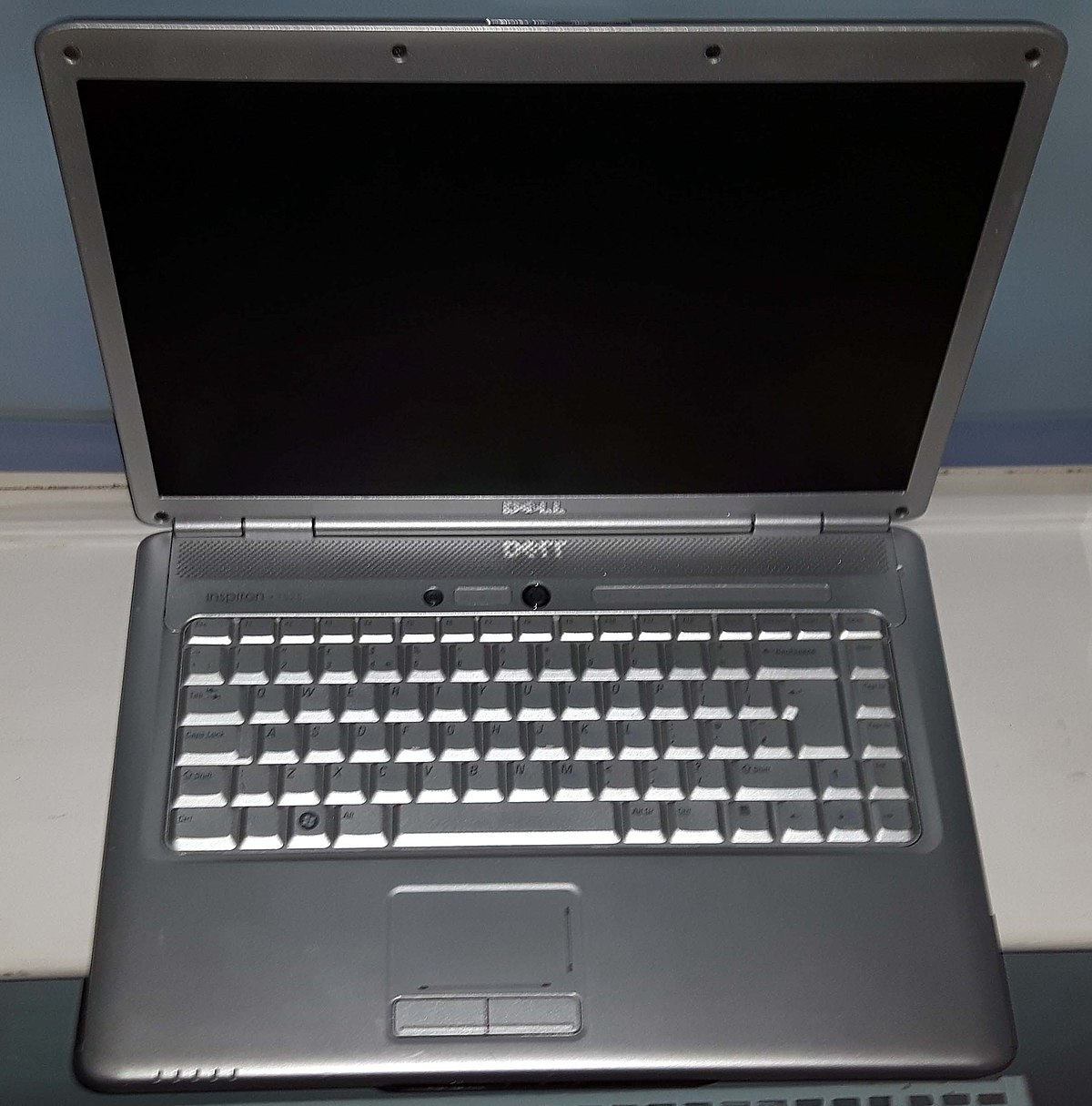
https://i.pcmag.com/imagery/reviews/05RhNkV9HnULG0LW4YRfKzZ-...

https://www.tec-int.com/media/catalog/product/cache/2/image/...

So unless I scoot the laptop off-axis or I have to move my hands off axis to type.
I'm unsure how this isn't unergonomic. It's not something to get used to. It's bad design. Period.
I haven't used a Mac in years but the one thing they always nailed was the trackpad. It's big and actually centred on the laptop body.
It’s much easier and more comfortable to adjust my hands over a slightly offset keyboard.
I gave it a try for one minute when I unpacked my new laptop in 2014 and I immediately shifted it to the right: typing as you suggest was terrible for wrists, shoulders and probably the spine.
My workaround: I move the windows I work more often (eg: the editor) to the left part of the screen.
To be fair: there is no way to fix an ergonomically broken design. There are only mitigations and those a probably subjective: everybody is a little different and muscles/skeletons/etc can accommodate different twists.
https://slate.com/technology/2015/02/lenovo-superfish-scanda...
Linux is not magically immune to this attack. One could argue it is more susceptible than other OS due to lack of binary signature checks on executables at runtime (at least by default).
* Chromium-based applications (the browser and Electron apps like VS Code) still don't know how to render themselves with fractional scaling and end up ever so slightly blurry (but correct sized) on fractionally scaled displays. Think like very old applications (like Control Panel) on Windows 10. I use Firefox so it doesn't bother me that much. There's a issue in Chromium bug tracker following this, but I can't find it right now.
* Screen sharing full screen or other windows than browser tabs doesn't work on Google Meet / MS Teams. This is and has been an issue in Wayland since forever.
This is most likely because they don't support Wayland. The scaling with XWayland doesn't really work great a lot of the time.
I don't use scaling for my 4K monitor, and just set text sizes larger. It feels a bit weird for a while but eventually it's actually quite a nice balance where the content is relatively larger vs. the chrome.
Chrome has experimental Pipewire support; enable it in here: chrome://flags/#enable-webrtc-pipewire-capturer
Firefox (at least on Fedora) has enabled it out of the box.
Electron apps are blurry, tracking https://github.com/electron/electron/issues/10915
I woukld agree on desginer.
Absolutely not on developer or researcher.
Actually MacOS is for the reasons you mentioned incredibly developer-unfriendly (unless you target is of course the iOS ecosystem).
And for research there is no better platform but Linux. Unless you are in clicky-colorful frontend applications where I would doubt you are doing serious research.
It seems the iPhone 12 is already rejecting non-original parts, even if the part comes from another iPhone 12: https://news.ycombinator.com/item?id=24924761
I'm currently in the same boat as you and my next machine will be from these guys when my (admittedly very new) Macbook Pro gives up or gets taken over by Apple.
To be fair, it's like being trapped in a silver gray aluminum cage with uniform body and irreplaceable bars. I wish more companies would make a PC laptop that doesn't suck aesthetically. Even when they use aluminum, most PC manufacturers don't spend much time on designing a good keyboard (arrow keys not having the same shape comes to mind.)
Graphic designers because the nice display...
Otherwise i don't get it. I think for most other people it's a status symbol ;)
I especially don't understand why IT affine people buy it. Just buy DELL, HP, Lenovo, Alienware and install linux. Gives you more bang for the buck...
Unfortunatly Linux isn't really an option just yet for a lot of us.
Apple has a pretty broad utility patent around their trackpads, which requires other manufacturers to work around what would seem like pretty obvious things.
PDF: http://assets.sbnation.com/assets/2017767/USD674382S1.pdf
I use arch linux on a Lenova Thinkpad T580, and I'm really happy with it, but I'm not sure about the colour accuracy of the screen. I doubt it's as good as you find on an Apple.
I, for one, am really interested in good, high quality alternative to apple laptop hardware, that meet the parent's criteria.
It is basically a milestone; since new binaries are needed, they might be as well as signed.
Laptops and gaming is a terrible combination because of the thermals.
Its very similar to the x1 carbon but converts to a tablet and it has an aluminum body.
I can't say I'm out of the apple ecosystem entirely, but I decided to spend my money elsewhere given the abysmal quality of the macbook pro line these days.
Trackpad is as good as it gets outside Apple, I'd say.
The display looks gorgeous. Can't say about color accuracy/fidelity though.
Clearly there's no need to jump ship if it's more expensive on the other side.
Wifi that works... Audio that works... Plugging in and out external monitors that work... Netflix/Youtube in HD without burning the cpu and draining all battery
Basic hygiene essentially.
I use linux on a laptop every day for the past years and have tried Dell, HP, Lenovo, Asus, Ubuntu, Arch, Mint. Lately things are working, but only most of the time, never really really 100% as a Windows/OSX machine does. You always have to live with those 1/20 times sleep did not wake up or oh time to reinstall pulseaudio again for microphone to work.
Buy something without a number pad. Unfortunately most 15" laptops do have one.
If anybody from HP is reading this, I'll pay an extra for a keyboard without number pad on your 15" ZBooks with 3 buttons on the touchpad. Space bar and touchpad aligned with the center of the screen please.
It is off center if they have a number pad to the right of the normal keyboard layout. At first glance it looks weird, but it is 100% what you would want if you were using the laptop. Otherwise the trackpad would end up being right over where your right wrist is.
Sounds like you might want a Microsoft surface (or surface book).
Not sure about the TouchPad - but at least there's a pen for drawing on the screen.
I don’t like the boot thing either, and it’s a bit scary not being on intel as everyone else is right now, but I also think ARM feels really interesting and it might turn out to be a great new platform!
Edit: i mean it is not like they never listen, they did take bake the mac pro, they did fix the keyboards, you have cli tools to make a lot of changes in how macos works, etc. Of course I would like hundreds of things to be different, but I believe that is true of all platforms.
The 2009-2015 era of Macbooks are, not were, truly phenomenal machines.
The onyx pro model, it’s not great on battery when using the nvidia graphics but it can play 3D games via steam.
I do kinda like the pop! Os Linux distro.
As for screen availability, I think it's more to do with the fact that these are business computers. Lenovo only recently started blurring the line between their premium and business class devices.
I think every post-Haswell ThinkPad comes with a 720p screen in it's default configuration. At least up until Tx90/5 series.
And then almost none of those bad things happen. I've witnessed this dozens of times now, so a safe interpretation would be to assume that this time none of those things happen.
We have been effectively boiled like obedient frogs.
I love macOS but my next laptop won’t be a mac and my next phone won’t be an iPhone. Divesting from the ecosystem will be painful but we’re well past any grace period at this point.
same here. I hope this will lead to a leap in quality in alternative mobile & desktop OSes, because at the moment the situation looks pretty bad.
Then they disabled execution of all unsigned binaries. To run on a default Mac, you either pay Apple or compile on the user's own machine which is obviously unsustainable. https://eclecticlight.co/2020/08/22/apple-silicon-macs-will-...
They've also removed any 32bit support, in case you could make do with old programs that don't make Apple some money.
I'm still on Mojave and will not upgrade. Personally, my last MBP was bought in 2016 and I have no intention of getting another one as long as they continue exploiting developers and the public in this way.
This is not true. Apple silicon runs code with any signature, even an ad-hoc one.
I'm aware end users with discontinued software were forced into some no-win choices. But as an ecosystem, it's one example where this happened and was given a ~15 year possible window and an explicit 4 year window to transition.
Do you want to be burdened with layers of backwards compatibility and end up like POSIX or Autoconf with provisions for things that once run on some long forgotten UNIX OS version?
And just before this, I finally managed to fix Spotlight pegging one core at 100% constantly. Next thing, I reboot into a laggy system. macOS is my favorite OS, but the shit I put up with... it's basically an abusive relationship at this point.
Apple folks in this thread, this was terrible
I almost cannot believe the actual cause. Absolutely awful experience.
Idk, the several Linux distros I’ve used recently, and Windows, have a much longer list of “shit _I_ put up with”
Anxiety from what Apple's agenda will do to your computer next update? anxiety from if a 1hr windows update is awaiting you when you turn your pc on? ... Linux awaits.
Linux awaits and then when it comes it borks AMD driver, because AMD decided not to support older cards on the new FOSS driver, and the old perfectly working driver is not compatible with modern kernels, driver ABI be dammed.
Linux awaits and then when it comes it breaks hard disk encryption forcing a full install, and feeling lucky that I actually backup /home regurlarly.
Linux awaits and then when it comes half of the stuff doesn't work in Wayland.
Eventually I rather just deal with macOS, Windows, Android and leave Linux just for the kernel itself.
No man gets to deal with all of the possible computer problems, thankfully. But in my experience, most Linux problems have been fixable and I managed to fix them, while more closed OSs have left me stumped many times. I no longer believe that a computer can work without problems, so my priority is making sure that when problems appear, I can diagnose them and fix them easily.
So I agree, Linux problems are usually much more fixable.
If you have any other insights, I'd be happy to hear them. We have a workaround, but It'd be nice to get imports working again.
As for Windows... really no issues there other than forced errors of whatever absurd company policies are in place that cause software I don't want or need being forced on my machine.
Every time I've tried using Linux on the desktop, it's worked just fine until I tried to update something. Sooner or later, there's some broken patch or some incompatible thing here or there that breaks my window manager and throws me to the command line, ruins my network settings, overwrites my boot config or some other maddening mess. Linux works brilliantly, AS LONG AS YOU NEVER TOUCH ANYTHING
Today my mouse and keyboard were acting as if they weren't plugged in. Just no power, no reason, no change. Reboot fixed it for now
The thing that's changed recently is that I had to update the kernel to support my audio interface.. which was also a pain in the tits
The only relevant search results are StackOverflow spam talking about a version 10 years old
Linux awaits
It is my understanding that a lot of modern GPUs that are cutting edge ship with non-oss binary blobs, which goes against Debian's core principals.
Unfortunately, it means that Debian has poor support for hardware vendors that mandate these binary blobs.
[0] https://packages.debian.org/buster/firmware-amd-graphics
https://en.wikipedia.org/wiki/Superfish#Lenovo_security_inci...
Oh, I do like the gesture support, though even Windows 10 supports gestures nowadays.
As for the Safari issue, I have no idea off the top of my head.
A co-worker keeps telling me to try Manjaro. I'm just not sure if I want to spend a weekend reinstalling all the stuff I use.
In a previous company the IT dept had to revert a forced by MS update manually on each machine by “hacking” and deleting and replacing files as it was causing BSOD.
I just replaced that pos with a mac mini....
I use centos 7 for my daily driver, it'll get 8 on it next hardware upgrade. Touch wood not a single problem with that for years now, and amd5000/nv3000 are looking very tasty.
(P.S. I despise Windows from a technical standpoint though)
This is a good point actually - with their walled garden approach, Apple has a much easier job with drivers than Windows or Linux have.
Of course, the end user may not care a jot, but it's an interesting point from a technical perspective.
[1] https://www.techradar.com/in/news/microsoft-kills-off-window...
[2] https://www.techradar.com/news/dont-install-this-windows-10-...
[3] https://www.techradar.com/in/how-to/windows-10-may-2020-upda...
Meanwhile on Linux, I cannot upgrade to the new kernel that contains a lot of support and fixes for my new shiny AMD Ryzen chip because it completely breaks the Nvidia driver, refusing even to boot.
Apple may suck, but it still sucks less than the alternatives
Well that's the problem with Linux distros for the desktop in general. A user upgrading a newer version of a single system component risks breaking the whole desktop: systemd, libdrm, x11, whatever and something else doesn't work. I'm even excluding drivers here but again it's clear what happens when a user finds that out for themselves on Linux. If they even have the time and energy to do all that digging and googling of cryptic errors.
To save yourself the time and frustration, Just keep using Windows 10 with WSL2. I don't have any reason to dual boot to a Linux desktop any more due to this.
It is - quite clearly - a gross exaggeration that "every update borks the system".
Aside from MacOS, I use Windows 10, and have done for several years. I have the Microsoft Action Pack, which means I get multiple Windows 10 Enterprise licenses - and no forced updates.
- Lack of little useful apps in the $10 range. Windows seems either freeware or costly bloatware.
macOS' problem is fixable but OS being worse isn't something you can wait to get fixed quickly.
Yikes. This is painfully true. Maybe Apple knows they have a ton of breathing room here.
I’ll jump through a few more hoops to continue using the machines they make. Then again all I do is edit text.
Ain't that the truth with every OS. I use Windows for gaming, PopOS for work on my desktop and MacOS for work on my laptop. The amount of weird issues is about constant.
But linux is free both as in free beer and in free speech, windows required you to pay the Microsoft tax to use, and lastly macOS required you to pay a premium on hardware.
Paying $100 for Windows seems like a better solution if you just want a working OS without a hassle.
And what premium do Mac hardwares have? It seems I paid what they deserved as I can't find anything better in the market. Even moreso now that M1 is out, it seems all Windows machines have premium.
What do you mean "take care of the level of detail"?
I can download Debian right now, install it on hardware in about 10min, and get everything to work rock solid without any hitch.
I can't say the same about either Windows 10 or macOS.
In fact, I had mojave crash and reboot more times in the last month than Ubuntu 18.04 since it was released, and mojave is preinstalled in its own target hardware, which is supposed to be high-end, while Ubuntu is installed on a cheap laptop that cost between a third and a fourth of my apple laptop.
What exactly do you mean by level of detail?
Half of the apps I use are on Linux as well but that won't get me to the productivity on macOS.
>> Paying $100 for Windows seems like a better solution if you just want a working OS without a hassle.
I've been running Fedora for 15 years and haven't had any of those pesky Linux issues for at least 8 of those years. Meanwhile, I was issued a new Windows laptop at work just last week and it Sucks pretty bad. It's smooth and polished, but with all the advertising and "first ones free" preinstalled shit it feels a lot like Facebook rather than a computer. I'm glad its me-at-work being monetized and not me at home...
I can't help but think you meant, "I've accepted there's no real way to salvage and diagnose my computer when it breaks so reformatting it has become second nature. I always keep an up to date Win10 install USB ready, and I even have a second hard drive that I keep all my files on."
With Macs, you have to put up with MacOS and Apple (one big premium is lack of choice). It's also not that easy to self-administrate without MDM, and software options are relatively limited if you come from either Linux or Windows.
I wish you weren't wrong.
If Windows 10 was unstable I should be swamped. But I spend more than 90% of my time on software dev.
And the machines are not new with fresh installs, I all migrated them manually from Windows 7.
FWIW I switched from XP to Vista 1 or 1.5 year after its release date. It has been a great OS for me, I never had a problem with it (except that it's then they started with the bullshit telemetry).
Of course YMMV, but since late Vista stability isn't a major issue anymore.
> software options are relatively limited
When was the last time you used macOS? I see the options limited on Windows rather and even moreso on Linux.
Yeah, I don't use peripherals as it's only a gaming machine (I don't see other reason to use Windows) but it's working as intended for years.
A level of detail I value is that none of that BS is baked into systems I use. Doesn't matter whether those who did not do so were paid for it or not.
I had to make a phone call since none of the methods Windows or the internet suggested worked and that phone literally took 30 min to reactivate my license again. That wasn't fun.
(wink wink)
Or just run macOS in a virtual machine
As developers and engineers, we ought to be jumping off this platform like a sinking ship. It's clear that they want to lock it down like the iPhone. Why else would they be measuring which apps are in use if they didn't want to control it?
If your argument is "compatibility research", you're missing the other warning signs.
- Logic had the pole position for non-pro-tools music at the time, and sold (IIRC) for about $600
- Apple bought Logic and stated publicly "we will not discontinue it on windows"
- I think a year later, might have been two, they cancelled it on windows
- Some time later, they dropped the price, and also put out garage band, using Logic's engine.
- Logic's product roadmap (from what I've heard) became more general user friendly (can't attest to this personally though)
Basically, anything Apple owns becomes part of the plan to get you on a mac and iEverything, secondary to whatever it's originally purpose is. I won't touch any music software now that doesn't run on at least 2 operating systems. Fortunately most of them now realize the importance of this.
I'd recommend looking at other options like Reaper, Cubase, or Digital Performer, all of which have been improving steadily and can on windows or OSX.
Personally I'm sticking on High Sierra, and doubt my next machine will be a mac. Man I'm going to miss Bash everywhere though. Sigh
Right there with ya.
/s obviously.
That's another case of a product not doing its primary function - OS running apps - because company placed their own (data gathering) objective above it. See thermostats not turning on heat when the internet connection is down and other equally stupid examples...
My Twizy and Ioniq haven't got a single touch of data gathering neither a SIM card/wifi connectivity.
Otherwise, my car is very secure when I never use it. Like, totally. Flying also has become very very much safer.
Edit: is/use/
Nobody cares what you intended, they care how you actually affect them.
What actions on Apple's part have tangibly compromised their user's privacy?
Just a small reminder that this can soon stop working: Apple's apps bypass firewalls like LittleSnitch and LuLu on macOS Big Sur - https://news.ycombinator.com/item?id=24838816
Edit:
Just reached out to Dang with a request to correct my typo.
So when you open an app, how else are they going to check whether the certificate is still valid or whether it has been revoked?
Can anyone confirm whether this lookup applies to unsigned as well as signed binaries? As far as I know if I build a brand new binary with cargo, and run it, it doesn't do any checks.
Or if you do, only do it for a set of known bad ones, as antivirus products do.
Do not put a cloud service (or anything for that matter) between the users and their ability to run what they want.
I think perhaps a better tradeoff would be if a revocation list could be synced hourly or so and the app could be checked sync locally and then asyncronously on open. And of course, always give the power user an option to ignore things.
Never block me from opening something, but warn me about bad stuff on a regular basis.
You can also run these commands to disable ocsp (and crl) since it can no longer be accomplished in Keychain Access → Preferences:
  defaults write /Library/Preferences/com.apple.security.revocation.plist CRLStyle None
  defaults write /Library/Preferences/com.apple.security.revocation.plist OCSPStyle None
  defaults write com.apple.security.revocation.plist CRLStyle None
defaults write com.apple.security.revocation.plist OCSPStyle NoneBut when the endpoint is dying and it gets called every time you try to run any binary…
This is about when I remember seeing it: https://medium.com/@acecilia/apple-is-sending-a-request-to-t...
I agree that breaking system availability when an OCSP server isn't available is user-hostile and unnecessary.
Based on the OP tweet... depending on the way it is unavailable, the failure is indeed ignored in some cases. "Denying that connection fixes it, because OCSP is a soft failure (Disconnect internet also fixes.)"
So it may be an actual unintended bug that a particular failure path results in a DoS instead?
A better option is to asynchronously update a Certificate Revocation List ("CRL") and perform any check local to the machine. This avoids disclosing to Apple every single time you run a program, which program it is, and what network you're on. It could also emergency-revoke certificates just as quickly as the OCSP design by polling at the same frequency (every app startup).
Much faster, updates relatively quickly, and not subject to network outages.
I don’t think the design is wrong, I just think it’s tuned a little too cautious. If you’re going to verify certs then checking the CRL is something you really should do before approval. And you can’t sync the database entirely because it’s too big.
There really aren’t any good solutions to this unless you can solve the cache invalidation problem.
I think it's probably an unintended bug that this failure mode was fail-closed.
The costs of this unintended bug are going to be huge to Apple's reputation, as demonstrated in this whole HN thread, where many assuming what's going on is even WORSE than it really is.
(Personally I think having signed certs (with opt-in ability to run unsigned apps, as MacOS has) is fine. And fail-open OSCP revocation check is also fine-ish, although it would annoy me if it's making it slower to launch apps on the regular. The problem here is a bug, not one of design. But most of this thread is assuming Apple was doing something different than this. Of course, how often a company produces fairly catastrophic bugs is also on them).
Yeah, these _could_ be unrelated issues to what has been going on in Apple land today, but it's uncanny...
When was `trustd` introduced?
I think you were just lucky to not open non-Apple applications during the outage.
Disclaimer: not affiliated.
I've been using Big Sur beta for some time and one of the things that annoyed me a bit was the sudden lack of responsiveness, which is a tad annoying given that I upgraded to a 16inch MBP earlier this year and everything felt so snappy.
I have machines around the house with OS'es going back a ways...
Disable IPv6: sudo networksetup -setv6off Wi-Fi (where Wi-Fi is the name of the network service)
Last time I played with a Mac they also had the BSD `ipfw` command for kernel packet filtering [1]. Could try something there if it still exists.
Here is another tweet that describes the problem in more detail:
https://mobile.twitter.com/llanga/status/1326989724704268289
> I am currently unable to work because macOS sends hashes of every opened executable to some server of theirs and when `trustd` and `syspolicyd` are unable to do so, the entire operating system grinds to a halt.
EDIT:
As others pointed out, I put this to my `/etc/hosts` file and refreshed it like so: