I think Apple would consider this "working as designed."
Plus, putting second factors in the same location as your first factor (e.g., 1Password) seems to pretty much defeat the entire purpose of having a second factor. If you're using strong passwords with 1Password, your second factor is basically only defending against a leak of your password database. If you're storing your second factor in that same password database, what are you gaining?
But if you have backup second factors (you have backup second factors, right?) and you're worried about Passkey lock-in for whatever reason… just use that other second factor for AWS or any other account which supports only one.
> Now, you can add multiple MFA devices to AWS account root users and AWS Identity and Access Management (IAM) users in your AWS accounts. This helps you to raise the security bar in your accounts and limit access management to highly privileged principals, such as root users. Previously, you could only have one MFA device associated with root users or IAM users, but now you can associate up to eight MFA devices of the currently supported types with root users and IAM users.
— https://aws.amazon.com/blogs/security/you-can-now-assign-mul...
But if you lose all the devices with your passkeys on them, they are gone for good.
Not quite! 1password itself counts as two factors: something you know (the master password), and something you have (the additional secret key).
Passkeys in 1password would eliminate phishing as a problem.
Feels like these things are designed by Californians with no idea of how the world is.
My comment is targeted at someone who is savvy enough to: a) care about having "real" 2FA, and b) is concerned about lock-in, and c) is extremely sensitive to being locked out. For someone like that, you're already buying YubiKeys or some equivalent. And if you don't already have some, you're never prevented from using them later.
If you're using hardware 2FA, you should absolutely have backups. I've used YubiKeys for years and have one in my laptop, one on a keychain, and one in a safety deposit box.
Passkeys are just another instance of this. I have added Passkeys to all of my accounts with 2FA and it's somewhat more convenient (significantly more convenient for mobile devices). But every account also has all my YubiKeys attached as second factors.
There is no lock-in. And while it's inconvenient and annoying to have to add multiple keys to every account, that is already the reality if you're responsibly using hardware second factors.
I currently have a Microsoft (Work) account that I'm SSO logged on.
Incoming iTunes Password Manager, next event :P
Punishing us geeks who like using multiple different kinds of OS on their phones and computers. :(
I honestly didn't know that was possible before that extension.
"DerpCo Derpolizer would like to access your stored cookies. This allows us to automatically log into your DerpCo account!" and then bam, they hoover up your login data in an instant and send it off as part of their telemetry.
Much better to have a system like (for example) sign in with Apple where you can easily click a button to have the system authenticate you, but no one gets access to anything without specifically asking for it.
Well, Apple Passwords on Windows is a good example of how that turns out in reality. I believe it's using WinUI. While the performance is nice, the experience is entirely unlike what you get on Mac and winds up making you wish you were using another service entirely.
I doubt they’d do much better using electron: I think their development model is that if it isn’t on one of their platforms, they pump out a minimum-effort, low quality app. I’d guess that electron ones would be just as clunky, except with a significantly higher memory and CPU footprint.
The root of the problem for Apple is that they cannot get away with doing what they used to in the past, they already have a plethora of platforms within their own umbrella to support, adding Windows native to the mix seems to result in maybe a handful of developers taking on enormous burdens by trying to catch up to their expected Mac apps.
If Apple were to seriously put its weight behind a cross-platform toolkit, this might change, especially as they want their services to grow. It's the very reason why their main service competitors can even compete.
But I agree that if they were to suddenly switch to Electron without a care it wouldn't turn out well, but likely have a better end user experience than their current reveals.
For Safari Windows they ported a portion of Cocoa.
Having an internal Windows version of SwiftUI would not be unthinkable!
No they weren't. They were notoriously awful. Apple resorted to bundling Safari with QuickTime to try to get you to use it but everyone still hated it.
300GB library around that time with no issue at all. Smart Playlists made all other players obsolete for me.

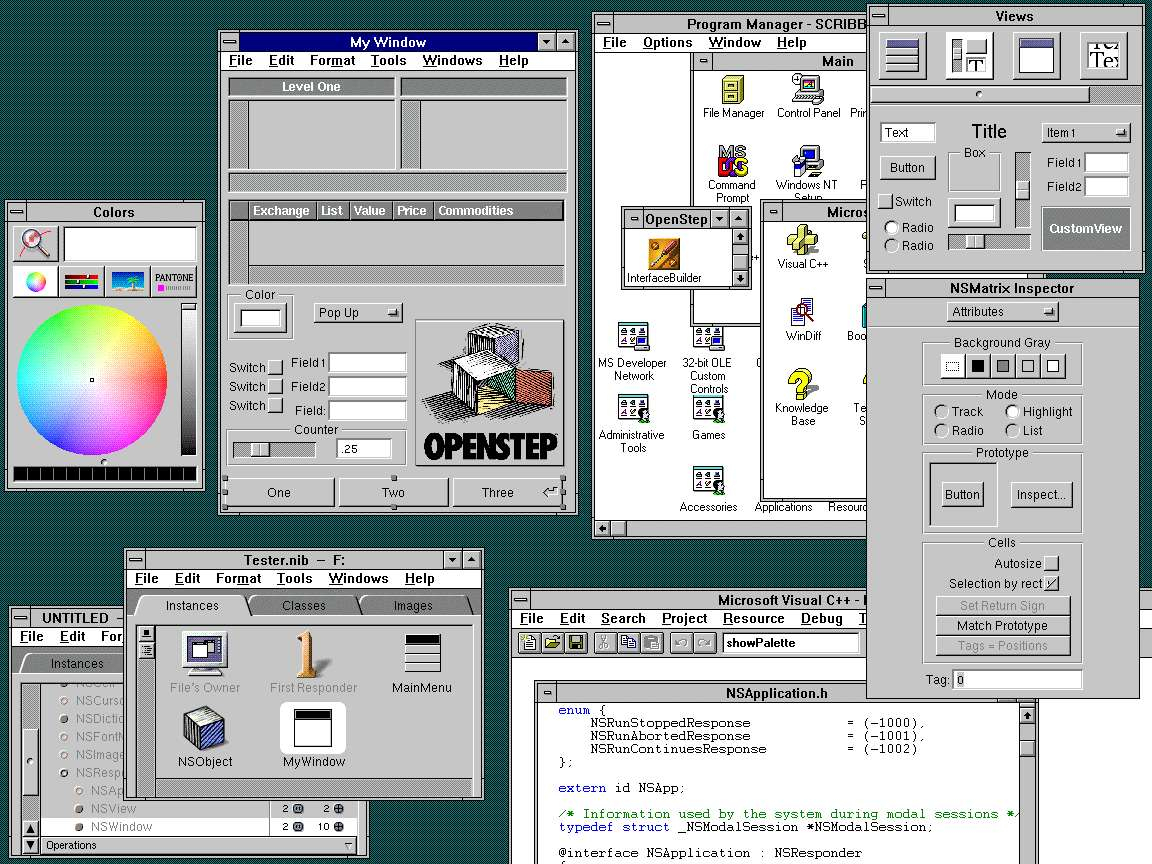
https://www.stone.com/dev/StonesThrow2/OneFoxTwoFox.html
Basically, it was called Yellowbox, but it didn’t officially survive the release of Mac OS X IIRC. But Apple was at least still using parts of it for some Windows ports back then I believe.
If you were a Windows user, why would you want an app that acts like a Mac app? Surely the benefit of having a dedicated Windows app is that the experience should be like other Windows apps.
If I'm using Spotify, I don't think "oh this doesn't use windows navigation component from winUI", I immediately know where the genre categories are because I've already used it on android or linux and expect it to be there. I know exactly how to add a song to my library, to shift around playlists, to manage folders, everything is as I learned it on [other platform].
Design development becomes this duplicated burden where every feature now has to go through the ringer twice (or more) to fit native components for their respective platforms. When you hit limitations on those native components, you're now having to make the decision to either hold back the feature entirely, or create fragile workarounds.
In an alternate timeline native components would have had far greater appeal, where people actually hate and boycott apps designed otherwise. But we don't. Even on iOS or mac, people regularly rely on apps that only vaguely interpret their native components. The situation is even worse on windows past 7, where the idea of a "windows app" is so jumbled there is nothing to "expect" from the experience - which is actually part of why I think these unified app designs have really taken off.
We're either very different people or we have different use cases :) It immediately feels jarring to me to be using macOS and suddenly presented with a non-native UI. But I only ever use macOS on the desktop, so I don't have this cross-platform issue. What I find strange is, I would have thought that was the 99% common case — it seems strange to me to optimise for individuals using multiple OSes rather than multiple apps on one OS.
> Design development becomes this duplicated burden
That sounds like an OS flaw if true. Of course, I accept that some design will be necessary, even with the finest SDKs available to humanity, but it should be so burdensome that going non-native is seen as the solution.
> Even on iOS or mac, people regularly rely on apps that only vaguely interpret their native components.
You're totally right. Every now and again, I say to myself "I really must use Safari for the 'more native' experience", but I always come running straight back to Chrome again.
> The situation is even worse on windows
This was one of the things I liked best about macOS when I first migrated — everything was so consistent, things didn't visually clash, etc. I still get the impression it's better on macOS, but heck, it's definitely not as good as it used to be.
Have you given Arc Browser a shot yet? It feels pretty great. Feels designed for Mac and has its own design language at the same time.
Chrome used to be tied into Keychain but they went their own way a long time ago, which is a damn shame.
That policy has really killed a lot of functionality on macOS. I suspect it will cause fiction on iOS when the EU forces them to allow alternative install sources.
Personally, it grates me when Apple cripples functionality this way to try to keep us stuck in their platform. Can't use Firefox with Keychain. You can only view your current Apple Card balance on an iOS device -- not even a macOS device. At the end of the day, I hate being manipulated so much that it actually pushes me away from the platform to see this scummy behavior.
Most macOS users don't use the app store. So directing folks there can be annoying for users, or even cause problems if they aren't signed into iCloud.
They'd likely end up with either an old version on the app store at all times, or with a massive, unpredictable day-or-week-long delay waiting for Apple's reviews before every release. Small wonder they don't bother.
That sounds especially annoying. An iPad next to you can auto-config itself as the umpteenth monitor of a Mac, but macOS can't pull Apple Card balance from your nearby iPhone?
Also, on iPhone it's ok-ish but on Mac the experience is a subpar too: Keychain, the app you use to view your passwords, feels like a 90s Visual Basic application. Plus you can't organize your accounts, and even if you prefix them to "sort by name", the special name you give is lost after using it.
On the other hand, I already have other Apple cloud stuff and kinda trust them, so I suffer through it. And other password managers aren't anything to write home about either to make me change :/
The other two have even less organization functionality than Keychain Access, so this probably doesn’t help you, but the blog post was talking about the System Settings version so I wanted to point it out.
Huh, I never realised Keychain showed iCloud Passwords. I always just use Safari (which is inconvenient in its own way admittedly).
It also works on Windows!
It‘s a view and editor for all kinds of stored keys. I don’t think its target audience ever were intended to be some random macOS users. That’s just not the target group. It‘s about power users that need to access or store all kinds of keys.
No, it's not. I alternate between Safari, Firefox, and Duck. If a password I use in Safari isn't stored in Firefox, I copy it from the Keychain program and paste it into Firefox. Firefox then asks to save it. No problem.
The GUI is buried in System Settings.
It has its own program. /Applications/Utilities/Keychain Access
Woah that's the same way I used password managers 10 years ago. Even back then it was considered barbaric. I had no idea people still lived like that.
The previous commenter said passwords were "unavailable" outside of Safari. I merely demonstrated that his statement was false.
Personally, I was taught to care about the future.
(e.g. Netscape vs Microsoft Internet Explorer)
EDIT: why the downvotes without a reply? If you don't agree, why not just respond why so that a health dialogue can occur.
Safari > Preferences > Passwords
Would love to have iCloud Keychain in other browsers, though.
On Mac, at any time, type: command-space passw <return>
On iOS tap <search> on any home screen, type passw, tap suggested result
https://www.icloud.com/shortcuts/71fea01c333341878e4355df52c...
For macOS, you can make the same shortcut open `/Library/Apple/System/Library/CoreServices/SafariSupport.bundle/Contents/PreferencePanes/Passwords.prefPane`.
A single shortcut can be used to accomplish this, using the OS check and an `if` condition.
Then add the shortcut to the home screen as an icon and it’ll also show up in Spotlight search.
That said, this also proves that for non-power users: it needs an app and it needs integration with other browsers if it wants to be as easy to use (for most people) as the popular password managers.
I just tapped the "search" field on the home screen, and typed "passw".
"Top Hit": A store link to the LastPass password manager (which I do not and have never used—the button has the text "get", it's not installed and doesn't have the cloud-icon for previously-installed apps)
From there, it's three suggested Siri web searches: "passwords", "password manager", and "password generator"
Then two safari-iconed links (I assume these would search with my default search engine in safari?): "passwords on iphone" and "passew"
Searching inside the "settings" app is only marginally better. It's all much, much worse than it was a few iOS releases ago.
Having to access something via a search incantation (or, alternatively, a ton of clicks) is not at all easily accessible. It’s buried alright.
Obviously you can find pretty much anything on macOS and iOS via search. That‘s how it‘s should be. But that doesn’t make things accessible or even just visible.
Agree the UI is terrible in iOS.
As for TOTP, if I lose my phone I don't know what will happen.
Most apps can use passwords from Chrome just fine, and you can also quickly open the native passwords window when encountering a password field using the key icon.
For TOTP, use apps like Authy which can be installed and used from multiple devices.
Like a lot of other Apple stuff, I'm only able to use it because I don't use anything non-Apple for anything "serious" that involves a GUI. Windows is for gaming, Linux is my file storage and docker-service-running server that I only interact with over SSH and Web. Ditto Notes, all their Office-type programs, et c. I'd probably be on a lot more Google shit if I needed more cross-platform access to that stuff.
> 2. On Mac it's tied specifically to Safari. I use Safari a lot but if I'm in a different browser then my passwords are unavailable.
Yeah, this is super fucking weird. You'd think this would be connected in some fashion to "keychain", but nope.
> 3. The GUI is buried in System Settings. Heaven forbid you need search it's only a simple 37 clicks away!
IDGAF about clicks because I search my way to everything in Apple's settings—what does bother me is that they've made search worse in the last couple versions of iOS, and that if I type "pass" in search, "Passwords" isn't even visible on the list yet. I can get all the way to "password" and it's still the fourth entry. The fucking name of the screen is "passwords"! I shouldn't have to get farther than "pas" for it to be the first entry on the list, "pass" in the worst-case! Even fully typing "passwords" still leaves it as the second entry (of three) on my device. WTF.
Other browsers used to be able to use it. I do think it’s a really thorny issue—“allow this application to access all saved passwords?” is a pretty damn scary permission to include. Up there with the “allow this application to control your computer” permission that is used for accessibility apps (which apps can abuse to read passwords, if I understand correctly).
Apple’s tradition. Make the platform more secure, add an exception for first-party apps, and let the other browsers fuck off.
I'd like to see finer granularity, perhaps multiple web password vaults and a mechanism to allow certain browsers to use certain vaults.
It might also be nice to specify which passwords could be accessed with which kind of authentication. Unfortunately the current system password dialog is easily spoofable - it really looks like a questionable javascript popup.
The above is not a critique but certainly a list of things that lead to the possibility of a repeat of the infamous Windows popup for every single action you want to do out of the box. This leads to either decision fatigue or a pre-programmed "yes, just do it" response from the vast majority of users.
I personally think it should be an all-or-nothing type of allowance for this reason. Maybe the better way would be tracking access to passwords in Keychain. ie: Chrome+Safari+Firefox have all accessed your credentials for google.com but only Safari has seen your iCloud credentials and only Chrome has seen your HN credentials.
I'm looking forward to iOS doing the same for contacts; there's no reason why WhatsApp/Telegram/etc need access to my entire address book if I just want to call Steve.
Why not? It works fine for Little Snitch.
And here it would be even less prompts, as it would just be every website I visit && have an login account at.
This is pretty much exactly how macOS Safari prompts, and has for several years, at least in Touch ID scenarios. It shows a suggested username/identity with a Touch ID icon next to it, presented just like a normal autofill suggestion otherwise.
The per-site prompt and the inclusion of username/identity are really good signals, and feel like they reinforce the opposite of Windows UAC. They definitely gate access in a similarly repetitive way which encourages repetitive acceptance. But they demonstrate prior authorization that would have to be manual at least once at some point before the prompt, and you won’t be promoted the same way for sites you didn’t manually authorize first.
It’s a good enough signal that I generally use it as my first line of defense against phishing/domain spoofing. If I don’t get promoted for credentials for a service I expect to have an account with, I’m immediately suspicious. That doesn’t mean I automatically trust or distrust on that alone, but it’s a pretty decent sniff test.
It just needs to tell the password "hey there's a password on wellsfargo.com" and then the password manager asks the user if they want to use the password. And maybe give access to all passwords.
IDK, what does safari do?
If you use Chrome Sync with passwords on macOS, Chrome actually stores the decryption key in the macOS keychain. Just open Keychain.app (/System/Applications/Utilities/Keychain Access.app) and search for "Chrome Safe Storage" to find it. That's the decryption key though with the actual encrypted password/sync data stored elsewhere. (So not possible to access Chrome passwords from the Keychain directly)
Safari Passwords (Apple's password manager) also stores passwords in the Keychain as individual entries and you can access them via Keychain.app
Apple has no such problem since they don’t have other OEMs.
Same deal with why Google got in trouble with the play store.
Weird. "pas" and it was top of the list for me.
Also, Spotlight is bizarrely slow finding even local apps and things like Passwords. WTF
It used to show up for me after a couple letters, in the settings app, until a few iOS versions ago, IIRC.
Which is unfortunate, because it's not very good at it.
But yes, passwords is annoying. You can use them on chrome on windows but not on MacOS, and on Windows it doesn't work on anything but chrome. Speaking of gaming, game launchers on windows can't get passwords from Apple and also seem to log me out all the time, so I have to revert to using my phone to see my password and manually type it in.
> Yeah, this is super fucking weird. You'd think this would be connected in some fashion to "keychain", but nope
No it's not. I don't want some exotic product connect to a domain I have passwords in and prompting me for access. The password should be tied to the product you used to login with.
This is a misunderstanding of keychain vs. lastpass. One is designed to remember "safari passwords" or any swift/cocoa application implementing keychain. One key feature is: once stored in Keychain this information is only available to your app, other apps can't see it.
Lastpass and other similar products are designed as a data warehouse / vault for you security items. From there, plugins in browsers etc. can take over.
I will totally agree with the fact that the GUI is frustrating at best.
It probably very much is. But Google would never add Keychain integration when they want to push you to their own password manager within Chrome
So OP disagree that it's even a good product if you are 100% Mac, but are suggesting the functionality is all there, it just needs an actually designed UI/UX.
And/But your #2 sounds pretty terrible to me too!
It does not sound like a good product at all.
  #!/usr/bin/osascript
  tell application "Safari"
    activate
  end tell
  tell application "System Events"
    keystroke "," using {command down}
    set pass_button to (button "Passwords" of toolbar 1 of window 1 of application process "Safari")
    click pass_button
end tellBut I like it overall. Even though I use multiple browsers, I don't mind treating Keychain as the master DB and occasionally copying passwords out of it. Part of this is because I use Safari exclusively for the extra important things like my bank.
This has been the Apple way since the 1980's
I just learned that this GUI exists. I have been using /System/Applications/Utilities/Keychain Access.app for years to deal with passwords.
I use 100% ma except for gaming. However, I use other browsers as well, so the coupling to Safari is a deal breaker.
https://www.icloud.com/shortcuts/22133925f3e34579b22951d6593...
That was biggest deal killer for me.
For work, I use chrome and chrome password management because my company uses gmail.
On iOS you can ask Siri "show my passwords". Doesn't seem to work on MacOS though.
I do: Cmd+space > "keychain" > Enter. Still not ideal but it's the fastest method I know. What do you mean, i.e. how do you access the GUI from the system settings? I tried finding keychain there but couldn't figure out where it is.
the short of it: It's inelegant, there's bugs, the UI is half-assed and some aspects are straight hostile (default widgets etc.). But it's an actual generic computer. Most task you assume you could do with a computer, there will be a way to do it.
It might take some efforts to get to a decent setup, but the walled garden was also a PITA, so all in all, I felt my time is better invested in making windows a nice place than the endless fighting of Apple on iOS.
As a halo effect, I'm kinda thinking about moving to Windows on my main computer as well on the next refresh cycle...not fully decided, but that feels like a viable option.
Ditto. Why do I have to replace my Windows login password with a "PIN" code that's the same as the iCloud Keychain PIN !? That's super weird!
In short.
1. The experience on Windows is terrible. They can claim it's cross-platform but it's truly a sub-par product.
2. On Mac it's tied specifically to Safari. I use Safari a lot but if I'm in a different browser then my passwords are unavailable.
3. The GUI is buried in System Settings. Heaven forbid you need search it's only a simple 37 clicks away!
I think those were my big complaints. If you are 100% Mac then it's a good product. Going outside of the walled Apple garden leaves a lot to be desired.