The best way to have a numpad if you really need one, I have found, is to have a separate one like how the Microsoft Sculpt keyboard does it.
Not if you use a mouse left-handed ;)
But more seriously, I grew up being trained to touch type in the classical way complete with ten-key exercises. I strongly prefer having a full numpad and I actually prefer the extra distance to the right for mouse usage. I've found over the years that the more I move my hands, the less likely I am to have discomfort.
I really wish for keyboard options with numpad on the left.
I am using numpad rarely but its handy to have when in need.
I have used this keyboard for the past few years, and swear by it: https://www.amazon.co.uk/dp/B000V5GQ8O
Full num pad, but on the left.
For right-handed people like me, this makes the mouse position more natural, while still letting me use the num pad when needed.
https://smile.amazon.com/Microsoft-Sidewinder-Gaming-Keyboar...
That's the usual way for Europeans.
I never realized Americans did it differently, until we gained an American colleague at lunchtimes, and ... well, it just looked a lot more complicated.
https://en.wikipedia.org/wiki/Eating_utensil_etiquette#Europ...
I guess I am a reversed-European, despite being right-handed. Fork in right hand and knife in left hand. It's always a bit awkward at first when taking up the cutlery because I have to switch at that time.
Funnily enough, there's also a standard when putting down cutlery on the plate, and I have remarks for this while never for the way I eat (they probably assume I am left handed).
Out of left-handed people, around 80% use the mouse exclusively with their right hand. In fact I can only think of one other than you that exclusively uses the mouse with their left (a bookkeeper a few doors down from my office).
It certainly helps load balancing, and probably has other benefits too. Consider it a DR plan if you suffer a dominant hand fracture, for example.
https://www.logitech.com/en-us/product/wireless-trackball-m5...
I have a Kensington Slimblade as well at home, works great to mix things up.
The way I do this, is by having an 'Ultimate Hacking Keyboard' (ugh I loathe that name, how can anyone take you serious with a name like that? but at least the product itself is the best there is available (at the moment)) and then have a numeric keypad in the middle (between the two halves). I got one off Ali Express with mechanical keys, it's backlit with obnoxious blue leds, but once you let that go - it's quite a good setup.
I've changed from the default map and restored the esc key and it doubles as a vim like 'leave layer'. It feels very natural.
As for tilde, I dropped the caps lock key and moved tab downwards to place tilde under esc.
Another option is to layer the key (ie, you have a special modifier key that changes the keys) so mod+tilde = esc. I do this to map my square brackets onto one key.
Overall I'm very happy with it. I've had a steeper than expected learning curve because I used to type with an over dominant wasd centric left hand (FPS gaming), which will apply to some but not most people.
I've been a hardcore vim user for 20+ years and this is the least of all potential problems, so if this is what you're worried about, don't be.
Function keys - it took me a while to get the keycombos into my muscle memory, basically it takes the extra modifier that the UHK has to access them. What I used to use them most often for was in Visual Studio (start debugger, run, build, that sort of thing), but what I ended up doing was basically hard-coding all those commands into a custom 'layer' of the UHK, so that (even with standard key bindings in the software) I have more logical (less chording) keys to do all those things. The main advantage is that I no longer have to contort my hands to do things like shift ctrl f5. I haven't had to re-learn bindings or manually remap keys in software for years.
For things like 'rename' in explorer.exe (F2), so things that I do really a lot, it only took a couple of days of practice to get used to the extra modifier. I did spend the time to set up AutoHotKey to do some other types of global hotkeys (open keypass or other often used software, some accented characters, that sort of thing) but that wasn't too bad.
Still, if they'd make a version with an additional function key row, I'd buy it in a heartbeat; not having them I consider a trade off for all the other good stuff (split, solid build quality, printed caps, tiltable, mechanical keys)
In terms of build quality, I like it as much as the ErgodoxEZ; I hope they'll finally come through with the extensions (only 4 years delayed...) because the thing I miss most from the Ergodox are the thumb clusters. The wooden hand rests are getting stained after 2+ years of use, but for the rest they're nice. I had firmware problems at the very beginning but that seems to be OK now. I wasn't very impressed with the support I got with those issues, it was basically first 'try unplugging and plugging back in' and then 'it works for me'. But it got there in the end after a few new versions of the firmware. The 'use the keyboard as a mouse' is a gimmick, I don't understand why they make that a core selling point in the UHK marketing. All in all, it's the best keyboard I can find that still uses somewhat standard keycaps (my reason for never trying a keyboardio; I've tried many others apart from that one).
https://liquipedia.net/counterstrike/File:Shroud_at_PGL_Majo...

I bought a 40% split keyboard and had my mouse inbetween the halves and it relieved my joint pains. Now, I work on old mainframes and need up to function key F24, but otherwise the 40% works wonders with thumbs on modifier keys.
At home I want a split big regular keyboard so that I can use all keys as normal for games, or probably a 60% split with a separate keypad since I can't type without hands starting to hurt.
Well, can't speak for OP, but personally I just slide the keyboard back over when I'm done gaming and going back to typing. I don't just leave my keyboard to my left relative to my sitting position.
He gets annoyed with my unlabeled keys and adding Dvorak to the mix would remove any ability to use my computer (not that I care, I am just a troll)
(disclaimer: typing this on a Dvorak layout)
Except I can type numbers a lot faster and more accurately with a numpad. Something I do regularly throughout my day. The enter key is also a quick thumb press with the mouse hand away when I'm using my left hand for commands. I almost never have to use the mouse while typing numbers. It makes sense to me to have a quick one handed way next to the mouse to type numbers. It feels a lot more ergonomic that way then using both my hands to type numbers spread out across a line at the top of the keyboard.
Or you know, you don't need to use a mouse at all when you are used to living with keyboard shortcuts and the right desktop environment that goes with it.
If nothing else, you'll end up using the mouse to navigate resources in web-browser or manipulate the product's UI...
http://www.keyboard-layout-editor.com/#/gists/eb0696806831fc...
What does that numpad offer that is not already on the rest of the keyboard?
I think if you are comfortable touch typing numbers then there's not much advantage to having a number pad.
(I've worked from laptops (without numpad) connected to an external monitor for about 15 years now so I may be missing something potentially useful here.)
Navigation using one hand, allowing even different body positions. Those who don’t use it have to do Ctrl-this Shift-that. I press singe keys with a single hand allowing me to have less of constant strain in both hands than if they were always at effectively same position. Like some other posters here I believe “always everything in same position” during longer work times is worse.
During my work hours I spend more time navigating than typing, so that’s what I optimise for.
I mostly live in a terminal all day and most of that time is in Vim. So I have the whole keyboard to use as shortcuts for movement but I do have to use two hands. Like you I'm more geared up for navigating code.
For me small, light movements committed to muscle memory have been the key to me getting round RSI a couple of years ago. I also use the Colemak layout so there's no real point to looking at the keyboard for me.
If I’d have to use such programs I’d try the programmable numpads also mentioned here. Even in the middle of nineteen eighties I was able (to my luck) to use a programmable keyboard (independent of the computer and the OS).
Additional keys.
I use mine for macros.
Programmers have a different use case.
Are you talking about a "full hand rest" mouse? Because there is no static load on the arm when operating a mouse that is hardly ever touched with more than fingertips, while the base of the hands is resting on the table.
But you could still enjoy looking at your keyboard with the coloured keys while not using it to type at that exact moment.
I own an unlabeled keyboard and I mildly regret it. I have no issues typing with it but I struggle with special keys like trying to find ^ or f5. Typing 2fa codes are a pain. If I was buying a new keyboard I would get a labeled one but with no numpad
I believe it part of the human ability to experiment, to optimize, to research, trying out something different, or perhaps more negatively to be discontent with current options you know and going for the mentioned solution.
It is a matter of optimization, and using the freedom you have to experiment. What you want to optimize for, depends on your concerns. Weight, size, ergonomics, aesthetics, modability.
For example, I like having Bluetooth on a device like a keyboard, but I also like the ability to turn it off, and barely use it. Because USB is usually good enough. I'm cool if this adds a little bit in size/weight. You might not be cool with that. Hence, we get choice.
> This makes no sense because the colored keys imply you enjoy looking at your keys and their unlabeled nature implies that you don’t need to look at your keys while you type. i.e. a fashion trend.
The purpose of showing the values is (initial) learning curve, and reminder.
Unlabeled has a different purpose: if you (sometimes) assign a different key layout, assign different keybinds which depends on factors (such as the language you type in, OS or program you use, or location you're at) then it is useful. Also, that part of the keyboard is not going to have worn use, and the resale value might be higher. On top of that, the designer does not have to cater to all kind of weird/different niche layouts.
I do agree I am not a big fan of colored LED keyboard, but it might look pretty if you assign it certain colours and have your computer idle.
How secure is that, really? I can easily imagine that it is very easy to sniff e.g. passwords from the Bluetooth connexion. But maybe they actually put in the hard work of getting encryption right.
The point you raised is one of the reasons why I try to not use it much. I don't trust it.
I use a 40% board and one of my layers brings up a numpad. I really just prefer typing on one of these boards much more than a traditional keyboard. It's more comfortable, more fun (because I can flash my own layout with QMK) and it served as a nice introduction to electronics and embedded programming. What's wrong with that?
I also put my keyboard in my backpack 3/4 times a week and move to a hot desk on a different floor when I have some real work to get done.
It works for me, I spend most of my time in vim keybindings and have a layer for arrows if I need it. Even when I use my laptop keyboard, moving over to the arrows is annoying to me since I have to take my fingers off the home row.
It may be, that people who started with laptop keyboards instead of model M keyboards prefer what they are used to and what they learned on.
It's not a trend, it's a workflow. I touch type but I have keycaps with letters, I have a red escape key and a tux for the mod4, because I like the look. I hope I'm not going to hell for that.
That said, I would like something a bit more ergonomic or tactile, maybe, but all mechanical keyboards are at least 4x as tall as this one is - the flatness really helps prevent RSI in my case. I guess a wrist support would already go a long way, I prefer to keep my wrists on the table.
It also saves macros to keys, so I can hit a key and deploy my project. Also, cut, copy and paste are now one key press - take that RSI! Basically, anything that is uncomfortable for my hands to do, I macro and put on a key.
One day in the future I hope to turn up at 9am, click one key and my days work will play out as a sequence of macros as I drink cups of tea and earn the big bucks.
I'm optimistic about them (depending on what "small style keyboards" mean to you). I consider ergodox in this category, due to how it does ctrl/z, function keys and layers.
Ergodox-EZ is quite beautiful. The build quality on it is solid. It's heavy, for a keyboard. This is not a logitech or microsoft keyboard where they cynically use cheap materials.
But, there are these "small" hacks: It joins Z with the ctrl key. Z has to be hit twice to type Z. Sounds like the end of the world, right?
No function keys, a layer key has to be used to get to those. Took me a bit of time to find where F12 was to get to the boot loader :)
My anecdote: I am programming and typing efficiently with it (vim, tmux). And I'm hopping onto a laptop keyboard with normal keys and at 100% speed, maybe with the exception of alt-tabbing and accidentally minimizing all windows in Windows 10.
For people new to the Ergodox, and as others have mentioned, this isn't required for use of the EZ.
I have two Ergodox-EZs, one at work and the other at home. For those interested, here's my setup: https://configure.ergodox-ez.com/ergodox-ez/layouts/Eej0Z/la...
If you're interested in the Ergodox, I do recommend really spending some time with the configurator the first month and keep iterating and practicing with it. It starts out slow, but now I'm as fast, if not faster on it than my old layout. And I'm always able to add new features. Just reading this comment section, I realized I missed my ten-key, so I threw a new layer together on an unused key to get a ten-key setup.
One of the major things I've learned using it is to configure with mnemonics in mind. For my ten-key setup, I was tempted to put the 789 where 'yui' are, but I opted to put 789 over 'uio' because then I could remember that the ten-key's top row is down-shifted one from the number row, while still getting the top row of '/*-' in the correct position. I probably won't use a ton of the ten-key this week, but hopefully that mnemonic will help me from fumbling when I do have a use for it.
I'm not sure I'm reading you correctly, but you do know that you can change the layout, right?
Then reconfigurate the layout. The greatest thing about such boards is the ability to programm them as you want. this is so great, it slowly starts leacking to other keyboards now.
I do use the configuration utility, for instance, to make it easier to do screenshots in Gnome. Also included in the configuration, there were firmware updates that fixed an issue where "a" would be repeated intermittently.
https://configure.ergodox-ez.com/ergodox-ez/layouts/default/...
That is the default for the ergodox ez, as you can see there are multiple ways to access the CTRL key.
Holding / on the right side and hitting z gets the equivalent of Ctrl+Z.
My typing speed and accuracy went up (I measured that), and my hand fatigue was considerably less (that's subjective).
Then I acquired a configurable keyboard in a normal layout, just with no numberpad. But here is the thing: I don't use _any_ of the keys outside of the ones I had on my old keyboard. It's been years at this point and I don't think I will ever go back to using them. My next keyboard will definitely be another 60%.
A former coworker had a 60%, and an independent numberpad that he could use when needed, or slide out of the way for desktop real estate. That seems like a great setup to me.
I'm not sure I would recommend this to anyone, but I would encourage anyone to consider that a 60% (or perhaps less!) might be good for them. Also I would say that the adjustment period is _much_ faster than one might expect.
As for colored/blank keys, those are definitely purely aesthetic. Nothing wrong with making your things look nice!

As a result I could care less what other devs think. As soon as I say I use a trackball I get poked at but I can move my mouse much faster and its been great for gaming as well.
Edit:
In case anybody is in a similar situation and is willing to try anything I'll post the amazon links I just got off Google here:
This is the keyboard, I believe I got mine at a BestBuy when it was slightly cheaper for a moment, it's normally like $120 or so, but totally worth it, I have one for work and one for home, one of which my wife bought me.
https://www.amazon.com/Microsoft-3RA-00022-Surface-Ergonomic...
And this is the Logitech Ergo MX Trackball, it is the latest installment in a very small market, everyone who had a Trackball heard about it and we all talked about it, I ultimately bought two of them.
https://www.amazon.com/Logitech-Ergo-Wireless-Trackball-Mous...
I use the heck out of my Trackball when gaming. I feel like aiming is easier in FPS games. My friend trusts me to shoot down helicopters or just snipe any NPC while playing Far Cry 5. I do wonder what I'd be like with a regular mouse as a comparison but I don't want to go back.
Not true. The IBM Model M is full-size and has been available for decades now.
It's a very very deep rabbit hole.
https://kbdfans.com/collections/diy-kit/products/pre-orderkb...
Full size are rarer and more expensive. There might be some other options.
Honestly the GMMK full size is pretty nice and you can pick whatever switch you want. It doesn't have a custom case like the one I linked above, but its aluminum and you can customize everything else. Some people have even dissassembled the case and painted it.
Maybe you could get one of massdrop’s full-except-for-numberpad keyboards, and then get a separate USB number pad?
Among mainstream brands, Ducky and CoolerMaster are supposed to be much better (I have no experience with these either).
I like it so much I'm using it with both my computers with keyboard/mouse sharing software.
A close look will show you that people rarely go for unlabeled keys, nicely shaped keycaps with high-quality labels(double-shot) are the preferred thing right now. Like the very expensive SA keycap sets.
Most of them would be of little value to the average end user, but I can't imagine that something like the article's charm table wouldn't be of use to developers - and the people that define the languages they use.
Completely tangentially, I think all keyboard caps should come with braille bumps by default, it would make learning to type easier and come with the added benefit of learning braille by osmosis (which I've always thought would be a bad-ass way to deliver a speech).
It's not a big thing, but doing so for (say) 10 hours every day adds up and screws up my back. If a keyboard has a numpad, then it must be "movable" separately from the screen.
And also if I have to work on windows I my right hand is closer to the mouse.
I always find for full keyboard if I try to align G and H key to the center of my monitor, the numpad and mouse are too far and some desk don't have such a big space. But if I don't it's make my spine hurts, and I don't think it's good for anyone.
I completely agree with you here. I've been using a Das Keyboard S for years and at this point I tend to forget it's even there except as a keyboard-shaped lump on my desk. It's only when someone else tries to use my computer and stops with a blank stare that I remember that most keyboards have labels on them. :P
Personally I type two ways:
1) engaged. I type with my fingers on the home row. This is for when I'm actively involved and typing / editing.
2) casual. For navigating. I usually do it with my fingers on the arrow keys, sometimes hitting page up/down. I don't use my other hand. My typing will not be used for input. Sometimes I use the mouse / mousewheel.
The 40% keyboard fails #2
> The 40% keyboard fails #2
Only because you don't use hjkl to navigate. You could, but you don't (for whatever reason).
I was concerned that typing code might be slower, so I used the "custom text" feature on keyhero.com to practice typing JavaScript code. While I didn't pre-test typing code, I often type it around 50 wpm, which seems fine-- coding is often more thinking than typing.
I'm using an Ergodox EZ which has 75 keys, but I'm experimenting with this 42 key layout. So far, I prefer it. (I also receive no "fashion" benefit from trying this, as all 75 keys would appear to be in use to co-workers!)
I thought not having direct access to numbers or symbols would be a pain, but it really wasn't. The typing experience was comfortable and my wpm went up. I would say I still prefer something in the 60% range (HHKB) layout, ideally with dedicated arrow keys.
I've got a 40% but it's a split keyboard and so it's a bit of a hassle to transport. But the Planck would let me use the exact same layout and is still ortho, so I'm thinking about getting it as a secondary.
Here's a picture of mine: https://www.instagram.com/p/BzsqXJKnJhT/
Also blank, low profile caps would be nice..
I already orederd a pair of planck ezs, I'm gonna send them a mail and ask if they could give me a pair of keys there.
EDIT: nevermind, looking at their photos, it looks like they'd have to tweak things a bit more: https://cdn.shopify.com/s/files/1/1152/3264/t/25/assets/neat...
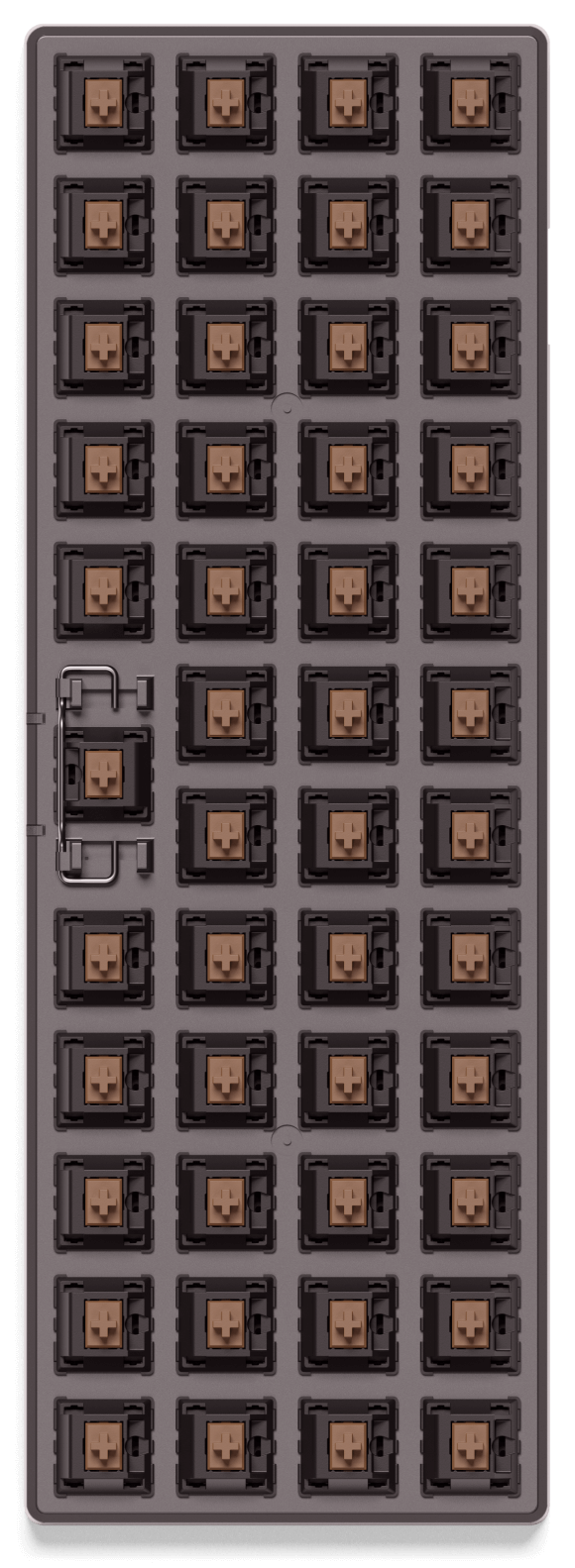
Also has a basic built in synthersizer so you can play songs on it. Beautiful PCB!
That's not how aesthetics work. I mean, you are more then welcome to dislike blank caps, but it makes perfect sense.
Do clocks without numbers also disturb you?
That being said, I'm typing this out on a Logitech K380 which is a 60% keyboard and it's fine. It's Bluetooth and can pair to 3 devices simultaneously, which is literally the only reason I'm using it.
I can never seem to find a keyboard that meets all my needs. Given the popularity of mechanical keyboards, the variety of connectivity options out there, the myriad of keyboard layouts that exist; I think there's a business opportunity for someone to make a modular system of interchangeable connectivity modules and keyboards.
I remember when laptops didn't typically have number pads. I rue the day when almost everyone started putting them on laptops larger than 14". I feel "off center" with them on a laptop. With a desktop keyboard, I just shift the keyboard to the right a bit so the traditional keys are centered and the number keypad is off to the right.
16:9 ratio is another bugger for me. Between 16:9 and number pads on laptops, I'm an odd man out. It's tough when my preferences aren't mainstream. I'm also a lefty, so there's that.
No number pads on laptops IS the mainstream. Almost no laptops have number pads; the only ones that do are huge ones, which are really "mobile workstations". Those aren't "mainstream" in any way at all. 13-14" laptops are mainstream these days, and none of those have number pads.
Numpad is weird. I'm a leftie, my previous keyboard was a Microsoft Sculpt, I loved that because I could put the wireless numpad on the left(or lose it entirely).
I think as long as the shift key is the right size, I'm looking at you Logitech K400, and the arrow keys are ⊥, most keyboards are acceptable.
Something like this: https://d2rormqr1qwzpz.cloudfront.net/photos/2019/01/06/1059...

I've tried smaller boards, but as a software engineer having to do things like chord numbers or arrow keys is simply to much of a chore.
Maybe because I learnt to type with a keyboard with no number pad and I never felt the need to switch.
There's legitimate preference at play in terms of 40 vs 60 vs 100, choice of switch, etc, but a lot of the fanaticism itself is indeed fashion.
If there's ever a doubt, just check out all the keyboard photoshoots that get upvoted to the top of /r/mechanicalkeyboards
They do look nice but they seem to cross my personal boundary into being less pragmatic as a result.
I prefer a full keyboard myself and view every single incident where I have to use the mouse as a UI design failure, so can't confirm. But it seems to make sense.
I don't know if they are still a thing, but you even used to be able to buy separate numeric keypads! PS2 back when, but presumably USB now, if they still exist.
The benefits are twofold, in my experience:
1. On the subject of a reduced number of keys
Every key is within 1 unit distance (ok, root(2) units for diagonals) of the home row. I no longer have any cause to remove my fingers from the homed position while I type. Ever.
Using (the usually criminally underused) thumbs to switch layers is great. Depress one thumb, and the numbers are now on the home row - no stretching or moving. The symbols which are usually shifted numbers are now on the top row with no need for shift. Depress the other thumb, and the cursors appear in the usual vim locations, with PgUp/Down and Home/End on the row above and special single-key Ctrl-Left/Right on the row below for by-word movement.
2. On the subject of grid layouts
I personally find the grid layout to be extremely ergonomic. There is no ergonomic intent in the staggered layout, and standard touch typing form requires a lot of bending fingers underneath or around each other.
Using a grid layout matches the mechanics of my fingers much more closely.
There are also a few keys near the middle of the board (B, Y) where it's not even clear in a staggered layout which finger is the natural one to use.
I started typing at the age of 6, hunting and pecking. That was 30 years ago.
Over the years I developed a relatively quick form of 4 finger per-hand typing, but with no proper homing - I could perform fairly long runs of typing uninterrupted based on knowing the keyboard inside out, but my hands would move all over, and I would have to look down frequently, especially after any pause, to find the first key I was going to use next (I could then proceed for a few words working entirely relatively from there).
I made several attempts to learn proper touch typing over the years, but it never went anywhere.
About 2 years ago, I got a Planck clone because it seemed like a fun idea. Within two weeks, and without any drills of training, I was typing entirely without looking at the keyboard.
It's obvious and natural which key maps to which finger.
In summary, the combination of no movement of the hands, and the grid layout (which actually is more ergonomic than staggered - no finger curling!) made typing significantly more intuitive. Especially as a programmer, for whom the symbols scattered around the right hand side, all intended to be operated with my weakest finger (I'm left handed) as an essential part of text input.
I'm still not a particularly fast typist, I never have been. But I find my built in laptop keyboards frustrating now and have no intention of going back. Small and stationary is beautiful, for me!
Just my 2c, as someone who actually uses one.
Any time a QWERTY user says anything about "ergonomics" and "the home row", I know they don't know what they're talking about. The home row is utterly useless on QWERTY because you rarely use any of those keys; I never keep my fingers on the home row with that keyboard layout, because it's just a waste of motion, and results in more finger strain (try typing "minimum" with your fingers on the home row). I end up just hovering my hands over the keyboard. With a Dvorak layout, however, the home row is actually useful, and it's actually useful to keep your fingers there.
Any talk about "ergonomics" with QWERTY keyboards is a total waste of time IMO. If you're worried about ergonomics, you wouldn't be using QWERTY, a keyboard layout that was specifically designed to be as un-ergonomic as possible.
I remember when the insistence was on number pads, and how dare they be removed from our laptops and desktop keyboards.
Fast forward a few years and I was made fun of at a programming job for preferring a full keyboard with a number pads. I guess programmers are too cool to enter in dollar amounts into Excel.
Now the trend is for brightly multi-colored keys, which are often unlabeled [1], and basically an otherwise standard rectangular keyboard which has no obvious ergonomic benefit over a full 100+ key keyboard.
[1] This makes no sense because the colored keys imply you enjoy looking at your keys and their unlabeled nature implies that you don’t need to look at your keys while you type. i.e. a fashion trend.