There's nothing incorrect about the behavior of the SSD when it's being operated outside the prescribed voltage and power thresholds.
If there's a trickle (and to be clear, the 5V at 300 mA available from an HDMI cable is a trickle for a full motherboard) of current into the 3V3 bus on the ATX connector, something will be the very lowest PMIC to turn on. It's just that on this system, the SSD was the first thing. If anything, the SSD will probably be highly tolerant of brownouts because its LDO will run at around 1.9V.
It shall set itself in Reset state.
I'd put some more emphasis on "when", though. If it never comes back when power comes back that's not particularly correct.
I still have the first Chromecast released, it doesn't operate without external power plugged in so I'm not sure about the validity of your comment, at least for the chromecast part
  Connection is the same as attaching an ordinary, "wired" HDMI Cable, except
  that active cables can only be attached in one direction: One end of the cable
  is specifically labeled for attachment to the HDMI Source (transmitting)
  device, and the other end of the cable must be attached to the HDMI Sink
  (receiving) device. If the cable is attached in reverse, no damage will occur,
  but the connection will not work.

  HDMI Cables with HDMI Cable Power include a separate power connector for use
  with source devices that do not support the HDMI Cable Power feature.
It's possible yours didn't provide enough power via HDMI, but at least ours worked just fine.
You may instead by remembering the fact only some TVs back then were successful at powering the Chromecast without an external power brick, using a USB port on the TV itself to power up the Chromecast.
In applications where this worked (and it often did work, although it also often did not work), it could provide a solution that existed entirely on the back of the TV with nothing additional plugged into the wall.
But it was still [micro] USB that provided the power to the OG streaming stick, not HDMI.
It is not - I still use my 11yo Chromecast Gen1 today. And it still works fine without USB power (as long as you don't try to play YouTube videos).
This is probably not my most grand of deeds in my two hundred and seventy years, but it is nonetheless the most memorable to me on this fine Saturday morning.
I'm looking at my first gen plugged into the ARC HDMI port on my Vizio TV. It is ONLY attached to the HDMI port and nothing else.
Maybe because it’s NOT a smart tv and doesn’t have some crazy android chip SoC to constantly power. I mean obviously you can make a power supply that could do both - or neither. But it likely comes down to price for the manufacturer of the tv
I had the same first gen Chromecast (may even have it lying around somewhere) but it came with explicit directions to use the included power cable, so maybe they updated the included guide some time after release.
It supplies 5v at up to 50mA from a sink device like a TV.
That's only a quarter of a Watt, which is perhaps enough for something like an EDID ROM, or maybe a switch or perhaps an extender. It is not enough power to run a Chromecast.
HDMI 2.1b Amendment 1 [0] can supply up to 300mA at 5v, but that specification is only a year or so old. It requires a special cable. And 1.5 Watts maximum isn't enough to run a Chromecast, either. (The intent is to be able to use it to run a somewhat thirstier extender than the earlier specifications would permit.)
And USB is also only supposed to supply 100 mA until the device negotiates for more.
But literally every device in the real-world just wires the port to the 5V rail with 2 A overcurrent protection and your "dumb" USB-powered fan gadget can draw as much as it wants without any negotiation.
I can totally see TVs doing the same
Except Macs, Macbooks, iMacs, I think also at least the Thunderbolt Display from <very many years ago>. They all have a software overcurrent protection that is very triggerhappy. No negotiation and it will whine and shut the offending device off, and same if the negotiated current draw is exceeded.
Might be worth a try somewhen when I'm rich enough to afford a dynamic resistor bank to verify all the characteristics...
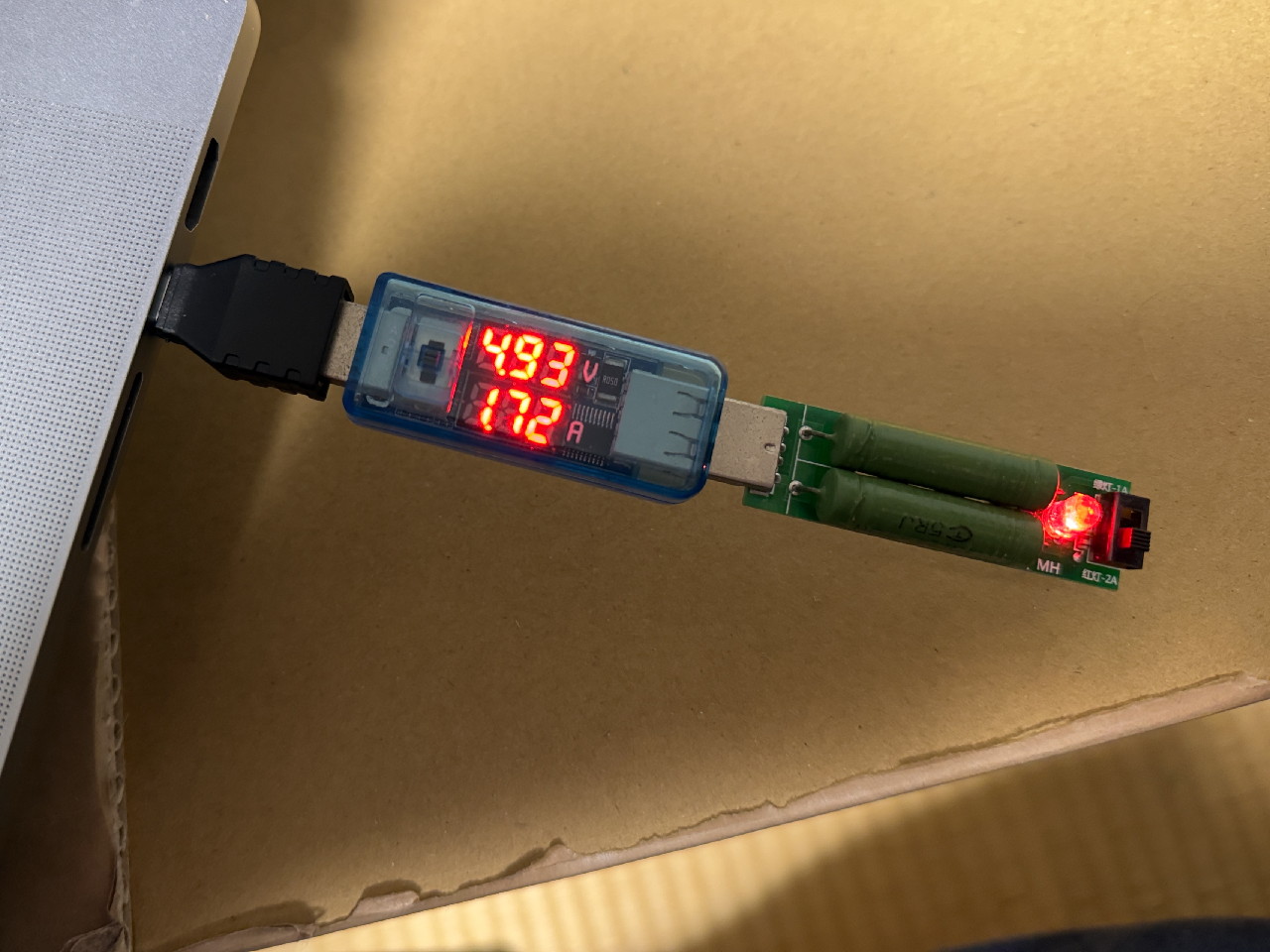
Macs will shut down a port if it goes over 2.4 A (IIRC) without USB-PD negotiation (mainly with the cable rather than the device).
But the USB standard says they should limit to 100 mA without USB 1.x negotiation, and it's not doing that.
Not quite. To be USB Compliant, you have to do some work here and there. There's about six different options. The most common is overcurrent detection, such as is seen in [1]. There is a whole specification built by USB-IF on how to handle higher current ("battery charge") situations, spurred by apple [2], with all sorts of weird corner cases [3].
Now, USB-C changes that and specifically calls out that a "compliant" downstream device has to negotiate USB PD or declare yourself a USB-2.0 type-C device. [4] It's not uncommon for newer devices that conform strictly to the USB4 specification to not even power a port that hasn't negotiated USB-PD or Legacy PD -- if you encounter devices that get weird when powered via a usb-c to usb-c cable but work fine on a usb a-to-c cable, you've seen someone skimp out on $0.00001 in resistors.
[1] https://www.microchip.com/en-us/development-tool/EVB-USB2514... [2] https://www.usb.org/document-library/battery-charging-v12-sp... [3] https://www.graniteriverlabs.com/en-us/technical-blog/usb-ba... [4] https://community.infineon.com/t5/Knowledge-Base-Articles/Te....
- Speakers connect via speaker wire to monoprice 7x200 amp
- Monoprice amp connects via RCA to denon x3800h
- X3800h receives HDMI from desktop computer and sends HDMI to a monitor.
- Same computer connects via Displayport to the same monitor
I used to hear an infuriating buzz when my 2080TI started to work hard. It changed depending on the screen output, GPU strain, and mouse activity but was constant. It acted like a combination ground loop cum coil whine.
The first fix I discovered was to ground my monoprice amp to the 2080 TI PCB by wrapping one end of the exposed-copper (12 awg, I think) grounding wire through and around one of the holes in the board and attaching the other end to the Monoprice amp's grounding pin.
This fixed the issue completely.
Then I realized I could fix the issue more elegantly and elminate the need for grounding: I removed the grounding wire and replaced my normal HDMI and Displayport cables with fiber optic HDMI and Displayport cables. The buzz has never recurred.
I've never delved further into the problem, but my conclusion is the same as yours: there's a design fault somewhere on the board, which is causing electricity to flow in ways it shouldn't. I'm using an MSI z690 ddr4 edge wifi board. Same brand, same generation, as the board where this guy is having his SSD power issue.
I still hear a weird, loud buzz through the stereo (including a separate amp and separate pair of speakers) when my partner runs her hair dryer upstairs, even though my stereo runs on its own separate circuit, so regardless of the design issues in the board, there's definitely also an issue in my electrical system.
https://www.amazon.com/Furman-AC-215A-Conditioner-Auto-Reset...
This may indicate that your neutral line is undersized and/or damaged.
Generally, you want to measure the voltage difference between live and neutral depending on the load. However, depending on the tools you have access to, taking this reading properly can be a bit tricky both because simple high-impendance multimeters can easily be tricked by ghost voltages caused by bad connections and inductions from other cables, and also because understanding what to measure requires knowing how is the electrical system wired.
If you know you are in a TT system with 240V between Live/Neutral, I can tell my procedure for inspecting neutrals. In a two-pole TN-C-S system with 120V between L1/Neutral and 240V between L1/L2, I suppose it would be similar, expect that we'd have to do more tests (both L1 and L2 to neutral, and I imagine also L1 to L2).
EDIT: a first simple check to do is to check, using any multimeter, if there is voltage drop in your office when the hairdryer is in use.
I don't totally know how that noise would traveling over the ground shield of the HDMI cable into the analog section of the Denon receiver though. Maybe some of that GPU return current is going through the HDMI cable, through the Denon receiver to mains earth, and then through your building wiring back to the ATX PSU? Grounding is freaking weird.
Grounding really is incredibly weird (and, again, I say this as someone who is shamefully ignorant of electrical principles). It's no surprise that some 'audiophiles' become so superstitious about electricity. Its behavior in a stereo can be mysterious. Just looking at an amp funny seems like enough to cause a ground loop.
The comment about NPNs and PNPs is garbage, but there is a design fault with the board - it shouldn't allow HDMI power to flow backwards into the motherboard when the motherboard shuts off. That would likely cause a power rail sequencing issue on the board or SSD, leading to latch-up of various ICs, and non-detection on the SSD on the flowing bootup