News for hackers. Stuff that matters.
Re:Show HN: Cross-platform desktop applications with PyQT by _em6m on Tuesday February 06, 2018 @02:43PM (#16318908)
The main problem with "other toolkits" vs Electron apps is that they are not as simple to use in order to create a very good looking UIs. Compare how easy it is to use HTML and CSS in order to create a very complex UIs with all sort of effects vs how utterly complicated is to override, let's say, Qt's ::paint() method in order to achieve rich text inside a label. Let me repeat it. Rich text inside a label. Such a simple thing...
Re:Show HN: Cross-platform desktop applications with PyQT by kelnos on Tuesday February 06, 2018 @02:57PM (#16319025)
How is this an issue? Before Electron and other HTML/CSS-based "native" apps became all the rage (which is fairly recently), native apps were built using Qt, GTK, Cocoa, WPF, WinForms, MFC, etc., and they did just fine. Perhaps we just really don't need these "effects" and just need consistent, simple UIs of the sort that toolkits that paint native widgets can give you. Whenever I install an app that's built using something like Electron (which is immediately obvious once the app launches), I know I'm in for a sub-par experience.
Re:Show HN: Cross-platform desktop applications with PyQT by horsawlarway on Tuesday February 06, 2018 @03:10PM (#16319141)
"Bah humbug, the old stuff is good enough for me!" is a shitty answer.

Why would you not want a toolkit that makes rich application experiences across multiple platforms easy and standard?

I get that performance is a problem with the tooling in its current form (arguably...) but that's not a reason to ignore the problem electron is solving: creating complex UIs using things like WinForms, QT, GTK, Cocoa, etc SUCKS.

It requires learning vendor specific toolchains, different builds for different platforms, and an incredible amount of wasted time that could be spent developing your business logic instead.

Re:Show HN: Cross-platform desktop applications with PyQT by kelnos on Tuesday February 06, 2018 @04:04PM (#16319634)
I'd argue the old stuff is better, not simply "good enough" vs. Electron etc. What have we gotten in exchange for the crap performance and extra RAM usage? Pretty animations? I don't need those; in fact they're distracting and annoying. You absolutely can make "pretty", complex UIs in native/cross-platform toolkits, and personally I find them much nicer to work with than the horror show that is HTML/JS/CSS.

I get that Electron brings benefits: it's dirt-easy to build something that'll run on Windows, MacOS, and Linux, without having to know a bunch of platform-specific details, and if you already have a webapp, you can leverage a lot of that work, but in the end it just feels to me like people cutting corners. You get a sub-standard app, but you don't have to pay developers to build for each platform plus the web. Which I think is a perfectly reasonable business trade off to make; I'm just not happy with the result as a user.

Re:Show HN: Cross-platform desktop applications with PyQT by jakelazaroff on Wednesday February 07, 2018 @08:52AM (#16324355)
> Pretty animations? I don't need those; in fact they're distracting and annoying.

Animations are an important tool for showing transitions between states.

Pasquale D'Silva has a bunch of good blog posts explaining how they can help an interface:

- https://medium.com/@pasql/transitional-interfaces-926eb80d64...

- https://medium.com/elepath-exports/spatial-interfaces-886bcc...

Re:Show HN: Cross-platform desktop applications with PyQT by SZJX on Friday February 09, 2018 @11:43AM (#16341644)
We can totally accept old-fashioned UI as developers. Hell, we even work in our terminals all day or use i3wm instead of any desktop environment. However, most apps target normal end users, not developers. Show your cousin whether she likes a flashy "modern" UI more or a succinct UI more, the answer is a no-brainer. And then try to explain to her what RAM usage actually means... The same as asking her whether she prefers using i3 or Windows, Vim or Word etc.
Re:Show HN: Cross-platform desktop applications with PyQT by solarkraft on Wednesday February 07, 2018 @06:53AM (#16323818)
I'm glad you understand one part of Electron adoption, but the other part is user experience.

Apart from being resource hogs Electron apps are usually delightful. And usability (for non programmers!) is what for a large part decides the value of your app. You want users to use your program, right? What they see is the UI. Making it easy to develop good UIs is important for a GUI tool (obviously!).

Re:Show HN: Cross-platform desktop applications with PyQT by papaf on Tuesday February 06, 2018 @03:35PM (#16319345)
creating complex UIs using things like WinForms, QT, GTK, Cocoa, etc SUCKS

I think that this depends on your background. Personally, I would rather do a UI in QT than Javascript. I like that Qt supports high level components such as trees:

  https://doc.qt.io/qt-5/qtwidgets-itemviews-simpletreemodel-example.html
With Qt I can also use a lot of the experience that I gained 5 years ago on a UI today. Any Javascript UI experience that I picked up 5 years ago is obsolete.

It annoys me when people say something sucks without taking the time to understand it.

Re:Show HN: Cross-platform desktop applications with PyQT by monkmartinez on Tuesday February 06, 2018 @03:39PM (#16319374)
"Any Javascript UI experience that I picked up 5 years ago is obsolete."

That is only true in the sense that your Python 2.x experience didn't translate into your Python 3.x experience. That is, I think the overlap is similar on a language level. The difference lies in the libs/frameworks.

Re:Show HN: Cross-platform desktop applications with PyQT by papaf on Tuesday February 06, 2018 @03:42PM (#16319401)
No its nothing like a minor language change. This actually happened to me and my Javascript UI experience (Jquery) is obsolete in the world of React and Angular or whatever the flavour of the month is.
Re:Show HN: Cross-platform desktop applications with PyQT by pythonaut_16 on Tuesday February 06, 2018 @04:06PM (#16319663)
If you learned Javascript and not jQuery then your experience is just as relevant today, with the main difference being that Javascript has had a lot of improvements since then (e.g. myArray.includes vs myArray.indexOf(x) != -1).

Even jQuery is still helpful if you think of how it's accessing the DOM rather than just a set of magic functions to make things happen.

If you know Javascript you can learn Angular or React or Vue fairly quickly.

Re:Show HN: Cross-platform desktop applications with PyQT by monkmartinez on Tuesday February 06, 2018 @03:51PM (#16319452)
Python's transition from 2 to 3 was anything but "minor"... further, jquery was designed and developed for a completely different reason than React or Angular at a different time in the evolution of the web. Your jquery knowledge still works I promise... the thing is there are better options.
Re:Show HN: Cross-platform desktop applications with PyQT by pritambaral on Tuesday February 06, 2018 @05:40PM (#16320612)
> Python's transition from 2 to 3 was anything but "minor"

For the purpose of this discussion — carrying learned knowledge forward — it was minor.

Re:Show HN: Cross-platform desktop applications with PyQT by chrisza4 on Tuesday February 06, 2018 @09:17PM (#16321779)
What does obsolte mean actually? Today you still can build web app by jQuery.

Obsolete does not mean you cannot use your knowledge anymore. It means that community are shifting interested into new thing, maybe for better or for worse.

In this case, I do not think stick with JQuery or old framework for 5 years is productive for programming. If that happen to any community I would say that is a downside, not an upside.

Except for that fact that community and newly graduated junior developer are ahead of me in something. I can live with that

Re:Show HN: Cross-platform desktop applications with PyQT by ziftface on Tuesday February 06, 2018 @04:24PM (#16319915)
> I would rather do a UI in QT than Javascript.

This has nothing to do with Javascript. It's much easier to do complicated UI using a web browser's layout engine than it is using one of the above frameworks. For really simple stuff, yes it's about the same, maybe even easier with native UI, but if you ever need to do something outside of buttons and lists, things will get ugly fast. On a browser on the other hand, you can very quickly implement any component you can think of using well-documented CSS rules.

Re:Show HN: Cross-platform desktop applications with PyQT by pjmlp on Wednesday February 07, 2018 @01:58AM (#16322725)
CSS rules still have a lot to improve compared with XAML styles, triggers and best of all, modularity.
Re:Show HN: Cross-platform desktop applications with PyQT by badsectoracula on Tuesday February 06, 2018 @03:14PM (#16319178)
> Why would you not want a toolkit that makes rich application experiences across multiple platforms easy and standard?

Because way more often than not the "rich" stuff are all fluff with no meat, end up taking wasting system resources and work badly with the rest of the system.

Re:Show HN: Cross-platform desktop applications with PyQT by matt_kantor on Tuesday February 06, 2018 @03:42PM (#16319394)
Also because it often violates the standard UI conventions for the given OS, so I have to learn how to use every application from scratch.†

Accessibility is another big one.

† The flip side is if you use the same app on different operating systems often. There are some apps that fall into that category for me personally, but I think your average user probably only uses two operating systems regularly: one on their mobile device(s) and another on their "real" computer(s).

Re:Show HN: Cross-platform desktop applications with PyQT by egeozcan on Tuesday February 06, 2018 @03:39PM (#16319372)
Developers have already been working around the standard styles with all those technologies. It only took more time and effort. I look at the native apps I've installed and the standard layout is the rare exception. I mean no offense, but arguing that a standard set of controls would be enough for most of the applications would be faulty judgement at best, if not being delusional.
Re:Show HN: Cross-platform desktop applications with PyQT by ajkjk on Tuesday February 06, 2018 @03:30PM (#16319312)
Sure, so we should try to make them better instead of sticking with things that are old and crappy.
Re:Show HN: Cross-platform desktop applications with PyQT by gkya on Wednesday February 07, 2018 @02:01AM (#16322735)
The platform widget set is a language: when you look at a well-behaving application that uses such language, you immediately know what's a button, what's a menu, what's a tooltip, what's a label etc., and you can configure how ALL the applications look via applying a theme system-wide. Especially important if one needs certain color schemes or font sizes globally. Modern apps each have their own distinct language, and that puts the user at discomfort (and also danger, from time to time) as he through trial and error seeks how to use the thing to get what he wanted to do done. It's a feature when all the apps look like each other for the most part.
Re:Show HN: Cross-platform desktop applications with PyQT by JustSomeNobody on Tuesday February 06, 2018 @05:36PM (#16320597)
> "Bah humbug, the old stuff is good enough for me!" is a shitty answer.

Ignoring the snark, "Modern" is better should not be the default, either. Performance is a valid reason to ignore Electron.

Re:Show HN: Cross-platform desktop applications with PyQT by pjmlp on Wednesday February 07, 2018 @01:57AM (#16322724)
That is the problem right there, not wanting to learn.
Re:Show HN: Cross-platform desktop applications with PyQT by chatmasta on Tuesday February 06, 2018 @03:07PM (#16319106)
It’s the difference between HipChat and Slack. Like it or not, the users do.
Re:Show HN: Cross-platform desktop applications with PyQT by TickleSteve on Tuesday February 06, 2018 @03:18PM (#16319211)
Do you mean this?

The Slack desktop app is the prime example for how bad Electron apps are. Its literally notorious for it.

Re:Show HN: Cross-platform desktop applications with PyQT by kelnos on Tuesday February 06, 2018 @03:08PM (#16319117)
What do you mean? I've uninstalled the Slack desktop app and just use the website because the app is such a terrible experience.
Re:Show HN: Cross-platform desktop applications with PyQT by horsawlarway on Tuesday February 06, 2018 @03:13PM (#16319174)
Wow. You realize they share most of the same code, and are essentially feature identical?

Seriously, open the desktop app, then open the web app. They're identical. Precisely because they chose to use a toolkit that let them easily handle cross platform issues with UI in a sane and repeatable manner.

Re:Show HN: Cross-platform desktop applications with PyQT by kelnos on Tuesday February 06, 2018 @04:11PM (#16319745)
> You realize they share most of the same code, and are essentially feature identical?

Yes. So why would I run essentially a second web browser instance to run the same code in a different place?

Beyond that, I had with weird screen refresh issues with the desktop app, where scrolling or even just typing in the text box would cause parts of the main HTML view to just disappear to the point where it'd be unusable. Often images wouldn't load, or would load, but then have the same disappearing issue. Restarting or refreshing the UI wouldn't help. I'd have to restart the app every couple days anyway due to ballooning memory usage. Hell, even the font rendering was weird and didn't match what I'd see by opening a regular Chrome window. I reported the issues to Slack, but never heard back, and after waiting through several releases for a fix, over a period of months, I gave up.

> ... let them use a toolkit that let them easily handle cross platform issues with UI in a sane and repeatable manner.

That's not what I want. I want apps that fit in with my desktop, not apps that look the same across OSes, ignoring platform idioms and style/placement standards.

Re:Show HN: Cross-platform desktop applications with PyQT by chocolatebunny on Tuesday February 06, 2018 @06:03PM (#16320786)
I wish Chrome apps for the desktop were more popular. Use the browser you're using anyways but on a thing that sort of acts like an application.

I installed the Netflix chrome app on my Windows PC. It's basically the Netflix webpage on a separate application window that doesn't have tabs or a search bar.

Re:Show HN: Cross-platform desktop applications with PyQT by tga on Wednesday February 07, 2018 @05:00AM (#16323381)
Re:Show HN: Cross-platform desktop applications with PyQT by tathougies on Tuesday February 06, 2018 @05:05PM (#16320351)
Yes, that's the problem. Web apps are never going to have the level of system integration that you'd expect with a native desktop app. Why install a 'native app' that offers you the subpar web experience when you could just open it in your browser?
Re:Show HN: Cross-platform desktop applications with PyQT by imtringued on Wednesday February 07, 2018 @04:39AM (#16323295)
The difference is that electron is crap.

A single Gitter tab uses 20MB RAM. I'm sure it would use at least 250MB for the same functionality if I used the electron version.

This is such an obvious problem. Why haven't they fixed it already by trimming down the web browser?

Re:Show HN: Cross-platform desktop applications with PyQT by wtetzner on Tuesday February 06, 2018 @04:09PM (#16319711)
If that's the case, then the desktop app buys you absolutely nothing over just using the webapp. In fact, now you have to have multiple instances of your browser running, instead of just one.
Re:Show HN: Cross-platform desktop applications with PyQT by pjmlp on Wednesday February 07, 2018 @02:02AM (#16322742)
Exactly, it doesn't have any business being a fake desktop app, just because the devs don't want to learn native frameworks nor how to write portable web applications.
Re:Show HN: Cross-platform desktop applications with PyQT by ake1 on Tuesday February 06, 2018 @04:04PM (#16319630)
if they are identical, why would i choose to open up a bundled web browser when the one i already have opened works just fine and can display the web page just as well?
Re:Show HN: Cross-platform desktop applications with PyQT by jpeloquin on Tuesday February 06, 2018 @10:54PM (#16322138)
The Electron and browser Slack apps are not /exactly/ the same on Windows. The Electron version of Slack swaps out the normal titlebar for a black bar and a hamburger menu. The point of a native app is to integrate with the native window manager, but Slack overrides the native styling. (Spotify does the same thing.) The browser version, by virtue of running in the web browser, is consistent with the rest of the system UI.
Re:Show HN: Cross-platform desktop applications with PyQT by cozzyd on Wednesday February 07, 2018 @06:09PM (#16328817)
The desktop app was using 4GB of ram on my workstation (Centos 7), so I stopped using it.
Re:Show HN: Cross-platform desktop applications with PyQT by s73ver_ on Tuesday February 06, 2018 @03:25PM (#16319274)
See, for a website, that's fine. But not for an application. Why would I not want an application that fits in well with my chosen OS, and follows the design guidelines and patterns of that OS?
Re:Show HN: Cross-platform desktop applications with PyQT by yetanother1980 on Tuesday February 06, 2018 @05:09PM (#16320375)
Except electron is a lot more resource heavy than one tab in a browser.
Re:Show HN: Cross-platform desktop applications with PyQT by negativegate on Tuesday February 06, 2018 @03:22PM (#16319241)
I don't think you can attribute Slack's success to choosing Electron over Qt WebEngine, which is used by HipChat.
Re:Show HN: Cross-platform desktop applications with PyQT by addicted on Tuesday February 06, 2018 @03:20PM (#16319228)
Linux and Mac weren’t as popular OSes either. And frankly, Windows apps didn’t need to look decent because people on the Windows/Linux side of the world were ok with really bad looking apps.

Now that Desktop apps compete with web apps those toolkit’s are falling short. They are falling short in ease of development, cross compatibility, lack of trained developers (relative to web), and lack of good looking UIs and UI patterns.

Re:Show HN: Cross-platform desktop applications with PyQT by danieldk on Tuesday February 06, 2018 @04:03PM (#16319623)
Have you ever designed an application with Qt Designer or Delphi for that matter? Both are literally drag and drop. You can make a first mock-up of a application in a few minutes.

I have developed some larger Qt applications and in each case there are at most a couple dozen of lines with platform-specific code. Qt abstracts away most of the platform differences.

For me ‘good looking UIs and UI patterns’ means: well integrated in the platform and accessible. Electron apps fail miserably in both departments.

Re:Show HN: Cross-platform desktop applications with PyQT by Mononokay on Tuesday February 06, 2018 @05:55PM (#16320737)
Neither are as good as 99% of the tools available for development with HTML/CSS. Plus, with HTML/CSS, you can work manually on your project, without any special tool besides your browser, and see the effects you have on the layout in real time.

Delphi/Qt Designer look way worse than any HTML/CSS/JS GUI builder, too - along with having interfaces equivalent to what GIMP's is to Photoshop.

Re:Show HN: Cross-platform desktop applications with PyQT by danieldk on Wednesday February 07, 2018 @01:33AM (#16322645)
Neither are as good as 99% of the tools available for development with HTML/CSS. [...] Delphi/Qt Designer look way worse than any HTML/CSS/JS GUI builder, too - along with having interfaces equivalent to what GIMP's is to Photoshop.

I have a feeling that you do not have any actual experience with Qt Designer or RAD tools? Designing a user interface quickly is many times easier in Qt, Delphi, etc. than in HTML/CSS. It start with the basic fact that Qt has many useful widgets that are not available in plain HTML, nor many CSS/Javascript frameworks. From there it is just drag and drop, adding a few spacers here and there and you are done.

Plus, with HTML/CSS, you can work manually on your project, without any special tool besides your browser,

Why would I develop in such an arcane manner if I already have great development tools for more than two decades?

Again, I recommend anyone who only has HTML/CSS experience to look beyond their bubble. We had RAD tools with Delphi 1.0 in 1995, where you could build a user interface using drag and drop and associate code with event by simply double clicking a widget in the interface builder. I built GUI applications in Delphi as a 13-year old because it was trivial, even without an internet connection, StackOverflow, etc.

Re:Show HN: Cross-platform desktop applications with PyQT by Fins on Wednesday February 07, 2018 @02:00AM (#16322731)
At one of my jobs, a Delphi application (admittedly quite old) was reimplemented with the latest (at trhe time, anyway, I'm sure it's completely passe now) web frameworks, fancy Javascripts, nd all that.

Not only did it take something like two orders of magnitude more man-hours to develop, but it takes users twice as long to get anything done, too.

Re:Show HN: Cross-platform desktop applications with PyQT by Mononokay on Wednesday February 07, 2018 @01:37PM (#16326839)
I have a feeling that you do not have any actual experience with Qt Designer or RAD tools? Designing a user interface quickly is many times easier in Qt, Delphi, etc. than in HTML/CSS. It start with the basic fact that Qt has many useful widgets that are not available in plain HTML, nor many CSS/Javascript frameworks. From there it is just drag and drop, adding a few spacers here and there and you are done.

I have a fair bit, albeit less than the average user of said programs, of experience with Qt Designer and, admittedly to a lesser extent, Delphi. They're infinitely more complicated than, say, Adobe Muse. Muse has plenty of widgets, too; even if it's not 1:1 on pure quantity. BlueGriffon is quite nice, too.

Why would I develop in such an arcane manner if I already have great development tools for more than two decades?

Modern web browsers* have more or less functional IDEs within their devtools.

*Except Firefox, of which has devtools half a mile behind most other browsers, at least in my opinion.

Of course, I'm speaking from the point of view of someone who's a much worse programmer than designer.

Re:Show HN: Cross-platform desktop applications with PyQT by Fins on Wednesday February 07, 2018 @01:55AM (#16322721)
But what exactly do any HTML/CSS do for me that I could not do with a 17 years old copy of Delphi? And the resulting application will be harder to use, bloated, and much slower than a Delphi one (let alone using something more modern).

I can understand the cross-platform angle, but not ease of development (unless you are limiting yourself to the very, well, limiting subset of interactions and controls that are easy to do in HTML). Nor, for that matter, the quality of the end-product.

Re:Show HN: Cross-platform desktop applications with PyQT by Mononokay on Wednesday February 07, 2018 @01:53PM (#16326994)
It can do a bit less, if you're opting to go with pure HTML/CSS; however, without JS, pure HTML/CSS is quite snappy if done well, and infinitely easier to write, from my experience. It's also easier, in my opinion, to make nice looking interfaces with.

Don't get me wrong, I love native applications—but saying that they're easier to develop than something in HTML/CSS is, generally speaking, not true.

Granted, I'm far worse of a programmer than a designer, so I might be missing out on what's good about Delphi because of it.

Re:Show HN: Cross-platform desktop applications with PyQT by Fins on Thursday February 08, 2018 @01:23AM (#16330580)
Well, it had always taken me far less time and effort to do a nice, interactive app in Delphi than it would in HTML/JS.

For a designer, yes, I can see your point -- it's easy to use markup to make something that looks good (or at least this month's fashion for web pages good) quickly. It's when you want to add any kind of sophisticated behavior and non-standard UI (i.e. exactly why you would want to have a desktop app instead of just using a browser in the first place) where even old Delphi would be far superior. And the result would actually look like a native app, too.

Re:Show HN: Cross-platform desktop applications with PyQT by Mononokay on Thursday February 08, 2018 @11:57AM (#16333541)
Native applications vary too wildly, in my opinion. HTML/CSS/JS make it easy to get a consistent UI, which is incredibly valuable if you're making software for less technically advanced people than your average HN poster.

Discord's a highly admirable, semi-complicated web application, that extremely benefits by not looking native, in my opinion. The interface of it is miles ahead of any native desktop VOIP/Text client I know of, and I don't think it'd have been done without Electron.

Of course, I'll agree that generally nothing more complicated than that should be anything but native.

Re:Show HN: Cross-platform desktop applications with PyQT by Fins on Thursday February 08, 2018 @02:04PM (#16334626)
AH, but how many of those less technical people use more than one platform? Most likely they are using Windows. Possibly MacOS. Very unlikely Linux. So giving them something that looks entirely different from all the other apps they are used to, and what integrates well with the system isn't necessarily the best.

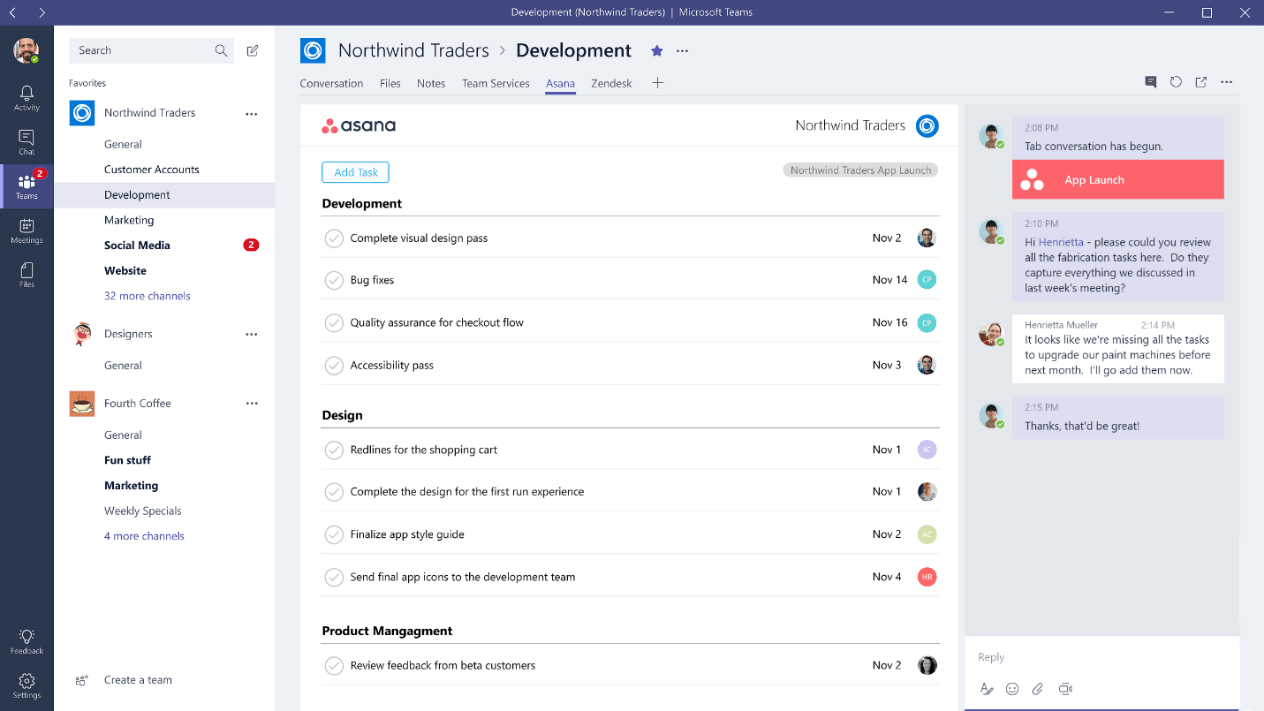
Discord seems to be a nice app (never used it, though) but it has the exact same generic look of, say, Microsoft Teams (another Electron app). Nice, but I would not say that it has any better interface than even classic Skype. Much better than the new monstrosity that is Skype 8, but then Skype 87 also drops proper native interface.

Of course you can get native application to look like nothing else quite easily, but by default they at least agree with the host OS conventions, which is a good thing IMHO.

Re:Show HN: Cross-platform desktop applications with PyQT by Mononokay on Friday February 09, 2018 @12:27AM (#16338096)
The average Mac OS application varies wildly - from Garageband to Safari, it's not entirely consistent. Windows applications look terrible by default, and the main problem is that there are so many different versions of Windows applications. A Windows 7 application looks entirely different to the same application running on Windows 8 or 10.

Also, the Discord interface looks entirely different than Microsoft Teams.

Microsoft Teams: https://www.windowscentral.com/sites/wpcentral.com/files/sty...
Discord: https://support.discordapp.com/hc/en-us/article_attachments/...

Discord also allows advanced users to theme it with ease, which is another good thing about it.

Re:Show HN: Cross-platform desktop applications with PyQT by Fins on Friday February 09, 2018 @02:30AM (#16338552)
I'm not tyhat familiar with Mac software, but last time I checked, Apple had some pretty stringent standards for UI design. And well, unless you went to some extreme lengths, your menus, textboxes and buttons would look consistent.

Now, just double-checked a few apps (Firefox, mIRC, Visual Studio) between Windows 7 and latest insider buld of Windows 10. They look exactly the same. Office? Looks the same, too. Can you reference some app that does look different between them?

Still not seeing any sinificanmt difference between Teams and Discord either. From left to right: - Narrow column with icons - Wider column with list of somethings - Even wider colunm with another list - Less wide column with more icons and text.

Seriously, if you swap icons between the two, would you be even able to tell the difference? Sure, some content in some of those colunms is different -- these are different apps, after all, but saying that one interface looks entrirely different seems to me to be an exaggeration. From a designers' POV maybe, colors re different, and icons are in slightly different locations. From a users view, they are basically identical. For that matter, Slack seems to look exactly the same, too. At least based on what they show on their site. Except, of course, that being an Electron app and not following even what little Windows has for UI standards, they have to start the description form saying that to find settings you need to go a Workspace menu. Which, of course, doesn't look like a menu to begin with.

Honestly, I do not see how this is an improvement. Cheaper for the manufacturer, sure.

Re:Show HN: Cross-platform desktop applications with PyQT by pjmlp on Wednesday February 07, 2018 @02:05AM (#16322752)
> Delphi/Qt Designer look way worse than any HTML/CSS/JS GUI builder, too

Can you please provide an example of such tool?

Doing UI development since Windows 3.x days, and I am yet to find such a tool for HTML/CSS/JS development.

Oh and in the process it would be nice to know about a least one comparable component library for such tool.

Re:Show HN: Cross-platform desktop applications with PyQT by ThePhysicist on Tuesday February 06, 2018 @03:09PM (#16319133)
I would disagree with this as I've created many small apps using QT, and getting started is much easier than with Electron (in my opinion). It is as easy as this:

    import sys
    from PyQt5.QtWidgets import QApplication, QWidget

    if __name__ == '__main__':
        
        app = QApplication(sys.argv)

        w = QWidget()
        w.setWindowTitle('Hello, world!')
        w.show()
        
Also, styling apps in QT is really easy, in fact you can even use CSS: http://doc.qt.io/archives/qt-4.8/stylesheet-examples.html
Re:Show HN: Cross-platform desktop applications with PyQT by moocowtruck on Tuesday February 06, 2018 @03:42PM (#16319396)
what do i need installed to get started with this, i have your code but what do i do next?
Re:Show HN: Cross-platform desktop applications with PyQT by mherrmann on Tuesday February 06, 2018 @03:42PM (#16319402)
Re:Show HN: Cross-platform desktop applications with PyQT by kbutler on Tuesday February 06, 2018 @04:33PM (#16320019)
That's his point. With a web app, his experience tells him he can run the code within an environment that he's used to.

With PyQt, he needs to download and install PyQt. When ready to ship, he needs to figure out how to build it into an app that can be delivered to clients.

With web technologies, he knows how to get deliver code in ways it can be loaded in a web browser, and how he can deliver code to end users.

Though to use that web code with Electron, he needs to download and install electron and figure out how to build it into an app that can be delivered to clients.

Re:Show HN: Cross-platform desktop applications with PyQT by FridgeSeal on Tuesday February 06, 2018 @05:01PM (#16320306)
Yes god forbid anyone ever need to learn something new to do something different.

The web has a lot of great advantages for sure, but native applications have advantages and can do things that are unwieldy and inefficient via the web.

Re:Show HN: Cross-platform desktop applications with PyQT by moocowtruck on Friday February 16, 2018 @01:42PM (#16394694)
>Yes god forbid anyone ever need to learn something new to do something different.

i'm just trying to act as if people do when i suggest them learn new programming languages :) or any things which they aren't used to for that matter.

Re:Show HN: Cross-platform desktop applications with PyQT by moocowtruck on Friday February 16, 2018 @01:39PM (#16394662)
thank you kbutler! (don't forget i'd also need qt to use py qt)
Re:Show HN: Cross-platform desktop applications with PyQT by aw3c2 on Tuesday February 06, 2018 @04:01PM (#16319575)
You need pyqt5 installed. Then just do "python filename.py".
Re:Show HN: Cross-platform desktop applications with PyQT by jancsika on Tuesday February 06, 2018 @04:19PM (#16319844)
At least in nw.js which is a similar toolkit to Electron:

{ "name": "helloworld", "main": "index.html" }

And index.html is just whatever HTML web page you want, like "<html><herd><title>Hello World</title></herd><body>Hello World</body></html>". You could also use a javascript file as your "main" file if you want.

Even when you screw up the HTML it will still load, which won't happen if you get your underscores wrong in your example.

Edit: removed erroneous formatting

Re:Show HN: Cross-platform desktop applications with PyQT by kelnos on Tuesday February 06, 2018 @04:34PM (#16320033)
> Even when you screw up the HTML it will still load

And this is why we have the wasteland of browser incompatibility that we're (still!) in. If something is wrong, it shoudn't work. Why are our standards so low that mistyping "head" as "herd" is considered something that heuristics should fix, rather than causing an error?

I mean, really, though, any decent IDE should flag that error for you in-line, anyway.

Re:Show HN: Cross-platform desktop applications with PyQT by aldarn on Thursday February 08, 2018 @01:55AM (#16330677)
Please tell me you're trolling... you actually want your software to run when there're errors and not have it blow up in your face? I don't even... ah screw it.
Re:Show HN: Cross-platform desktop applications with PyQT by Rotareti on Tuesday February 06, 2018 @06:15PM (#16320876)
> Even when you screw up the HTML it will still load, which won't happen if you get your underscores wrong in your example.

> Edit: removed erroneous formatting

This is beautiful!

Re:Show HN: Cross-platform desktop applications with PyQT by dekhn on Tuesday February 06, 2018 @03:09PM (#16319131)
Hey, not sure if you knew this, but the QLabel class supports rich text by just setting the label text to a QString that contains rich text.

You don't need to override ::paint because the authors of the class already included support for rich text.

Re:Show HN: Cross-platform desktop applications with PyQT by mherrmann on Tuesday February 06, 2018 @02:47PM (#16318947)
I agree that HTML/CSS is easier to use, though maybe some of that is just because everybody has been using them for years. However, you certainly don't have to override ::paint() to get rich text inside a label. You can use a simple subset of HTML in your QLabel to get various text effects.
Re:Show HN: Cross-platform desktop applications with PyQT by alexandernst on Tuesday February 06, 2018 @02:49PM (#16318962)
Please read in between lines... I could easy write any other example. Don't make me compare HTML/CSS's flexibility with Qt's...
Re:Show HN: Cross-platform desktop applications with PyQT by pharrington on Tuesday February 06, 2018 @03:27PM (#16319283)
You cited an example that is literally trivial in QT. The implication is that instead of comparing tools on their actual merits, and then forming qualitative conclusions, you already have an opinion you're trying to convince others of and are attempting to support it by making assertions about a tool you don't understand.
Re:Show HN: Cross-platform desktop applications with PyQT by david-cako on Tuesday February 06, 2018 @04:30PM (#16319984)
Are you seriously being difficult with someone who is suggesting that with HTML/JS, most of your work will already be done for you, even in the most niche cases?

Javascript is "libraries" the language, for better or worse. You're comparing a language which is the de-facto language of front-end design and increasingly popular on the back-end to UI toolkits that have been around forever and still have virtually no mindshare by comparison.

HTML and javascript are the time and energy wise choice for any sort of front end design. It's just that we have shit like electron that is beyond suboptimal at tackling the issue of "native" applications (although I'd argue still a sensible choice!). Ideally we have something like react-native for the desktop, or built in html/js runtimes with platform specific bindings.

Re:Show HN: Cross-platform desktop applications with PyQT by s73ver_ on Tuesday February 06, 2018 @03:27PM (#16319286)
No, please do. Explain to users why you need that, and why you feel you are important enough to bypass and ignore all of the existing design guidelines and patterns of whatever OS I'm running on. And why you feel you have to use up all of my CPU and memory to do so.
Re:Show HN: Cross-platform desktop applications with PyQT by Klonoar on Tuesday February 06, 2018 @03:45PM (#16319419)
For the last time, "existing design guidelines and patterns" is a myth. Even Apple only really hits that (and barely) on iOS; MacOS UI consistency is a mess.

Furthermore, most people do not care about this, and the value of marketing with a sleek design vastly outweighs any benefit of conforming to system components UI.

If literally every Electron app fixed memory issues and correctly placed OK/Cancel dialog buttons, I'd be fine with it for the rest of my life - and I write native code for a living. ;P

Re:Show HN: Cross-platform desktop applications with PyQT by s73ver_ on Tuesday February 06, 2018 @06:22PM (#16320918)
"For the last time, "existing design guidelines and patterns" is a myth."

No, they aren't.

"MacOS UI consistency is a mess."

Not really. Most small developer programs I use follow these. It makes it really easy to know what to do to accomplish something.

"Furthermore, most people do not care about this"

[Citation Needed]. I think most people would prefer to not have to learn a new UI from scratch everytime they want to use a different app.

"and the value of marketing with a sleek design vastly outweighs any benefit of conforming to system components UI."

What is this "value"? How does that help me accomplish my tasks?

"If literally every Electron app fixed memory issues and correctly placed OK/Cancel dialog buttons, I'd be fine with it for the rest of my life"

You mean, if every Electron app stopped being Electron?

Re:Show HN: Cross-platform desktop applications with PyQT by Klonoar on Wednesday February 07, 2018 @12:06AM (#16322362)
sigh

I'm not going to bother listing out the litany of odd UI issues present in macOS, because you can Google it and find this within a few seconds. It comes up every. single. macOS. release.

Nobody cares about learning a new UI because most of the tools they use are webapps nowadays anyway, which require this.

The value isn't yours, if that wasn't apparent. For the vast majority of people who use apps with easier to implement design/UI/UX features, it's easier for them to get things done. These apps wouldn't have caught on without that.

And lastly, you've opted to be incredibly pedantic in an attempt to be snarky (I'm guessing, otherwise I've no clue why you'd do this). Electron is more than memory issues and this isn't even a debate.

Re:Show HN: Cross-platform desktop applications with PyQT by yorwba on Tuesday February 06, 2018 @02:58PM (#16319033)
If you really need the full flexibility of HTML/CSS, you can just use QtWebKit and embed a webview in your UI.
Re:Show HN: Cross-platform desktop applications with PyQT by monkmartinez on Tuesday February 06, 2018 @03:00PM (#16319051)
Or just use Electron/React-native and skip the pain involved with licensing, packaging, and lack of mobile support.
Re:Show HN: Cross-platform desktop applications with PyQT by toyg on Tuesday February 06, 2018 @03:37PM (#16319360)
> licensing, packaging, and lack of mobile support

To be fair, these are different problems from what the grandparent was discussing.

Licensing is a problem a business really shouldn't have: Qt is LGPL and PyQt licenses are cheap even for ramen-eating startups.

Lack of mobile support is a Python problem, I agree there. I can assure you everyone in the Python world is sorely aware of it. Unfortunately, nothing will change until someone does what Google did for Java with Android. But it's a problem that electron apps have too, because "html apps" are still pretty bad on mobile (and terrible on desktop).

Similarly, packaging a PyQt app is not much more of a problem than packaging any app that is not among the "blessed" mobile languages (Java/Kotlin and Objective-C/Swift).

Re:Show HN: Cross-platform desktop applications with PyQT by horsawlarway on Tuesday February 06, 2018 @03:16PM (#16319192)
That's crazy! /s
Re:Show HN: Cross-platform desktop applications with PyQT by alexandernst on Tuesday February 06, 2018 @03:02PM (#16319067)
So... it order to replace Electron, let's use QtWebkit, which is basically Electron? :)
Re:Show HN: Cross-platform desktop applications with PyQT by pjmlp on Wednesday February 07, 2018 @02:07AM (#16322761)
If you don't want to learn QML.
Re:Show HN: Cross-platform desktop applications with PyQT by yoodenvranx on Tuesday February 06, 2018 @03:03PM (#16319079)
> create a very good looking UIs

I don't want a good looking UI, I want to have a fast and _usable_ UI!

This fad in the UI and JS world that absolutely everything has to be "beautiful" needs to go away.

Re:Show HN: Cross-platform desktop applications with PyQT by fknop on Tuesday February 06, 2018 @03:05PM (#16319099)
Maybe you don't want a good looking UI, but it's safe to say that at least 90% of users want a good looking UI.

Good looking UI is a major part of user experience.

Re:Show HN: Cross-platform desktop applications with PyQT by flukus on Tuesday February 06, 2018 @11:14PM (#16322203)
I want a good looking UI, I just find that electron doesn't deliver this. A good looking UI is one that blends in with the rest of the system, electron apps look like their being run in an emulator from another OS.
Re:Show HN: Cross-platform desktop applications with PyQT by deadlydose on Tuesday February 06, 2018 @03:09PM (#16319124)
Not saying I don't believe you, but do you have a source for that 90% claim?
Re:Show HN: Cross-platform desktop applications with PyQT by fknop on Tuesday February 06, 2018 @03:18PM (#16319208)
It's a "random" guess. But in my experience, for a website, if it doesn't look good at first sight, a user might just leave instantly. As someone pointed out in the comments, just looking at sites like:

https://riverbankcomputing.com/software/pyqt/intro https://electronjs.org/

Your eye will probably be more attracted by the good design of the electron website.

I'm not saying an app should be only good looking, but it's clearly a major part.

Re:Show HN: Cross-platform desktop applications with PyQT by Zancarius on Tuesday February 06, 2018 @03:29PM (#16319301)
I'm sure that's part of it, but the primary usability studies I'm aware of have all focused on speed/response. Whether this translates to "native" apps or not, I'm not sure, but certainly for the web, response times are king [1]. Curiously, this metric has been a stable predictor of retention for decades (see the sources in the link as it'd be redundant for me to post them here).

[1] http://ixd.prattsi.org/2015/04/response-time-is-speed-the-ul...

Re:Show HN: Cross-platform desktop applications with PyQT by knowuh on Tuesday February 06, 2018 @03:17PM (#16319201)
The history of fashion and marketing tell us that appearance matters.

It drives engineers batty, because it's often irrational.

Just because something is irrational doesn't mean it doesn't have a huge impact on something like adoption.

If we didn't care how things looked, we might all be wearing google glass.

Re:Show HN: Cross-platform desktop applications with PyQT by adamsea on Tuesday February 06, 2018 @03:56PM (#16319497)
To be annoying, and not to disagree with your comment in any real way at all, I’d argue it’s the engineers who are being irrational for choosing to ignore or not make the effort to understand human nature. I’m sure there are plenty of studies in psychology, social psychology, or anthropology explaining the rational basis behind why fashion/marketing has such a strong impact on human behavior. I’d also bet that the advertising industry is well aware of these studies ;).
Re:Show HN: Cross-platform desktop applications with PyQT by chrisza4 on Tuesday February 06, 2018 @09:25PM (#16321813)
There is no reason why. Thise study explain “how”. Only reason that marketing/fashion have an impact on human is nature. “How” is what they studied
Re:Show HN: Cross-platform desktop applications with PyQT by monkmartinez on Tuesday February 06, 2018 @03:11PM (#16319151)
Then just use tkinter and avoid the licensing issue. The main draw of QT from literally almost everyone in the Python community is the beauty of Qt! Go read /r/python's latest, almost weekly discussion about GUI creation.

Edit: the snark... removed.

Re:Show HN: Cross-platform desktop applications with PyQT by s73ver_ on Tuesday February 06, 2018 @03:33PM (#16319333)
I want both, and it's quite possible to have both.
Re:Show HN: Cross-platform desktop applications with PyQT by fnl on Tuesday February 06, 2018 @02:48PM (#16318955)
Are you aware of QML, which is part of the Qt framework? https://en.m.wikipedia.org/wiki/QML
Re:Show HN: Cross-platform desktop applications with PyQT by alexandernst on Tuesday February 06, 2018 @02:58PM (#16319037)
Yes. QML is a step in the right direction, but the syntax is kind of awkward, and you still need C++ on the background, which makes it harder to use, more expensive (in terms of man/hours cost) and slower to develop than <the JS framework of the month> + HTML/CSS.
Re:Show HN: Cross-platform desktop applications with PyQT by ZenoArrow on Tuesday February 06, 2018 @03:16PM (#16319193)
> "you still need C++ on the background"

There are ways around that. For example, DOtherSide is a C library to bind to QML, and binary releases for Windows and Linux are made available on the GitHub page, so in principal you could try out QML without needing to directly use a C/C++ compiler:

https://github.com/filcuc/DOtherSide

There are also a few other languages with QML bindings, such as Rust (the Rust binding is based on DOtherSide):

https://www.vandenoever.info/blog/2017/02/17/a-simple-rust-g...

Re:Show HN: Cross-platform desktop applications with PyQT by fnl on Tuesday February 06, 2018 @03:18PM (#16319217)
Not that most companies would care, as dev cost seems to be all that matters these days, but the upsides are much faster and leaner applications than what you get from Electron.
Re:Show HN: Cross-platform desktop applications with PyQT by bpicolo on Tuesday February 06, 2018 @03:40PM (#16319379)
Can't talk as to rendering and such, but python isn't going to be a performance win vs JS. V8 is faster than cpython by a decent margin for typical tasks on typical data structures.

You'll need to dip into clang or whatnot for really hardcore perf either way

Re:Show HN: Cross-platform desktop applications with PyQT by kbutler on Tuesday February 06, 2018 @04:40PM (#16320090)
Performance of Python driving UI components implemented in C beats performance of JavaScript driving UI components implemented in JavaScript on top of the DOM.
Re:Show HN: Cross-platform desktop applications with PyQT by discreteevent on Tuesday February 06, 2018 @03:51PM (#16319455)
It's not the js that's the problem. It's the dom. QML was designed from the ground up for optimal rendering on the gpu and from the ground up for applications rather than documents.
Re:Show HN: Cross-platform desktop applications with PyQT by fnl on Wednesday February 07, 2018 @01:54AM (#16322716)
You won't be using Python with QML at all, but rather JS - so you still can enjoy the speedy development vs. a traditional Widget app, and you get a far more efficient runtime, too.

http://doc.qt.io/qt-5/qtqml-javascript-expressions.html

Re:Show HN: Cross-platform desktop applications with PyQT by joezydeco on Tuesday February 06, 2018 @05:20PM (#16320479)
Not to mention that QML/QDeclaritive pulls in a Javascript engine to make it all work. =)

I still develop 100% in QWidgets, which probably makes me a dinosaur but at least I know what I'm getting out of it.

Re:Show HN: Cross-platform desktop applications with PyQT by gregschlom on Tuesday February 06, 2018 @02:52PM (#16318986)
Yep, came here to say that. QML is absolutely great for making UIs, in fact I wish we could use it for the web, too.
Re:Show HN: Cross-platform desktop applications with PyQT by _wmd on Tuesday February 06, 2018 @02:57PM (#16319029)
Be careful what you wish for. https://github.com/qmlweb/qmlweb
Re:Show HN: Cross-platform desktop applications with PyQT by revelation on Tuesday February 06, 2018 @02:47PM (#16318950)
If it is so trivial, what is the big deal with "Single Page Applications"? Seems like plenty of pain there in the HTML and CSS world..

Meanwhile, there have never been anything but Single Page Applications in the native world.

And sure, Qt is now more than 20 years old, it's from a time strongly rooted in "widget" based UI systems that have somewhat fallen out of favor. That is what QML is for, which similarly to WPF that started this trend, allows for GPU accelerated vector composition of anything you could ever want, with sane provided defaults so not every project is reinventing grids.

Re:Show HN: Cross-platform desktop applications with PyQT by pjmlp on Wednesday February 07, 2018 @02:19AM (#16322800)
While on the web to get GPU acceleration of anything beyond WebGL, it is a guessing game depending on the browser.
Re:Show HN: Cross-platform desktop applications with PyQT by electricslpnsld on Tuesday February 06, 2018 @07:15PM (#16321231)
> The main problem with "other toolkits" vs Electron apps is that they are not as simple to use in order to create a very good looking UIs.

What Electron apps are good examples of ones that look very good? Slack and VS Code both look fairly bland, and Spotify is a bit of an over-energetic mess, at the moment.

Re:Show HN: Cross-platform desktop applications with PyQT by jakelazaroff on Wednesday February 07, 2018 @09:00AM (#16324406)
Discord and Insomnia are two I use regularly. Also, IMO, VS Code is the best-looking IDE/text editor I've used.
Re:Show HN: Cross-platform desktop applications with PyQT by mi100hael on Tuesday February 06, 2018 @02:45PM (#16318937)
The other issue is that a lot of these sorts of applications like Slack started life as a web app. In that case, your options are use Electron or build a new desktop application from the ground up.
Re:Show HN: Cross-platform desktop applications with PyQT by toyg on Tuesday February 06, 2018 @03:41PM (#16319389)
> your options are use Electron or build a new desktop application from the ground up.

It's ironic that people bang the drum about REST and decoupling... and then at the first hint of actual serious frontend/backend decoupling, everyone runs for the hills.

Re:Show HN: Cross-platform desktop applications with PyQT by WorldMaker on Tuesday February 06, 2018 @02:54PM (#16319003)
Some of the same applications are also cross-targeting mobile with Cordova, and/or are already or are working to become PWAs.
Re:Show HN: Cross-platform desktop applications with PyQT by jcelerier on Tuesday February 06, 2018 @06:54PM (#16321117)
Here's how to do a TodoMVC with Qt. It takes less than 150 CLOC tops. No need to override whatever paint method anywhere. https://github.com/jcelerier/TodoMVC-QML/blob/master/Main.qm...
Re:Show HN: Cross-platform desktop applications with PyQT by shadowfox on Tuesday February 06, 2018 @08:05PM (#16321472)
As it happens QT does support rich text inside labels. Basically it can interpret a subset of HTML markup to render complex labels. See [1]

[1] http://doc.qt.io/archives/qt-4.8/richtext-html-subset.html

Re:Show HN: Cross-platform desktop applications with PyQT by carlos22 on Tuesday February 06, 2018 @03:10PM (#16319136)
QLabels support a subset of html and are styleable with simple css rules. But yes no animations or stuff like that.
Re:Show HN: Cross-platform desktop applications with PyQT by jcelerier on Tuesday February 06, 2018 @07:01PM (#16321156)
There's plenty of stuff for fluid animations in Qt : https://qmlbook.github.io/ch05/index.html