But over time, something changed, and I’m now a big fan of autocomplete interfaces. There was something wrong with my initial assumptions, and I think that’s the same assumption you make when you say this:
> i can type “empty()” on the keyboard faster than I can look at a screen and choose “empty()” from a list
You’re right, I can type ‘empty()’ faster than selecting it from a list. I have the muscle memory already there, and I don’t need to stop and look and think about which method I’m autocompleting.
The reason I still use autocomplete is not that I need my IDE to tell me that there’s an ‘empty’ method there as if that’s something I don’t already know, but to tell me that my assumption that ‘myVector’ has an ‘empty’ method is correct!
I occasionally write code like this:
auto myVector = someFunction();
    if (myVector->empty()) {
        fillVector(myVector);
    }
Once I started programming this way, having the window appear was not ever a distraction, because I expected it to appear. In fact, the only distraction was when it stopped appearing, when I’ve made a mistake!
Once you get familiar with a particular editor then these problems become less acute. What remains is the obscuring of other lines of code which can be fixed by making the autocomplete box only appear when you press tab.
https://boto3.amazonaws.com/v1/documentation/api/latest/refe...
Exactly, autocomplete is an excellent discovery tool. I may not even be aware productModel->hasConfigurableOptions was a function, or Product\Model\Configurable\Options was a model until I check with autocompletes.
Not that I'm saying that was a great workflow. But I liked the subtle feedback as I typed. I've also used autocompleters in the fashion you describe. Syntax highlighting can also provide this kind of feedback and I feel like these tools could probably morph into a single, more cohesive tool that provides a smoother experience than the pop-up window.
Both of these could be achieved by somehow decoupling the front-end (as in before semantic analysis) of compilers and making them output the AST in some standardized tree-structured format like XML.
If you know you have an array and you know what you want to do with that array but don't know the name of the operation you want to do with that array, then completion as a form of discover sucks. No one is likely to stumble upon, say, JS's ".some()" method without having prior knowledge that this function exists and have it do exactly what they want.
Anecdotally, I use Typescript and code completion is exactly how I discovered Javascript's "some" and "every" methods. It involved lots of scrolling because I didn't know it would be named like that, but based on the presence of other list comprehension methods I had a good suspicion that they were there somewhere...I still often mistakenly write LINQ-named "all" and "any", but the online type checking quickly snaps me out of it. Code completion can actually be improved to deal with these cases with more utility, by not only matching on the parts of the member's name, but a system could also match on synonyms to parts of what you typed as well (or document aka's in the interface that play no other role than hooking into code completion).
It’s like a rounded edge on plug pins, you still have to know where the plug socket is to plug something in but the rounded pins mean You don’t need to be millimetre perfect when inserting it because the plug will slide along the curve and guide itself into the socket.
That’s the point of autocomplete, it’s about enabling developers to focus on remembering the important stuff while the IDE helps guide them around the more granular bits that are still syntactically important to the compilation of software but don’t really matter to the logic you’re writing.
In addition to his workflow, I want to add that I really appreciate having the parameters and types displayed when calling a function or method. Sometimes it’s unavoidable asking yourself questions like “which way round are those arguments?” or “is that a signed/unsigned integer?” Sure you can look at the code behind the function you want to call but having the IDE prompt that saves you navigating away from the code you’re currently writing. That’s a massive win for me. Particularly for projects that require less active development
You have it the wrong way around. Naming like that comes from the structure of the application, which just happens to benefit the ability for autocomplete tools to understand it.
If you've ever worked on enterprise software, with hundreds of classes across a half a dozen domains, you'll know the structure comes from a need for organisation and discoverability, and without that organisation you would have a harder time finding the parts of the application you need to be aware of. Autocomplete is just a convenient way to search the codebase for what you want. But that structure is the real hero.
Is it really that hard to create a Helpers class with static methods?
I'm back on Java now after a rather long detour and I say I happily accept the verboseness of it for
- the niceness of having a IDE that can almost replace pair programming
- an ecosystem were dependency resolution works
My coffee just shot out my mouth.... What?
Java --> Diamond dependancies --> Install fickin' maven plugin to print dependency tree --> pray that clashing dependancies converge at some version combination, and that does not cause another issue in a different pair of dependancies (and that I don't have to rewrite my project too much).
I really like that nodejs can handle diamond dependancies.
sidenote: I do like the simplicity of Java code though too.
If you got yourself in a weird situation with Maven, either you have a seriously interesting project or you should admit you are probably doing something you shouldn't be doing and should take steps to fix it.
Just this week I've been cleaning up some old Java project and as often a major part of it has been to cut down the pom file by 50%.
It is now upgraded, faster and easier to understand and upgrade :-)
I disagree that there's nothing different about enterprise software, the needs are inherently different to a product-owner/single-purpose software platform. By enterprise software, I really mean enterprise frameworks that are used across many projects and many teams. Patterns are simply a shared language of concepts. The need for strict structure so anyone can work on it or extend it without messing the whole thing up or introducing new concepts or legacy code is what drives the patterns.
You could absolutely build super simple large scale software without all those concepts, but then you get yourself a boutique app that only your team is familiar with. Which is fine for a single product owner platform, not fine for a framework with hundreds of devs working on it who all need to collaborate without ever talking to eachother.
And since the wording is pretty much directly defined by laws and regulations you better get used to it since unlike in small businesses you cannot just argue with the product owner that these two mean the same.
Regarding nightmarish Java type names I'd rather the name for things be the fully written out description (like "httpClientFactory") than something that's easier to type - at a glance I know what it is and does, and autocomplete is smart enough that I can type "h" and tab and it has the variable there already. And if I don't know what it does, all that takes is a "h", a tab, and a ".", and now I have access to all its functions with descriptions, saving me a context switch and jump to the documentation.
First off all, "misuse" of autocomplete can be very annoying. Some autocomplete system autocompletes when you press tab, some when you press enter. Many times I've been typing a thing, finished the line with the autocomplete window still open, pressed enter to go to the next line, and instead have auto-complete enter a bunch of stuff I don't want. These kinds of annoyances go away if you learn the system properly, so it's not a huge deal, but it's there.
More serious is the visual noise. I type while looking at the screen, and having a window pop up like that is distracting. It forces attention to itself since it's right next to the cursor (which is where I'm focused), and you have to process it. There's a reason people build elaborate "distraction free" practices, and we all know that being distracted by sudden inputs can break "programming flow". Auto-complete does this for me. It's not that I can't work with it, I just feel much more focused when not using it.
Like, imagine if auto-complete was enabled when writing just regular English. Every time you get half-way through writing a word, a window pops up suggesting that the ending of the word "parli" is probably either "parliament" or "parlimentary". That would be super-annoying, right? There's a reason Microsoft Word doesn't have autocomplete in this way, and it's how I prefer to program.
Third, I do think there's a more insidious effect of over-reliance on auto-complete. I genuinely think it leads to bad practices when designing a language, because you come to rely on it. Type names and lines become longer and you start to use more inline namespaces.
I think of C++ chrono library as an example of this. It seems like a library entirely designed to be used with autocomplete, because no sensible human without autocomplete would design a library like this:
    auto start = std::chrono::high_resolution_clock::now();
    // .. do stuff
    auto end = std::chrono::high_resolution_clock::now();

    auto elapsed = std::chrono::duration_cast<std::nanoseconds>(end - start).count();
Again: I know I'm the weird one. Tons of programmers I've worked with and respect love auto-complete, and for good reasons. But I think there's a downside that most people don't consider, but maybe should.
The visual display functions a bit like subtitles on TV: I don't really notice it's there, until it can help me. Just like subtitles help when I don't immediately understand something, autocomplete helps when typing something takes a bit longer than I'd like it to or when I'm not entirely sure what I want to write.
The "misuse" of autocomplete always continues to affect my workflow, because I can never ignore it. When it's wrong I have to explicitly opt-out from having it do the wrong thing, instead of quickly opting in to the right thing when it makes sense. It's a lot like auto-correct on phones, correcting words that weren't wrong in the first place. The fact that the popups capture arrow keys makes this effect significantly worse.
After some configuration I now have Emacs set up to handle this perfectly. Enter and movement commands always work like they normally do, never depending on the state of the autocomplete popup. Whenever it's there I can quickly make use of the autocomplete popup using Alt. It never does the wrong thing, because I would have to consciously tell it to do the wrong thing. When it's opt-in, autocomplete for regular English is actually a delight. I notice myself quickly auto-completing long words that take longer to type out.
I fully agree with your third argument. In my experience libraries and language ecosystems that fully expect autocomplete, like Java, tend to become overly verbose. The length of a name or expression affects the reading cost, but autocomplete mostly removes the equivalent writing cost. This then allows programmers to quickly give up on finding better names, or clearer ways of doing things.
I personally am in the affected by visual noise camp. But it appears that some aren't that bothered by it.
Regarding the autocomplete, GMail does do this. It was a bit jarring initially but now I either accept the option or continue on as if it didn't exist.
I'm not sure what your argument for the third is - that it leads to code that relies on auto-complete? Isn't that in fact an optimization? Those lines don't seem particularly egregious to me. I don't know much C++, but I could see exactly what it was doing with those lines of code by being able to read the variables. Is it verbose? Yes it is. I don't take the idea that coming to rely on a tool is a necessarily a bad thing. C# visual studio debugging is head and shoulders above Console.WriteLine() - is it necessary? No, but it's greatly sped up the development process. Same with not having to go to the command line each time I want to compile and run my application.
I understand you understand you're an outlier, and I know you're just making personal arguments, but it kind of feels a bit "old man yells at cloud" - and that's not bad, I just thought there was value in debate.
Yes, that is a very accurate description of how I feel when making this argument :)
It looks like the trend is toward autocomplete suggestions for English too. On my phone keyboard, there are autocomplete suggestions to choose from when typing, and GMail now has Smart Compose [1] to do the same thing.
[1]: https://www.theguardian.com/technology/2018/may/09/gmail-sma...
Sublime Text often inserts "matching" quotes and parentheses. But it doesn't always do the right thing, so I usually have to go back and erase it. But then it erases the original one, too. So I have to move the cursor, add a space, and then erase it.
And when the feature does do what I wanted, it's only saving me literally 1 character --- ~0.1 seconds at my typing speed.
A common example is copying some PHP source code into a new file, then entering "<?php" at the very top of the file. If I'm working quickly and do the natural thing (i.e. hit ENTER afterwards), I end up with "<?phpversion" and I either have to manually delete it, or do a cmd-z dance. Or I have to remember to press RIGHT after "<?php" instead of ENTER.
Many other similar examples (quote characters often seem to cause a problem). But, on the other hand, I know I've made use of autocomplete to help me type a long constant name which happened to be in the same file. So ... swings and roundabouts.
'I think there are very real costs.'
First off all, "misuse" of autocomplete can be very annoying. Some autocomplete system autocompletes with you.
IN ORWELLS REALITY: It isn’t doing the quote matching to save on your typing, but to keep the scanner from providing the wrong tokens to the parser of a compiler that is running all the time while you are typing.
So... 'Human Interface' ? ^^
iOS does this and I assume Android does also. In fact, it’s based on what you type frequently. For instance, I use some phrases so often that I get autocomplete suggestions for them as well as company specific acronyms.
you should try typing with closed eyes. after some time you see the code directly in your mind.
start writing loop, realize I need another variable, go back and initialize the variable, back to where I was, oh this should be brought out into a function, ah this function should is now getting quite large I need to split it, back to where I was, oh that should be an array not a map etc.
I like Visual Studio's 'jump back to where I was' (Ctrl+-) feature because it leaves a trail of bread crumbs across the many files I'm working in of what I've been doing and what's left to be done to implement feature x.
hm, that's interesting. I generally know pretty well the code I want to write before writing it. The question is what is the fastest way to get it from mind to buffer.
What autocomplete has enabled are deep and broad namespaces in programming languages that do support such a concept. Yes, you are definitely correct that the massive namespaces designed today are only possible because of autocomplete: libraries can cram in more functionality because developers will be able to use autocomplete to find it. But what’s the alternative? Less functionality in the libraries so they can be used with autocomplete turned off? There is some merit to that point of view, but simplification can only go so far before you are just missing things you wanted to use in some niche use case.
Er... that happens all the time: various word processors, text messaging, etc. Even Google's autocomplete (which is a rare example of autocomplete being really good) is essentially this.
The right word for that would be code completion or more specific brandings of intellisense, which is completely different from things like T9.
The right word for that would be code completion or more specific brandings of intellisense, which is completely different from things like T9.
Back when I started programming, I never used syntax highlighting. It just wasn't a thing for a large part of my early years. Text mode VisualBasic and QuickBasic didn't have it. Nor did GW-BASIC, QuickC, Pascal, I could go on...
I was at the point where I could write C code and have it compile the first time. No syntax errors, no compiler errors, full -Wall and -pedantic.
After using an IDE for awhile, I noticed my ability to get things right diminished. I gave up knowing things for relying on technology.
One area I notice this the most is spelling. I used to be able to spell. Now I critically depend on browser or editor highlighting of errors, or throwing a word into Google to see what Google tells me. And it's not just new or complex words. It's words that I used to know how to spell. If all I had were pen and paper, I would be helpless.
Some will say technology frees you to memorize other more important things. But the downside is you give up agency. And very well may just become that much more of a replaceable cog in the machine.
There are certain classes of autocomplete bugs that just can't happen when you're typing every #include/import/require that I find myself continually cleaning up and writing static analysis for.
I spend far more time reading other people's code than writing it. Autocomplete doesn't provide any assistance there.
I definitely had this experience with CodeWarrior back in the day. I really loved that IDE. But then when Mac OS X came out and Objective-C became the native language, the tools weren't there yet, and I had to either program "alone" without autocomplete/fancy dynamic highlighting/etc, or use Project Builder (the predecessor to Xcode), which was lacking in all these departments. I found myself much slower, and not for the obvious reason of "of course, I'm missing all these great tools", but as you say, slower at things I knew I used to be fast at. It's kind of like discovering that no, you don't like broccoli, you actually just like the melted cheese on top. That was a big moment for me deciding to focus on generally applicable skills vs. IDE-specific skills.
Interestingly enough, I think this legitimately doesn't apply to a lot of people because they spend most, if not all, their career in one domain. In that environment I think learning IDE-specific things makes a lot of sense. I discovered that this wasn't for me and move around a lot, so its nicer to not be dependent on those things.
Which popular languages these days don’t have a dedicated IDE, plug ins for popular IDE’s and/or support for the language server protocol?
sometimes its because a product gets discontinued, or your employer forces a different IDE, etc.
I wouldn’t work for a company that forced an IDE on me.
In that environment I think learning IDE-specific things makes a lot of sense.
Visual Studio Code works with multiple languages as does Visual Studio.
Most new languages until someone implements it. Again, this is very dependent on what you like to do. If you like trying bleeding edge stuff then you’ll probably run up against this.
> I wouldn’t work for a company that forced an IDE on me.
Sure, sometimes it’s kind of out of their control (or understandable). For example Xcode at Apple. Or if you work in a dev feature that needs to work with some tool or something. Again, my position is that it’s probably fine for most people.
> Visual Studio Code works with multiple languages as does Visual Studio.
OK, it’s interesting you bring up a fairly new entrant as proof this (at least I’m the Mac). Again, my interest is in trying lots of syntax extensions and stuff that usually just breaks these sorts of things. As I mentioned before, if you’re doing application development on a specific set of established languages for a very long time it’s probably the right move.
Now you’re giving me flashbacks. I worked for a company where the founder wrote his own VB like IDE/Compiler/VM for Windows CE. I hated every minute of that job until I got the chance to work on the actual compiler written in C++/MFC.
Two decades later, at any given time, I’ll be writing C#, Python, Javascript, yml for CloudFormation, a litany of third party external dependencies, internal libraries written by developers on multiple teams, etc.
Not to mention “polyglot persistence” dealing with Mysql, DynamoDB and ElasticSearch. All that and Zi purposefully avoid the front framework of the week.
The scope of what I am expected to know changes.
But on the other hand, for the good of the company, it’s often good to sub optimize the individual for the good of the team. You usually don’t want only one person knowing the entire feature and while you will lose out on individual productivity, you can get features out sooner if you have more people working on it.
On a personal level, I love having not to wait on other departments/props to get my work done especially in a dev environment.
I admire those who stick with their old tools and forgo modern ones so they can stay sharp. They tend to miss the forest for the trees though.
The point I was making that when I was writing C day in and day out and mostly just working with a combination of my own code and my companies vote libraries, it was easy to use just a text editor and the command line to build.
But things have gotten more complicated since then. No one could be expected to know the hundreds of functions that make up the entire AWS SDK or all of the options that you need to specify for a typical CloudFormation stack in yml. Of course now it’s even better with the Cloud Developer Kit that lets you generate yml programmatically using a static language - with autocomplete.
This sounds good to me. I'm not qualified to judge the quality of the linux kernel, but judging by the adoption, many features, and hardware support, they must do something right.
Perhaps, it is not so much giving up knowledge but filling the first-level cache with other stuff, like the larger picture of the software you are developing or the ever growing number of abstraction layers below the code you are writing. And whether that is good or bad thing is an interesting question. I am not aware, that it has an definite answer, yet.
Autocomplete is and was never about saving on typing. It is an aide to help you browse and navigate large namespaces, it doesn’t enable long names, it enables deep and vast libraries. The complaint then isn’t about some straw man class name, but about the 200+ methods that can be called on that class.
That being said, even if I programmed with the intent of continuing to be syntactically correct during the entire process (which I do when I am editing an existing file usually), I still cannot stand autocomplete, or really anything beyond simple syntax highlighting, because I feel like everything about today's computing experience is yelling at me. Notifications constantly popping up, linters yelling about stuff I don't care about yet, and autocomplete acting like clippy telling me every possible method that starts with an S. I find it severely distracting. I wouldn't want Microsoft Word to tell me every verb that starts with "s" just because it knows that in this position of the sentence I must be typing a verb and I just hit an "s".
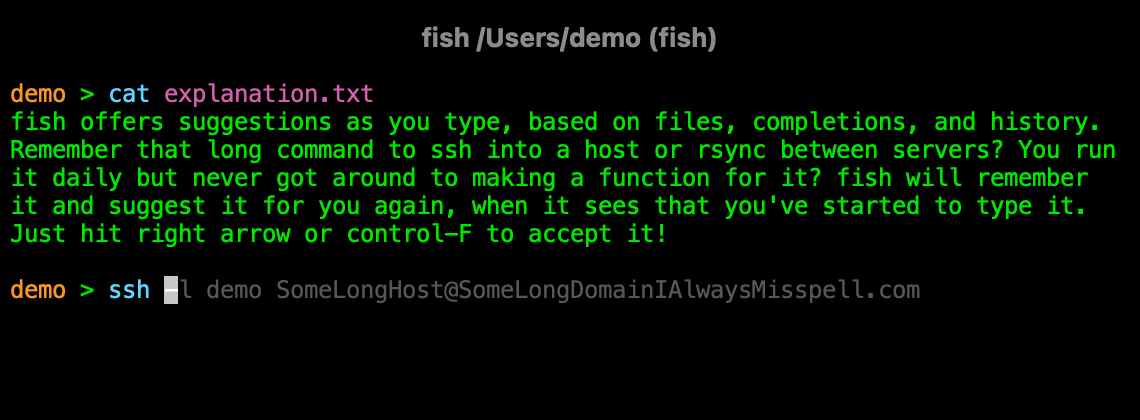
Incremental search is finally appearing in some browsers, bringing them into the 70s. But just as software itself has seemingly gotten slower as the machines have sped up, I feel like the interfaces have gotten significantly more cumbersome.
It's very tricky to get right and requires a lot of attention to detail in timings, human attention span, UX, and even psychology.
IDEA's auto completion is mostly good, in my experience, not sure if you've tried it.
> i can type "empty()" on the keyboard faster than I can look at a screen and choose "empty()" from a list,
Sure, but that's a five letter word with no camel case nor special symbols. Your observation stops applying very quickly as the code base grows.
Not mentioning that having to type all these letters and symbols (especially if you need to use the shift key) is pretty bad from a carpal tunnel standpoint.
I just checked my key sequence for writing that :
if<ctrl+space><enter>myv<enter>.em<enter><down arrow>fill<enter>myv<enter><right button>;
It's most certainly faster for me to press a single enter when it does than the four remaining letters, and the parentheses
But I grew up coding in Notepad, so most editors feel like another part of the complexity stack I have to manage. Other devs seem to code with autocomplete almost like they are coding with a visual programming language. They use the mouse a lot more or keyboard combos if they are really efficient, but they anticipate autocomplete results and select variable names quickly, partly with a mental inventory of variable name options.
I think there are clear strengths to both methods. Pro-autocomplete devs seem to naturally follow the single responsibility principle (SRP) while I find that level of scaffolding obscuring at times.
I also don't know of a single language that requires auto-complete for everything. I do know languages that make more use of it, but I also don't now of a single language that benefits from not having some form of autocomplete. Even your myVector example could benefit from autocomplete (either having a better name them "myString" or "myInt" or me just typing 3 keys instead of 8 for completing myVector.
Do bad interfaces exist? Sure, I don't know of a single UI element that can't be done poorly or messed up.
That's a negative experience for me. If I'm pausing, it's because I need to think about something.
In that instant, a suggestion distracts me.
The chances of the suggestion being relevant to my pause are pretty low.
The best option is when you can invoke the autocomplete/docs on demand - using a convenient shortcut.
Sure, I wasn't talking to you. I was referencing another user and a specific element of their comment. I also wasn't giving an exhaustive list of all the options available in modern autocomplete features.
> The best option is when you can invoke the autocomplete/docs on demand - using a convenient shortcut.
Autocomplete has that as well. Seems like people are assuming that there is only one way to do things, which is silly. Instance, delayed, and activated. These all exist.
So yes, you can customize things to fit your easily distracted nature.
That's fine. Amazingly, these things are customizable to fit everyones needs. Thinking there is only one way to do it is silly, but apparently a number of developers things autocomplete can be done only one way.
``` // Controls the delay in ms after which quick suggestions will show up. "editor.quickSuggestionsDelay": 10, ```
Some people might still be annoyed by the code completion menu placement, which isn't configurable (yet).
I suppose this is really just a matter of opinion, but it seems strange to argue that autocomplete is bad because it can be so useful that you'll definitely want to use it. Sure, it's a separate argument whether "Factory" and "Bean" are useful, but long, verbose, meaningful names are good in my opinion. A random example taken from the React source code: `attemptHydrationAtCurrentPriority`.
Without knowing anything about React or what Hydration is, I’m suspicious of this name - “AtCurrentPriority” doesn’t sound like useful information, everything should happen at current priority otherwise what does the concept of a “current” priority mean?
In a shell you don’t list files in the current directory with “ls —in-current-directory”, because the current directory is what you get if you don’t specify anything.
Similarly, in a language with exceptions and a library with error results, “attempt” is a non-description; everything is an attempt by default, the interesting things might be things which somehow can’t or mustn’t fail.
This smells like it ought to be “Hydrate” and then have a version which can be specified at some other priority if that’s needed.
https://www.ibiblio.org/john_henry/
Just bang away at keyboard as fast as you can, hitting keys tens of millions of times over a lifetime.
Humans are tool builders. At some point, the tools will mature to the point where sudden bursts of typing at 100 wpm will become irrelevant.
But they don't always build useful tools ! And more notably, useful tools don't necessarily become widespread, and widespread tools aren't necessarily useful
And of course widespread tooling is often not actually best-in-class
But so human advancement is not sufficient reasoning -- it's not uncommon that doing nothing at all is more optimal than doing the thing we did (eg the recent flight boarding article on frontpage, which described the common back-to-front, and front-to-back, load orders being worse than random load -- the optimal solution is quite convoluted)
How about everyone with less than two years experience with both IDEs and editors stand back so we grown ups can sort this out ;-)
On a more serious note and as someone who has been on both sides of the fence:
How about we accept that people are different? Some people like Mac, some like Linux and some - gasp - enjoy their Windows desktop.
That said, and as someone who has extensive experience from both sides, I think that if people put the same effort into learning and configuring their IDE as they put in learning and configuring vim then that might very increase productivity a lot more than last ten years worship of vim.
(And: do learn a bit of vim. It comes in really handy sometimes, just don't fall for the idea that some people sell that you cannot become a good developer without using it all the time.)
For example, `err.nn` expands to ``` if err != nil {
} ```
And that's a default for GoLand. I have set up a few custom ones that are pretty handy as well, which frees up time from typing, to actually thinking through and solving problems, as well as making any necessary verbosity easier to deal with.
While most variable names are kept short, I do go for 2-3 word variables when necessary, and have some pretty long winded function names that, IMO, improve readability by a mile, like `GetNonEmptySliceElements()`.
If you could customize the lag after ceasing to type a key and match it to your normal typing cadence I imagine your experience and utility from IDE autocomplete would be much greater.
I treat it like eye candy: Just some fun, animated blandishment that makes me feel all 1337 while banging out code.
What would be nice is if the auto-complete window could be detached from the cursor and float in a corner of the editor, so I can look at it for those times when I have a brain fart and can't remember which parameter comes first in a function.
With a proper tool you can configure if autocompletion pops up automatically or only if you request it with a hotkey. Check your tool if it can do this. If not then look for a better one.
The way most people use it is they type enough letters to be specific enough then hit tab to fill in the rest.
For example in intellij I'd type something like "my" then hit tab immediately.
In fact, I strongly disagree with this:
> If I were writing a sophisticated user interface today—say, a programming language or a complex application—autocompletion is one of the primary constraints I would design it around. It’s that important.
Ugh, no, I don't like this at all. This is what leads to nightmarish Java type names ("AbstractSingletonProxyFactoryBean") that makes this language practically demand auto-complete. A programming language should be easily typeable on a keyboard without having to resort to auto-complete for everything.