News for hackers. Stuff that matters.
Re:Thinkpad X210 by saagarjha on Sunday March 17, 2019 @08:25AM (#19413627)
> Battery life is a little over 4 hours with the flush battery (55Wh) and 6-7 hours with the extended battery (80Wh).

Not going to lie, that’s pretty horrible.

> Battery life would increase by 50% if I got PC6 or PC8 idle states. The fan only turns on if I’m doing something intensive like compiling go or scrolling in Slack.

lol. One of the things that really drives me nuts is my computer’s fan turning on when I know really shouldn’t be. I have lived and worked with people for whom having their fan randomly turn on for no reason is completely normal, and I just can’t understand how they can bear it. If this happens to me, you can bet I’m digging through Activity Monitor and killing the culprit before the fans can get fully ramped up.

Re:Thinkpad X210 by ggreer on Sunday March 17, 2019 @01:23PM (#19415099)
I don't lie about battery life numbers. People like to say, "I get 9 hours of battery life." when they mean that they get 9 hours if they do doing nothing but let their computer idle with the brightness at minimum. 4 hours with a 55Wh battery is an average consumption of 13 watts. That's because my typical workflow involves running a VM containing cassandra & postrgres (among other services) and recompiling go and javascript. My coworkers with 15" MacBook Pros tend to worry more about battery life than I do.

My fan comment was a joke about Slack's efficiency. Of course compiling a bunch of go code will make the fan turn on. That will use up 100% of your cores on any decent sized project.

Re:Thinkpad X210 by mbrumlow on Sunday March 17, 2019 @02:35PM (#19415536)
I get about 9 hours of battery life on my T450s and about 6 on my x220 under load, youtube, vms, coding. That is under load.

My idle times, browsing something like HN, or sitting in #emacs I get near 20 hours on my t450s and about 13 on my x220.

I think low low low idle power consumption is key to long infrequent charges. This is because the second you are not using your computer then it should also not be using power. For example, my t450s without adjusting the screen bigness idles at 2.8W, so tons of idle time with a 97WH battery.

You can't really optimize power for when you are using it. If you are compiling, you want the fastest compile time and use the most power. Same for other things that take power.

I go all weekend not charging my personal laptop and the only times I close the lid is when I am going to bed. Otherwise I leave the lid open, same brightness and walk away for hours and come back and continue where I left off.

So I see your point about people saying "I get 9 hours of battery life." doing nothing, but even 9 hours of doing nothing is fairly low, given I can make a 10 year old laptop get close to 18 hours, and a 4 year old one get near 21 hours "doing nothing".

Re:Thinkpad X210 by weavie on Sunday March 17, 2019 @03:16PM (#19415852)
I've just unplugged my x220 and it is telling me it has 4:36 battery remaining. I only have firefox open and not doing anything else, so that 4:36 is probably quite a significant overhead. It will drop as soon as I do something.. Yup, just fired up emacs and now it is saying 3:44 remaining.

Would you mind sharing what setup you have that lets you get such long battery life?

Re:Thinkpad X210 by mbrumlow on Sunday March 17, 2019 @03:20PM (#19415894)
Currently in charge of th baby.

But get power top installed. Make sure in the 4th screen in power top and make sure all settings are to "good". I made a systemd unit to do this for me know boot. I also installed tlp and have it set it's settings. Some of those cross over into what powertop does.

I set some things on the i915 driver but that will have to wait until baby watch is over.

Re:Thinkpad X210 by weavie on Sunday March 17, 2019 @04:53PM (#19416520)
I have just installed powertop and updated the settings. It doesn't seem to have made any difference... but that's probably because I don't know what I am doing. I'll read up on it further. Thanks for the tip.
Re:Thinkpad X210 by bashwizard on Monday March 18, 2019 @10:20AM (#19421200)
powertop --auto-tune

Does it for me.

Re:Thinkpad X210 by mbrumlow on Sunday March 17, 2019 @07:38PM (#19417512)
What battery do you have? The thin one?
Re:Thinkpad X210 by weavie on Monday March 18, 2019 @05:31AM (#19419701)
Not 100% sure, I'll have to look when I get home this evening. I think it may not be the thin one as it is thicker than the rest of the case, but don't totally know off hand what I should be looking at to determine it..
Re:Thinkpad X210 by demetris on Sunday March 17, 2019 @10:24PM (#19418269)
I don’t think it is possible to get the consumption of T450s on X220.

The T450s generation (and the generation before it) use ULV processors (ultra low voltage).

The processors used in the T450s generation have a TLP of 15W.

The processors used in the X220 generation have a TLP of 35W.

On the flip side, the processors in the X220 generation (and in the next generation) are powerful, which is a good thing if you need the power and if you have the laptop plugged most of the time.

Re:Thinkpad X210 by mbrumlow on Monday March 18, 2019 @09:01AM (#19420653)
The x220 gets about 80% my T450s, it also seems to compile emacs a few seconds faster... Later today I will try and post some screen shots of power consumption. The x220 for sure can last an entire day on battery.
Re:Thinkpad X210 by jarcane on Monday March 18, 2019 @02:47PM (#19423896)
At my previous job I had a T460p with the full-sized double battery setup, and I routinely got 12 hours actual use with room to spare, and this was on a more or less stock Fedora install without even bothering to do any real power consumption optimizations.

Modern T-series still have amazing damn battery life, and I’ve never found anyone else who comes close except Apple, or Android ARM hybrids like the old ASUS Transformer Prime with the double batteries.

Re:Thinkpad X210 by codetrotter on Sunday March 17, 2019 @09:40PM (#19418075)
I have horrible battery life on my T520, mainly because the battery is really old.

I wish to purchase a new battery for it and am looking for a place to buy a battery that

1. will ship to Norway without too high shipping cost, and

2. isn’t going to explode in my face.

Any suggestions?

Also, mbrumlow, what distro are you running? And did you customize it in anyway aside from using powertop that you mentioned, to get it to consume low amounts of power while idle?

Re:Thinkpad X210 by paulmd on Monday March 18, 2019 @10:43AM (#19421426)
Track down an OEM Lenovo battery from whatever source you can find. Unfortunately, the aftermarket batteries I've tried all died rapidly, due to cells dying or going out of balance or whatever. Never had an aftermarket last longer than 6 months before it was down to a half hour or something pitiful. Finally sucked it up and bought an OEM battery and two years later it's still giving a couple hours of runtime.
Re:Thinkpad X210 by lettergram on Sunday March 17, 2019 @10:16PM (#19418237)
I actually just had the motherboard on my T450s go down. I was regularly getting 10 - 20 hours of development time with the 97WH battery (usually emacs, posgresql, rails and music).

You should be able to optimize and get even higher. I'm actually considering getting a new T480 (since it has the battery expanded slot), but I'm struggling to decide.
Re:Thinkpad X210 by dandruffhead on Monday March 18, 2019 @04:49AM (#19419521)
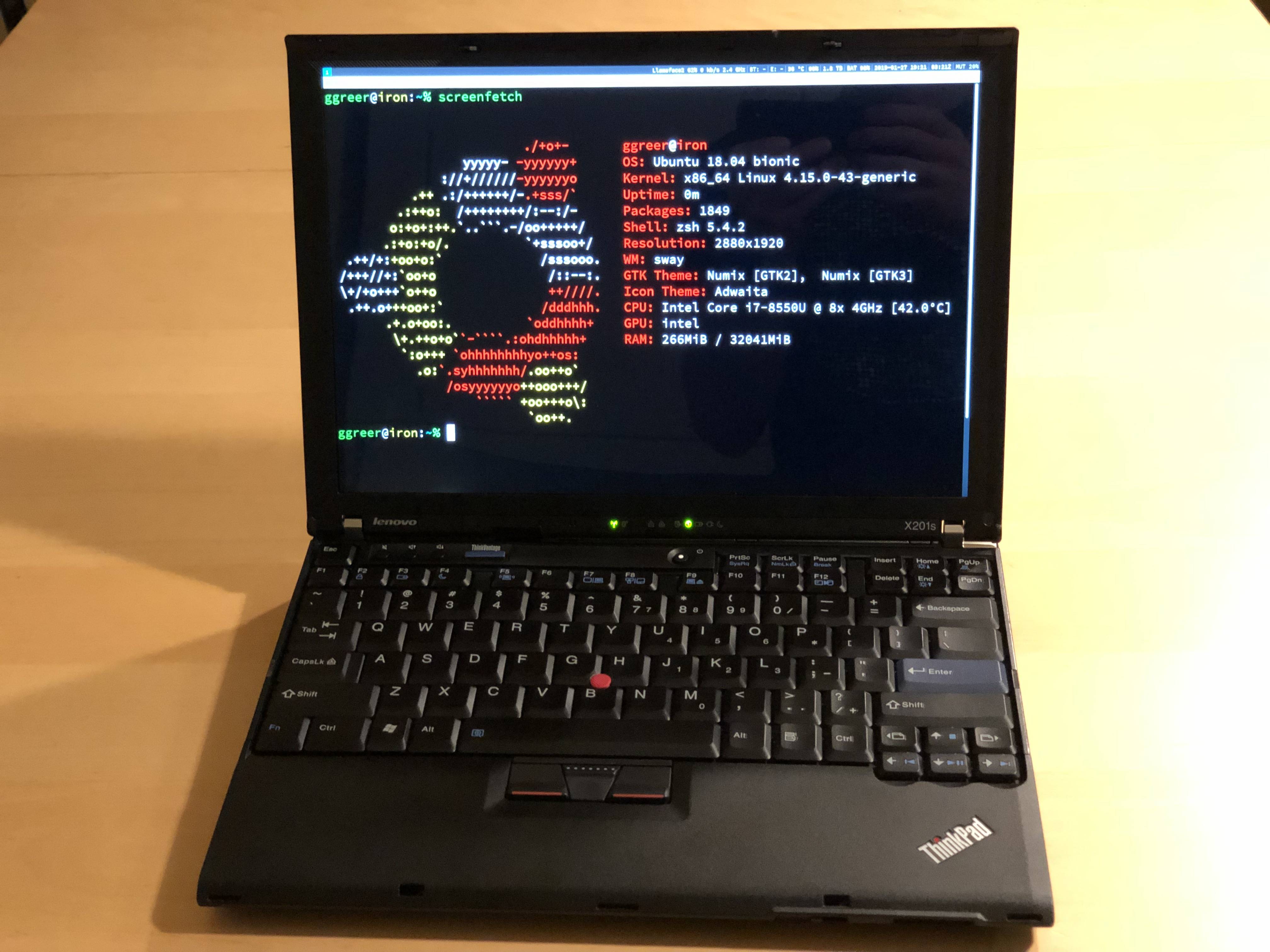
What OS are you running? I'm really curious on your setup if you're running Linux. I have the same Thinkpad but it's impossible for me to the the idle wattage like that.
Re:Thinkpad X210 by sdfjkl on Monday March 18, 2019 @07:19AM (#19420169)
Re:Thinkpad X210 by ggreer on Monday March 18, 2019 @10:37AM (#19421371)
That’s what I’m using, not mbrumlow. Also I just upgraded to 18.10 to get a newer kernel and a newer version of the r8169 module. That unlocked PC7 idle states and increased my battery life by 50%.
Re:Thinkpad X210 by dgzl on Sunday March 17, 2019 @04:36PM (#19416419)
Long lasting battery is the feature I appreciate most from a laptop. My T430 with the extended slice battery gives me 7-10 hours, and could probably get another 3+ if I swapped out the CD drive for the Power Bridge battery.

Long live the ThinkPad.

Edit: This is with mostly casual use on an Arch Linux setup.

I think the next killer feature I want/look for in a laptop is the ability to see the screen in bright sunlight. It's a gorgeous day today and I would mind spending a few hours by the waterfront coding.

Re:Thinkpad X210 by Joeri on Monday March 18, 2019 @09:14AM (#19420727)
> Long live the ThinkPad.

This year's models are doing away with replaceable batteries for the most part. T490 has a built-in 50 Whr battery and no ability to extend or replace that without removing screws. It also gets rid of the 2.5 in drive option, one of the RAM slots (but it adds a soldered one), and it replaces the full size SD with a micro-SD. All of that for a small reduction in weight and thickness.

So, basically, the thinkpad line is gone now, it's just another poor macbook pro knockoff. I expect to see articles like this one for years to come, given that there are almost no options left if you want power, expandability and battery life in a single laptop package.

Re:Thinkpad X210 by willtim on Tuesday March 19, 2019 @03:33AM (#19428811)
Well if it was a MacBook, everything would be glued-in or soldered, but yes the trend is worrying. I guess the popularity of MacBooks, despite their form-over-function, is what is driving this. But surely they could have kept the T490 like the T480, especially as the T490s exists.
Re:Thinkpad X210 by killjoywashere on Sunday March 17, 2019 @05:52PM (#19416908)
> I would mind spending a few hours by the waterfront coding.

I do this with an OLPC XO. I also have a Cr-48 with Lubuntu. There's a tradeoff: the XO has a brighter screen but a smaller keyboard.

Re:Thinkpad X210 by dgzl on Sunday March 17, 2019 @07:00PM (#19417326)
Is a brighter screen what we want though? E-ink type screens are excellent in the sun, but lack gorgeous colors... And I'm almost ok with it.
Re:Thinkpad X210 by k_sze on Sunday March 17, 2019 @09:06PM (#19417914)
There’s maybe a billion-dollar opportunity there: maybe someone could invent a hybrid screen that switches from (O)LED to e-ink mode under bright lighting conditions.
Re:Thinkpad X210 by tuukkah on Monday March 18, 2019 @03:45AM (#19419305)
That's exactly what OLPC has. And I remember an old Nokia phone having a screen that's both at the same time so that brighter sunlight will just wash out the colors but not the content: https://en.m.wikipedia.org/wiki/Transflective_liquid-crystal...
Re:Thinkpad X210 by jodrellblank on Sunday March 17, 2019 @10:24PM (#19418268)
Somebody did invent a hybrid screen, Pixel Qi, it was used in the Notion Ink Adam tablet from 2010.

But it wasn't a billion-dollar opportunity and Pixel Qi are so forgotten they were reported by the media as closed down, although might technically still exist (and might have released their IP to the public, I haven't read too far on it just now).

Re:Thinkpad X210 by soapdog on Monday March 18, 2019 @05:23AM (#19419667)
The OLPC XO with the sunlight readable screen by Pixel Qi is a wonderful machine to use in bright daylight. I love mine.
Re:Thinkpad X210 by smorrow on Monday March 18, 2019 @12:18PM (#19422403)
T430 doesn't support Ultrabay battery
Re:Thinkpad X210 by rayiner on Sunday March 17, 2019 @02:32PM (#19415507)
At least my 2013 MacBook Pro would get 10 hours of battery life with the screen at medium brightness, WiFi on, and using Safari and Word (which is not a particularly light workload given how heavy the web is these days). Working in Emacs/SBCL would result in even longer battery life. Unless you’re rebuilding Chrome from source every few minutes, the compile-edit cycle is mostly typing into your editor with short bursts of activity in-between. Even more so for languages with lightweight compilers like Go and JS.
Re:Thinkpad X210 by nicoburns on Sunday March 17, 2019 @10:30PM (#19418288)
> which is not a particularly light workload given how heavy the web is these days

I think a lot of this might be attributable to just how well power-optimised safari is. I could get 10 hours using safari when my macbook was new, but only 6 using chrome or firefox! Given that safari is speed-competitive with these browsers, it's very impressive.

Re:Thinkpad X210 by CoolGuySteve on Sunday March 17, 2019 @03:58PM (#19416164)
What kind of numbers do you see in powertop between high and low load? (After running powertop --auto-tune and powertop --calibrate of course).

I've noticed the i7-8550U in my HP Envy can easily drive consumption up to 22W during a parallel compile even though I spend most of my time idling between 5 and 7W while editing text. The extra cores seem to consume a lot of power compared to my older 5th-gen laptop with 2 physical cores.

I also wonder if mobile Ryzen behaves similarly or if Intel just trashed their power/thermals in order to compete on core count.

Unfortunately, it's really hard to find benchmarks with power vs load stats. Most of them seem to be like "7 hours watching a movie in Windows" when I'd rather see "Battery is 55 Wh but computer uses 22W when all cores are 100% and 35W at 100% CPU and GPU". You know, like actual facts about the hardware rather than subjective usage experiences.

Re:Thinkpad X210 by ggreer on Sunday March 17, 2019 @07:46PM (#19417560)
Powertop doesn't show any wattage numbers for me. I looked at gnome-power-statistics and saw that my laptop idles around 9 watts. That's all power consumption including the screen.

This afternoon I upgraded my kernel from 4.15 to 4.18. Then I removed the r8168 module that I'd tried to use to reduce power consumption. Using the open source r8169 module got me PC7 states. Now my X210 idles at 5 watts. I'm guessing I could go lower if I tweaked more, but this is a huge improvement in battery life. I'm glad I took the time to look into it.

I've gotten battery consumption figures as high as 30 watts when running something like `./minerd --benchmark --threads=8`. Intel claims the i7-8550U has a 15W TDP, but it can easily go above that if it has enough cooling.

Re:Thinkpad X210 by eitland on Sunday March 17, 2019 @02:24PM (#19415452)
> My fan comment was a joke about Slack's efficiency.

It's less of a joke and probably just a statement.

Seriously: even something as small as someone adding an animated emoji makes slack eat CPU :-/

Re:Thinkpad X210 by shereadsthenews on Sunday March 17, 2019 @05:42PM (#19416830)
I used to wonder why my ThinkPad sometimes ran for 12 hours and sometimes 5. Turns out that Google Docs has an animated cursor that doesn't just blink, it fades in and out using javascript. Animation cost several W on average. UX guys love animations because I dunno they are just psychos.
Re:Thinkpad X210 by userbinator on Sunday March 17, 2019 @07:49PM (#19417579)
Reminds me of this: https://news.ycombinator.com/item?id=13940014

(I believe that the 13% CPU nentioned there is a rounded-up 12.5% of the whole CPU, or in other words a full 100% of one of 8 hyperthreads.)

Re:Thinkpad X210 by shereadsthenews on Monday March 18, 2019 @10:16AM (#19421144)
Remarkably similar, yes!
Re:Thinkpad X210 by smorrow on Monday March 18, 2019 @12:25PM (#19422484)
I've always appreciated Windows's animations for minimise and restore. I hate animations that don't do anything for you, though.

Brian Kernighan's COS333 page links to a goodui.org that recommends animations (in moderation) but also a bunch of horrible stuff.

So there's that.

Re:Thinkpad X210 by emiliosic on Sunday March 17, 2019 @02:41PM (#19415576)
My office decided to move from Jabber (Pidgin / Adium) to Slack. Much of the office upgraded computers. Whether Jabber is negligible, Slack used más two to three Gb RAM. It’s simply the most inefficient software I have to Tun continuously on that PC
Re:Thinkpad X210 by jjeaff on Sunday March 17, 2019 @03:00PM (#19415712)
They have raised so much money and have so many engineers. Is performance of their app so low priority that no one is working on that?
Re:Thinkpad X210 by admax88q on Sunday March 17, 2019 @03:11PM (#19415794)
They have too many engineers to make a small efficient program.
Re:Thinkpad X210 by bb01100100 on Sunday March 17, 2019 @10:01PM (#19418168)
Comment made my day :-)
Re:Thinkpad X210 by SteveNuts on Sunday March 17, 2019 @03:11PM (#19415798)
Their priority was probably shipping a cross-platform app as quickly as possible and gaining adoption. My hunch is they will eventually make native apps for Windows and Mac and drop Linux support.
Re:Thinkpad X210 by eitland on Monday March 18, 2019 @01:20AM (#19418847)
Dropping Linux support should be getting harder and harder: I've never seen more Linux machines in the office than now.

Yesterday I saw someone here on HN saying they didn't know (something about Windows) because they never used Windows.

Re:Thinkpad X210 by manigandham on Sunday March 17, 2019 @03:45PM (#19416069)
Yes. It was first about gaining market share and now it's about integrations to solidify their position against competitors.

Performance is not on the list and probably never will be.

Re:Thinkpad X210 by aaaaaaaaaaab on Monday March 18, 2019 @06:11AM (#19419874)
You've answered it yourself:

>They have raised so much money and have so many engineers.

Re:Thinkpad X210 by dmcgill50 on Sunday March 17, 2019 @02:49PM (#19415623)
/collapse
Re:Thinkpad X210 by saagarjha on Sunday March 17, 2019 @08:52PM (#19417849)
FWIW, I "honestly" get about 7-8 hours out of my MacBook Pro when doing light coding (small C/C++ project builds every five minutes, tweaking my website, writing some shell scripts), and 4-5 when doing "heavy" work such as iOS development. I can eke out 10 or more hours if I only read Mail and Hacker News :P

> My fan comment was a joke about Slack's efficiency.

Hence the "lol" ;)

Re:Thinkpad X210 by manmal on Sunday March 17, 2019 @01:45PM (#19415226)
Having a MacBook Pro Late 2016, I can only dream of 4h battery life with the workload you describe. It has a bigger screen though.
Re:Thinkpad X210 by ttsda on Sunday March 17, 2019 @04:19PM (#19416298)
Try ditching chrome/ff for safari for most of your workload, I find that consistently gives me a few extra hours of battery, and I always have IntelliJ and VScode open and in use.
Re:Thinkpad X210 by saagarjha on Sunday March 17, 2019 @08:55PM (#19417860)
Yup, switching from Chrome or Firefox to Safari is the number one thing I recommend to people to improve their battery life on Macs. The less Electron they can have as well, the better, but it's slightly less on an issue because it's not running JavaScript trying to sell you ads.
Re:Thinkpad X210 by villedepommes on Sunday March 17, 2019 @03:06PM (#19415760)
My work laptop is a mbp 2018 (i9, 32GB). The battery life is abysmal. I typically get a little bit over 2 hours. I'm not going to lie though: I'm always running Atom or VSCode and there's lots of opened tabs in Chrome.
Re:Thinkpad X210 by dep_b on Sunday March 17, 2019 @03:21PM (#19415903)
Chrome used to half my battery life on a MacBook Pro. On a brand new machine with a full battery I could program all day in Xcode if I forgot my charger until one day it was empty halfway the day. Finally I figured out it was Chrome that killed it so fast.
Re:Thinkpad X210 by saagarjha on Sunday March 17, 2019 @08:55PM (#19417861)
> On a brand new machine with a full battery I could program all day in Xcode

I'm impressed; with Xcode and the simulator I'm lucky to get anything longer than 6 hours…

Re:Thinkpad X210 by dep_b on Monday March 18, 2019 @07:01AM (#19420091)
Objective-C really is a lot kinder for your battery I guess. Also it was brand new at the time and I guess I was using a phone for debugging.
Re:Thinkpad X210 by squeaky-clean on Sunday March 17, 2019 @06:05PM (#19416986)
Did they reduce the battery size on newer models? My 2015 i7 mbp can get about 3 hours of Civ 6 (in strategic view), or 6 hours of regular dev workload. I remember it lasting longer a few years ago too.
Re:Thinkpad X210 by ggreer on Sunday March 17, 2019 @09:47PM (#19418104)
Yes. The previous generation 15" MacBook Pro has a 99.5Wh battery. The 2016 & 2017 15" touchbar MacBook Pro has a 76Wh battery. The 2018 model was upgraded to 83.6Wh. Depending on which version you have, you get either 15% or 25% less battery than the older model.

I got the figures from https://en.wikipedia.org/wiki/MacBook_Pro#Technical_specific... and https://en.wikipedia.org/wiki/MacBook_Pro#Technical_specific...

Re:Thinkpad X210 by NeedMoreTea on Sunday March 17, 2019 @06:15PM (#19417065)
Yes. Can't remember how much it shrank in Wh though. I had a 2016 which I ultimately sold after 6 months, then bought a 2015 of eBay. I get roughly 25-33% better battery life on the 2015 than I did with the newer model.
Re:Thinkpad X210 by asciimo on Sunday March 17, 2019 @08:07PM (#19417654)
I got the joke about Slack. Loved it.
Re:Thinkpad X210 by swiley on Sunday March 17, 2019 @02:52PM (#19415649)
If you throttle the machine instead of using a fan the battery life only changes by less than half (about 25% in my experience) so machines with bad cooling which I feel like the sort of person who would exaggerate battery life would be more likely to use will actually get better battery life when performing more intense tasks.
Re:Thinkpad X210 by computerex on Sunday March 17, 2019 @09:51PM (#19418120)
I was wondering if the comment about slack was a jab. Nicely done!
Re:Thinkpad X210 by coldtea on Sunday March 17, 2019 @10:41AM (#19414241)
>One of the things that really drives me nuts is my computer’s fan turning on when I know really shouldn’t be. I have lived and worked with people for whom having their fan randomly turn on for no reason is completely normal, and I just can’t understand how they can bear it.

Yeah, but try standing in their shoes: they too are probably wondering how you can bear getting worked up over such small things such as fans going off.

It admittedly sounds like a worse situation to be in (seeing that it means living one's whole life in constant irritation) than to have noisy fans.

Re:Thinkpad X210 by freehunter on Sunday March 17, 2019 @12:26PM (#19414782)
>getting worked up over such small things such as fans going off

Fans spinning up is an indicator of something. Usually an indicator that the machine is under heavy load and you need to watch out for the things that come with machines under heavy load: slower performance, overheating, graphical artifacts, potential crashing, etc.

If my fans spun up when I was not aware my computer was under heavy load, I would believe something was wrong with my computer. If I spent any amount of time researching why my computer was under heavy load and my conclusion was that it was not under heavy load and that the fans just spun up for no reason, I think I'd be rightfully irritated.

Imagine a doorbell that rings randomly even if no one is at the door. In the grand scheme of things it's minor. But it shouldn't be happening, and every time it does I have to get up and walk to the window to see if someone is actually there. Every time the doorbell rings and no one is there, I'm going to get more and more irritated.

Re:Thinkpad X210 by akiselev on Sunday March 17, 2019 @01:38PM (#19415185)
It surely is an indicator of something but if you have a modern laptop with factory configuration from one of the generic Windows laptop manufacturers, chances are it's an indicator that the power settings are set up for marketing/benchmarks and not real world use. Every single ultrabook and workstation laptop I've had outside of Apple products have been poorly configured, especially the Intel Turbo Boost settings.

I'm not an expert in CPU thermals by any means, but from what I've gathered, in order to eek out a tenth of a gigahertz for their marketing materials (with rapidly diminishing returns because physics), manufacturers usually set Turbo Boost Power Limits 5-10 (or more) watts too high. Since Turbo Boost usually maximizes a single core's frequency and the heat generated increases exponentially, it creates a very concentrated heat spike in the silicon. Even if the CPU heat sink is good enough to passively dissipate that much heat from all of the cores, the turbo boost hot spot forces the fans to spin up early before the CPU knows how long the boost will be needed (otherwise Turbo boost would significantly reduce the lifetime of the CPU). Combined with random scheduled OS tasks that take a split second of turbo to run a process and firmware configured with a minimum fan running time to avoid even more annoying pulsing, these power limits cause many mass market laptops to needlessly spin up their fans all the time.

It's ridiculous but I've been running ThrottleStop/the equivalent on Linux to under-clock every laptop I've owned since Turbo Boost was introduced. A small 10-20% reduction in turbo boost power limits is rarely noticeable unless you have a very specialized and irregular CPU-bound workload but it makes a significant change in the amount of heat it generates and gives the passive dissipation enough time to absorb a boosted workload instead of spinning up the fans in an emergency.

Re:Thinkpad X210 by swiley on Sunday March 17, 2019 @02:54PM (#19415666)
> if you have a modern laptop with factory configuration from one of the generic Windows laptop manufacturers

The general advice is to never ever leave the factory configuration in place (if you're not going to install Linux at least reinstall windows)

Hardware manufactures are, in general, not your friends.

Re:Thinkpad X210 by akiselev on Sunday March 17, 2019 @06:56PM (#19417304)
Turbo Boost power limits have to be changed using the Intel Tuning utility or a similar piece of software that sets the correct registers. Operating systems usually leave those lower level details to the BIOS so installing a new operating system won't do anything unless the system default is set correctly and some bloatware driver is updating it at boot. Usually the manufacturer does it in the BIOS so you have to overwrite it every time you boot; or they do it at the factory, in which case just setting the registers once will be enough (I believe they're nonvolatile?)
Re:Thinkpad X210 by jrockway on Sunday March 17, 2019 @01:02PM (#19414981)
If your machine crashes, overheats, or has graphical artifacts at 100% load, it's broken and you should fix it.
Re:Thinkpad X210 by freehunter on Sunday March 17, 2019 @01:05PM (#19414990)
If your machine spins up its fans for no discernible reason throughout the day, it's broken and you should fix it.
Re:Thinkpad X210 by nimnio on Friday March 22, 2019 @12:57PM (#19464411)
Most people will categorize crashing, overheating, and graphical artifacts as a more severe problem than "what's that small noise I hear once in a while".
Re:Thinkpad X210 by sosborn on Sunday March 17, 2019 @01:33PM (#19415154)
> no discernible reason

What if the "no discernible reason" is just poorly coded software?

Re:Thinkpad X210 by freehunter on Sunday March 17, 2019 @04:27PM (#19416352)
That's the definition of a discernible reason. If the CPU is being used hard enough to need more cooling, then the question is answered.
Re:Thinkpad X210 by mcv on Monday March 18, 2019 @09:05AM (#19420669)
That's too limited a view at the issue. Why is the CPU running that hard? If the user is not doing anything CPU-intensive, yet the fans spin up, clearly the CPU is hot, but why? What is it doing?
Re:Thinkpad X210 by eitland on Sunday March 17, 2019 @02:30PM (#19415488)
Then the PC and the OS is off the hook and the search continues with the software.
Re:Thinkpad X210 by kortilla on Sunday March 17, 2019 @01:31PM (#19415143)
It’s not. Using the cpu is a supported feature of normal computers.
Re:Thinkpad X210 by freehunter on Sunday March 17, 2019 @04:28PM (#19416367)
If you can say "the fans are spinning up because this piece of software is using the CPU more" then it's not "no discernible reason".
Re:Thinkpad X210 by mjburgess on Sunday March 17, 2019 @11:53AM (#19414616)
I suspect it's partly a sensory (-integration) issue.
Re:Thinkpad X210 by mjg59 on Sunday March 17, 2019 @03:11PM (#19415811)
>Not going to lie, that’s pretty horrible.

The stock firmware is, uh, not good. I ported Coreboot to the second batch boards (https://github.com/mjg59/coreboot/tree/X210_good ) and things improved significantly - I wrote it up at https://mjg59.dreamwidth.org/50924.html

Re:Thinkpad X210 by detaro on Sunday March 17, 2019 @05:12PM (#19416651)
first link should have a lowercase x: https://github.com/mjg59/coreboot/tree/x210_good
Re:Thinkpad X210 by bubblethink on Sunday March 17, 2019 @03:35PM (#19415995)
Does it use the regular thinkpad EC, or is that also something custom ?
Re:Thinkpad X210 by mjg59 on Sunday March 17, 2019 @05:07PM (#19416616)
It's a custom EC running some pretty shitty firmware
Re:Thinkpad X210 by Ndymium on Sunday March 17, 2019 @10:44AM (#19414260)
You say that's horrible, but I have never gotten more than around 5 hours from my MacBook Pros (my own and my work's). Maybe I could if the only thing I ran was Safari and iCal, but that's not my use case. If their number is from normal use, I'd consider it normal. :shrug:
Re:Thinkpad X210 by hombre_fatal on Sunday March 17, 2019 @11:42AM (#19414550)
iStat Menus (macOS app) gives you a HUD in the global top bar for things like network and CPU usage. It will quickly show you how many random apps and browser tabs will explode with resource usage over the course of the day. Or why your internet seems slow -- some app is saturating your bandwidth somehow.

Spotify, Slack, and Discord are major culprits, like if someone posts a single gif (are they animated manually by React?). But even some recipe website on a browser tab might go into 100% CPU usage because part of its ad-serving kit was blocked by ublock.

I consider it (or any app like it) essential for maxing your battery lifespan. Really wish it was built into macOS.

Re:Thinkpad X210 by sosborn on Sunday March 17, 2019 @01:35PM (#19415174)
The default Activity Monitor does all of that plus energy usage. It won't go in the menu bar however.
Re:Thinkpad X210 by hombre_fatal on Sunday March 17, 2019 @02:56PM (#19415683)
Activity Monitor itself also consumes a lot of CPU. And you tend to only use it when you've already suspected a problem, like when your fans start running.

What's nice about having a global CPU graph is that you get used to normal idling levels and will start to notice anomalies.

You're also just closer to the pulse of your computer. What exactly are normal bandwidth consumption levels over the course of a day? What speeds are you normally getting? Which apps and which actions seem to be the hardest on your resources? I think these are just nice things to know about the device you use every day like how you might get used to the sounds and feel of the car you drive every day.

For example, I often see HNers suggest that a good computer confers no benefits for web browsing. Meanwhile, I can say that web browsing is the most resource intensive thing going on in my computer. What your CPU graph as you click around the internet. Or when decoding a high res Youtube video or a muted autoplaying video on some news article. Or scrolling Facebook/Instagram.

I have an older machine that stutters while playing 720p+ Youtube videos unless the CPU is idle, and busier webpages take much longer to render and lock up the UI before I can click around. A better computer can save an impressive amount of time in the long run. It's not for nothing!

Re:Thinkpad X210 by mbell on Sunday March 17, 2019 @03:15PM (#19415849)
> Activity Monitor itself also consumes a lot of CPU. And you tend to only use it when you've already suspected a problem, like when your fans start running.

MacOS always tracks the energy usage stats so you don't have to keep activity monitor open, just look at the 'Average Energy Impact' column. iStats menu also uses a fair bit of CPU, similar to Activity Monitor, it's just split into a couple processes so it doesn't show as much, not that this is a reason not to use it, I love it and use it daily, it's not a good contrast point with the activity monitor.

Re:Thinkpad X210 by hombre_fatal on Sunday March 17, 2019 @03:30PM (#19415967)
My main point is that a global CPU graph helps you identify acute CPU consumption as it happens which is the main mechanism that helps me identify things like Spotify getting stuck in a spinlock or a browser tab devouring my battery. Seeing "Google Chrome" show up in Activity Monitor's energy chart when you check it periodically isn't as helpful.

Good point about iStat Menus consuming its own resources. It has two processes afaict with its main process staying below 1% CPU. I bet that number sees an increase once you start turning on more HUDs like the temp/fan sensors and jacking up the update frequency though.

Re:Thinkpad X210 by mbell on Sunday March 17, 2019 @03:46PM (#19416077)
> My main point is that a global CPU graph helps you identify acute CPU consumption as it happens which is the main mechanism that helps me identify things like Spotify getting stuck in a spinlock or a browser tab devouring my battery. Seeing "Google Chrome" show up in Activity Monitor's energy chart when you check it periodically isn't as helpful.

If you want to know 'what is using all by battery' after a couple hours using it, you want to know the average power usage by app, which activity monitor gives you. Battery life is the point of this thread, not random lock ups.

> Good point about iStat Menus consuming its own resources. It has two processes afaict with its main process staying below 1% CPU.

I wish we could just get rid of 'cpu %' as a metric on modern machines, or at least scale it based on P-state. Saying process X is taking Y% of the CPU is pointless if you don't also communicate the P-state, and chances are you don't even know which core the process is running. Point is, I'm sitting here almost completely idle and there are plenty of tasks 'using 3-5% of my CPU', of course the CPU is running at 800MHz no where near it's all core peak of 2.7Ghz, much less it's single core peak of 4.5Ghz. What does 1% CPU even mean in this world?

Re:Thinkpad X210 by saagarjha on Sunday March 17, 2019 @08:57PM (#19417868)
> Activity Monitor itself also consumes a lot of CPU.

I run Activity Monitor 24/7; it's actually not that bad, especially if it's not visible.

Re:Thinkpad X210 by philliphaydon on Sunday March 17, 2019 @09:44PM (#19418090)
When I got the first Macbook Pro Retina in 2012, I would get ~10 hours on OSX. The newest ones I can't get ~4 hours from...

I also got the first Macbook 12" and I would get better battery life running Windows 10 than I would OSX. Windows 10 I would get ~12 hours or so. Windows 10 on the Macbook Pro drained the battery quickly though because you couldn't switch to integrated graphics.

Re:Thinkpad X210 by snazz on Sunday March 17, 2019 @08:45AM (#19413706)
If you tweak your power management daemon to force your CPU to stay in the lowest couple of SpeedStep levels, you can keep it much cooler at the expense of performance. This is effectively undeclocking on the fly. When you do something fancy, your CPU clock frequency will increase, but not enough to heat it to the point where the fans turn on.

Most MacBooks doesn’t turn their fans on until the aluminum bottom is tenderizing your lap (and/or melting the table). You could configure this on most non-Apple laptops, too, but running the fans earlier keeps temps down and probably extends the hardware lifetime.

Re:Thinkpad X210 by NullPrefix on Sunday March 17, 2019 @09:06AM (#19413805)
The key is not in just disabling the fans and letting it all boil, the key is in not producing the heat, because of the undervolt.
Re:Thinkpad X210 by snazz on Sunday March 17, 2019 @09:11AM (#19413821)
Yep. My X220 runs at 800 MHz unless I’m watching a YouTube video, at which point it switches to 1.2 GHz-ish. I don’t let it get much above that level otherwise my battery life and temperatures suffer.
Re:Thinkpad X210 by tbrock on Sunday March 17, 2019 @10:25AM (#19414161)
That's because it's a random chinese board that attempts to provide up to date performance but not focused on up-to-date thermals/efficiency.

If a modern 13.3 screamer with battery life is what you are looking for however, check out the just released Thinkpad x390. It's even more modern and the battery life is a staggering 17-18 hours.

Re:Thinkpad X210 by mbell on Sunday March 17, 2019 @03:19PM (#19415880)
It has a 15W CPU in it, it's not a screamer. It's not hard to have extremely long battery life in a laptop, just toss an extremely low power (15W or less) CPU in it and get the battery as close as you can to the somewhat arbitrary 100Whr limit that isn't really a limit but no one will sell a laptop you can't take in the cabin of an airplane.

What is hard however, is getting long life out of a performance laptop with a 45-60W CPU when you're capped to a 100Whr battery.

Re:Thinkpad X210 by cyberpunk on Sunday March 17, 2019 @09:22AM (#19413880)
Slightly off topic; but on fans I recently got a totally fanless mini-pc (zotac) loaded it up with 16gb of ram and a tb ssd and the utter silence in my office is amazing. Since switching off apple (I used the fanless 'macbook' models for a while) I'd normally work with headphones, but I've found the difference to be noticeable.

FWIW it runs OpenBSD and is currently at 52C.. When doing a heavy compile or something it can get up to about 80. Mounted to the back of a monitor, can't even see it.

10/10 would recommend.

Re:Thinkpad X210 by syntaxing on Sunday March 17, 2019 @08:53AM (#19413736)
You should see my X62, the battery is so bad. I even bought a "brand new" battery and it last about 2 hours. We don't notice it but battery technology has really pushed forward since a decade ago.
Re:Thinkpad X210 by blattimwind on Sunday March 17, 2019 @09:14AM (#19413836)
> You should see my X62, the battery is so bad. I even bought a "brand new" battery and it last about 2 hours.

That's probably a fake or aged battery, or your power management is set up incorrectly. A X62 with a fresh battery lasts a lot longer than 2 hours.

Re:Thinkpad X210 by syntaxing on Monday March 18, 2019 @05:31AM (#19419702)
Where did you buy yours? I bought an old X61 and the battery was crap. I can only find affordable genuine ones on eBay. The ones on Amazon were $200... So it didn't make sense to buy them
Re:Thinkpad X210 by ggreer on Monday March 18, 2019 @11:29AM (#19421869)
I buy 3rd party replacement batteries on Amazon. The original batteries have degraded by now, and replacing the cells is a tricky operation: https://hackaday.io/page/247-replacing-lenovo-laptop-lithium...
Re:Thinkpad X210 by systemBuilder on Sunday March 17, 2019 @06:46PM (#19417247)
It was 4th generation Haswell (4000-series CPUs) that cut power consumption in HALF! In fact Haswell was so awesome Intel didn't make measurably better CPUs until 7th generation(Kaby Lake)!
Re:Thinkpad X210 by conradfr on Sunday March 17, 2019 @03:48PM (#19416107)
I have a non-ssd Asus u36sd from 2011 running Windows 7 that still has around 5 hours of battery life with moderate screen brightness, a Jetbrains IDE running alongside a vagrant VM, Firefox, music etc, so I think you should or could do better.

My more recent Macbook pro at work is basically worst though, not sure why.

Re:Thinkpad X210 by sorenjan on Sunday March 17, 2019 @09:19AM (#19413866)
Even if it was an unused battery it might have been old and degraded. One of the problems with replacing batteries in older devices is that if the battery isn't produced anymore the replacements will not have full capacity either.
Re:Thinkpad X210 by tbrock on Sunday March 17, 2019 @12:08PM (#19414707)
Would be awesome for the retro thinkpad scene if someone started making new batteries for the old stuff.
Re:Thinkpad X210 by systemBuilder on Sunday March 17, 2019 @06:48PM (#19417262)
You can just crack open a ThinkPad battery and put in New 18650 cells!
Re:Thinkpad X210 by newnewpdro on Sunday March 17, 2019 @10:36PM (#19418301)
oh? I've tried this before, the battery charge/fuel gauge circuit entered a permanent fault state and none of the tricks I found online worked. It was an x61 battery.
Re:Thinkpad X210 by syntaxing on Monday March 18, 2019 @05:33AM (#19419709)
I would love to learn how you did this!
Re:Thinkpad X210 by newnewpdro on Monday March 18, 2019 @01:42PM (#19423218)
How I failed to rebuild a thinkpad battery?
Re:Thinkpad X210 by smcl on Sunday March 17, 2019 @08:32AM (#19413654)
Yep the fan spinning up when nothing special is happening is infuriating - for me 99% of the time it's Debian's "unattended upgrades" which I now realise I should just turn off since I update/upgrade/dist-upgrade relatively frequently anyway.
Re:Thinkpad X210 by PedroBatista on Sunday March 17, 2019 @09:14AM (#19413834)
Yep, with this unattended upgrade thing I can’t make fun of windows update anymore. It’s horrible.
Re:Thinkpad X210 by 0815test on Sunday March 17, 2019 @09:39AM (#19413960)
It's a bit clunky (as is 'apt' itself, tbh), but it should only ever install security updates and targeted bug fixes. You can configure apt relatively easily to have it download updated packages, but leave it to the user to actively install them (check out the apt configuration files in /etc/ - specifically the 'apt.d' folder).

As for Windows 10, it's in its own class of terrible design - try as they might, the Linux folks are nowhere close to matching it.

Re:Thinkpad X210 by smcl on Sunday March 17, 2019 @05:06PM (#19416608)
Yep it should only ever install some high priority security issues and such, and actually I suspect it's not actually doing anything complex itself (kicking off processes that perform the downloads + upgrades, but not actually applying them?) so it seems there's something weird going on :-(
Re:Thinkpad X210 by mbell on Sunday March 17, 2019 @03:08PM (#19415775)
If your fan is spinning up when scrolling in Slack it's likely an indication that Electron (Chrome) is refusing to use the GPU for rendering acceleration. This is likely either due to a driver issue or the driver/gpu being on chrome's blacklist. I had this problem once on a hackintosh and as I recall starting Slack from a terminal with the `--ignore-gpu-blacklist` option fixed it.
Re:Thinkpad X210 by admax88q on Sunday March 17, 2019 @03:11PM (#19415806)
Why should I need GPU acceleration to read irc messages.
Re:Thinkpad X210 by mbell on Sunday March 17, 2019 @03:22PM (#19415914)
Almost all the pixels on your screen are rendered through a GPU accelerated pathway, if they weren't even the desktop with no apps open would be rather sluggish.
Re:Thinkpad X210 by recursive on Sunday March 17, 2019 @03:27PM (#19415942)
Because you're using a graphical ui.
Re:Thinkpad X210 by v-yadli on Monday March 18, 2019 @08:06AM (#19420389)
and then the GPU fan turns on instead. :p
Re:Thinkpad X210 by canuckintime on Sunday March 17, 2019 @08:33AM (#19413658)
I only buy fanless laptops now.
Re:Thinkpad X210 by saagarjha on Sunday March 17, 2019 @08:40AM (#19413678)
I run Linux exclusively on my fanless Chromebook and remote computers, so I guess I kinda do the same thing ;)
Re:Thinkpad X210 by Riada on Sunday March 17, 2019 @11:04AM (#19414364)
What Chromebook do you use if I may ask? Do you use Crouton or did you completely flash Linux on it?
Re:Thinkpad X210 by systemBuilder on Sunday March 17, 2019 @06:51PM (#19417280)
If you can find an Acer c720 i3 it's a superb machine no fan and pretty fast, faster than an old ThinkPad and extremely comfortable to carry! It's still the number one selling Chromebook of all time! I have a 4GB RAM 256 gigabyte 2242 SSD and IPS display in mine! 7 hour battery life (new), 6 hours for most of the design life. Totally trivial to repair!
Re:Thinkpad X210 by saagarjha on Sunday March 17, 2019 @09:01PM (#19417885)
Personally, I find the Acer C720 to feel and look a bit too "cheap" for my tastes.
Re:Thinkpad X210 by saagarjha on Sunday March 17, 2019 @03:44PM (#19416061)
I dual booted on the new Samsung Chromebook 3: https://saagarjha.com/blog/2019/03/13/dual-booting-chrome-os...
Re:Thinkpad X210 by Riada on Sunday March 17, 2019 @10:55AM (#19414316)
Do you have a list of fanless laptops that you might recommend? (I only know of the Huawei MateBook X and the Xiaomi Mi Air.)

I have to bear with my laptop's loud fan, but I would like to replace it with a fanless one in the future.

Re:Thinkpad X210 by darkmighty on Monday March 18, 2019 @02:29PM (#19423696)
I've had good experiences with some chinese manufacturers (first hand experience, Jumper and Alldocube, heard of Chuwi and Xiaomi), they're putting out good quality very cheap products. I'd just go for metal/aluminum body if you can find it.
Re:Thinkpad X210 by archon810 on Sunday March 17, 2019 @02:42PM (#19415583)
Whatever you buy, don't buy the ThinkPad X1 Extreme. Its fans are on all. the. time, and the CPU goes into thermal throttling even when idle.

https://www.google.com/search?q=x1+extreme+fans

Re:Thinkpad X210 by bubblethink on Sunday March 17, 2019 @04:27PM (#19416360)
At this point, the real P series (p52/72), which used to be w series, are probably the only thinkpads that don't throttle. And those have other problems like the inclusion of an nvidia card and off-center keyboards. They've also devalued the T series now.
Re:Thinkpad X210 by tlavoie on Monday March 18, 2019 @04:57AM (#19419551)
If it's about the same as the P50 I picked up, the NVidia card is not the default, so it only factors in if the user selects it. The off-center keyboard is a minor nit, I really wanted the numeric keypad (and love the keyboard in general).
Re:Thinkpad X210 by bubblethink on Monday March 18, 2019 @09:07AM (#19420680)
The issue with the nvidia card is the wiring for external monitors. Thinkpads (at least my w530) seem to choose something extremely dumb where only the nvidia card can drive the external display. So you cannot just ignore the nvidia card.
Re:Thinkpad X210 by jdhawk on Sunday March 17, 2019 @10:36PM (#19418305)
It really is the worst of all worlds. P series performance...for 15-20 seconds.

Carbon series form factor...3 hours at a time.

Re:Thinkpad X210 by johnvanommen on Monday March 18, 2019 @08:01AM (#19420361)
> lol. One of the things that really drives me nuts is my computer’s fan turning on when I know really shouldn’t be. I have lived and worked with people for whom having their fan randomly turn on for no reason is completely normal, and I just can’t understand how they can bear it. If this happens to me, you can bet I’m digging through Activity Monitor and killing the culprit before the fans can get fully ramped up.

At a place I used to work, laptops were routinely getting bricked by the anti-virus software. Basically it would run a scan, the laptop would overheat and die.

At some point, it seems like the "cure" can be more dangerous than what it's designed to fix.

Re:Thinkpad X210 by gioele on Monday March 18, 2019 @11:03AM (#19421621)
> > Battery life is a little over 4 hours with the flush battery (55Wh) and 6-7 hours with the extended battery (80Wh).

> Not going to lie, that’s pretty horrible.

On the next line he says that with a newish kernel he can get 6 hours with the flush battery. That is not bad at all.

> Update (2017-03-17): I managed to get PC7 idle by upgrading my kernel to 4.18 and replacing the r8168 module with r8169. Battery life has increased significantly. I now get 6 hours with the flush battery and 10 hours with the extended battery.

Re:Thinkpad X210 by sharno on Monday March 18, 2019 @11:30AM (#19421881)
With all the hype about the efficiency of ARM processors and Apple thinking of putting their custom designed processors in their laptops, I wonder if we'll ever get better battery life on our laptops.

I know nothing will be very significant, but I wish at least my laptop can stay for the whole day on battery.

https://blog.cloudflare.com/arm-takes-wing/

Re:Thinkpad X210 by intrasight on Sunday March 17, 2019 @05:20PM (#19416698)
I (almost) always work where I can plugin - so the "battery" I treat more like an internal UPS. 30 minutes would be fine :)
Re:Thinkpad X210 by Damogran6 on Sunday March 17, 2019 @12:59PM (#19414965)
As a part of our enterprise security improvement project, they removed local admin from all people who don't necessarily need it. They'll replace it with creds that can be unlocked for a short period of time, but that's not here yet, and honestly, I don't need it bad enough on my laptop to raise a stink.

Now when my fans spin up, I just blame McAfee.

Re:Thinkpad X210 by tartuffe78 on Sunday March 17, 2019 @08:29AM (#19413641)
I used to use SMC fan control on my older MacBook Pro to just run the fan at medium at all times. Definitely miss that you can't use it on the new touchbar MacBook pros.
Re:Thinkpad X210 by saagarjha on Sunday March 17, 2019 @08:42AM (#19413687)
Interestingly, macOS has been the only OS where I have not had this be an issue. 95+% of the time the fans are off, and rouge runaway processes are quite rare (which is not true of say Linux or Windows, in my experience).
Re:Thinkpad X210 by tonyedgecombe on Sunday March 17, 2019 @09:42AM (#19413971)
Yes, the only time I hear the fans on my MacBook is when I boot into Windows.
Re:Thinkpad X210 by unethical_ban on Sunday March 17, 2019 @11:34AM (#19414517)
Sigh...

I got a Thinkpad E485 ( wanted to try AMD Ryzen mobile) and with Ubuntu installed, I get about 2.5-3 hours on the battery, which is... I forget now. I think it's 48Wh.

Re:Thinkpad X210 by zaroth on Sunday March 17, 2019 @08:53AM (#19413734)
You could drive about half a mile in a TM3 on that bigger battery (with heat and AC off).

You really should be able to cover a full day’s work on 80Wh.

Re:Thinkpad X210 by systematical on Sunday March 17, 2019 @08:45PM (#19417821)
What I wouldn't do for 4 hour battery life.
Re:Thinkpad X210 by saagarjha on Sunday March 17, 2019 @08:58PM (#19417870)
What computer do you have, and what are you running on it?
Re:Thinkpad X210 by systematical on Sunday March 17, 2019 @09:42PM (#19418085)
acer aspire v17 nitro. ubuntu 18. Has both SDD and HDD. Four years old now, holding out till thanksgiving deals to go to a smaller laptop with longer battery.
Re:Thinkpad X210 by bibyte on Sunday March 17, 2019 @10:19AM (#19414130)
I used Arch Linux on a Dell laptop and my fan is pretty predictable. I have never used Windows so I am curious. Does the fan really turns on when you don't expect it ?