SVG 1.1 extends CSS 2’s font-size value to allow a unitless number on a font-size SVG attribute <https://www.w3.org/TR/SVG11/text.html#FontSizeProperty>, but when you specify it as a CSS style it must follow the CSS declaration form, which means that non-zero lengths must include a unit—<https://www.w3.org/TR/SVG11/styling.html#StyleAttribute> even explicitly mentions font-size as its example on this point.
SVG 2 removes the unitless number extension and defers to CSS Fonts Module Level 3 entirely for font-size, so that unitless non-zero numbers aren’t permitted even in a font-size attribute.
All up, it’s a bad example that doesn’t support the thesis in the slightest, because a rookie error was made. (There’s still something in the fact that such an error could be made so easily, but it’s not that big a deal, certainly not enough to suggest that text is unreliable beyond the fact that you don’t know what fonts are available.)
Text in SVG is just as good as text in HTML, except inasmuch as nothing implements runtime (font-dependent) line wrapping, so it’s kinda more like HTML with white-space:nowrap.
The interactions between presentation attributes and style properties are a bit fiddly and sometimes unclear. Take something like <rect x="2" y="2" width="calc(100% - 4px)" height="calc(100% - 4px)"/>; it’s not quite clear to me whether this is valid in SVG 1.1, though I think it should be in SVG 2. It works in both Firefox and Chromium, though Firefox logs a claim that it’s invalid in the dev tools. <rect style="x:2px;y:2px;width:calc(100% - 4px);height:calc(100% - 4px)"/>, on the other hand, is definitely fine.
That's quite a caveat. How many current webpage designs depend on wrapping happening in exactly the same way across all browsers and device dimensions?
If you want it to look like a document with wrapping then use HTML for your text, not SVG
If i create a image, i want that image to look exactly the same on all machines. This is sadly not the fact for SVG :(
The W3C SVG example files contain a lot of these files that make every SVG renderer explode. There's images that don't render anywhere except inkscape
You just have to convert the text in the image to a path before using it wherever you plan on, just be sure to save the original for editing.
https://mq32.de/public/9f3cd5eb7f310139cf8acdd61edb73080d26a...
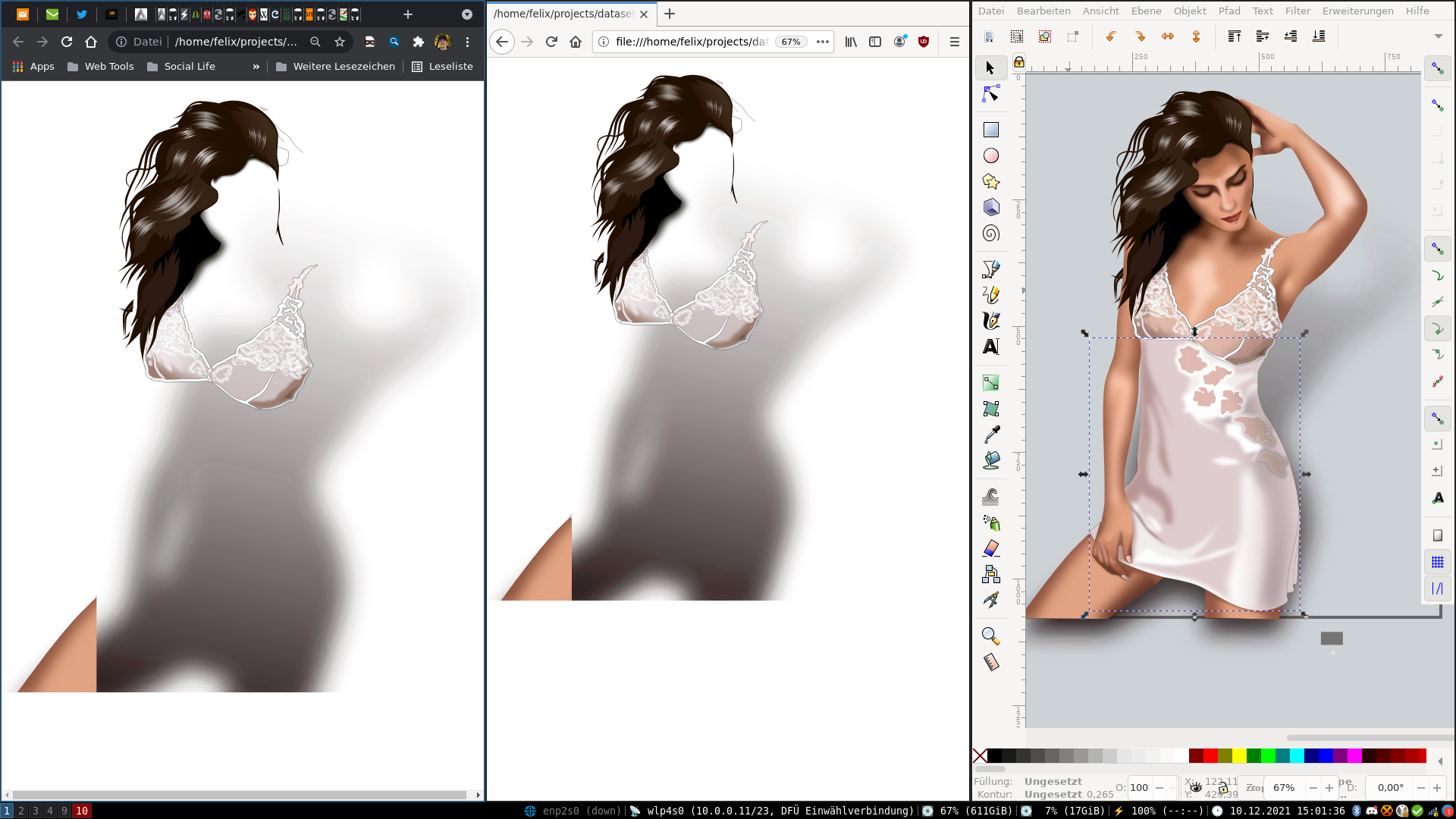
Off topic question for you though, that looks like probably i3 or dwm, did you make any modifications to Inkscape to make it more usable in a tiling wm, I always have to turn off tiling when I launch it.
The sad truth is that many issues go unreported because people are lazy and move on when they hit a roadblock.
Also, I've seen this problem reported more than a few times so you're not alone.
> if only reported
Reporting bugs can be super time consuming, especially if your project is large and the maintainer has a high bar for bug reports (e.g. "provide a codesandbox link"). I can't spend 20 minutes reporting a bug that will be auto-closed in 6 months when I can attempt fixing it instead, especially if I'm annoyed at the tool already. This used to happen a lot with browsers and nowadays it happens with build tools and libraries.
obviously different font widths for rendering of SVG text in different browsers/font stacks
> That didn't go as expected. I thought that at least both files on my Linux machine look the same, but it seems like Firefox doesn't like the font-size specification, while Chrome and Edge do.
I asked the Render-A-Webpage-As-An-SVG-framework guy about this last week. He claimed over multiple years he hasn't had a single report of broken text rendering from users of his framework.
So what's the deal? Are OP and me the only devs who have ever hit up against this issue in practice?