I think Gruber’s dead wrong, and folks should try it for a couple months. Leave the Macbook or Win10 laptop at home, and force yourself to rewire your brain into the iPad affordances and apps.
Aside from being able to turn his complaint off:
To turn Multitasking features on or off, go to Settings > Home Screen & Dock > Multitasking then turn off Allow Multiple Apps if you don't want to use Slide Over or Split View.
I think it works fine for business and development consumption and creation, both.
I’ve daily drivered iPad Pro with Apple keyboard for last 3 generations of iPad 12.9”. It started as an experiment to see if we could move employee population over for less support costs, and then became a habit because it’s just too ideal if you’re mobile for travel or even between multiple offices and meetings.
Each new Macbook model, I get nostalgic for MBP days and carry it around for a bit, and then realize too many compromises carrying a laptop compared to carrying or traveling with just the iPad Pro.
I’m on a two week trip right now, with the brand new top of line Macbook Pro 16” with full dev and Adobe setup in my bag. But it only came out of my carry on once in two weeks, and that was a failure.
Tried to display a web demo, some custom diagramming, and a PowerPoint on conference room screen from the laptop. Unable to use the enterprise guest WiFi due to their security proxies, and the hotspot was too slow. Popped the same USB-C HDMI adapter in the iPad, and showed all the content over LTE.
In a room built for Windows world, people struggled, and failed, to get HDMI from their HP or Dell or Lenovo laptops working, via HDMI ports or USB-C ports. Both the Macbook and iPad “just worked” with Apple’s same latest USB-C to HDMI adapter.
With the always on networking, all day battery life, decent choice of text based dev tools including code editors, git clients, and terminals like Blink (mosh) to do git-commit based development/deployment, Citrix and RSA and enterprise VPN, not to mention full O365 and Adobe suites (though I recommend Affinity now), it’s hard to figure out what it is I need the laptop for enough to deal with the PITA of carrying it.
This was not true 10 years ago, but today, iPad Pro can be the sole computing device even for an enterprise technology executive.
Bonus anecdata, I’ve recently noticed the iPad Pro is what’s used by 80% of folks in the board room, even though it’s a Windows based enterprise. Something’s changed.
Stop using other devices and give yourself a few months to learn the basics? This is how I used to encourage people to try desktop Linux in 2001.
You have to unlearn or overwrite the second nature.
Hell no. The iPad is a nice PDF reading machine with its retina display and the pencil is a joy to use but the device is barely usable for any text entry and don't support any real programming workflow.
However some shortcomings can also be positive, in particular I find the limited multi-tasking really helpful to concentrate on the reading of a paper, which is way way harder on a desktop computer with three screens, dozens of tabs opened and multiple running applications.
I type holes through the rubber keyboard skin in about 6 - 9 months I do so much text entry. Silk screened key caps are mostly gone by month 3.
r/mechanicalkeyboards is a good place to go for help, esp. if you check the wiki.
(I already know the answer is no, but it'd certainly be neat.)
Not a very fair comparison.
On another note, I also agree with the sentiment that people should try to force themselves to use it for a bit. I used to work for a company that did corporate software/hardware training and we'd always get people that were switching from a PC to a Mac that never bothered to even attempt to use their Macs differently and constantly complained about their company forcing them to switch. Once they stopped trying to right-click on everything and got used to dragging and dropping and just trying to discover things, they always got won over and preferred their Macs. This was during the early days of OS X and reached peak around Snow Leopard. I really like the newer macOS releases too but I wish they would focus more on fixing bugs and driving back to that discoverability that really made things intuitive to use.
Given the mockery of the “what’s a computer?” ad, I’m guessing most are spending a majority of their time on other devices, and not living with this enough to envision the experiences it’s more than capable of providing.
Failure of imagination vs. failure of technology.
Seems like a great argument for buying a Windows laptop with built in LTE, and/or pressuring Apple to add LTE to MacBooks.
Second, how many Windows or Mac laptops angle the screen from the middle of the base thanks to no touchpad, so the whole thing fits on a short airplane keyboard tray, or take no room on a cafe table, and are as easy to carry around as a legal pad in a folio?
https://support.apple.com/library/content/dam/edam/applecare...
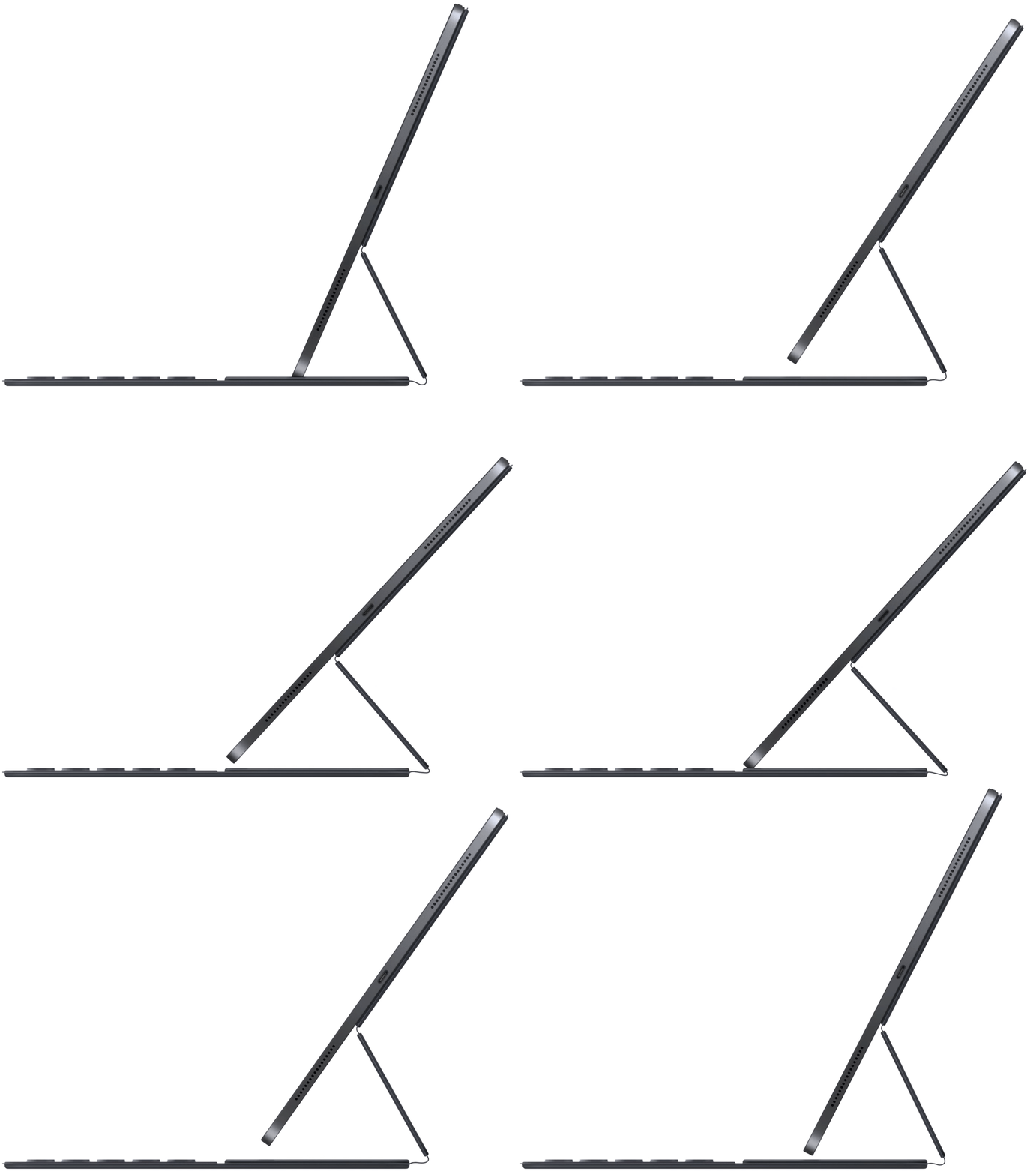
The new generation isn’t ‘origami’, it’s firm on your lap w/o a table as well.
// I also have all the various Surfaces, and other brands’ attempts to achieve similar form factors in Windows. Better than old iPad origami keyboard nonsense, worse than new iPad smart keyboard.
For whatever reason, I prefer this new generation iPad Pro smart keyboard from Apple over the MBP keyboards from 2015 till this fall’s re-released ‘old’ keyboards on MBP.
This sounds like more a symptom of wifi's universal awfulness than a failure of the MPB though. I generally use my phone as a wifi hotspot when I'm on my laptop for the same reason.
I use the iPad for the vast majority of my non-development computing. For me—and clearly for a lot of people—multi-tasking on the iPad has never been as good as it is on the Mac or even Windows. At the same time, it is absolutely as good/ easy as it's ever been. It's just still awkward and sometimes frustrating.
> This is all way out there right now, but it makes me think that the iPad is still just getting started.
I think so too, I love the iPad and wish I could use it as my primary computer. Every year when WWDC (the show formerly known as WWDC?) rolls around I hope we'll see some improvements that would allow me to run some of my web development workflow on the iPad and I'm generally disappointed.
If you worked in Python I’ve seen people do work in Pythonista on YouTube, but the best way I’ve seen to develop “locally” without a jailbreak is setting up a RaspberryPi4 to provide an Ethernet device over USB-C which you can connect to via SSH. Definitely a major hack and you’ll still need to either turn on the hotspot or connect the Pi some other way to the internet.
Why? Are you actually faster at any tasks on the iPad?
I don’t doubt that Apple could eventually make iPads as productive as traditional computers, given time. But I also don’t understand how doing so is a productive use of Apple’s resources when macOS already exists.
If iOS Safari had the inspector/debugger, or just inspector with live JS console, I would almost never need to use my laptop (which is just Chromebook, but runs full Chrome).
I mean, hardware-wise, it's totally capable; it's got a pretty powerful CPU in it. It's just the App Store publishing policies that don't want to cooperate.
But there's nothing fundamentally stopping someone from creating a Crouton-like "chroot in a box" environment and publishing it as an XCode project; and nothing stopping you from taking said XCode project and deploying it to your iPad using development provisioning.
[1]: https://apps.apple.com/us/app/inspect-browser/id1203594958
Considering that they barely managed to design working "regular user interfaces", the next-generation editors and development tools won't come from the teams currently working on iPad OS.
Both obviously need to be greatly iterated on, but the bones are there.
I know many have written that they have issues with multiple windows on the iPad, but for me it's never been better or easier. My main gripe is keyboard behavior which is very buggy, but not related to how easy/hard it is to make and move apps around the screen.
The fact is that the iPad is only useful because of its software. In my case it'd be useless without Files, Working Copy, Blink, Wireguard, and Screens. Only 1 of those is built-in and still it's a fairly recent addition. And it's the latest version on iOS 13 which is really the version which turbo-charged using many apps together easily. I use these apps to pretty much avoid directly using my "real computers" as much as possible via VMs or remote access via Wireguard.
But, I think we're only seeing the beginning of the iPad. I can relate to the feeling that "we should have more of what we expected by now", but the fact is that designing these power user interfaces, actually redesigning them for touch while making them compatible with existing ones, is very difficult.
A great example for HN is how we develop like we're in the 70s with text terminals and executing commands. Where on the iPad it might make more sense for the terminal to be rich like a REPL where commands/expressions act more like the results of a Shortcut (rich data, not just text) or code might be edited as an AST instead of the text which allows the concept of a "source file" to go away and instead there be a source database. Instead of trying to rebuild the editors we had we build something else designed for testing, iterating, and managing the AST. Dark[1] is a good example of this, but currently focused on the web.
This is all way out there right now, but it makes me think that the iPad is still just getting started.
[1]: https://darklang.com/