Vim, in pure code editing sense, has two unique advantages that no other editors have or dare to have: modal editing and ubiquity.
Modal editing makes code editing absolutely DRY, as users can avoid any repetitive typing/clicking that they wish to avoid. It doesn't necessarily increase your code throughput much as a lot of the time you'll be thinking instead of typing, but it reduces the frustration of editing to almost zero when you do have to type, hence reducing distractions and cognitive load. Once you are familiar with Vim, its commands have close to one-to-one mapping to ANY ways you want to edit code.
For example, you want to change the html text two lines above? kkcit. Then come back to the place where you left? g;g;. Re-indent the lines? =ip. They look foreign and unintuitive to non-vim users, but are actually muscle memories for vim users. This is probably why vim users swear by it, but non-users find it hard to love.
Ubiquity is something you can only appreciate when you have to. If your work environment is Windows, this probably won't occur to you. But if you have to code in different OSes, or in SSH sessions, or in git commit, or in less/man commands, you'll find vim invaluable.
After all, Vim is just a tool, a very good one. But if your work doesn't have the need for it, you won't find it useful.
It may be true that some magical Vim invocation is the fewest key strokes in any text editor to edit text. In practice real world Vim users probably lose just as much time as they save trying to find the magical incantation. Beyond saving a few keystrokes, consider how wasteful it is to devote months of effort learning a new text editor when editing text is such a small fraction of the time we spend programming. Are programmers ever limited by how quickly we can type? No, we are limited by how quickly we can think!
Having said that, NeoVim is a fairly decent choice for a text editor. It is open source, runs in a terminal, is actively developed, and (vim) is installed on nearly every *nix by default.
  Vim will not make you more productive.  At [gratuitous company plug!], the
  dude with Sublime is the best touch-typist, and the guy with an IDE is
  good at refactoring.
Does your Sublime guy code fast because he's an amazing touch-typist, or because he has better command over Sublime's shortcuts and special features than your Vim guys do? If it's the former, then it's irrelevant. If it's the latter, then it clashes with the point you tried to make in the next paragraph.
Of course your IDE guy is better at refactoring code. (S)he's using an IDE. That's what they do, better than any text editor. Comparing editors to full-blown IDE's is fairly "meta" to the topic at hand. However, it should be noted that almost every major IDE has built-on or plugin support for popular editor keybindings. I use Vim keybindings with IntelliJ... and even with my fairly baseline Vim familiarity, I'm able work several times more fluidly than on vanilla IntelliJ.
  It may be true Vim requires the fewest key strokes to edit text.  In practice,
  you'll lose more time finding those ideal keystrokes.  It's wasted effort to
  learn a text editor, because programmers are not constrained by typing speed.
If you pick up Drew Neil's book "Practical Vim", it's structured around 121 "tips". Each one is short, clear, and something that you can pick up and internalize in an hour. After the first 24 or so, you will absolutely be more productive that you would be with "Windows Notepad" bindings in the same situation.
It's not about crazy incantations that refactor your entire codebase in one keypress. It's about simple little things, that add up:
* I want to add an extra parameter to this method I just wrote. So rather than taking my hand off the keyboard and clicking there with my mouse (or hitting the arrow keys over and over), I just press "f)" to jump to the closing parentheses and start adding text.
* I want to replace everything on the current line, starting from my cursor position somewhere in the middle of that line. Rather than moving my hand to the mouse and dragging a selection, or holding <Shift> while hitting the arrow keys over and over, I instead just press "c$" and start adding text.
Sure, commands can be a bit arcane, but I learned them organically over a period of time... and these are real-world things that I do many times almost every single day as a coder. I probably only use 10% of Vim's available functionality, and that's enough to make my coding a much more fluid experience than it was before. Until you've experienced it first-hand, it's hard to grasp just HOW DISRUPTIVE it is to your flow and thought process to move your hand from the keyboard to mouse and back!
I don't care which editor (or IDE keybindings) you use. Vim, Emacs, Sublime, whatever. But you will absolutely be a more productive programmer if you pick one and dig into it over time. You ARE limited by your typing flow, and just don't realize it. If anyone really believes that isn't the case, then why bother to learn touch-typing? Take your two index fingers and try coding with the "hunt-and-peck" method, and see how it doesn't limit your thought process.
I've tried almost every editor out there: Vim, Emacs, Sublime Text, Textmate, Visual Studio, IntelliJ, and Atom. I've customized them all with plugins. I've even written plugins for most of them. My first editor was pico, quickly followed by Vim.
My toolsmithing goes beyond editors. I've tried different keyboard layouts to improve typing speed, settling on dvorak with qwerty shortcuts. I even gave chording keyboards a shot. I built Ag[1] to search code faster.[2]
I don't own a mouse. If I want to point at something, I use a trackpad. Switching to/from it is much faster than grabbing a mouse.
People don't want to hear this, but I could not be as fast in Vim. Even if Vim had every feature in my current setup, it would still be slower because Vimscript executes synchronously. Executing plugin code blocks Vim's UI. If a plugin spawns a subprocess, the UI will be blocked until it exits.
With Vim, you can't start a search and examine another file while it's running. This problem can be worked-around by using multiple Vims or searching from the command line, but then you lose quick opening/replacing of results. You can also abuse certain AutoCmds and updatetime to get a sort-of working async execution, but it requires each plugin have its own event loop.
I agree with kansface: Vim users may type less, but they don't move faster. I have yet to see a Vim user who has impressed me with their speed. I typically see wasted motion, waiting for commands to finish, and fixing mistakes in regexes. Even your example invocations are as good or better in Sublime Text.
I want to add an extra parameter to this method I just wrote. ... I just press "f)" to jump to the closing parentheses and start adding text.
That does not jump to the end of the function definition. That does a search for ) on the current line. If your cursor isn't on the right line, you're SOL. Also, ) shows up in many places. It may not be part of a function definition in the language used. In my setup, "cmd + r, up" goes to the previous function definition no matter the language. If I want to go to the end, that's ctrl + m.
I want to replace everything on the current line, starting from my cursor position somewhere in the middle of that line. ... I instead just press "c$" and start adding text.
For me, that's ctrl + shift + e, (start typing). Unless you have a $ key, both are three keystrokes.
If you use Vim and you're happy with it, great. But I would heavily discourage anyone from switching to Vim. Editors and UIs have come a long way in the past 25 years. Even with nerdtree, YCM, and other plugins, Vim can't catch up. NeoVim looks promising, since it fixes Vim's architectural problems.
1. https://github.com/ggreer/the_silver_searcher/
2. http://geoff.greer.fm/2011/12/27/the-silver-searcher-better-...
However, if you are announcing with a straight face that Vim slows you down because of synchronous regex scans, then that is flatly ridiculous. Are you editing terabyte-sized source files? Because if so, then perhaps some refactoring is in order (get the PyCharm guy to do it)! My mind is boggled by the number of plugins one would need to install in any text editor for the difference between synchronous and asynchronous execution to even be perceptible on a contemporary laptop with a typical file.
I mean, if you are happy with your text editor of choice, then godspeed and enjoy ("editor wars" are always a bit tongue-in-cheek). However, if you're adding a slew of IDE-like plugins to Vim (especially a pig like NERDtree), then beyond a certain point it makes more sense to just install the JetBrains product relevant to your language, and use whatever keybindings you like from within that.
The way you guys all keep plugging NeoVim (which doesn't even have an alpha release yet) definitely smells fishy, a transparent axe to grind. The Vim guys didn't want your patch. Sorry.
The way you guys all keep plugging NeoVim (which doesn't even have an alpha release yet) definitely smells fishy. The Vim guys didn't want your patch. Sorry.
There's nothing fishy about our support for NeoVim. We don't know the authors (though I, personally, did throw some money at the Bountysource). There are a few reasons why we like them:
1. They share our pain. Thiago de Arruda (main author of NeoVim) tried to add a similar patch to Vim. Like us, he spent months trying to work with the Vim community before being rejected.[1]
2. We like NeoVim's architecture. If we had infinite time, we'd be writing a very similar editor.
3. NeoVim makes our product better for Vim users. They get the UI they love, but without a broken leaderkey or other annoyances.
While the readme says it's alpha-quality, it works fine. It can be used with current Vim plugins and performs better than Vim.
1. https://groups.google.com/d/msg/vim_dev/65jjGqS1_VQ/fFiFrrIB...
You know, about once or twice per day I have to do a text search through a 750,000-line codebase. IntelliJ blocks also, but it completes in 3 to 4 seconds... and Vim searches a hell of lot faster than IntelliJ. In two decades of working with vi/Vim, I've only experienced UI sluggishness when working with log files that were each hundreds of megs in size.
So to be clear, when I suggested that you might use too many plugins, that was sarcasm. To be even more clear, I was flatly calling you a liar about your original premise.
Synchronous vs. asynchronous plugin execution is not an "architectural shortcoming". It's an "architectural decision". An architectural shortcoming is something that two separate submitters can't each resolve with a single patch. Right or wrong, the Vim maintainers were given the option... and apparently made the conscious decision that the benefits of asynchronous plugin execution aren't worth the risk of plugin authors doing dumb things with it.
I do wish that they had been more forthcoming with your company in how they did (or didn't) convey that decision, but ultimately it's their call. Creating or supporting a fork is likewise your call. But at least be honest about the agenda. You guys take an active interest in criticizing Vim, and promoting NeoVim, because the Vim maintainers rejected a patch that would help your startup company integrate with them. Not because the syntax highlighter can't keep up with your Warp 9 typing.
Since you mentioned you're using vim keybinding yourself, I thought I'd mention that any time you type x$ (where x stands for delete, change, yank, etc), it's better expressed as X[1]. You mentioned c$, but C is the same thing.
[1] - Vim actually breaks this pattern on y—Y is the same as yy out of the box. But almost every vimrc I've seen remaps Y to y$ for consistency.
But there are other ways to look at that.
x$ is more consistent with the general idea of verb object. If part of your memorized subset of Vim includes xiw (do x In Word), xe (do x to the End of the current word), x) (do x to the end of the current sentence), etc, then x$ fits in with that. In fact for this reason (not consciously decided), I almost never use X variants.
For me personally, there is also less wrist-twisting if I don't use X, which involves moving my pinky down to the shift key; that always feels like I'm walking up to the edge of carpal tunnel.
But bottom line, none of those and similar choices are objectively superior to the others. What matters most is how much of what you do can be done with no conscious thought, that it just happens. The best parts of vim for me are the ones I no longer know how to do, the ones that are in muscle memory and that I have to stop and think about after someone asks "how did you do that?"
From that point of view, YVSANMVSBYVSAOK[1].
[1] Your Vim Strokes Are Not My Vim Strokes But Your Vim Strokes Are OK.
But the consistency of combining known verbs with known objects still holds. If I know a verb I can operate on any object. If I know an object (motion) I can use any operator on it.
vi and emacs seem like magic if you're coming from something like SublimeText. Compared to modern IDEs like VisualStudio or IntelliJ products, however - not so much.
vi users tout the rapid text editing features, but you can generate and navigate code just as fast with an IDE - out of the box - no configuration incantations or third party packages required.
Until very recently (early to mid-2000s), IDEs for open source web frameworks were non-existent, unaffordable, or slow. Once you have a working vi or emacs setup, there's a lot of inertia in place that discourages switching.
That explains the continued popularity of vi, imo.
You can navigate code and you benefit from powerful autocompletion (well, depending on your language, because it may quickly degrade to "laughable" with something a bit dynamic). However, the pure text editing experience with vanilla Eclipse/VS is rubbish compared to Vim. In addition, there are languages for which IDE-based code generation/autocompletion is not that interesting due to the language being a lot more compact. And with something like syntastic + the right language plugin, a strongly-typed language gets syntax checking, a description of the type of a variable, and possibly autocompletion. I use both Eclipse (with a Vim plugin) and the real Vim, and it feels much nicer not have to deal with the resource and mental overhead of a full-blown IDE. I think the only feature I really miss when working OCaml/Merlin in Vim is being able to get a list of call sites of a given function in the current project.
So the IDEs make it feasible to manage all the poor horizontal "abstractions" (complections, really) with all the different files and paths and whatnot. But they're much inferior to vi(m) for editing text.
Granted, if you don't do much text editing (writing, modifying, moving lines around) - the work you actually do do ("programming") - won't benefit much from a great text editor.
I used vim for small java projects before inner classes (massive spill of code/classes across files and folders) -- and it was pretty painful. When I changed to use Literate Programming - and could easily work on one file, letting the system generate the arbitrary structure java needed -- things went much more smoothly.
So, yes, YMMV - but if what you do is write/edit stuff that fits in a sane text format, a great editor is a great help. If what you're doing is composing objects from a large standard library of objects, you probably want an object editor like a visual, image-storage (as in vm image) based system like Smalltalk.
See all my guides for more demos: http://tuhdo.github.io/
Those IDEs only work on some languages, and force you into their workflow. Emacs and vi are both more all-encompassing and less restrictive.
However all the major languages and frameworks are covered by IDEs, and the workflows they enforce are good enough for 99% of developers.
Programmers who are working in a fringe language or who need a specific workflow - vi and emacs are great options - but these days it's a disservice to recommend those out of the gate to a new developer.
I edit shell scripts, config files, and a host of other non-.rb files all the time in RubyMine, for example. Many of the features, particularly the code navigation, that you demo on your site are available in JetBrains IDEs.
(ps: your demos are awesome - great resource.)
It looks like you do a lot of C/C++ systems programming. That's one area where I would recommend trying emacs or vi before an IDE. The language and editors have grown together over 30+ years. That's not the case for things like Rails and Java.
Is it available for shell scripts? When I write shell scripts in Emacs, press TAB and it shows me a list of available shell commands in my editing file. You can also jump around function/variable definitions in your shell scripts.
> (ps: your demos are awesome - great resource.)
Thanks :)
> That's one area where I would recommend trying emacs or vi before an IDE
Well, Emacs is also an IDE of its own language, Emacs Lisp. You have code navigation/completion, functional debugger, profiler and byte compiler all it one. Emacs is not merely an editor, it's an environment for people write programs to run in it. That's why you see IDE features in the demos I posted there. And those demos shows that Emacs also evolves itself over 30 years.
And for dynamic language, Cider for Clojure https://github.com/clojure-emacs/cider can compete with any Clojure IDE. In fact, I don't see anything better.
Tab complete and jump to definitions are available in shell scripts.
> Well, Emacs is also an IDE of its own language, Emacs Lisp.
IntelliJ is too :) although I will say that I'd rather write editor extensions in Lisp over Java.
I also used to think only emacs had this stuff but since switching to JetBrains IDEs a couple years ago, I've been pleasantly surprised.
I hope Neovim is a pathway out of that, and makes configuration a breeze.
Now, with VsVim, I get the best of both worlds: IDE functionalities like refactoring, and excellent code completion, and the familiar VI key-bindings to edit the code.
Vim is a Linux/Unix text editor used via the terminal. Notepad++ is for the Windows GUI environment. Apples and Oranges.
Why is a good terminal text editor important? When you are SSH'ed into your server and you need to adjust a configuration file, you require a good terminal text editor. It also is very good for C programming, and a lot of C programmers use it extensively. There are many other reasons. From a Windows GUI environment, you won't really be able to compare or relate, or understand why vim is so good.
You can use it on Linux, MacOS, and Windows (among many other operating systems).
vi is even more ubiquitous. Even if one doesn't use vim as one's primary editor, it would behoove one to learn the basics of vi, as it's available on virtually every operating system.
Vim in specific actually has a rather nice GUI called gVim. It's what I used when I used vi-style editors, which overlaps with the last time I used Windows seriously. So, yeah, gVim works on Windows and has for well over a decade now.
Almost all of the editing I do is in a consistent environment on my development machine and I don't see the point of using a lowest-common-denominator tool when I don't have to. I'm sure with some work you can bend Vim into something approaching the power of an IDE but why would you bother? Text editing is a pretty small part of the work of development, after all.
This is pretty much exactly what you're not supposed to do in any form of modern system administration. How would you rebuild that server, or move it to a different provider?
Edit a local definition of your server for Ansible or Salt or Puppet or whatever else, and let those systems deal with making the server match your definition.
I've used Salt for this in the past - it's not overkill, and it's good practice. Ansible is even more lightweight. You can set up a blog, an IRC bouncer, and whatever else, in practically no time. Then, when you inevitably mess it up, you can wipe it and have it running again in 10 minutes.
(At the moment, I use CoreOS on my server, so my configuration is just a bunch of Dockerfiles and fleetd unit files that I can edit locally.)
The one thing where vim beats hands down any vanilla text editor, such as you have listed, is the speed of text editing facilitated by its mode-based usage paradigm. It's not the number of features, but the pure effortlessness of the frequently used editing actions vim offers.
The technical details are detailed in many vim tutorials. The speed comes from the fact that for a large set of common non trivial operations there is a one or two key sequence that establishes the precise edit you wanted.
The way to discover these actions needs a bit of self conscious learning: You notice you do something repeatedly (sometimes painfully obviously) and figure out if there is a quick set of operations in vim to do the thing you wanted to do.
To get the full power of vim you need to spend enough time with it so the frequent editing actions you want to achieve are automatically decomposed in your backbone to vim operations, at which point you can edit text at the speed of tought.
Also, the split window dual or triple document editing combined with fast commands for switching to different places in the documents is really nice.
Notepad++ is my second editor of choice as well.
And that's for a marginal use case programmers don't fall much into (if you're frequently re-arranging lines or performing the same actions of blocks of text, then you aren't exactly programming).
Even a small improvement in iteration time has a dramatic effect in the way you approach problems. Vim lightens the mental overhead on making text manipulations so that you simply think about what you want to do and your fingers do it.
Whenever I find myself repeating something painful, it is almost always solved by searching the resources in the Vim community for solutions.
But it is frustrating to reach for mouse and click several times for a task that can be easily done quickly with keyboard. In another words, it interrupts the flow.
ssh -X host
Then remotely run whatever tool you want, including Sublime or Geany or Kate or even Wireshark if you wish.
> I must say I've only spent ~2 months of my life using vim before giving up, which I think is already pretty long for an evaluation.
Hmm yeah that is pretty long, you should see the advantage of it by then. Have you used it a lot in those two months? Because I've alternated between Geany and vim for like 6 months before being fluent enough in vim that I could get work done at the speed I could in Geany (or Notepad++ for that matter). But if I had seriously used vim for everything that I used Geany for, I think I would have easily gotten there in 2 months.
> I would be very happy if someone could point out to me the elephant that I am not seeing here.
Beyond that it's simply faster in text editing (code, plain text, or something like Markdown for that matter), I guess it's also a way of using a computer. I've never liked the mouse for anything besides games or GIMP and even navigate many websites by keyboard in Firefox. Ideally I'd spend all my time in a terminal, typing away with my hands almost never leaving the home row. But that's just me, I know noone else who is so fond of their keyboard vs. a mouse or touchpad.
http://www.viemu.com/a-why-vi-vim.html
http://stackoverflow.com/questions/1218390/what-is-your-most...
The elephant you are missing is UNIX itself. The best IDE ever made.
I am by no means a master of vim's varied features but the best productivity gain for me is vim running in the terminal. I use a lot of command line tools (grep still beats most things for search and the git command line tool is still better than any editor plugins), it's just much more convenient for me when it's all in the terminal and I can switch between them seamlessly with keyboard commands especially when using something like tmux.
Don't get me wrong. I am not trying to bash your choice. I am merely curious how to achieve the similar in vim, because I have some urges to switch as well.
Jedi is really awesome for autocomplete: https://github.com/davidhalter/jedi-vim
This plugin really helps in formatting code: https://github.com/hynek/vim-python-pep8-indent
There's another plugin that helps with PEP8 linting: https://github.com/nvie/vim-flake8
I just use a combination of print statements and pdb for debugging, I don't trust automatic re-factoring for Python though, so I tend to do them manually with regex.
What really helps vim beat PyCharm/IntelliJ for me is the fact that I work with a lot of C code as well as Python. IntelliJ's C support sadly isn't quite there yet.
I used vi, vim and was an Emacs user between 1996 and 2005 when coding on UNIX platforms.
But I have came to UNIX from the home computers, so I was already spoiled with Borland IDEs and Amiga editors before my first UNIX experience.
Got to experience Smalltalk and Oberon environments as well.
Always looked for IDE experiences in UNIX land, and since I moved 100% into JVM/CLR land, I only use Emacs or VIM for editing configuration files or when on systems where my beloved IDEs aren't available.
Even for C++, thanks to LLVM work, IDEs can offer much more that vi or emacs do, even with CEDET.
- Powerful automatic indentation: https://raw.githubusercontent.com/Bruce-Connor/aggressive-in.... It does not only indent the current line, but the whole Semantic context around your cursor.

- Live grep: http://tuhdo.github.io/static/live_grep.gif
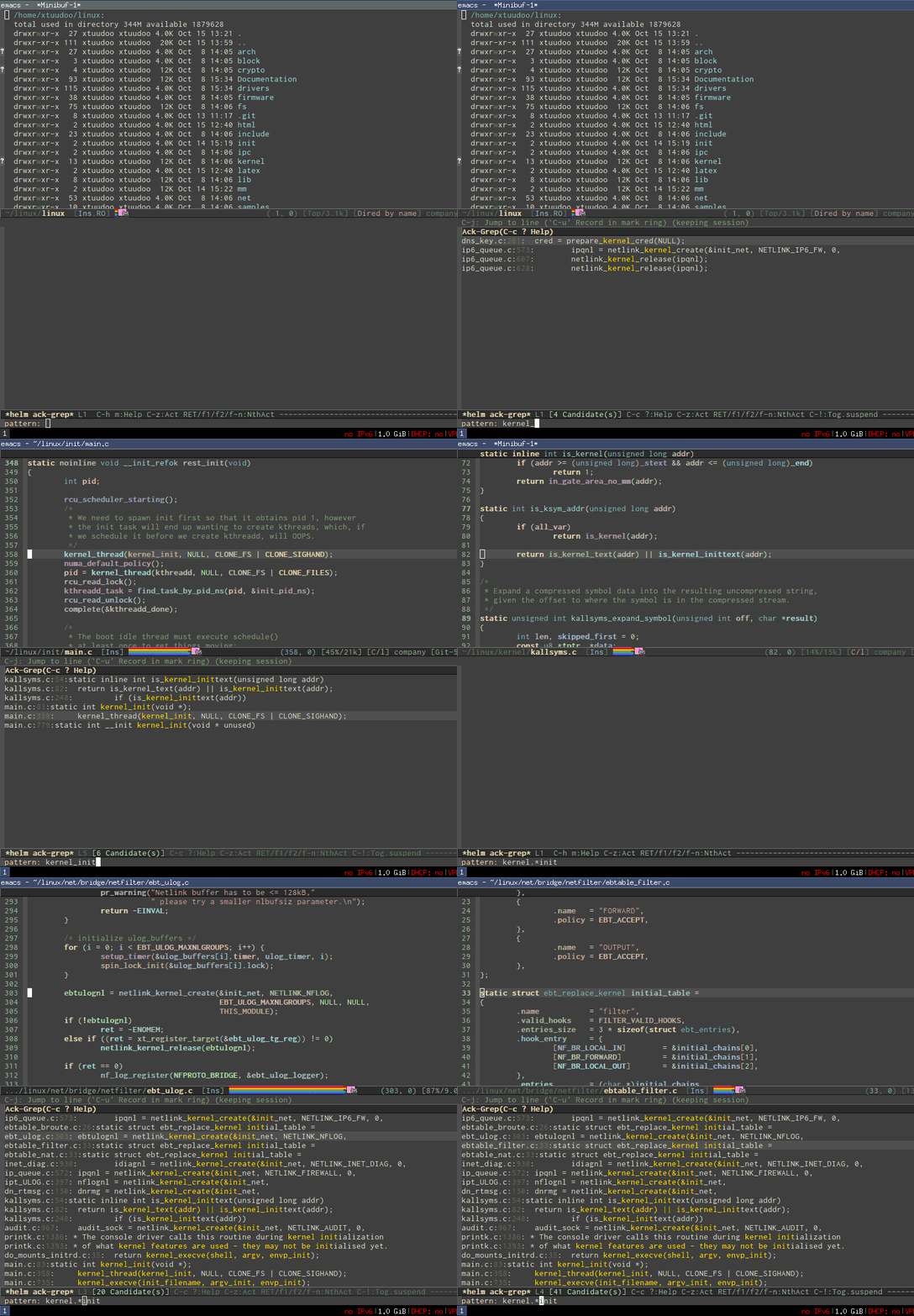
- Access to a list of project with a few key strokes: http://tuhdo.github.io/static/helm-projectile/helm-projectil...
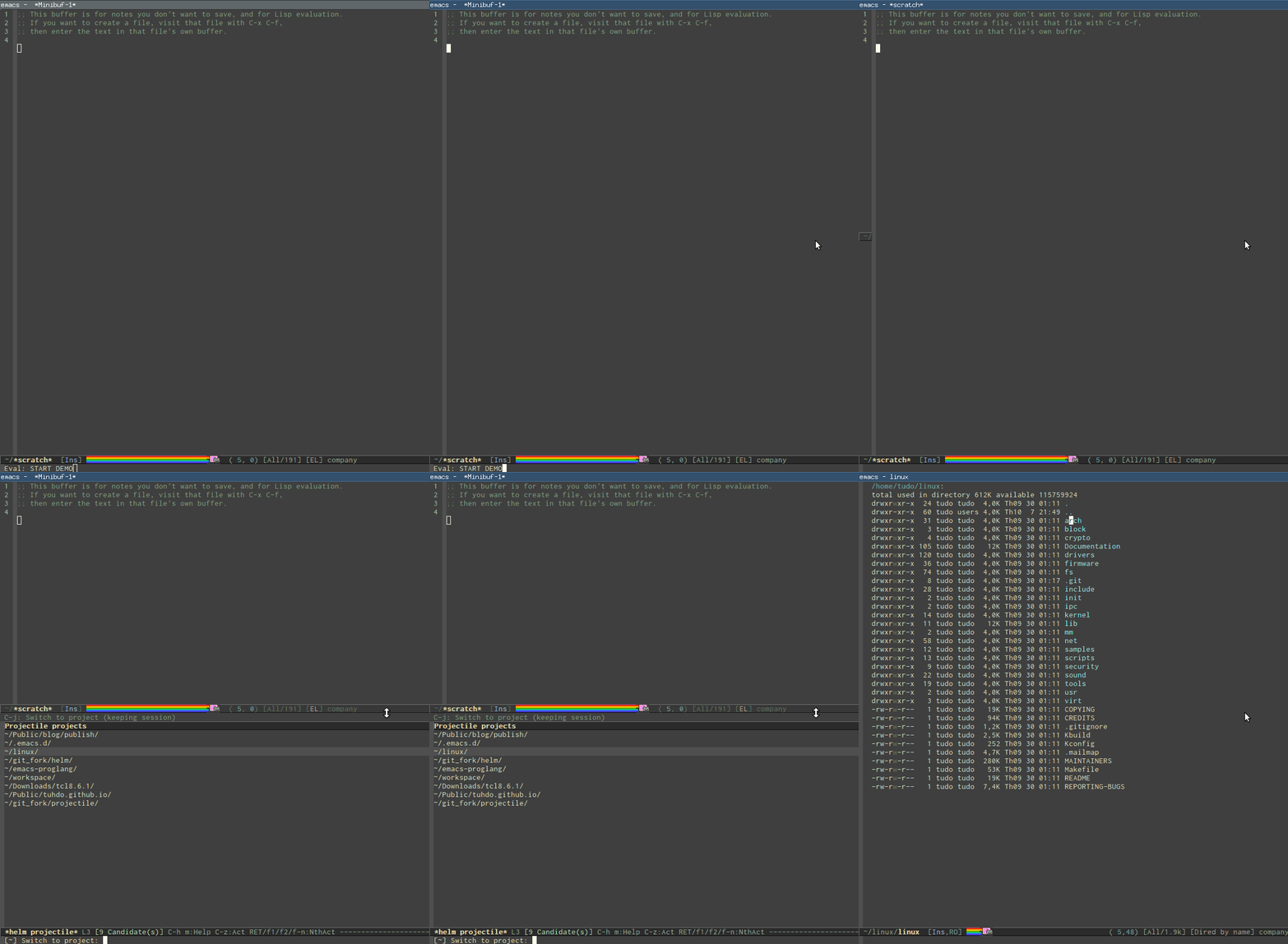
- Quickly access any file in your project, as large as Linux kernel, instantly, regardless of where you are in the project, and within a few keystrokes: http://tuhdo.github.io/static/helm-projectile/helm-projectil....
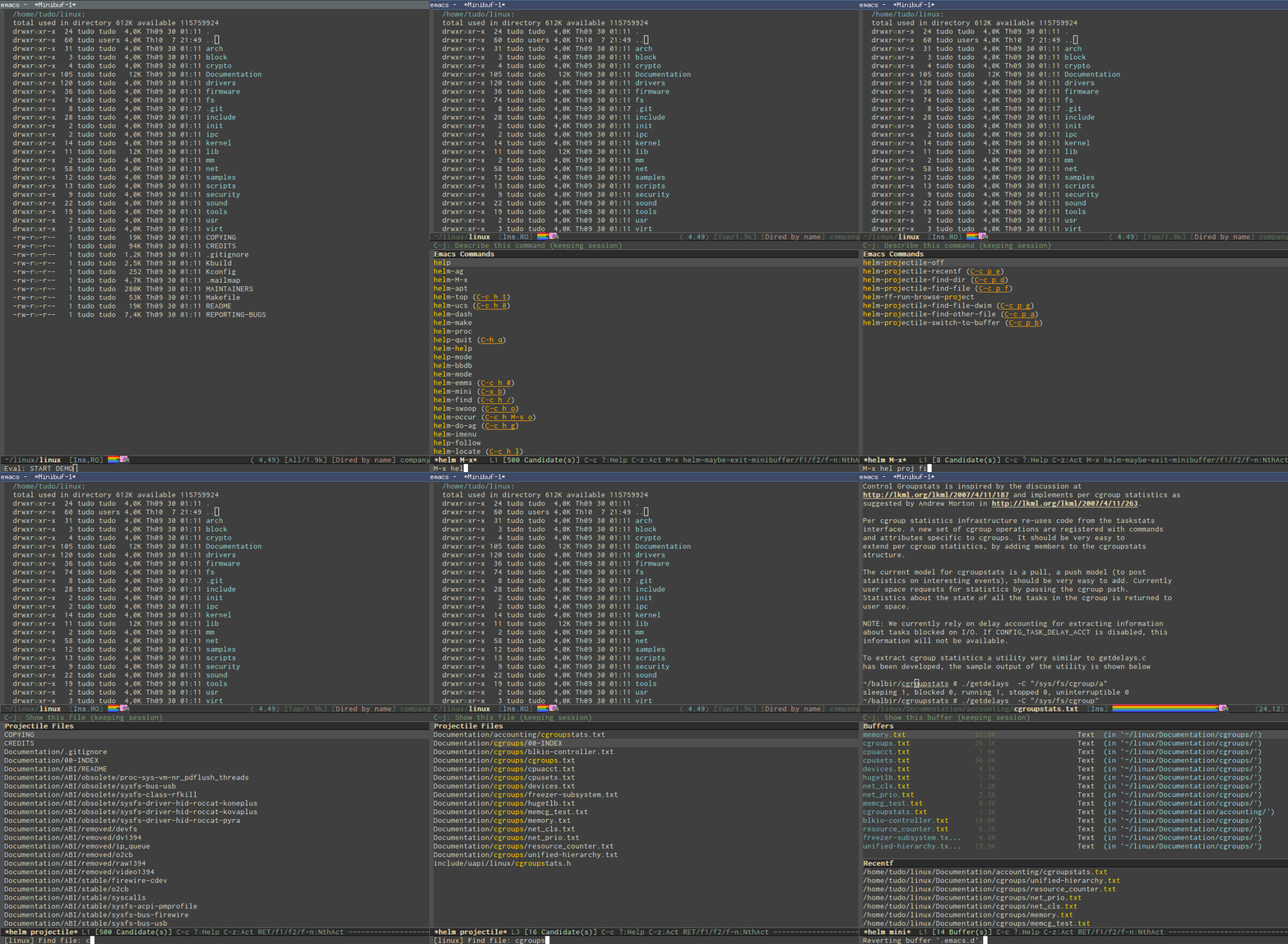
- Jump to any file depends on context, even if the file path is in a plain ASCII text file: http://tuhdo.github.io/static/helm-projectile/helm-projectil...
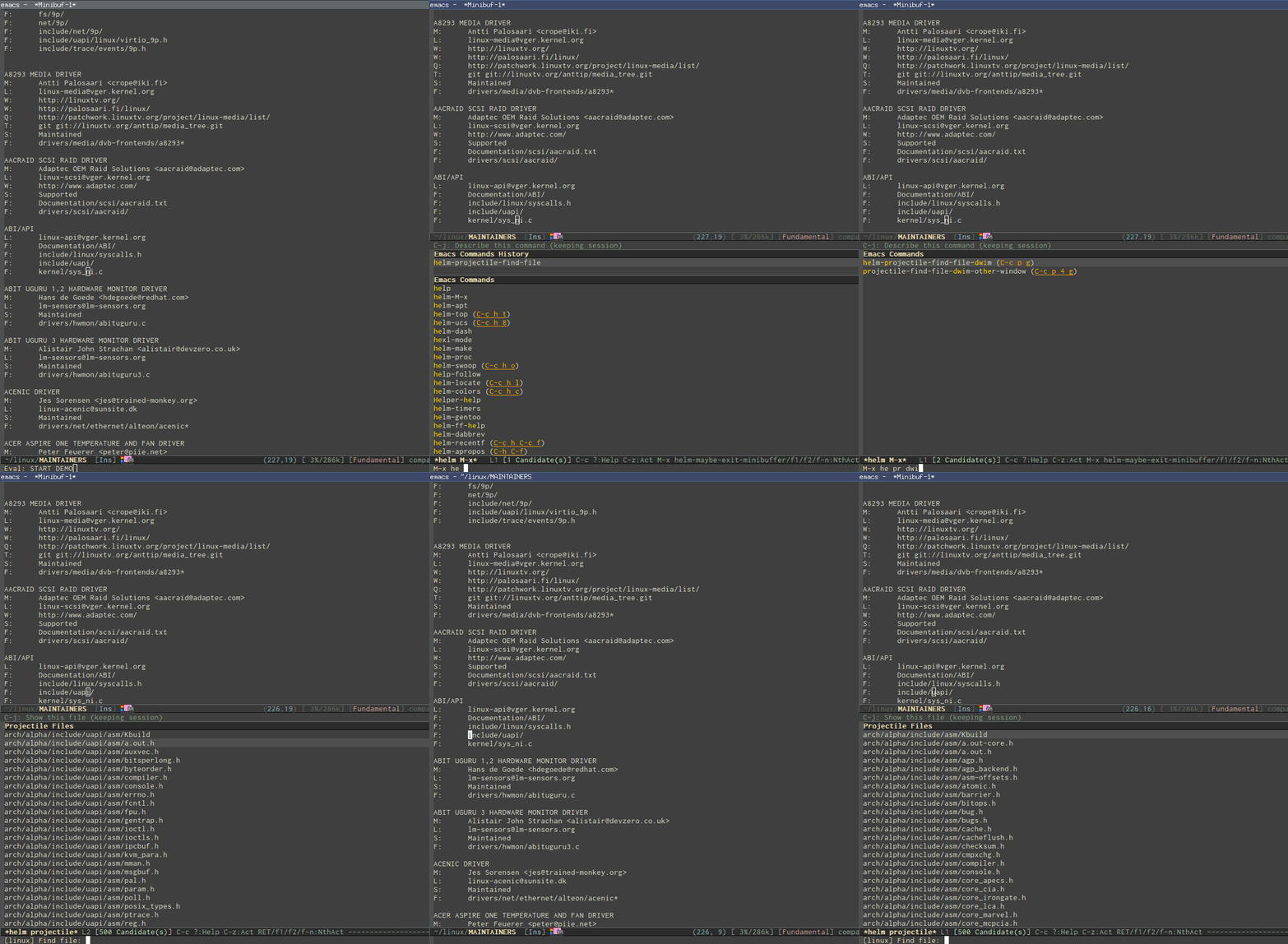
- Copy files from anywhere to anywhere: http://tuhdo.github.io/static/helm-projectile/helm-projectil....
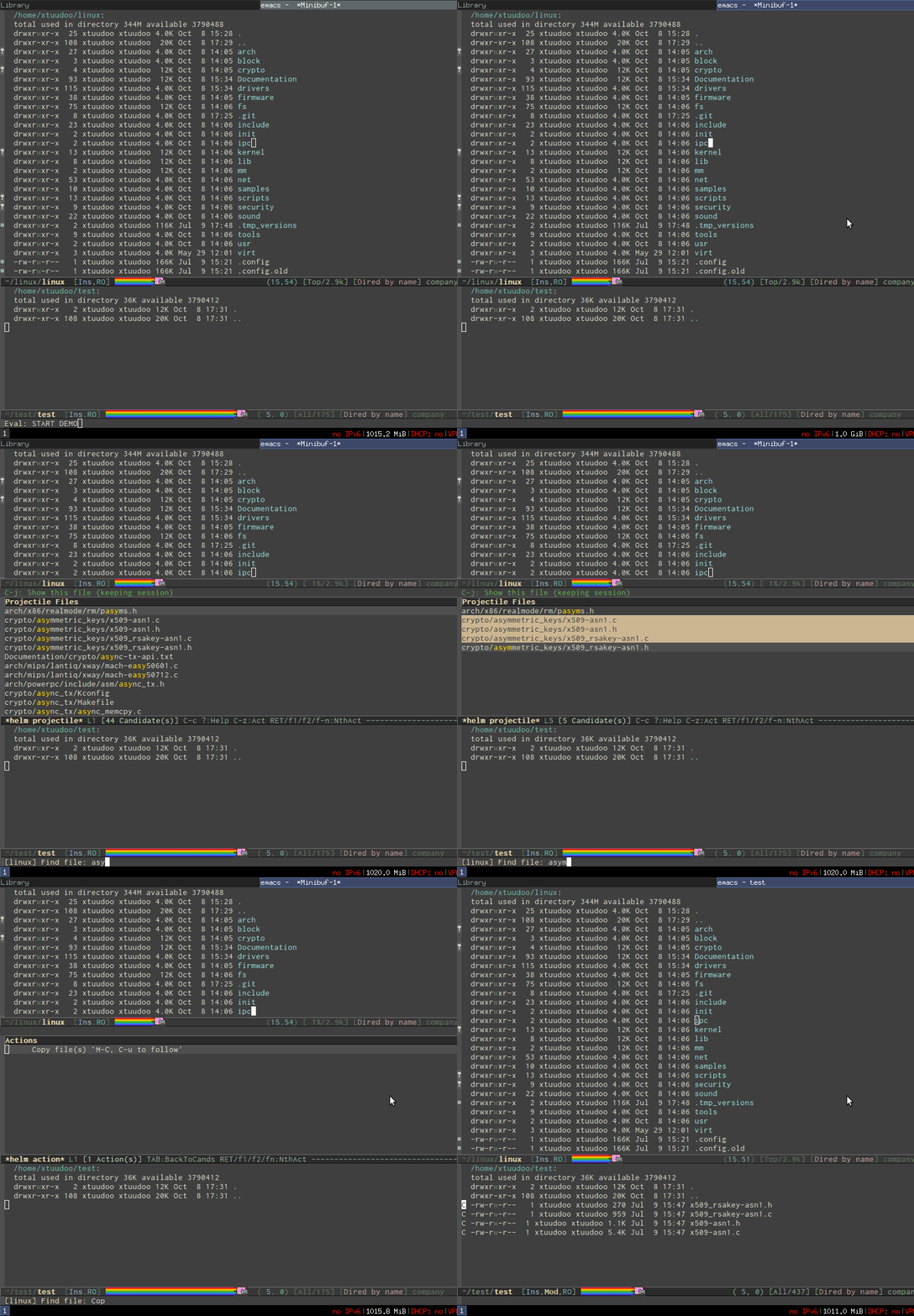
- Delete files anywhere; files are always at your finger tip to do whatever with them: http://tuhdo.github.io/static/helm-projectile/helm-projectil....
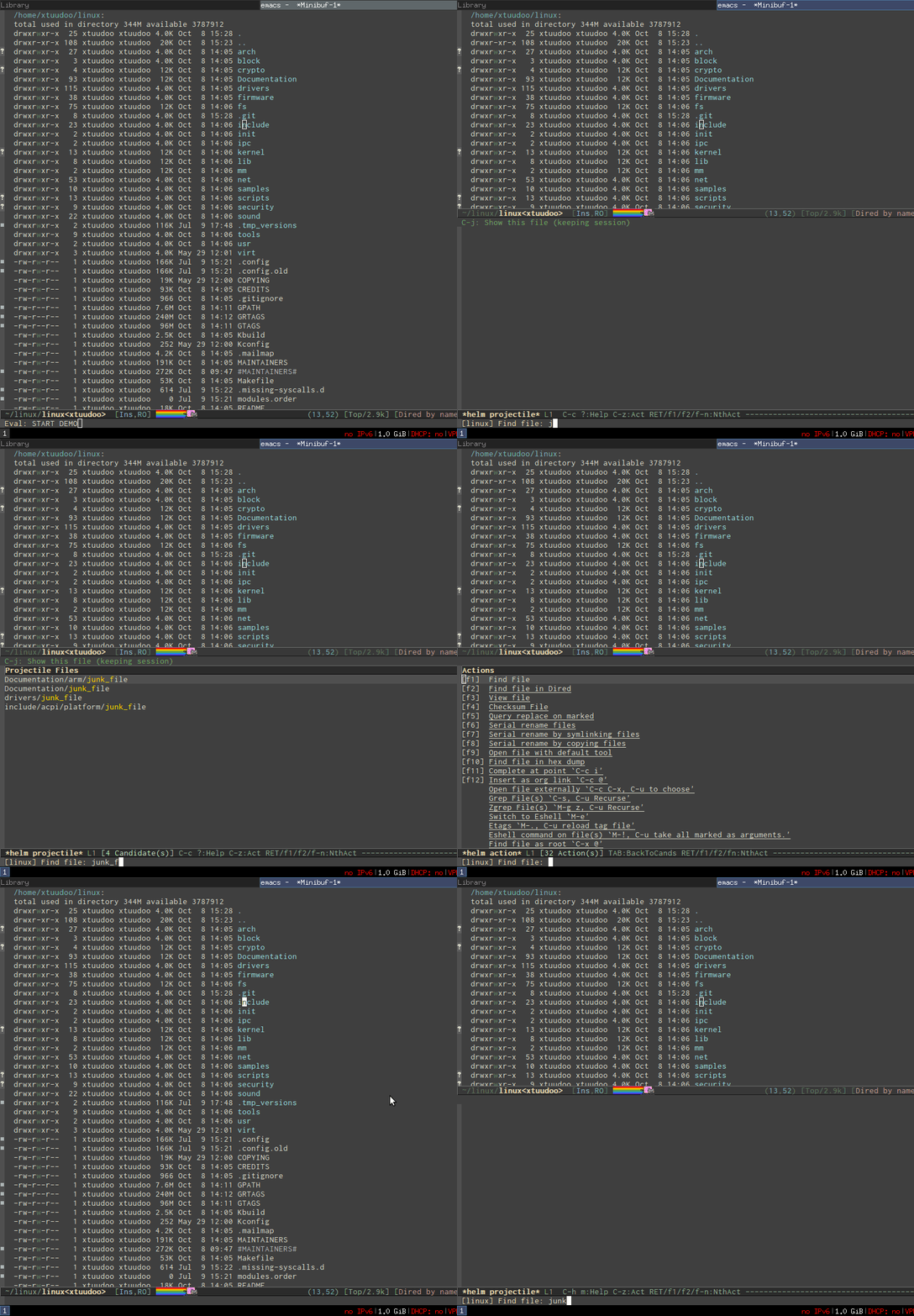
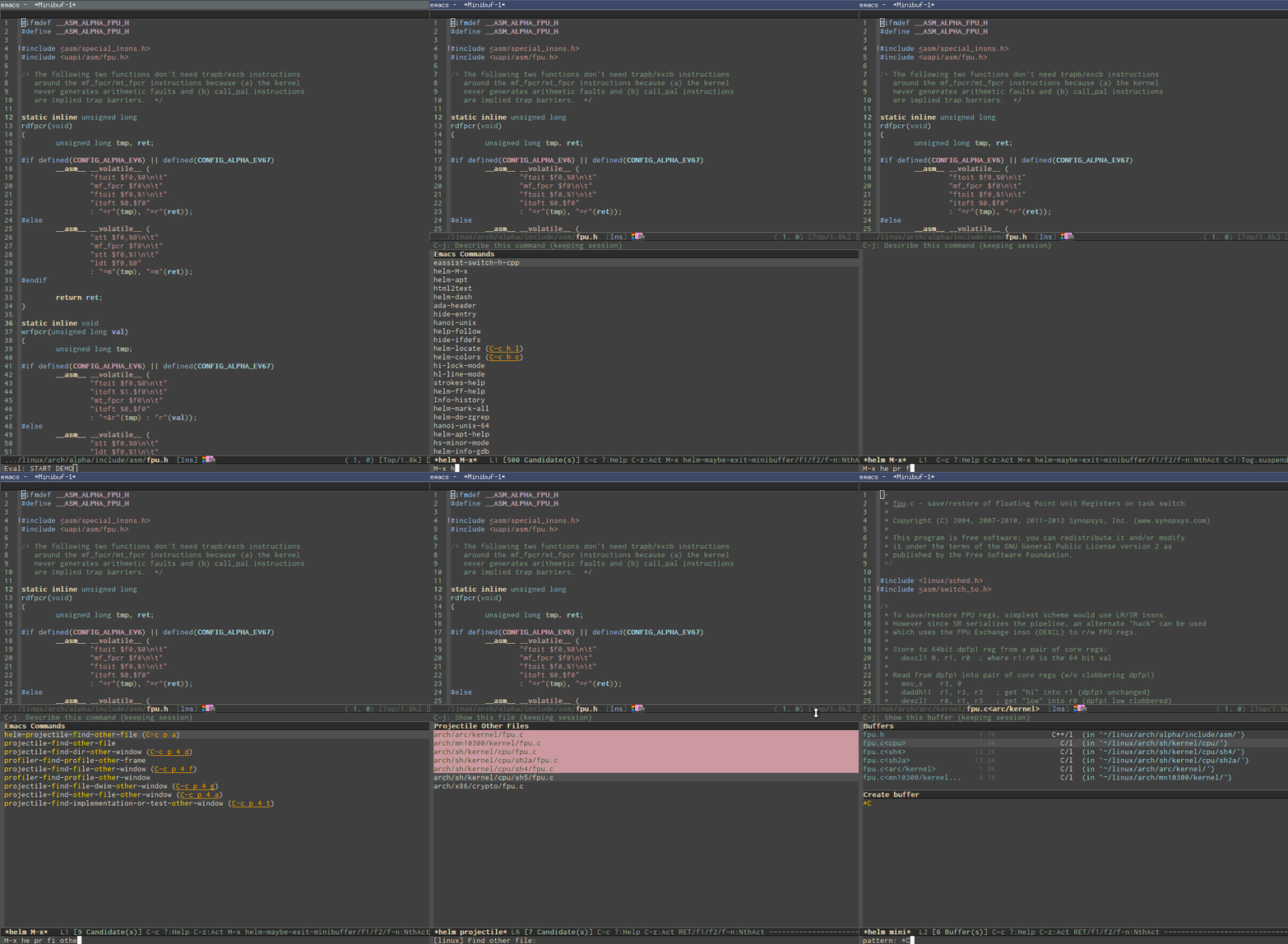
- Switch between other files with same names but different extensions: http://tuhdo.github.io/static/helm-projectile/helm-projectil.... Work not only for C/C++ but other languages, and is customizable. You don't have to configure anything, like adding include paths for the command to search. Everything is automatic. Just use it as it is.
- Jump to tag definition, from Emacs's own parser or external parser like GNU Global: http://tuhdo.github.io/static/c-ide/helm-gtags-jump-dwim.gif
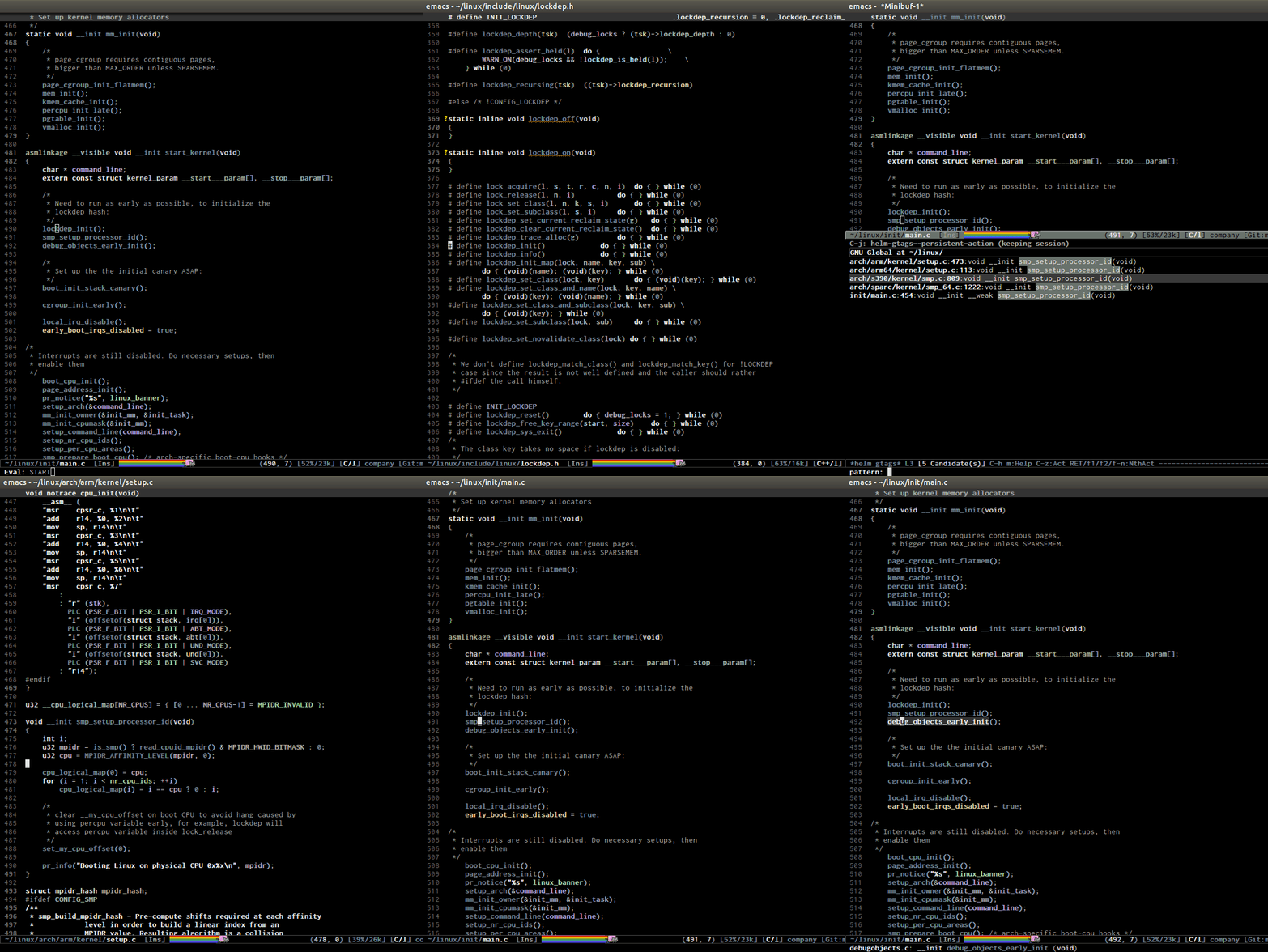
- Jump to any definition from a list of definitions in source tree, even for Linux kernel: http://tuhdo.github.io/static/c-ide/helm-gtags-select.gif
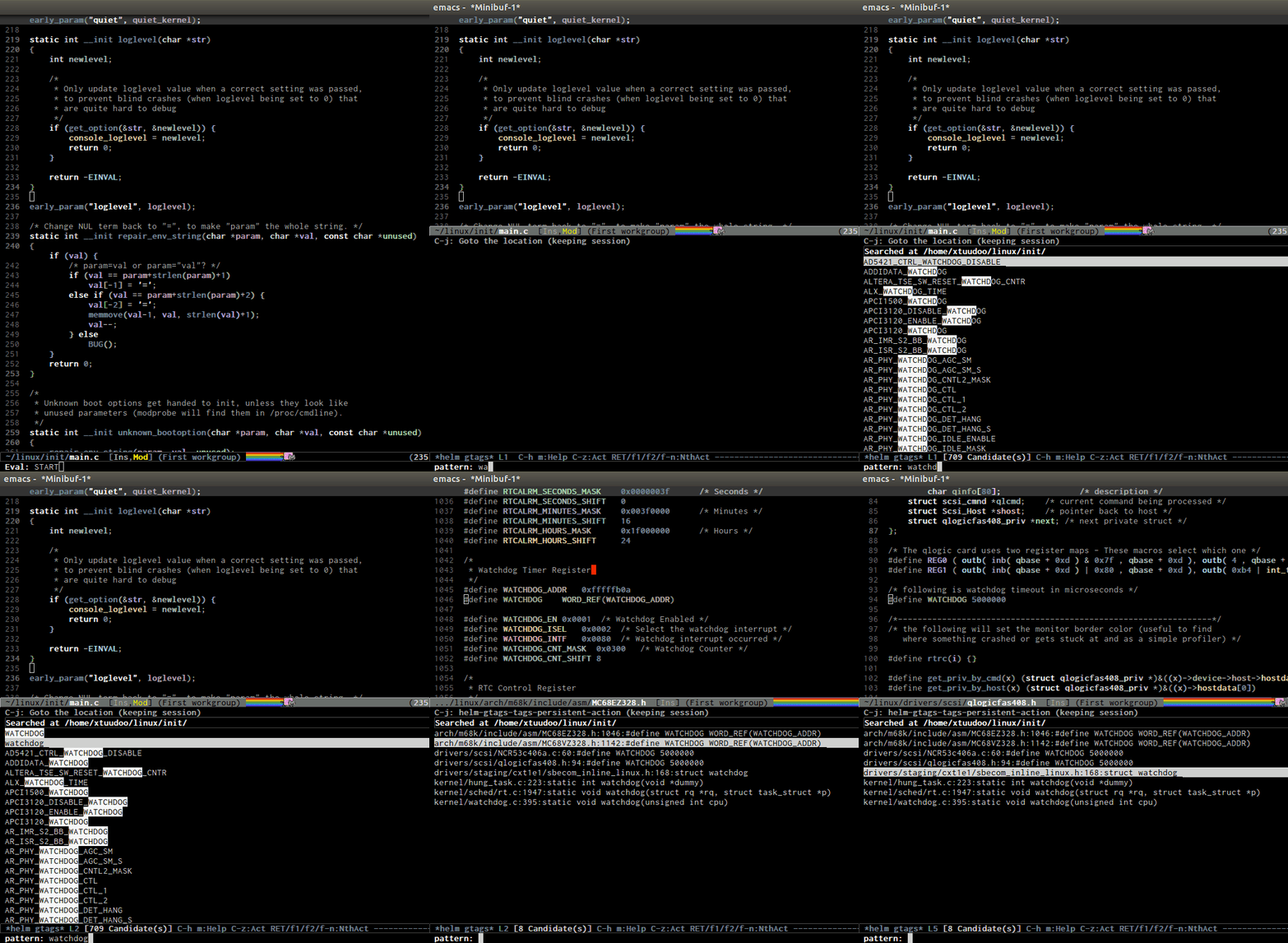
- Jump up to parent: http://tuhdo.github.io/static/c-ide/senator-go-to-up-referen....
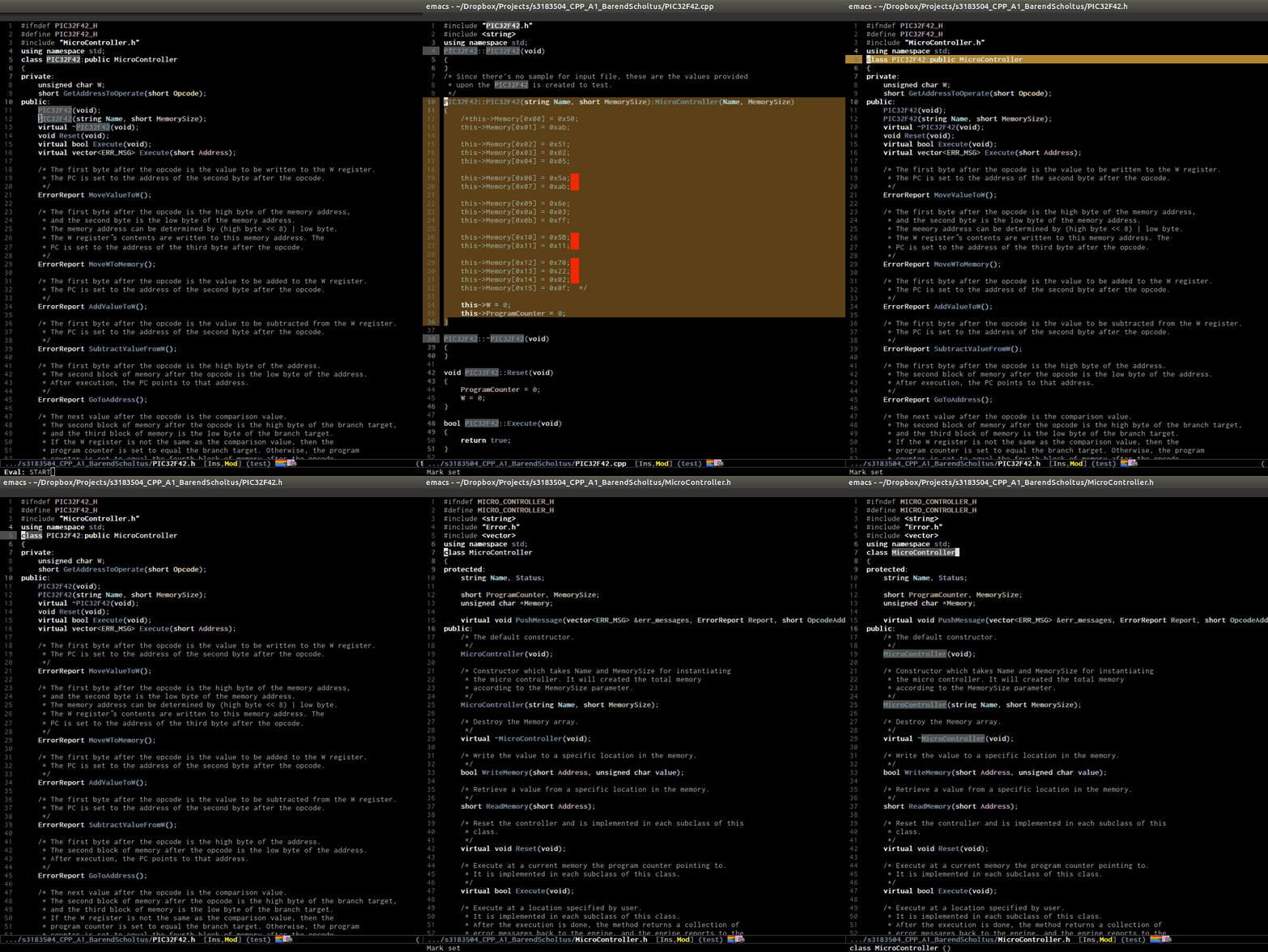
- Do you like outline tree?: http://tuhdo.github.io/static/c-ide/sr-speedbar.gif
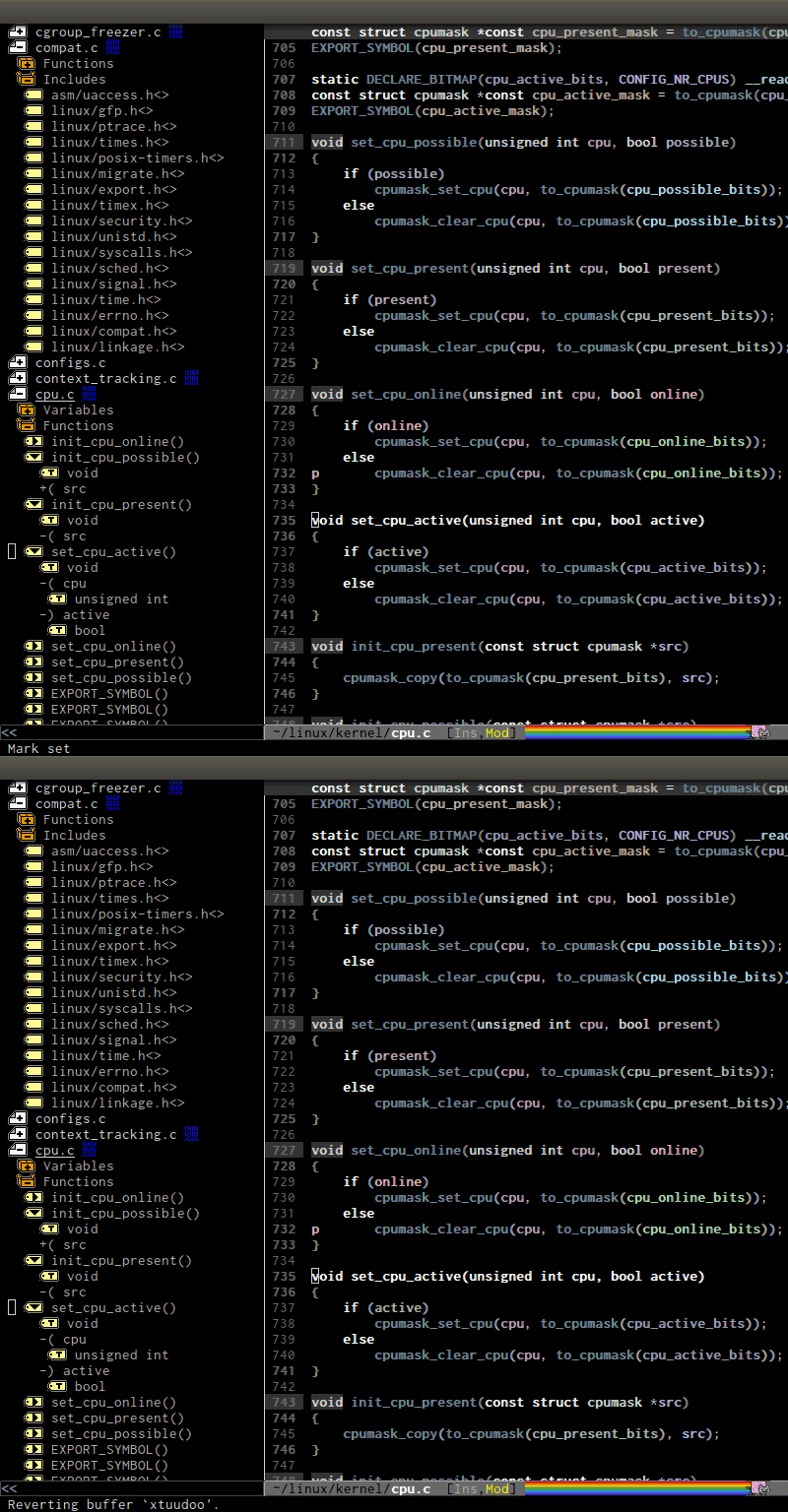
- Interactive outline tree: http://tuhdo.github.io/static/c-ide/helm-semantic-or-imenu-w...
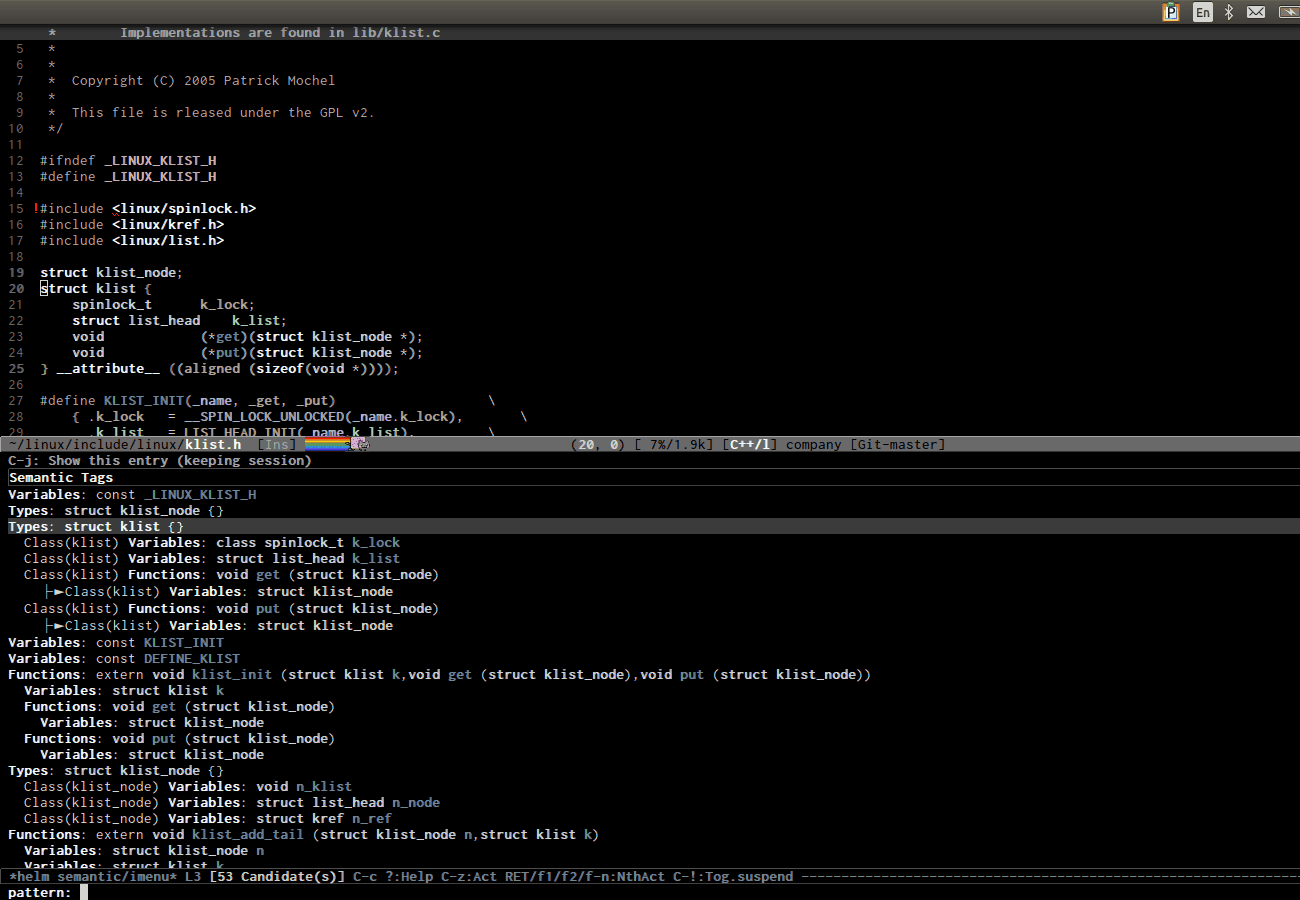
- Easily move back and forth using the interactive outline tree: http://tuhdo.github.io/static/part3/helm-semantic-or-imenu-2...
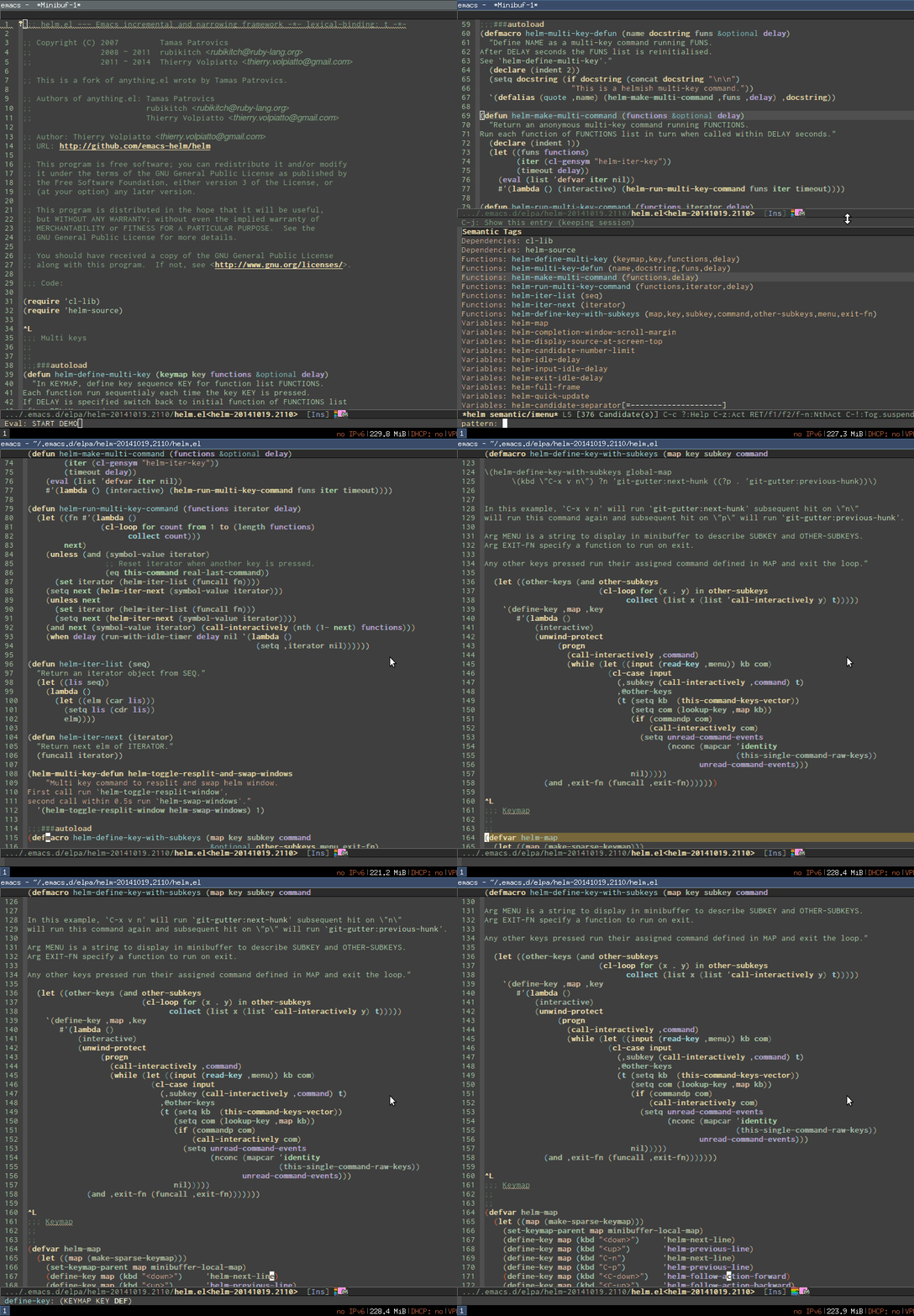
- References retrieved from its Emacs internal parser: http://tuhdo.github.io/static/c-ide/semantic-symref.gif.
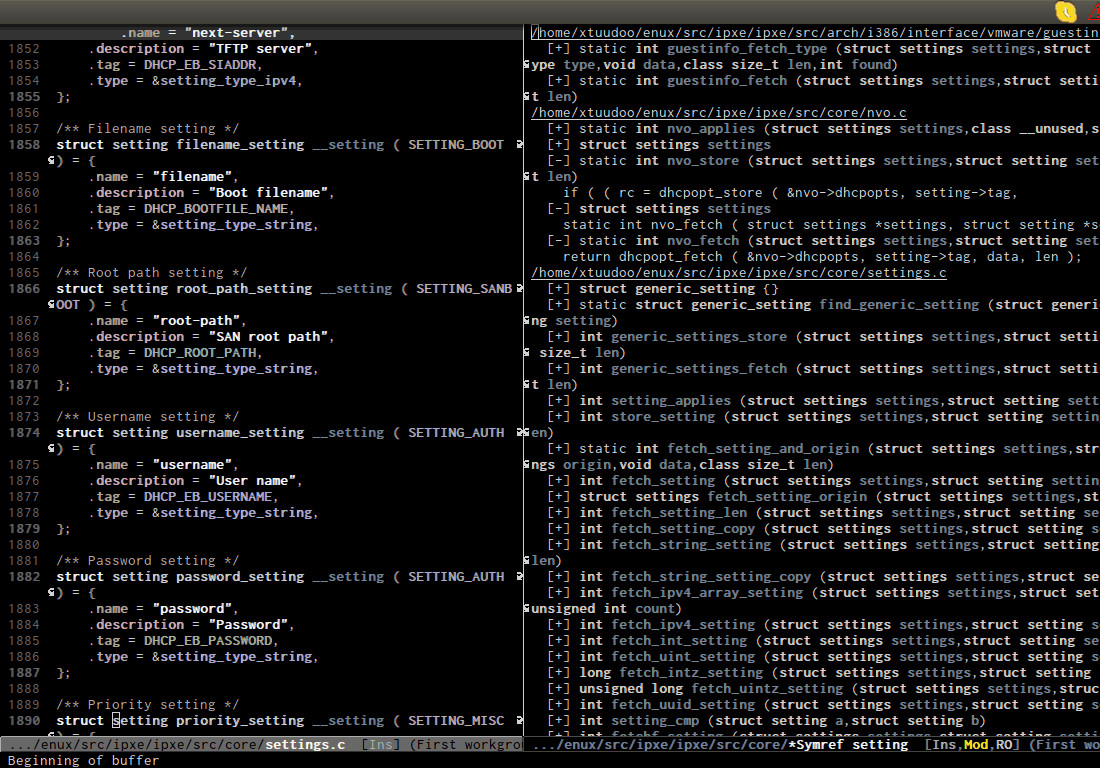
- Beautiful compile output: http://tuhdo.github.io/static/c-ide/compilation-compile.gif
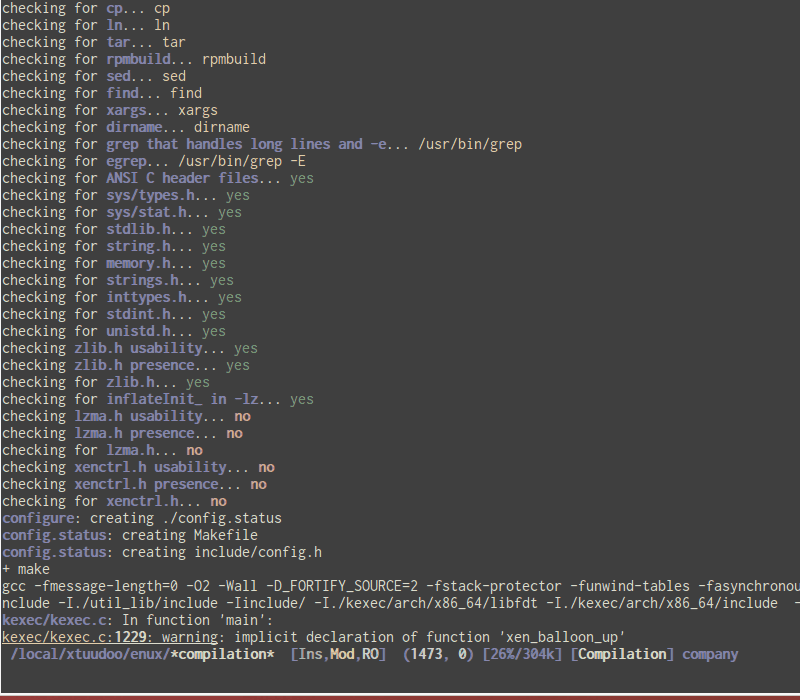
- Frontend support for GDB: http://tuhdo.github.io/static/c-ide/gdb-many-windows.gif
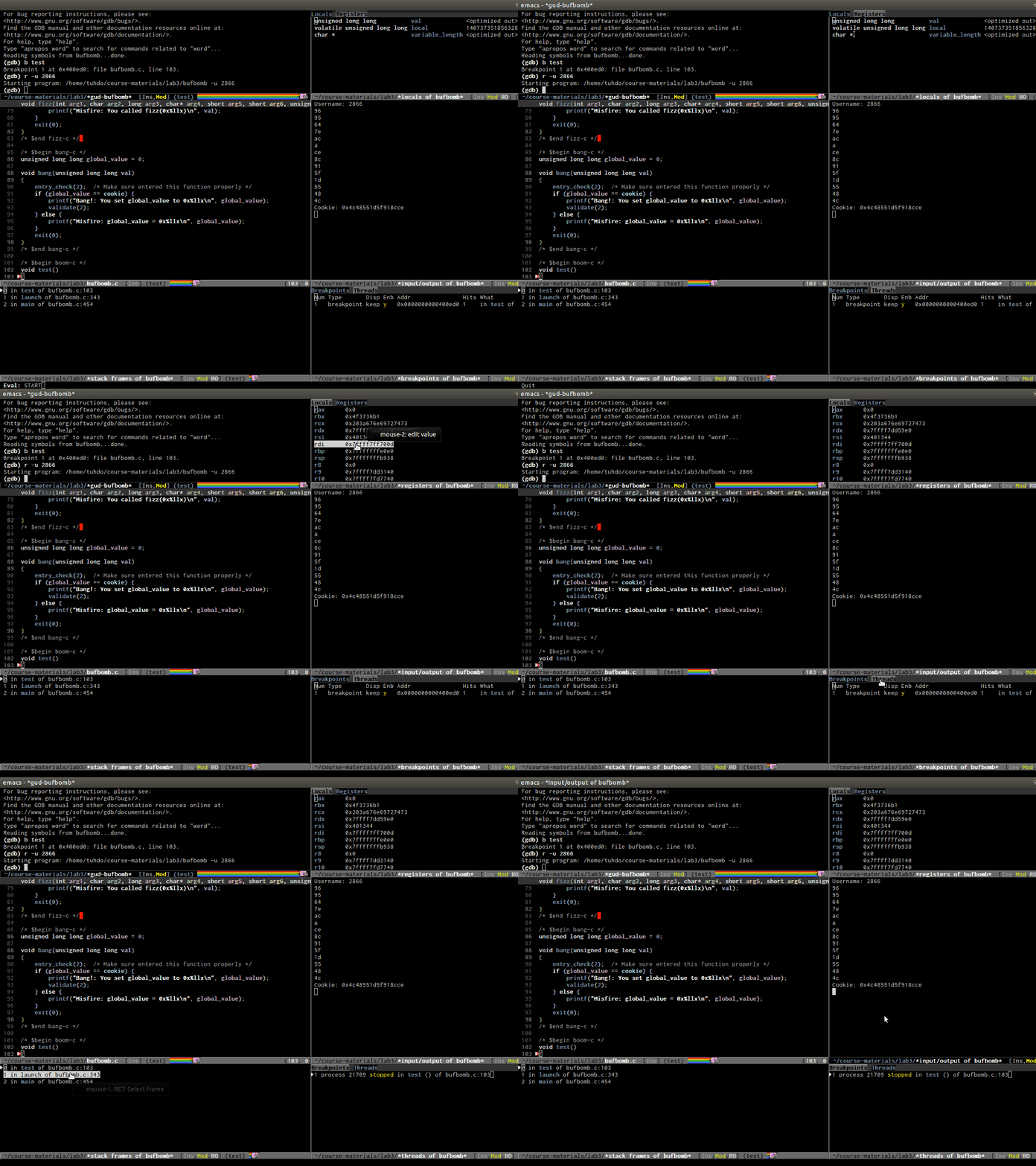
- Code completion: http://tuhdo.github.io/static/c-ide/semantic-boost-demo.gif.
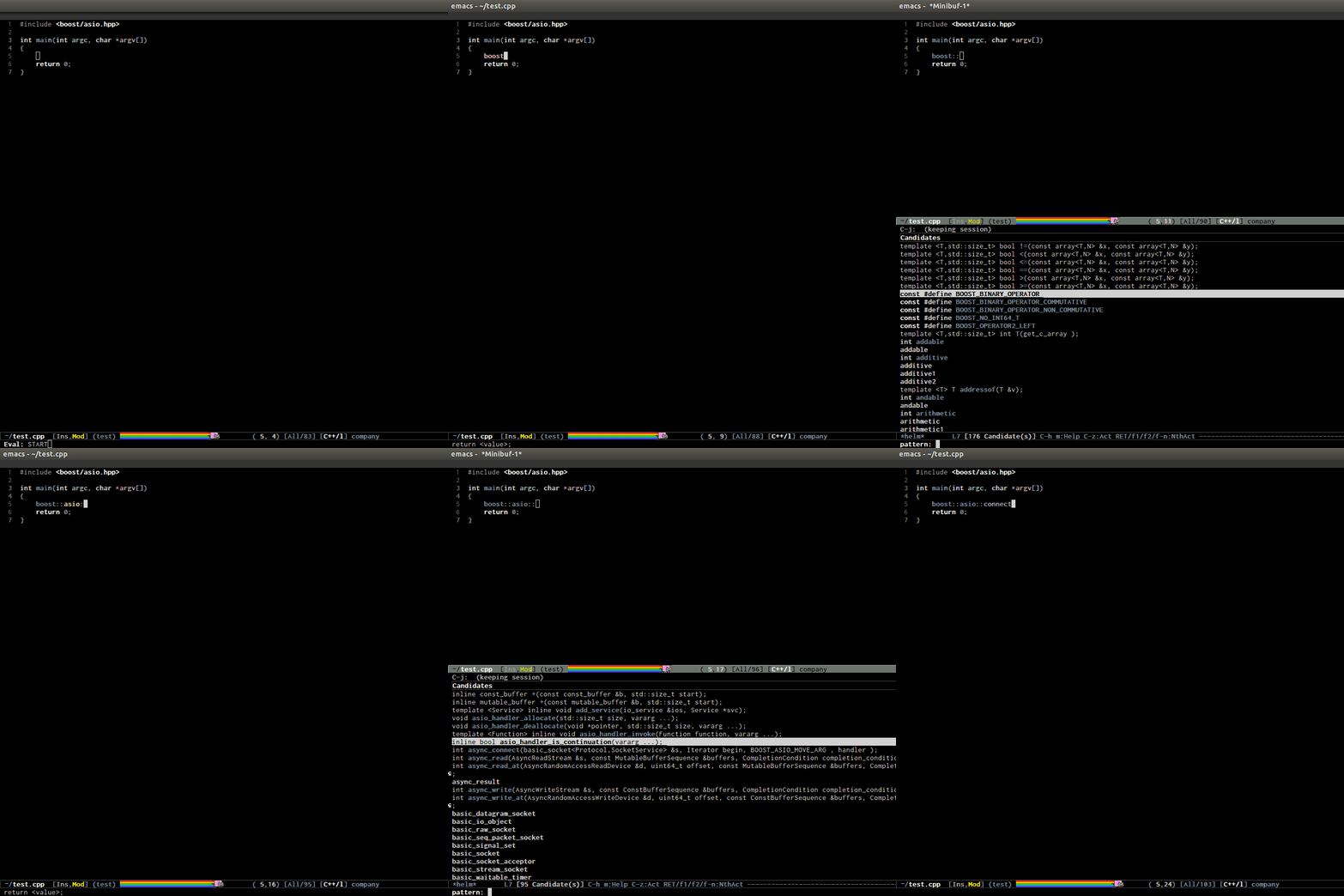
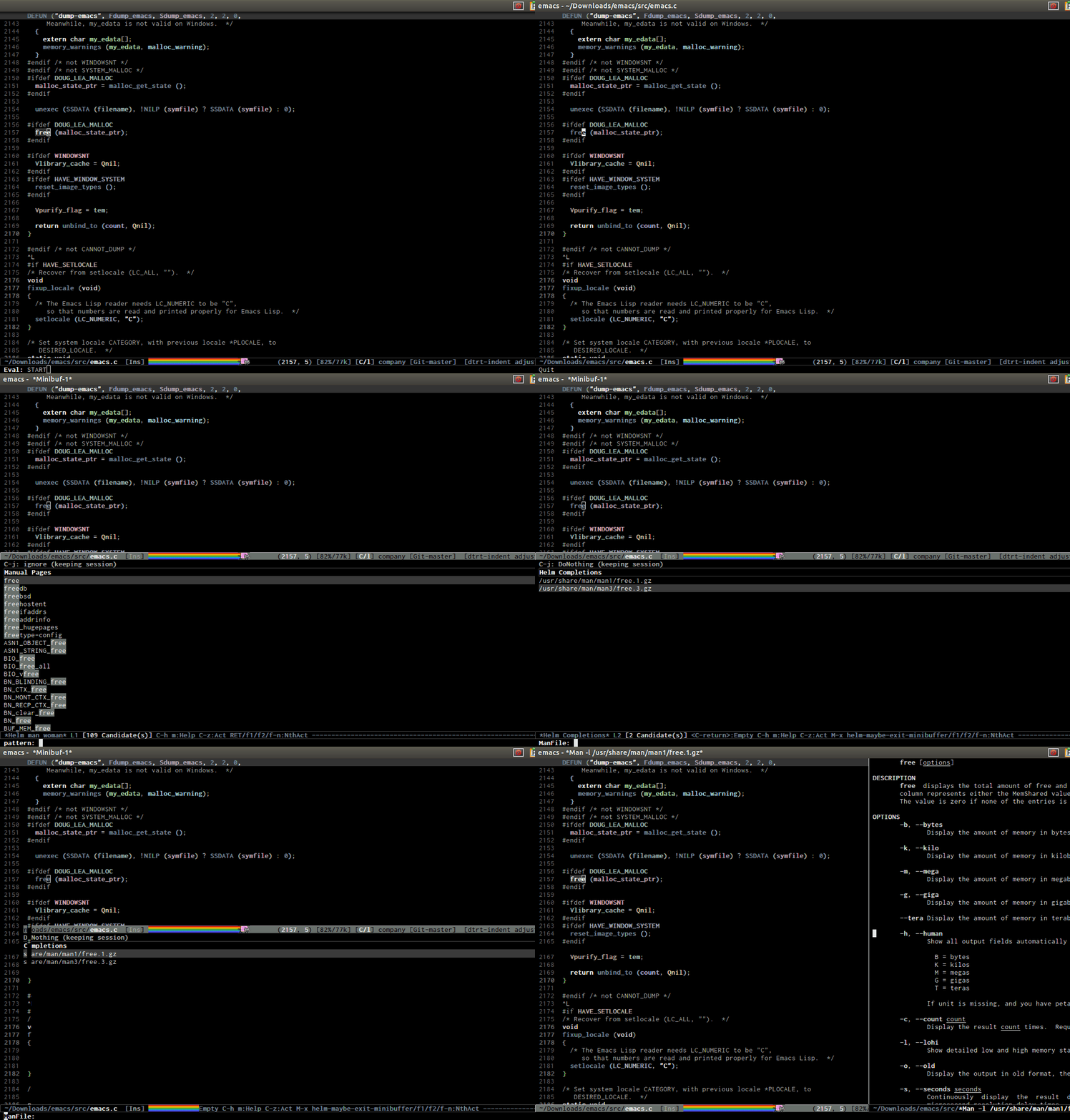
- Open man page for symbol at cursor: http://tuhdo.github.io/static/part3/helm-man-woman.gif.
- Emacs open 39MB C file: http://tuhdo.github.io/static/performance.gif
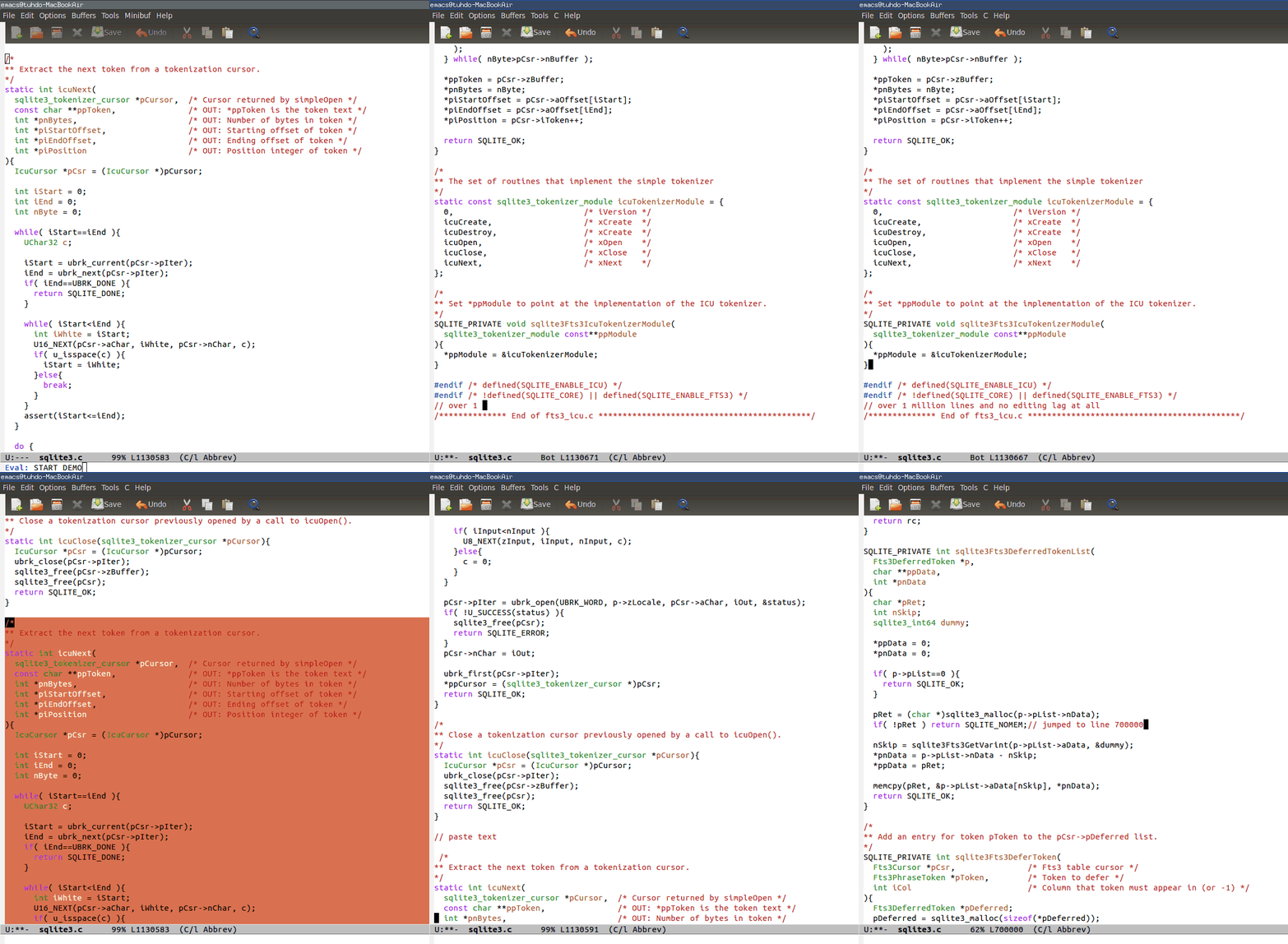
- Emac opens multi-gigabtye file: http://www.emacswiki.org/VLF
- Emacs is a bit torrent client: https://bitbucket.org/ukaszg/aria2-mode/
You can see more demos in:
+ Emacs Mini Manual: http://tuhdo.github.io/emacs-tutor.html + C/C++ Development Environment for Emacs: http://tuhdo.github.io/c-ide.html + A Package in a league of its own: Helm: http://tuhdo.github.io/helm-intro.html + Exploring large projects with Projectile and Helm Projectile: http://tuhdo.github.io/helm-projectile.html
Note that in the demos you may see me type in the commands. You can think of it like the start menu in Windows, but actually those commands can be executed quickly with a shortcut. I type in the commands for demonstration purpose to Emacs users.
Those demos are just tip of the iceberg.
We in the real world have to use compiler toolchains specified by our customers.
Do you also have demos for:
- Navigate in binary files
- Semantic refactory
- Background compilation
- Debug unit tests
- Cross reference to source control checks and software tracking issues
- Parallel code debugging
- Visualization of C++ data structures
- Semantic code navigation
- Database integration
- UML diagrams with two way code editing
- UI design
- Integration with application servers
- Graphical visualization of profiling data
- ...
Emacs is a fine software, but it is stuck in the past.
You misunderstood what Emacs is really. It's an environment for creating programs to run in it. At its core, Emacs is just Emacs Lisp interpreter. The editor frontend is for users to interact with this core, by directly using Lisp code or just using editing commands. Comparing Emacs to IDE is just like comparing Python interpreter to IDE; but the former has more potential to be anything it wants.
> Navigate in binary files
Yes. You have Hexl mode for editing binary files, ages ago: https://www.gnu.org/software/emacs/manual/html_node/emacs/Ed...
You can even open files with gigabytes size to edit: http://www.emacswiki.org/VLF
> Semantic refactory
Fine. This can be done if someone puts the effort into making it. But text replace in whole project is good enough. Even so, things like that won't work with project like Linux kernel. Parsers in IDEs like Eclipse or VS just can't handle such complex project, so those IDEs are also useless.
> Background compilation
Yes. Emacs can do perform asynchronous operation. M-x compile and type in compilation command, then either do something else or see it display beautiful output: http://tuhdo.github.io/static/c-ide/compilation-compile.gif. In Eclipse, even for debugging a simple binary file, you have to create a project. This is absurd.
> Debug unit tests
What's the problem? If you write unit tests in a language, use that language debugger. Emacs has an integrated interface for many debuggers, even for Bash and Make.
> Cross reference to source control checks and software tracking issues
Why is this essential? If you want, you can write one in Emacs. However, use a proper bug tracking software, like BugZilla and use your browser.
> Parallel code debugging
Yes, GDB provides that, so Emacs has that too. See this screenshot again: http://tuhdo.github.io/static/c-ide/gdb-many-windows.gif. Notice the bottom right. You have a tab "Threads" in there. Clicking on a thread in the list will switch other windows (i.e. registers, stack frames) to the context of that thread.
> Visualization of C++ data structures
Yes, you have Ebrowse: http://www.gnu.org/software/emacs/manual/html_mono/ebrowse.h..., that lists an index of classes in tree format. For example, if class is a child of a class, it is display as a child of that class in tree format. You can click on each class, you view all the member functions and can switch between declarations and definitions.
Or use Doxygen: http://www.stack.nl/~dimitri/doxygen/
> Database integration
Non-essential. I don't work with database. But, you can use Emacs as a database client if you want: http://truongtx.me/2014/08/23/setup-emacs-as-an-sql-database... and it's better than many crappy database clients out there.
> UML diagrams with two way code editing
Non-essential. Again, use Doxygen if you want.
> UI design
Can your IDE work on multi-hop remote machines?
> Integration with application servers
So, is running a terminal emulator inside Emacs and run commands to control the servers enough?
> Graphical visualization of profiling data
Non-essential. Use a separate profiler.
And please don't say that those IDEs are better because it can run some programs inside the same window, while Emacs relies on external programs. It's like saying Eclipse sucks and is not a real IDE because it uses gcc to compile code, not providing its own compiler. "IDE" is just a bunch of programs wired together.
In debugging, Eclipse is no difference than Emacs; both use GDB. For compiling, Eclipse also uses external debugger. The only thing that makes it an IDE is its internal parser, that is broken for large projects and Emacs also has a C/C++ parser anyway. What make Emacs less IDEish than Eclipse?
Except I only use CDT with Android. GDB is no match to Visual Studio debugging capabilities.
That's just scratching the surface. I've been using VIM for around 3 years. Most of the day almost every day. And I feel like I'm barely acquainted with what it can do. Still, it is one of the most important and vital work tools and its hard to imagine life without it. I'm pretty sure I would leave any job I wasn't allowed to use it.
Admittedly I went through a rough month or two getting started, but I could see right away that the potential gains in productivity were worth the cost and I'm glad I did. Sort of like learning to type which some people refuse to do because hunting and pecking is faster and easier short term. I'm sure you have seen people like this. And some actually type at amazing speeds for two fingers, but it doesn't compare with what they could do if they took the time to retrain themselves.
The problem now is that Vim is so ingrained in muscle memory I type splotch all over any other editor and web browser I touch. Hold on a second, I need to arrow back and clean up this comment... bbbbhhh
The second one is modal mode (editing and navigating/command).
I am trying to warm up to ST and the vim plugin is okay but some things are really missing (capital R)
All the things mentioned in the article are just there to not miss the nice features of other editors.
The only advantage I can see in Vim over a modern solution is that it runs in the terminal (which I guess is useful if you like to remotely modify files in your production environment?). Is it that after they have spent so many years learning the arcane controls, users feel obligated to stick with it in order to justify all the time they've already invested?
I must say I've only spent ~2 months of my life using vim before giving up, which I think is already pretty long for an evaluation. I have never experienced or even witnessed the productivity gains you're supposed to get from mastering vim. All I've seen is very unintuitive shortcuts for Ctrl+Backspace advertised as unique features in the world of text editing.
I would be very happy if someone could point out to me the elephant that I am not seeing here.