If you already have an Ubuntu box, you can also install the `xfce` package or do this:
    sudo add-apt-repository ppa:xubuntu-dev/staging
    sudo apt update
sudo apt install xubuntu-desktopI'm pretty sure the `dash to panel` Gnome extension does what you want: https://extensions.gnome.org/extension/1160/dash-to-panel/
From memory, it can be configured to show the window titles instead of just the icons, like the screenshot at the bottom of this page: https://linuxhint.com/create_two_panel_layout_gnome_shell_us...
I don't know which window manager. I just use Ubuntus defaults. It looks like this:
https://ubuntu.com/wp-content/uploads/a728/2020-04-23-13.05....
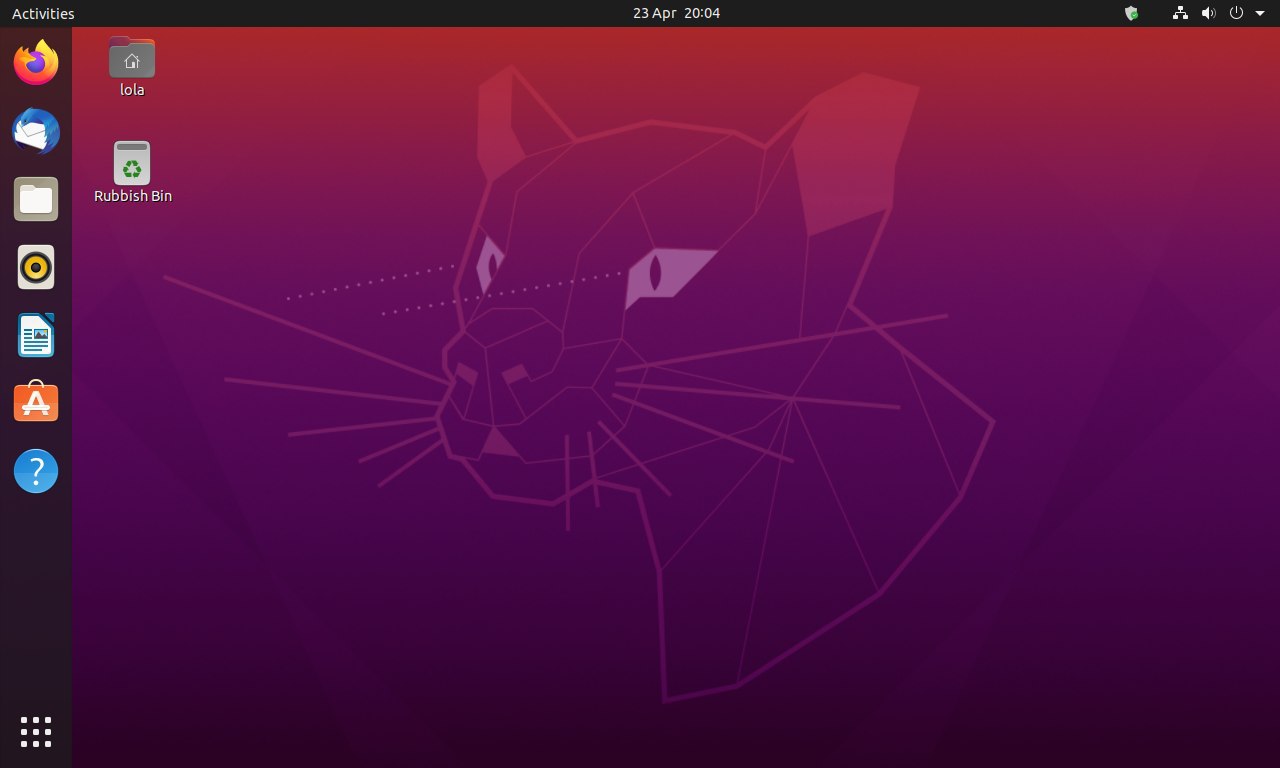
If your desktop look like similarly to the image you posted, the soft black vertical bar on the far left side of the screen is the taskbar. I think you are using Unity as your DE which is default DE for Ubuntu.
You can change to different DE if Unity is not your liking. There is a couple variants you can use, you can find them in the package manager and install it from there.
It does not display the titles of the open windows and does not let me arrange the entries. That are the two problems I described.
It feels like this is meant to be used on a mobile device rather than on a desktop. On a desktop it makes me way less productive compared to a normal taskbar.
If you want a better taskbar/dock, try different DE and see how you like it.
Also instead of changing desktop environments, he could install the clean/stock GNOME session and then add Dash to Panel + Arc Menu, which would give it a Windows-like taskbar.
Because it does not show the titles of all open windows.
And I cannot organize the entries as I wish.
It is such a productivity boost to see a list of all windows and their titles.
And it let's me organize my work much better when I can organize this list by changing the order of the buttons.
Is anybody here using Ubuntu with a taskbar?