Re:DisplayPort and 4K
by lightbulbjim on Monday February 17, 2020 @06:13PM
(#22351829)
Not true. I get the same scaling options on my 4K monitor as I do on my Retina display.
I'm not running the latest os.
On my displays I could only get the list of resolutions for my monitor, even holding down alt with preferences.
Meanwhile apple displays showed this dialog:
https://support.apple.com/library/content/dam/edam/applecare...
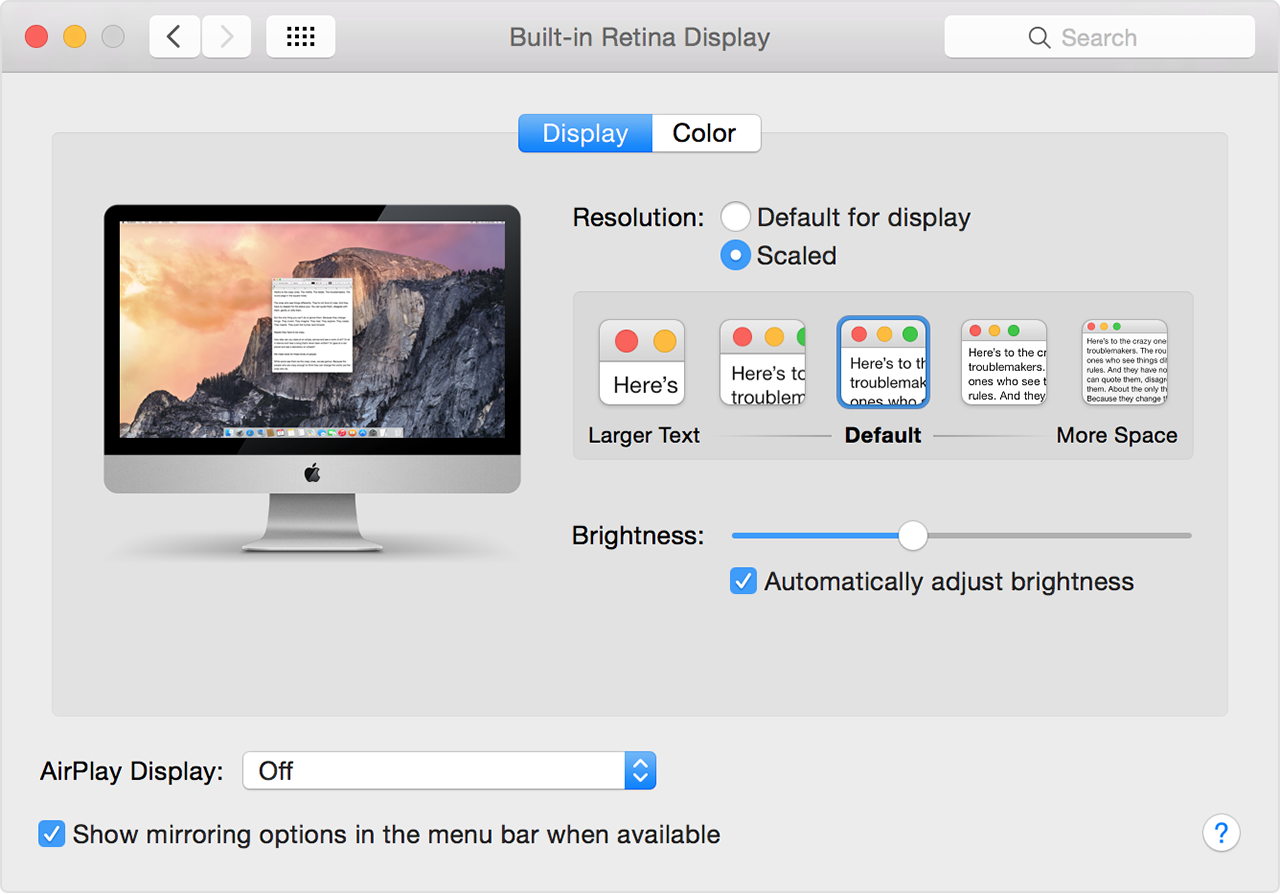
Maybe the latest OS allows it?
Re:DisplayPort and 4K
by lightbulbjim on Monday February 17, 2020 @08:03PM
(#22352516)
Yeah, maybe it's the OS version. I'm running Catalina and I see the scaling options from that screenshot for my external non-Apple monitor.
Re:DisplayPort and 4K
by Wowfunhappy on Monday February 17, 2020 @07:13PM
(#22352247)
I don't know what you're seeing but the retina scaling options don't appear on any non-Apple display I've ever used. (Unless I hack the kexts.)
Re:DisplayPort and 4K
by dont__panic on Tuesday February 18, 2020 @08:32AM
(#22355888)
You generally have to use the right equipment -- using mini displayport or thunderbolt 3 instead of HDMI, depending on the generation. It's definitely finicky (much like getting guaranteed 4k60 output, especially through a dock)
Re:DisplayPort and 4K
by Wowfunhappy on Tuesday February 18, 2020 @09:14AM
(#22356164)
Ah, maybe that's the key, I almost exclusively use hdmi.
Works for me, I'm using two fairly new dell 4K screens, as far as I know it works on any hidpi display
Re:DisplayPort and 4K
by tonyedgecombe on Tuesday February 18, 2020 @04:19AM
(#22354602)
It does for me on both LG and Dell monitors.
https://news.ycombinator.com/item?id=17476873
Also, apple has a tendency to support fancy features ONLY on its own hardware. I know apple retina displays allowed display scaling, but non-apple displays only let you set the absolute display resolution.