News for hackers. Stuff that matters.

Zta77

Re:Show HN: I've built a nice home server OS on Friday May 01, 2026 @12:32PM (#47976706)
If you want to help Lightwhale make it to the DistroWatch database, you can recommend Lightwhale by clicking here:

https://distrowatch.com/dwres-mobile.php?waitingdistro=1050&...

Re:Show HN: I've built a nice home server OS on Tuesday April 28, 2026 @06:09PM (#47941537)
I won't try to change your mind, but I think you should know that...

Debian isn't immutable at all. Everything is writable from the partition table, the kernel, to the C library and every executable.

Lightwhale has very few moving parts, making it less likely to get stuck. The single-page website is easily searchable and has information to get most people started. The Lightwhale Discord server answers the rest.

Here's a link to the advantages that immutability of Lightwhale brings to the table, just to give you an idea what you're dealing with: https://lightwhale.asklandd.dk/#immutability

Re:Show HN: I've built a nice home server OS on Tuesday April 28, 2026 @06:38AM (#47932607)
I'm biased, but I could see Lightwhale play a key role in this setup. You could start small, two nodes with Lightwhale in a Docker Swarm cluster. Run your server in a container. Leverage Swarm's load balancing to distribute connections to the nodes. You go l can even experiment with this in Proxmox and run the Lightwhale nodes as VMs if you like.

You get a minimum effort OS to host your game on, and the option to distribute it.

Re:Show HN: I've built a nice home server OS on Tuesday April 28, 2026 @05:22AM (#47932169)
I'll try and answer all your points:

I tried to outline the project features in brief at the start of the page. I'm sorry if I didn't communicate it clearly. Feel free to pinpoint where you were thrown off.

You need immutability so you don't have to worry/waste time on maintaining the system, and instead can focus on your containers.

Lightwhale isn't a special Debian variant. It's built ground up with Buildroot. It is literally purpose-built for this task.

A package manager doesn't remove the burden of maintenance, it just makes it easier. But it's still maintenance. I'm basically arguing it's unnecessary as long as you have a Docker Engine.

Snap and flatpak, while totally different concepts, I agree.

Linux (or GNU) doesn't solve any of this by itself.

True, the root account is a layer of security. But there are still may other problem even attack surfaces on a system.

I did a different explanation here that is easier to relate to, perhaps: https://news.ycombinator.com/item?id=47932066

Re:Show HN: I've built a nice home server OS on Tuesday April 28, 2026 @05:13AM (#47932109)
I do the opposite:

My workstation is where I work, fiddle with things, experiment. It 's a workbench in the context of software development. So I need to be able to modify and configure everything, install things, uninstall them again. A can't use a workbench wrapped in cellophane.

I want my server stable and fixed. I don't care about the OS, I don't want to configure it, update it, and otherwise maintain it. It's just a platform to run the Docker Engine and my containers.

Re:Show HN: I've built a nice home server OS on Tuesday April 28, 2026 @05:07AM (#47932066)
Hi, thanks for taking interested in my project!

I assumes you've visited the Lightwhale website and at least read the headlines:

"No maintenance headaches. Just boot and focus on what matters!"

and the first section, including:

"Lightwhale lowers the entry barrier, removes tedious administration tasks, and opens a friction-free path to productivity"

But maybe you dismissed as being empty buzzwords, or didn't quite believe it, so you want an explanation. That's perfectly okay, allow me to elaborate:

So, if you've already gone though the process of partitioning, installing, and configuring a general purpose operating system, and then ran that "one line" that added the docker repository, installed docker, docker-compose, and buildx, and presumably also added yourself to the docker user group, then I'd say you've got a head start compared to a clean, bare-metal box. True, you're now off to the races.

Of course, all this work and time invested in your system comes with a tax called maintenance.

Everything you just installed is live. And now your job is to keep everything safe and sound. Not just the files in $HOME and /etc/, but also /usr/bin/docker, /usr/bin/bash, /lib/libc.so, and even /usr/bin/[. But that's just the rootfs. You also have to groom your boot partition. Even the partition table and MBR. I know, your installer and package manager handles that for you. But nevertheless, all this is writable and either imposes an attack surface, is at risk of daily butter fingers breaking things, or lives on a filesystem that may introduce silent bitrot or on a media that can fail. But that's not the end of it. If do a good job, your server will live a long and happy life. And eventually, you get to experience something remarkable: It dies. I'm not talking about the hardware suffering a fatal crash, no; I'm taking about Canonical deciding that your version of Ubuntu is now suddenly going into End Of Life. You now have choices to make: Should you upgrade and leave your system at the mercy of the numerous upgrade scripts? Should you reinstall to get a clean slate, repeat everything mentioned above, and try to migrate your data configuration, containers, volumes, etc? Or maybe just leave the OS there dead; afterall, you're only interested in your docker containers and they're unaffected, so that seems like a valid path. Except every time you log in, it's like stepping over a dead body in the doorway, and that doesn't feel quite right.

Of course, if you find these administration tasks fun and interesting that's perfectly okay. And honestly, I can absolutely relate to that, because I've been doing it as a hobby since forever, and I enjoyed myself. Until I reached a point where the installer and maintenance didn't interest me as much as just running the software.

Now, look back at my taglines above, and I hope you can see how Lightwhale can benefit you in setting up a home server:

If you want less tedious administration and maintenance, but instead like a friction-free path to just boot and run your software, then Lightwhale is worth a try.
Re:Show HN: I've built a nice home server OS on Tuesday April 28, 2026 @03:48AM (#47931562)
Correct, it's only terminal. Lightwhale provides only the bare necessities for you to deploy what you need. So instead of dictating a UI, you're free to choose what you like, be it Portainer, Dockhand, Komodo or something else.

Lightwhale is perhaps more of an "expert system" compare to consumer products that come preconfigured with a UI. On the other hand, if you want to try a server where you are in full control, Lightwhale it is the easiest way to get a pure Docker server up and running.

Re:Show HN: I've built a nice home server OS on Tuesday April 28, 2026 @03:40AM (#47931500)
Me too. What do you mean?
Re:Show HN: I've built a nice home server OS on Monday April 27, 2026 @04:53AM (#47919230)
Yes, sorry. I don't use the master branch, and Bitbucket doesn't easily let me delete it. But wait, you confirmed that "3.0" isn't there, but somehow missed that "3.0.0" is? =)
Re:Show HN: I've built a nice home server OS on Monday April 27, 2026 @04:14AM (#47918981)
I think you're missing the point.

Of course you can choose a general purpose Linux dist. But you'll still have to go through the extra work of partitioning the disk, installing the system, selecting packages, possibly follow some other guide to install Docker Engine, Docker Compose, Docker Buildx, and doing that thing with the docker group. At that point you'll pretty much have what Lightwhale provides out of the box. Except you'll be left with a system that isn't immutable, and where system and data is entangled on one filesystem. And if that's your thing, you should do definitely that. But...

If you just want to run your containers, then Lightwhale is best in class.

Re:Show HN: I've built a nice home server OS on Monday April 27, 2026 @04:04AM (#47918928)
I don't have a recommended or official way. But you could look into using `btrfs send` to send the data filesystem subvolume to a backup host, preferably initiated from the backup host, e.g. by ssh into the Lightwhale server and do the send. And there's always rsync.

One nice thing to keep in mind, is that all data that is ever written in Lightwhale, exists in /mnt/lightwhale-data/lightwhale-state. Data is not entangled with the rest of the system in the rootfs.

The tricky part perhaps is that you should sync all container data to disk prior to taking the backup (or snapshot) to be sure you have a clean state. And the only safe way I can think if, is to stop all containers first. But I think this goes for every Docker Engine.

Re:Show HN: I've built a nice home server OS on Sunday April 26, 2026 @09:14AM (#47910064)
Exactly!
Re:Show HN: I've built a nice home server OS on Saturday April 25, 2026 @06:16PM (#47905118)
Thanks for letting me know. I really should delete the master branch because I don't use it. This is where the good stuff is: https://bitbucket.org/asklandd/lightwhale/src/3.0.0/
Re:Show HN: I've built a nice home server OS on Saturday April 25, 2026 @06:14PM (#47905103)
Hello!

I went with Btrfs for persistence, and automated some things around that. For example, if you give Lightwhale two magic disks, it will automatically create a Btrfs RAID1. During persistence setup it will also create a few default subvolumes to fully support snapshots and rollback of the entire data filesystem. (Remember, the rootfs of the OS is still immutable, and is never part of the data filesystem). Besides snapshots and RAID, Btrfs has checksums which I think is a must.

I've heard lots of nice things about zfs, and I know it does snapshots and checksum too. But also that it eats huge amounts of memory for breakfast. I may not be updated on this, but I faintly remember some licensing issues, that potentially could cause problem if zfs was baked into an ISO like Lightwhale. Those are the main reasons why I'm reluctant to zfs and chose Btrfs.

But you're absolutely right, I have taken some radical choices with this dist. But most are deliberate and by design =)

Re:Show HN: I've built a nice home server OS on Saturday April 25, 2026 @05:59PM (#47904951)
Lightwhale comes with docker compose too! And docker buildx and git for good measure. This means you can clone your git repo, and docker compose up your stack immediately.
Re:Show HN: I've built a nice home server OS on Saturday April 25, 2026 @05:53PM (#47904896)
...and then proceed and do the same again, only with a window manager =)
Re:Show HN: I've built a nice home server OS on Saturday April 25, 2026 @05:49PM (#47904855)
Proxmox is great. I use it for experimenting with Lightwhale swarm clusters locally; I'm currently running 8 Lightwhale worker nodes with 512MB RAM each and no disk, and it's super fast and fits in my pocket.

I don't consider Lightwhale as an alternative to Proxmox. In fact, how do you even run a Docker container in Proxmox? Without booting Lightwhale in a VM first, I mean? ;)

Re:Show HN: I've built a nice home server OS on Saturday April 25, 2026 @05:39PM (#47904767)
Oh, but it's not a constraint. And it's certainly not a general concept. It's the very purpose of Lightwhale.

Lightwhale does one thing and it does it great: It lets you run Docker containers effortlessly. And that is it. If that's not what you want, you honestly should run something else — no hard feelings =)

Re:Show HN: I've built a nice home server OS on Saturday April 25, 2026 @05:29PM (#47904681)
Hello. I'm glad you asked =).

So first of all, you don't install it; you just boot it. And because Lightwhale doesn't write anything to disk unless you explicitly tell it to, (https://lightwhale.asklandd.dk/#persistence-enable), then you're safe to boot it any time and check it out. You can use a VM to be sure: https://lightwhale.asklandd.dk/#faq-virtualiuzed

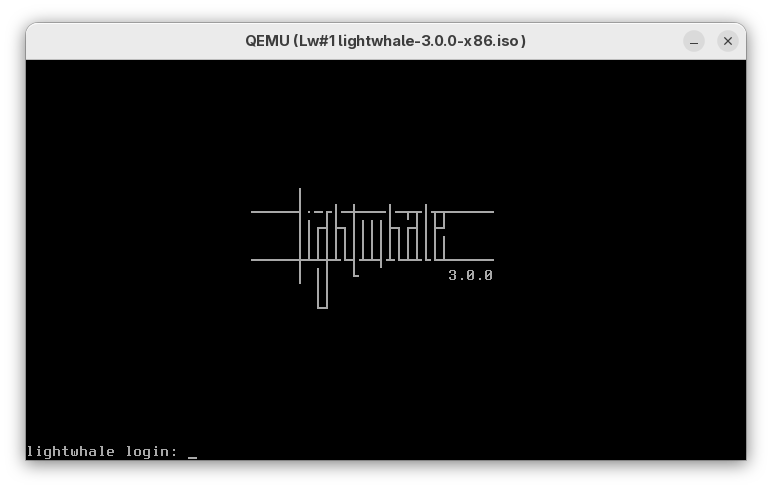
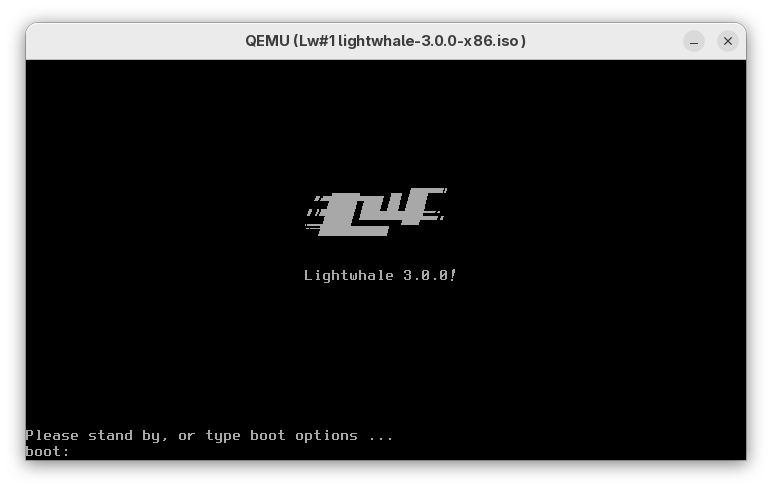
Secondly, I dont feel there's much to see, really. It's just classic Linux text mode, although I do find the GRUB splash and getty login screens quite cool. Instead, I focused on explaining what it does and how it makes your life better.

But since you asked for screenshots, here you go:

https://lightwhale.asklandd.dk/screenshots/boot.png https://lightwhale.asklandd.dk/screenshots/login.png

Enjoy!

Re:Show HN: I've built a nice home server OS on Saturday April 25, 2026 @05:16PM (#47904606)
Yes, it is a single Docker Engine instance. But Lightwhale fully supports Docker Swarm, so you can easily build a lightweight cluster as well.
Re:Show HN: I've built a nice home server OS on Saturday April 25, 2026 @05:02PM (#47904519)
Hello. There's a balance between "simple as humanly possible" and "usable", where "usable" specifically means "run docker containers". I feel I've hit a sweet-spot, but I'd like to hear where you think I failed or can improve.
Re:Show HN: I've built a nice home server OS on Friday April 24, 2026 @06:25PM (#47896576)
Thanks! I'm only announcing it for home servers because that's where most people are willing to try it out. But Lightwhale is already running in production, and it makes an excellent Swarm cluster.

Show HN: I've built a nice home server OS

https://lightwhale.asklandd.dk/

ohai!I've released Lightwhale 3, which is possibly the easiest way to self-host Docker containers.It's a free, immutable Linux system purpose-built to live-boot straight into a working Docker Engine, thereby shortcutting the need for installation, configuration, and maintenance. Its simple design makes it easy to learn, and its low memory footprint should make it especially attractive during...

( Read More... | 91 comments | 42 points | on HN )