Why is it a problem? Because if you active hyper-v (and you need a reboot to change from active/deactive) all other VM, if started, will crash your os, show a blue page of death, restart your machine and show a "I am trying to recover your system" for like 20 minutes.
And hyperv is like the shittest VMm ever to run linux over it, also with the "officially supported" linux versions.
When you have Hyper-V installed, you have to be exceptionally careful about what drivers you have installed. I've even seen a Bluetooth driver bluescreen the management OS when Hyper-V was enabled.
This is just the nature of hypervisors. Most drivers are only tested on an OS that's running directly against the hardware. Run them through a hypervisor, and their behavior becomes unpredictable.
Ultimately, Hyper-V is a hypervisor, and it competes against ESX -- not VMWare Workstation. That's why it's best run on workstation-class or server-class hardware. Basically, situations where the hardware vendor might actually keep the drivers up-to-date. On consumer-level hardware, it's a crapshoot.
1. Thinkpad T or W series
2. Dell Precision
3. HP Z-series.
Nothing else is worth throwing any money at all unless it's for facebook or pr0n usage (consumer).
On notebook? Trying to combine Hyper-V (for WP dev) and Intel HAXM (for Android dev) is BSOD nightmare. It stopped after I got rid of Hyper-V...
More than one hypervisor per machine is not a good idea. You'll get the same problem with Intel HAXM and VMware as well.
To be fair the problem with this is that the whole Intel virtualization architecture is hacked on the side (as is every other damn feature since the 80186).
I use VirtualBox and have found it reliable for years.
The Windows host OS can then be kept very clean and it remains fast and relatively secure.
Then in those rare instances when you need to download something insecure or that you don't want cluttering your Windows install you can put it in a virtual machine that acts as a sandbox.
If you organize your files right you can even wipe your windows partition and reinstall with very little downtime and setup (other than the several gigs of updates that will be needed during the first few boots).
And yeah - you are right about very little downtime when reinstalling stuff. While my peers will be out for a week because of an OS or hardware failure I can be up and running again in no time at all.
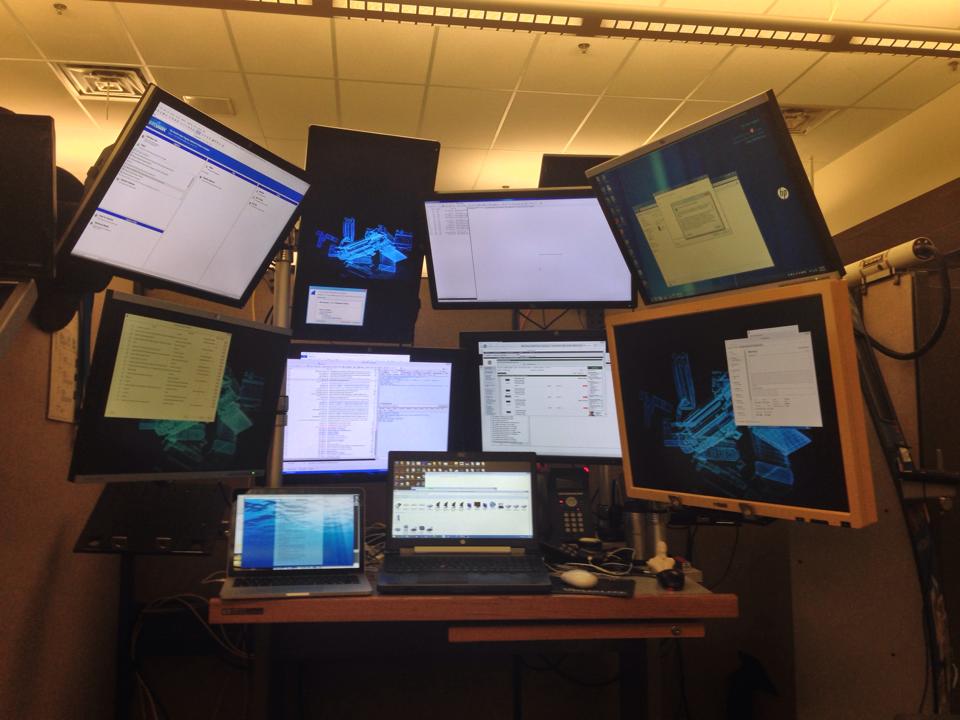
For years I dealt with alt-tab between windows as well as using various windows managers so I could have multiple desktops but the problem was that I couldn't have eye's on what was going on in the instrumentation. This setup saves me a massive amount of time.
Here's a picture with two additional monitors mounted to the wall next to my desk which are connected to another system I use:
Judging by the scopes, you're also an EE?
I ask because, considering popularity of Windows as malware/spyware target, running it as bare-metal host OS doesn't sound like a completely good idea to me, even if owner's really cautious.
Thus far, with the ability for the VM to bind specific hardware directly and not shared via the host OS I get all the benefits of a Linux host OS without the hassle of broken driver implementations taking me down for long stretches at a time. As an example, I can bind my ALFA WiFi adapter directly to the Linux VM and run aircrack-ng all day long.
Yes, there are drawbacks. You will need a bigger hard-drive (best if you can fit two in your laptop) and more memory, but those are cheap these days. The benefits, however are massive. I keep multiple VM versions and can instantly recover from anything stupid that I might do in the Linux kernel without impacting my ability to actually get my work done.