News for hackers. Stuff that matters.
Re:PyQt5 Tutorial: Create a Python GUI in 2018 by int_19h on Tuesday September 25, 2018 @01:06PM (#18068200)
I was recently surprised by how non-ugly a Python Tkinter app can look with some effort. Take a look at this:

https://thonny.org/

Re:PyQt5 Tutorial: Create a Python GUI in 2018 by nofunsir on Tuesday September 25, 2018 @03:32PM (#18069701)
"Main development of Thonny takes place in Institute of Computer Science of University of Tartu, Estonia."

Interesting!

Re:PyQt5 Tutorial: Create a Python GUI in 2018 by voltagex_ on Wednesday September 26, 2018 @02:22AM (#18073210)
It's beautiful! Close to the look of Bvckup 2 (https://bvckup2.com/ - cert revoked due to Chrome changes I think) which might be the best looking Windows app I've seen in a long time.
Re:PyQt5 Tutorial: Create a Python GUI in 2018 by jcelerier on Tuesday September 25, 2018 @01:36PM (#18068535)
that's an interesting definition of "non-ugly". I would hesitate a lot before making an app that looks like this screenshot public.
Re:PyQt5 Tutorial: Create a Python GUI in 2018 by wiz21c on Tuesday September 25, 2018 @03:33PM (#18069709)
well it's a bit old school but it certainly looks functional. If the program under it is good, it's a very superficial comment. If only you'd see my emacs screen, it's unbelievably ugly and somehow, I work with it every day !
Re:PyQt5 Tutorial: Create a Python GUI in 2018 by jcelerier on Tuesday September 25, 2018 @04:04PM (#18069999)
I was replying to a post that stated specifically that it was "non-ugly". In 2018, non-ugly means this :

* https://assets.guitar-pro.com/1.3/images/www/guitar-pro-7/ca...

* https://www.awn.com/sites/default/files/styles/original/publ...

* http://www.comptoir-hardware.com/images/stories/_software/am...
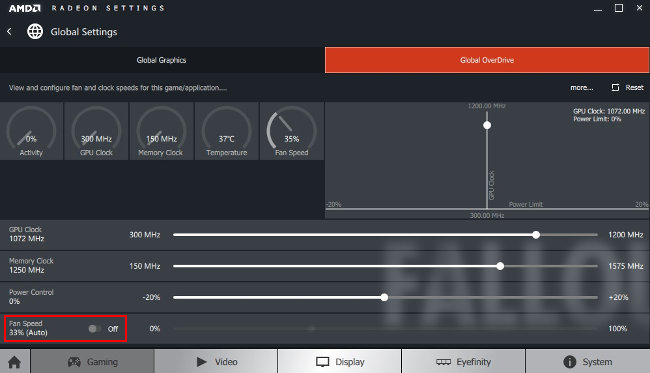
it's not what I use myself, being more of an i3/terminal guy, but it's absolutely what the clients want

Re:PyQt5 Tutorial: Create a Python GUI in 2018 by int_19h on Tuesday September 25, 2018 @04:27PM (#18070212)
For me, "non-ugly" means that it uses the standard UI controls and UI theme for the platform in a reasonable way. That's exactly what the screenshot shows. I would describe it as "neat". All your links are the exact opposite of that.

I'm sure someone (and, in particular, their designers) think they look nice. But the thing about looks is that they're very subjective. However, if I'm using some OS/desktop combo, that means I find its UI, at the very least, acceptable. And thus any app that uses native UI look & feel on that platform is also acceptable. I can't say that for many custom-themed apps.

For example, out of your links, I would say that 2 are downright ugly, and the third is tolerable. And I'm not sure what "in 2018" has to do with that.

Re:PyQt5 Tutorial: Create a Python GUI in 2018 by yorwba on Tuesday September 25, 2018 @02:00PM (#18068796)
What's wrong with it?