News for hackers. Stuff that matters.
Re:Fedora 27 released by walkingolof on Tuesday November 14, 2017 @09:34AM (#15695280)
Here are the instructions how to upgrade using dnf if you have Fedora 21 or newer: https://fedoraproject.org/wiki/DNF_system_upgrade

Looking forward to the new display settings in Gnome 3.26 https://help.gnome.org/misc/release-notes/3.26/

Re:Fedora 27 released by jacek on Tuesday November 14, 2017 @09:36AM (#15695313)
The big change will come with Gnome 3.28 - real fractional scaling. You can test early version of it on 3.26 [1] (experimental).

[1] http://www.omgubuntu.co.uk/2017/09/enable-fractional-scaling...

Re:Fedora 27 released by lima on Tuesday November 14, 2017 @09:58AM (#15695527)
That's very cool.

For users of older Gnome versions, note that you can change both the font scaling (text-scaling-factor) and global UI scaling factors.

If you, like me, have a screen that needs 1.5 scale, you can either set UI scale to 1 and font scale to 1.5, or UI scale to 2 and font scale to 0.5.

That's almost as good as real fractional UI scaling.

Re:Fedora 27 released by jacek on Tuesday November 14, 2017 @10:21AM (#15695742)
I have the same problem - 14 inch WQHD screen. I use 1x UI scaling, 1.6x font scaling. I also made a custom css for GTK that resizes window decorations/buttons that make them more usable. The solution is not perfect though. I am having some problems with Qt apps.

Fractional scaling on 3.28 will allow you to have different scaling for each display. Will also be more consistent across different apps (Gtk, Qt, electron, etc.).

Re:Fedora 27 released by noir_lord on Tuesday November 14, 2017 @03:34PM (#15698849)
Same, 2560x1440@14" scaling at 1.6.

Numix window decorations scale (where Arc doesn't) - I use Numix anyway so it works out, can't wait for proper fractional scaling since I'm a cinnamon user we'l likely get it around the same time.

Re:Fedora 27 released by lima on Tuesday November 14, 2017 @10:25AM (#15695775)
Qt works fine for me. Have you set your Xft DPI?

  $ cat .Xresources

  Xft.dpi:	144
  Xft.hinting:	1
  Xft.hintstyle:	hintslight
  Xft.antialias:	1
  Xft.rgba:	none
  Xcursor.size:	48
  Xcursor.theme:	Adwaita
Re:Fedora 27 released by jacek on Tuesday November 14, 2017 @10:29AM (#15695832)
Thanks lima. .Xresources does not work on Wayland. In my case Qt apps work ok until I connect an external display. Here's before/after: https://imgur.com/a/bJb0J
Re:Fedora 27 released by lima on Tuesday November 14, 2017 @04:28PM (#15699308)
Ow. Can't help with Wayland :(

It does work with X11 for me.

Re:Fedora 27 released by Spivak on Tuesday November 14, 2017 @12:01PM (#15696834)
It's almost as good for office work but it will completely tank your graphics performance.
Re:Fedora 27 released by rhodysurf on Tuesday November 14, 2017 @10:02AM (#15695565)
Playing with it now and it works awesome for GTK apps. Sublime Text fonts get a little blurry when using a fractional scale though which is a little annoying.
Re:Fedora 27 released by rplnt on Tuesday November 14, 2017 @09:42AM (#15695371)
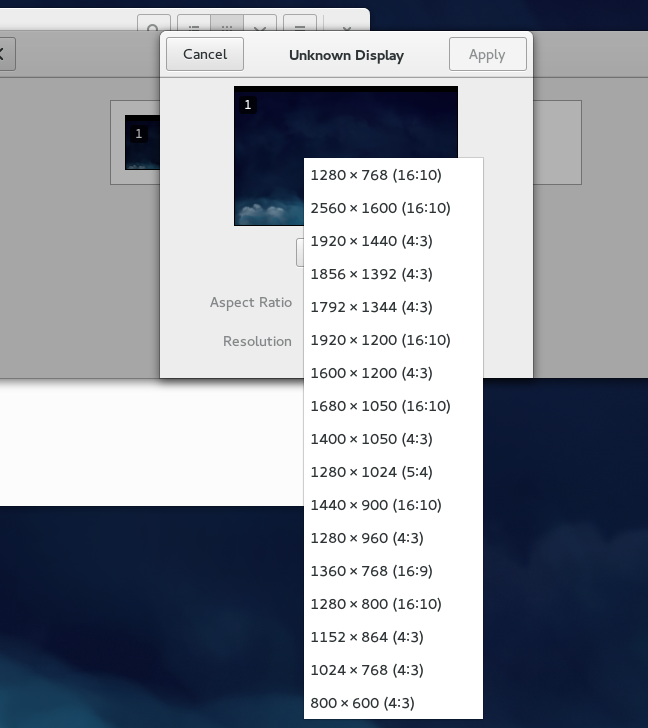
Can you verify that the resolution picker is no longer ordered by total number of pixels? How anyone ever thought this was a good idea? https://pbs.twimg.com/media/B7p7ellIIAAbSHX.png:large