https://en.wikipedia.org/wiki/DOT_%28graph_description_langu...
E.g.
http://yuml.me/1ec584ad http://yuml.me/1ec584ad.svg http://yuml.me/1ec584ad.json http://yuml.me/edit/1ec584ad
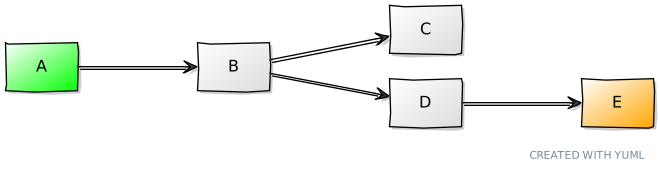
It can get complex, but the basic syntax is as simple as what this article suggests.
I would like to be able to add nodes as easily as I add cards in Trello.
The other tools have promise as well.
graph graphname { a -- b -- c; b -- d; }
-- or like this for a directed graph (the -> arrows show you which direction the links are going):
digraph graphname { a -> b -> c; b -> d; }
You can break up that first line into a -> b and b -> c and get the same graph if you want. It's not necessary here but it is when you have lots of outgoing links from the same node.
The other things you can type in are basically formatting options for the various utilities. You then feed these text files to various command line tools to do things like get a PNG of your graph:
dot -Tpng my_text_file.dot -o my_graph_image.png
That's it. The rest is just playing with it to get what you want.
For extremely simple stuff, you can use TGF [2] to represent the graph and something like yEd [3] to view it.
None of these tools have any real provision for structured proofs etc., but that could be built.
[1] http://www.graphviz.org/Documentation/dotguide.pdf
[2] http://docs.yworks.com/yfiles/doc/developers-guide/tgf.html
[3] http://www.yworks.com/en/products_yed_about.html