If we want to enter 99 identical (or relatively identical) formulas into 99 cells, then we should be able to select all 99 cells, and enter the formula once without any dragging. If we want to change that formula, we should be able to change it once and not need to remember to redrag. We should be able to enter a formula into the column heading and know it'll apply whenever relevant to every cell in a column. That we can't means Excel (and Lotus and OpenOffice) is defective.
What QA is to blame for isn't letting unfinished spreadsheets out the door, but rather for letting users in a company use defective tools like Excel and Lotus and OpenOffice in the first place.
Many of us developers learnt the hard way that visual programming tools from the 1990's don't work, which is why scripting languages became popular. Users in corporations (and the IT staff who authorize what tools that can use) need learn the same lesson.
Double-click the fill-handle (thing you click on to drag) and Excel will fill-down as far as the next empty row.
If we want to change that formula, we should be able to change it once and not need to remember to redrag.
How would it know whether you want to change it in one place for a special case, or update many places?
You can complain about the UI (I certainly do. For example, try inserting a row in an array formula), but the feature is there: http://office.microsoft.com/en-us/excel-help/introducing-arr...
Agreed. You can do this by creating your own macros, but it's a pain. Considering how often I do this for personal spreadsheets, you'd think that this would have been simplified long ago.
And, this deficiency has been ported to both Numbers and Google spreadsheets.
A5 = (C6*C6 * Sheet5:D1 + Sheet6:D1 / B3)
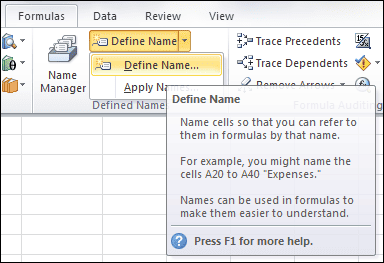
Sure there are; You can add a name for a cell or range of cells (and have been able to since at least Excel 97):
http://excelsemipro.com/wp-content/uploads/2010/09/Named-Con...
If you've got 99 cells with identical formulas, and one without, it's not far fetched for Excel to speculate that there may be a mistake (particularly if they're within X% of being identical). At which point it can provide a simple, non-intrusive hint.
And going further up the wishful thinking tree, into more difficult territory, Excel should be able to grasp what you're attempting to do by understanding, say, the top 10,000 (arbitrary number) tasks commonly performed by people using spreadsheets. That 'understanding' could then tip Excel toward deciding whether there's a problem, and whether it should leave you a nice little illuminated icon at the top right of the program with an exclamation mark.
Microsoft should have insane amounts of data on everything people do with spreadsheets, and they should be able to make it radically more intelligent (without being obnoxious or intrusive - it should be optional and highly passive).
It already does this, actually. Enter some data in two columns, like:
    4	1
    2	3
    5	6
    3	2
    4	2
    2	1
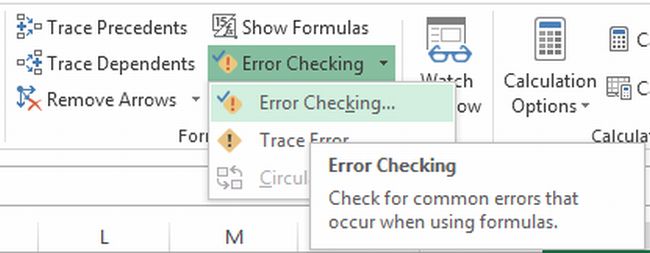
http://www.c-sharpcorner.com/UploadFile/7e39ca/error-check-f...
I think a better idea would be to scrap the datasheet concept completely. Make people use a dataflow programming language, it will give you:
a) versioning of source code with standard tools
b) separation of inputs and process
c) program source that doesn't look like a game of battleship unless who wrote it was disciplined
d) strong typing
But it won't happen, god forbid we are faced with an initially steep learning curve.
But that's not to say that it'd be easy to spot the one that is different. This is why excel has a little tooltip that pops up and says 'inconsistent formula' when it finds a cell that doesn't seem to belong.
Unless you click the button to "show formulas" in Excel, then you can view them all at once.
http://i237.photobucket.com/albums/ff263/dharma-putra/Excel2...

http://www.lytebyte.com/wp-content/uploads/2008/04/view-form...

HOWEVER, spreadsheets are rather unique in the fact that they hide the very formulas used to generate everything, unless you have a specific cell selected.
So, opposite of computer programs, they're almost impossible to "read through" and verify that everything makes sense. If 99 cells have identical formulas, and 1 in the middle has a slight typo, how on earth are you ever going to see that?
I wonder if there are other similar spreadsheet-like tools that one might use, that make a point of showing everything going on in the spreadsheet, rather than trying to hide it?