News for hackers. Stuff that matters.
Re:The day Return became Enter by Findecanor on Tuesday September 02, 2025 @07:36AM (#45101682)
> And the IBM PC – and later Microsoft Windows – went with Enter. (Actually, they first chose the ↵ arrow.

I'd claim that the article draws its own wrong conclusions.

The key was not renamed. On the IBM PC, the key got overloaded with two functions.

The IBM PC keyboard was preceded by larger keyboards with the same mechanism, style and font for use with IBM's terminals. Those had two separate keys for ↵ and Enter.

The ↵ symbol was the Return symbol signifying the Return function. The textual legend "Enter" signified the Enter function, for data entry.

Some early Model F XT keyboards did not have stabilised keys so the touch-area had to be 1×1 with room only for ↵. From the Mode F AT (large backwards-L key) forwards however, the key did have both legends: ↵ and Enter. From there on, "Enter" is mostly just what IBM PC users called it.

There are other common misconceptions about key legends. For example that ↹ would mean Tab, when it is two symbols: ⇥ for Tab and ⇤ for Back-Tab. Back-tab is on the top because it is activated with Shift. (And again, some IBM terminal keyboards had separate Tab and Back-Tab keys. Apple keyboards have only the ⇥ symbol, BTW.)

Re:The day Return became Enter by kps on Tuesday September 02, 2025 @09:42AM (#45103000)
Speaking of overloading and Tab, piling on the ‘next field’ function is an endless source of pain.
Re:The day Return became Enter by Sharlin on Tuesday September 02, 2025 @10:47AM (#45103821)
"Next field" is sort of what tabulation means. Moving to the next column of a tabular form.
Re:The day Return became Enter by kps on Tuesday September 02, 2025 @11:34AM (#45104439)
That was the origin, but for everyday typing of non-tabular work, like letters, it was used for indenting paragraphs and address and signature blocks. And it always moved to the next tab stop to the right on the line. ASCII calls it HT, ‘Horizontal Tabulation’.

Later, some systems, notably IBM's, overloaded this to move to the ‘next’ field on a form, which might be to the left and down the page. So from there MS-DOS/Windows stuck us with a Tab that sometimes moves horizontally within a text field, and sometimes moves to a different field. Just like Return sometimes moves to a new line/paragraph and sometimes submits a form.

Re:The day Return became Enter by dfox on Tuesday September 02, 2025 @10:41AM (#45103754)
That is not an overloading, that is just preserving the behavior of Tab on IBM terminals.
Re:The day Return became Enter by Pxtl on Tuesday September 02, 2025 @12:23PM (#45105196)
Need an "indent" key distinct from the "tab" key.
Re:The day Return became Enter by 1718627440 on Thursday September 04, 2025 @12:19PM (#45128946)
Yeah, maybe something that produces a fixed size space and you press it multiple times until your preferred indent.
Re:The day Return became Enter by dlcarrier on Tuesday September 02, 2025 @12:44PM (#45105593)
Normally that's fine, because the tab stop points to the next field. That's the whole point of tab stops― you place them at the beginning of fields on a forms. (Yeah, you also need to be on the right line, so a single key press rarely gets you there, but we were working with purely mechanical controls.)

Where it goes off the rails is when we embed a user interface inside another user interface. That's not a problem specific to the tabulator, but also with all novigation functions, like home, forward, and back.

I rarely use web-based email interfaces, but when I do, I accidentally send half-written email messages, because I'm trying to use a block quote or something similarly indented. It's especially bad when the next field is the 'Send' button, and pressing the spacebar sends the message.

Re:The day Return became Enter by chuckadams on Tuesday September 02, 2025 @11:58AM (#45104818)
Apple keyboards don't use the ⇥ symbol anymore, it's just labeled "tab" now (and the labels are lowercase). At least on a US keyboard, possibly it's different for others.

I still remember when the ⌘ key was "open apple".

Re:The day Return became Enter by polpo on Tuesday September 02, 2025 @12:19PM (#45105127)
Outside of the US, they have symbols: ⇥ intead of "tab", ⇪ instead of "caps lock", ⏎ instead of "return", etc.
Re:The day Return became Enter by js2 on Tuesday September 02, 2025 @12:20PM (#45105148)
That's from the Apple IIe keyboard which had "open apple" and "closed apple" straddling the spacebar:

http://xahlee.info/kbd/i/Apple_IIe_keyboard_f91f4.jpg
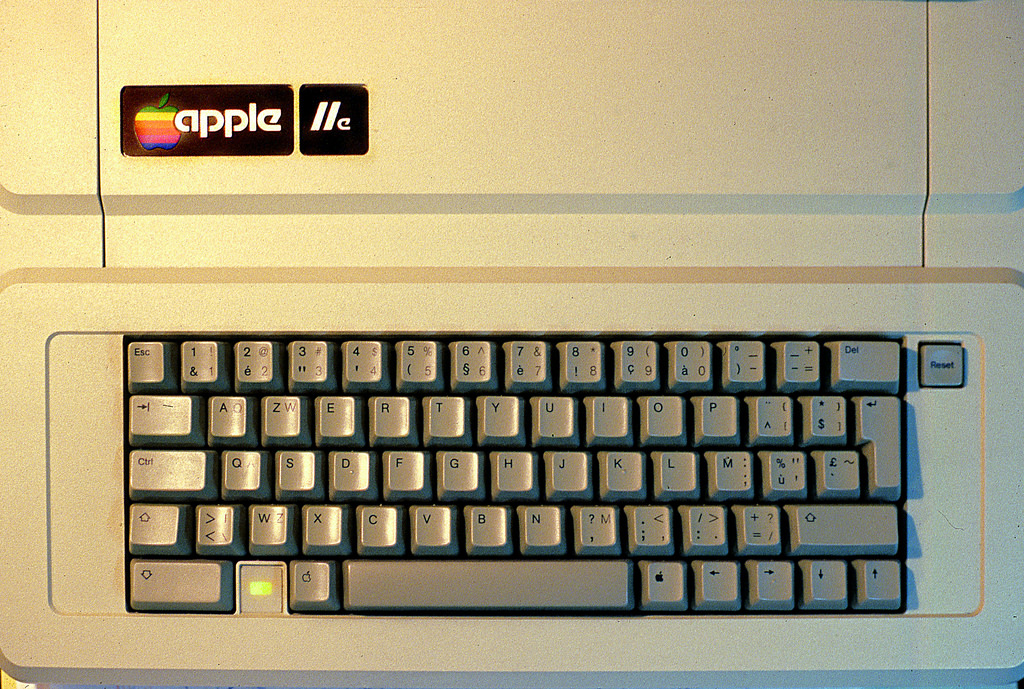
https://www.applefritter.com/files/styles/95-percent/public/...
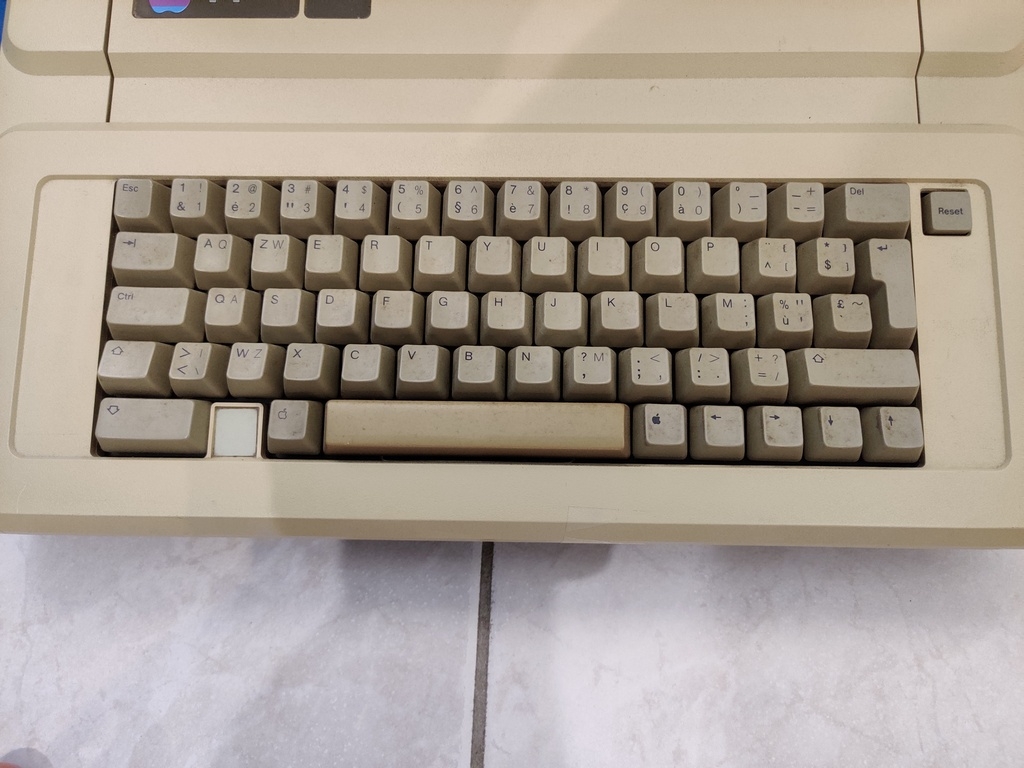
The IIgs keyboard had both the "open apple" and "looped square" symbols on that key, with the "closed apple" becoming option:

https://i0.wp.com/www.applerescueofdenver.com/wp-content/upl...

The extended keyboard had both keys on each side of the spacebar:

https://www.reddit.com/media?url=https%3A%2F%2Fi.redd.it%2Fa...

On the Mac, the keys were always officially called command and option, as far as I recall:

https://cdn.shopify.com/s/files/1/0653/6917/8326/products/25...

https://en.wikipedia.org/wiki/Apple_keyboards#Layout_and_fea...

Re:The day Return became Enter by pavlov on Tuesday September 02, 2025 @12:52PM (#45105691)
I still call this key “omppu” in Finnish (meaning “apple”) because that’s what everyone called it in the 1990s when it still had the “open apple” legend.

And young people look at me like I’m crazy when I tell them to press “omppu Z”… But it’s a hard habit to break. I don’t even know what the official name of the key is in Finnish.

Re:The day Return became Enter by Timwi on Thursday September 04, 2025 @09:13PM (#45134065)
It's komentonäppäin. Don't blame you for using the much shorter omppu!
Re:The day Return became Enter by Tsiklon on Tuesday September 02, 2025 @03:19PM (#45107753)
It seems it’s only US English keyboards that apple print the name of the key on.

All ISO layouts plus a few of the other ANSI layouts (like Korean) make use of the symbols