> It takes so much effort to read the email to figure out who said what
Email clients used to color each quoting level, and mails started with something like:
    John Doe wrote on $date:
    > Jane Smith wrote on $date:
    > > Joe Shmoe wrote on $date:

    > > > what they wrote
    > > what they wrote
    > what they wrote
> while also keeping state of all the different threads.
That’s why we had threaded views that showed messages in a tree, and showed when the subject (line) changed. People were encouraged to edit the subject line to reflect topic drift, so that you had a good overview when looking at the thread visualization, which would omit repetitions of the same subject text and only show where it changed.
Example (threaded view at top, colored quotes at bottom): https://robot.unipv.it/clipedia/images/mutt-threads.png
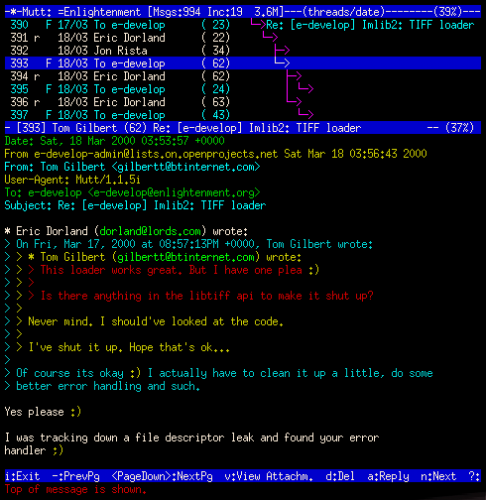
Scroll a couple of screens in the message text and you see something like:
    > > > > I think that ...
    > > No, I remember that ...
    > On the contrary, I believe that ...
Unfortunately I have not seen mutt coloring the index with the same colors as the quoted text, which would help a lot (if you have a view that shows the index along with the message).
Top posting takes more effort to do well, but makes it much easier to follow an email chain.