Re:A Keypad to Control My Entire Desk Setup
by dceddia on Saturday February 25, 2023 @01:33AM
(#34934432)
I’ve had good luck with this CableMatters USB KVM switch. It switches the USB devices along with a DisplayPort. So I leave the monitor’s input alone, and run its DisplayPort to this, and then DP cables out to my Mac and PC (well, DP-to-USBC for the Mac)
Re:A Keypad to Control My Entire Desk Setup
by alin23 on Saturday February 25, 2023 @02:00AM
(#34934545)
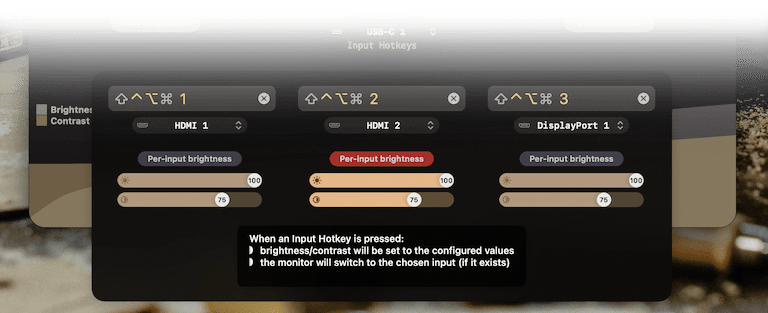
Maybe try my Lunar app (https://lunar.fyi/) if you’re on macOS. It can switch inputs using DDC if the monitor implements the VCP code for it, and it can assign a hotkey and a specific brightness/contrast for the input if needed: https://lunar.fyi/static/img/input-key/768_input-key.webp
For Linux, there’s ddcutil that can do that, and for Windows there’s TwinkleTray.
The USB-connected devices is ok since I can use a USB switcher. But I can't figure out how to switch my monitors' input sources without manually using their OSD and control buttons.