News for hackers. Stuff that matters.
Re:Idiot Proof Git by krinchan on Wednesday November 09, 2022 @12:35PM (#33534995)

    git add .; and git commit --amend --no-edit; git push origin --force
Rarely, I have to do pipeline work on repositories. You'd normally see twenty "Fix Jankins Issue" commits on the main branch because of some nonsense that only happens when you deploy UAT or whatever. Once I learned this little gem, this is also how I manage my feature branches mostly. But also my employer's fleet of laptops has been aging and I've had to do 3 swap outs this year, so I like to keep my in progress work pushed up just in case.
Re:Idiot Proof Git by sixstringtheory on Wednesday November 09, 2022 @01:29PM (#33535839)
I did this for a while but have moved on to

    git commit --fixup HEAD
and you can tack an -e on the end to add more notes in the commit message body. You can fixup prior commits by supplying their short hash, which is how I originally discovered this: I essentially wanted to amend a commit farther back in my branch.

This makes a commit with a “fixup!” prefix that works with

    git rebase --interactive --autosquash
you can also form that kind of commit directly, and there is also a “squash!” directive. Now you don’t have to force push amended commits. And it helps sometimes when you accidentally amend something you didn’t mean to–now you can just soft reset to HEAD~1 and try again.

I don’t even bother locally rebasing to autosquash it all anymore since we use squash-to-merge/rebase in github PRs now.

Re:Idiot Proof Git by firesloth on Wednesday November 09, 2022 @07:30PM (#33540423)
I did something very similar with a bash function:

  function git-commit-fixup() {
    git commit --fixup ":/$*"
  }
  alias gcf="git-commit-fixup"
  # Looks for the most recent commit that matches its arg
  # eg: we have three commits with messages: 
  #   "fix: the thing" 
  #   "feat: 5 percent cooler"
  #   "test: test coolness"
  # then we do some work and git add, then do:
  gcf cooler"
  # now we have 4 commits: "
  #   "fix: the thing" 
  #   "feat: 5 percent cooler"
  #   "test: test coolness"
  #   "fixup! feat: 5 percent cooler"
  # And autosquash will combine the fixup commit with the appropriate semantic commit as you say.
Sadly I've stopped using it as someone introduced a bunch of commit lint git hooks that choke horribly on the "fixup!" part. And you can't pass --no-verify while rebasing.
Re:Idiot Proof Git by tkot on Wednesday November 09, 2022 @04:31PM (#33538168)
I'd probably suggest --force-with-lease just to be sure ;)
Re:Idiot Proof Git by firesloth on Wednesday November 09, 2022 @07:36PM (#33540494)
Me too. I made an alias that was _shorter_ than --force to make it easier to type (and hence more likely for me to use by default).
Re:Idiot Proof Git by tremon on Wednesday November 09, 2022 @05:41PM (#33539119)
git add .

We have had multiple security incidents because some developer left a credential file inside the local git clone (no, not all tooling supports out-of-tree stored credential). Blind 'git add .' is the first thing I teach my developers not to do.

Re:Idiot Proof Git by ratorx on Wednesday November 09, 2022 @08:16PM (#33540861)
git add . is very useful though. Surely, the first thing to teach here is to always git status before committing?

My typical workflow is to git add . to see the mess I’ve made then decide how to clean it up. If I’ve mistakenly added a credentials file, the fix is to add it to the gitignore and unstage it, not JUST unstage it.

Not saying that you shouldn’t do both, but maintaining a gitignore and completely removing the potential problem for other people seems better than pretending your tool is more limited than it is.

Re:Idiot Proof Git by notpushkin on Thursday November 10, 2022 @02:31AM (#33543357)
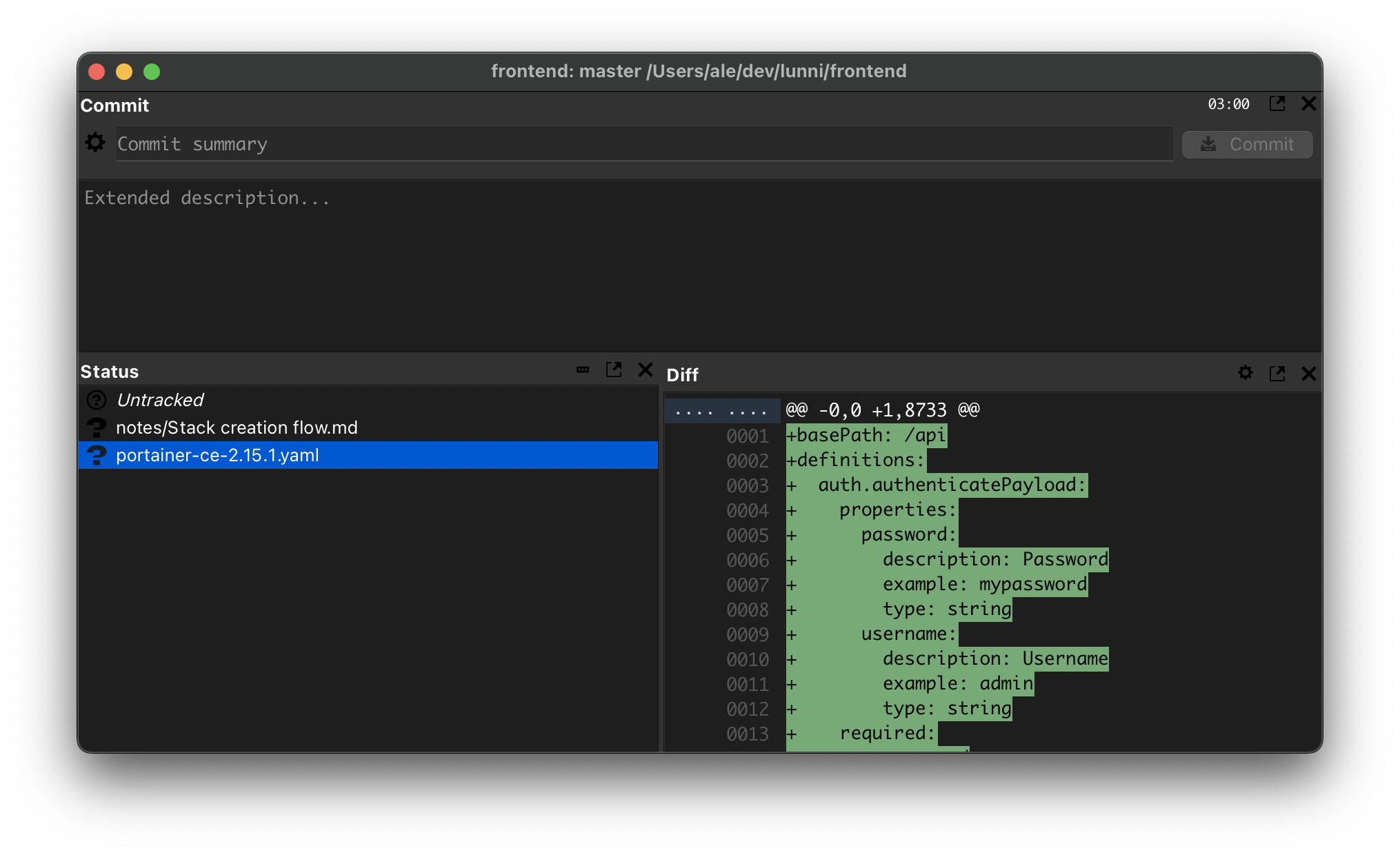
If you can tolerate a GUI, Git Cola might be a solution. I'm using it exclusively for some 5 years now – it's lightweight enough, but still makes you think about what you're about to commit. You can add things to .gitignore directly from there, too.

https://git-cola.github.io/

Default layout is a bit weird IMO, here's what I'm doing instead: https://u.ale.sh/my-git-cola-screenshot.png
Re:Idiot Proof Git by krinchan on Thursday November 10, 2022 @09:43AM (#33547145)
You don't use .gitignore? All our projects use dotenv for local credentials with a .gitignore that covers build, log, and any *.env file.

Sounds like you need better tooling, tbh.

Re:Idiot Proof Git by ernestns on Tuesday November 15, 2022 @10:49AM (#33610655)
You can combine

  git add .; git commit --amend --no-edit;
with the `-a` option

  git -a --amend --no-edit;