Re:How to forcibly eject a CD/DVD from a MacBook Air USB Sup...
by sambeau on Wednesday November 16, 2011 @10:25AM
(#3243405)
In the olden days some macs used to have a hidden eject lever inside and to the side of the actual slot that you could push with a long thin screwdriver. Has that now gone?
[ Parent
| on HN ]
Re:How to forcibly eject a CD/DVD from a MacBook Air USB Sup...
by kalleboo on Wednesday November 16, 2011 @10:49AM
(#3243529)
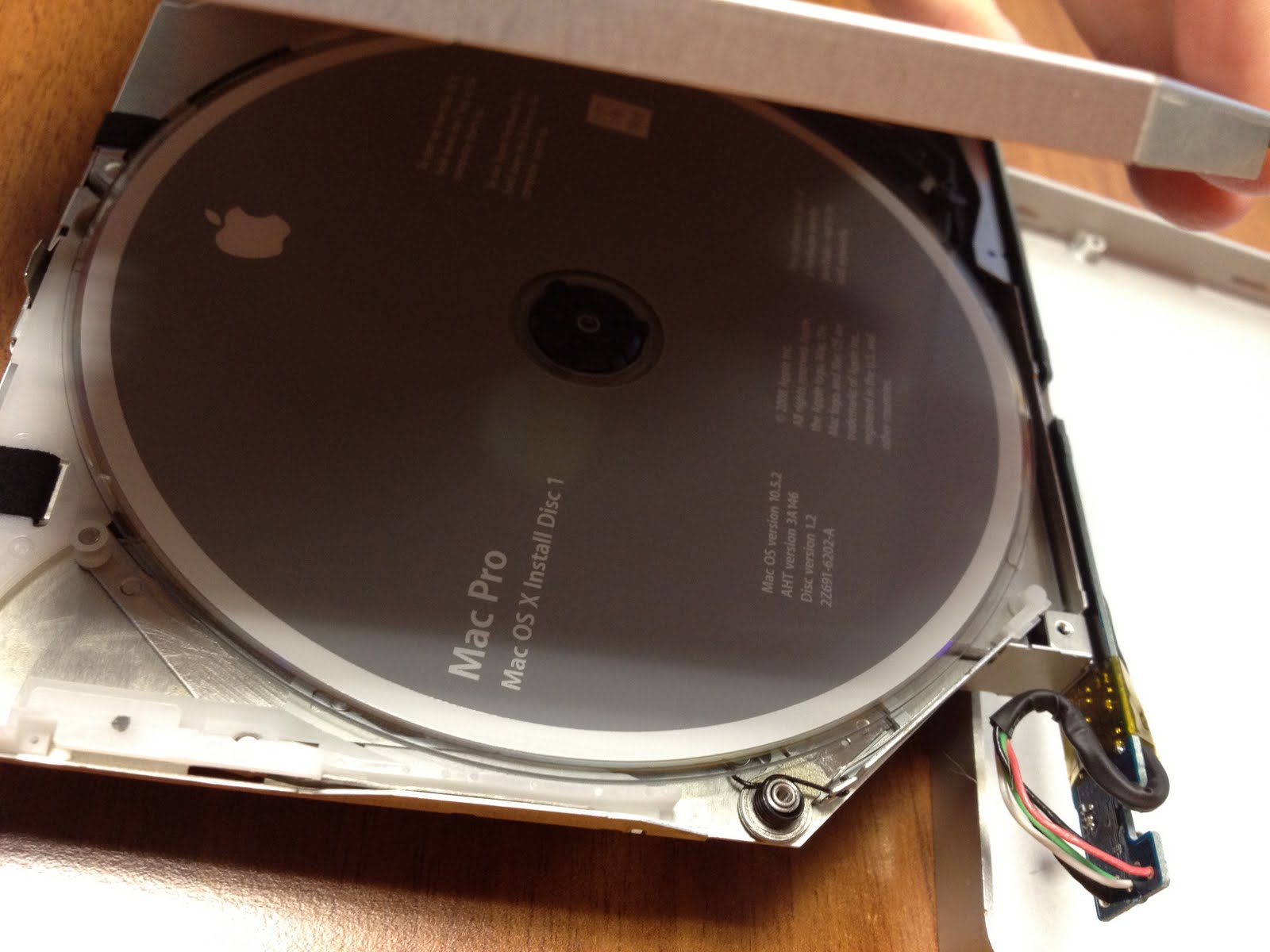
I'm pretty sure they still do (last time I used one was on a white plastic MacBook). I think it's that white piece of plastic in the bottom of his picture of the opened drive http://4.bp.blogspot.com/-ZXGivS3ZQHk/TsPQFirsZBI/AAAAAAAAA-...
Re:How to forcibly eject a CD/DVD from a MacBook Air USB Sup...
by jonhendry on Wednesday November 16, 2011 @10:50AM
(#3243537)
Apparently yes. The manual says ejecting is only possible when connected to a Macbook Air.
Re:How to forcibly eject a CD/DVD from a MacBook Air USB Sup...
by mootymoots on Wednesday November 16, 2011 @10:28AM
(#3243416)
yeah the slot loading iMacs from 1999 ish had it on the right hand side. You could press it in with a paperclip. Not sure about now...
Re:How to forcibly eject a CD/DVD from a MacBook Air USB Sup...
by iaskwhy on Wednesday November 16, 2011 @10:55AM
(#3243566)
The first aluminum iMac didn't, had to send it to the store[1] for almost one month to get my CD back. Will never buy an iMac again.
[1] Country without official Apple stores, that's what you get.
Re:How to forcibly eject a CD/DVD from a MacBook Air USB Sup...
by shinratdr on Wednesday November 16, 2011 @11:14PM
(#3246365)
I have to wonder if there was actually a problem with your disc or drive. Everyone assumes an eject button is the magic elixir, but in 5-10 years of supporting Macs I've yet to have a working drive not spit out a disc using one of the regular methods like holding down the mouse button while booting.
Re:How to forcibly eject a CD/DVD from a MacBook Air USB Sup...
by iaskwhy on Thursday November 17, 2011 @02:51PM
(#3248964)
I believe they replaced the drive. My problem is that I wouldn't need the drive if I didn't have one by the time but with the CD inside it would make a lot of noise trying to do something to it...