If it's an aesthetic thing, someone could make a tool that looks like it's blurring, but actually puts in fake data and then blurs that.
But anyone who knows or cares enough to go download a purpose-made tool for censoring images probably just opened it in Paint and drew a black rectangle.
The classy thing to do would be to replace it with a real QR code that spells out "remember to drink your ovaltine" but is damaged enough you need about a million brute force attempts to decode it.
Applied to that QR-code, the currently blurred out part would be entirely white —because the original QR-code was surrounded by a white background.
That should take care of many aesthetic concerns, without using a single bit of secret information for the final rendering.
https://petsymposium.org/2016/files/papers/On_the_(In)effect...
https://pbs.twimg.com/media/DM2-8SrX4AAqc4o.jpg:large
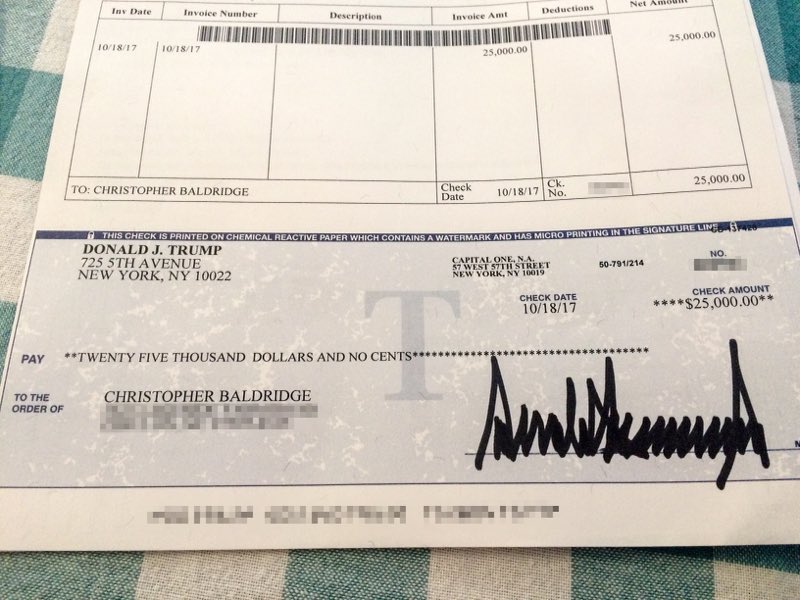
Context:
http://www.huffingtonpost.ca/entry/dillon-baldridge-trump-ch...
Actually, the post above has a video where no blurring at all occurs...!
be careful asking non technical employees, sans training, to "just draw a black box over it", is what I'm saying.
- a black box will get drawn over it. - that box completely covers the text. - that box will be drawn opaquely.
Verifying that isn’t easy.
Save to .png is safer. It doesn’t support layers, so what you see is what you get.
Just make sure your document->png converter doesn't do anything silly with the alpha channel.
1) If you care about the data, don't blur. Black it out, entirely. 2) If you don't want to black it out for aesthetic reasons, then you don't care enough about the data being private. 3) Black out every pixel, every time.