Re:My Keyboard
by gadrfgaesgysd on Sunday September 06, 2015 @06:36AM
(#10177292)
That layout goes against usual touch typing rules.
https://upload.wikimedia.org/wikipedia/commons/thumb/2/29/To...

As you can see the rule for the left index finger is: 4 R F V, but the keyboard you posted suggests a layout: 6 T F C
The latter layout look appealing, and I wonder why is touch typing using the former rule, since it makes both right and left hand move on a right diagonal instead of right-right, left-left.
At a first glance none of them has any visible advantage.
Seems like the main problem with that setup would be, if you turn your wrists outward to hit the 6TFC layout (and mirror with your right hand), you'll have quite a stretch to reach 'B' with either side. (Otherwise it would be great, as your wrists would be in a more natural position, without the need for a split keyboard.)
Re:My Keyboard
by gadrfgaesgysd on Sunday September 06, 2015 @06:46AM
(#10177308)
Exactly. Perhaps 'B' is the reason touch typing uses that strange rule. I'm using it, but the 'B' key was still hard to reach and was causing strain. So I remapped it to the right of 'L', where there is basically an unused key( I use 'shift + ,' to get ';' ).
I want to try the layout from that keyboard[0], but I wonder if it would be a waste of time, since it would take at least a month to obtain a normal typing speed.
[0]:http://ecx.images-amazon.com/images/I/71oyo6vGNoL._SL1500_.j...
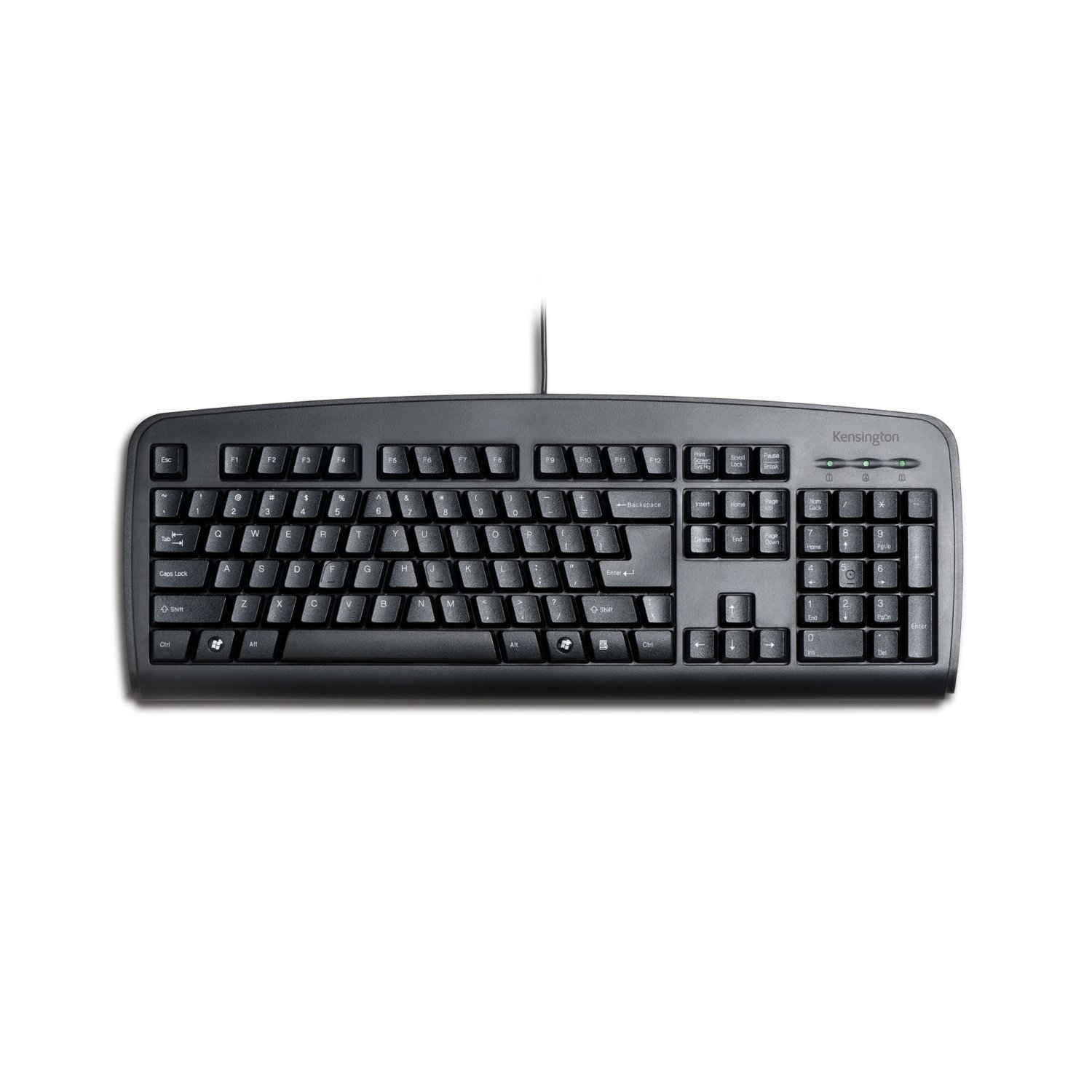
http://www.amazon.com/Kensington-64338-Comfort-Type-Keyboard...
It wasn't the best keyboard, but the keys did seem to fall nicely underneath the natural angle of my wrists. It also didn't have the awkward feeling of a split keyboard.